+92 318 3068833 Get Free Audit

Assistant Project Manager Guide 7 Skills and Salary 2026

Assistant project manager guide covering 7 core skills, daily duties, salary range, tools and a clear career path to project manager in 2026 with real examples.

Every great project has a quiet hero and that hero is often the assistant project manager

Walk into any software company that ships on time and you will find a person who knows where every task stands, who is waiting on whom, and which deadline is about to slip. That person is very often an assistant project manager. The role rarely gets the spotlight, yet it decides whether a launch feels calm or chaotic. This person works beside the project manager, keeps plans moving, protects the schedule, and turns messy conversations into clear next steps. If you are exploring this career, hiring for it, or simply trying to understand how projects really run, this guide gives you a complete and honest picture.

In the next sections you will learn what the role involves every day, how it differs from a project manager and a project coordinator, the 7 skills that matter most, the tools to master, realistic salary data, and a clear path to get hired and grow. Every section includes practical SaaS examples, because software companies run some of the fastest and most demanding projects in the world. By the end you should know exactly what an assistant project manager is expected to deliver and how to become excellent at it.

What an assistant project manager actually does

An assistant project manager is a project management professional who supports a project manager in planning, tracking, communicating, and delivering a project on time and within budget. The role sits between the coordinator level and the full project manager level. A coordinator usually handles tasks and administrative work, while an assistant project manager also owns parts of the plan, such as one workstream, the timeline for a single feature, or the reporting for a specific client. That shared ownership is what makes the position a true stepping stone.

In practice the daily work falls into 5 areas. The first is planning, which means breaking a goal into tasks, estimating effort with the team, and building a schedule that people can actually follow. The second is tracking, which means checking progress against the plan, updating dashboards, and spotting risks before they become problems. The third is communication, which covers meeting notes, status reports, stakeholder updates, and quick clarifications between engineering, design, sales, and customer success. The fourth is documentation, including project charters, requirement lists, decision logs, and lessons learned. The fifth is budget and resource support, where the assistant project manager helps monitor spending, working hours, and team capacity. Each area may look small on its own, yet together they form the backbone of reliable delivery.

The United States Bureau of Labor Statistics describes project management specialists as professionals who coordinate the budget, schedule, staffing, and other details of a project. The SaaS setting is where the role has changed the most, because product teams now work in short sprints and release updates every week or two.

Assistant project manager versus project manager versus project coordinator

Job titles in project management overlap so much that even recruiters mix them up, so it helps to draw clear lines. A project coordinator focuses on administrative support such as scheduling meetings, tracking documents, and following up on tasks. A project manager carries full accountability for scope, time, cost, quality, and the client relationship. An assistant project manager works in the middle. This person shares planning duties, runs small projects or parts of a large one, and steps in for the project manager when needed, but usually does not sign off on final decisions about budget or scope.

Think about a SaaS company launching a new billing feature. The project manager talks with the head of product, sets the launch goal, and approves the budget. The assistant project manager builds the sprint plan with the engineering lead, tracks bugs, prepares the weekly status report, and coordinates the beta test with customer success. The project coordinator books meetings, sends reminders, and files documents. All three roles matter, but the middle role connects daily execution to the larger plan, and that visibility makes it one of the fastest ways to learn the craft.

A real day in the life of an assistant project manager on a SaaS team

Take Sara, a fictional assistant project manager at a company that sells subscription analytics software. Her day begins at 9 with a fifteen minute standup where developers, designers, and a quality tester share progress. She listens for blockers, and when a developer mentions that an integration is waiting on an access key from a customer, she notes it and messages the account manager before the meeting ends. By 10 she has updated the sprint board, moved finished tasks, and flagged 2 items that may slip.

Late morning is reserved for the risk log, where she rates each open risk by likelihood and impact and suggests a backup plan to the project manager. After lunch she joins a call with the customer success team to plan the rollout of a new dashboard, then turns the call into a short action list with owners and dates. The afternoon ends with the weekly status report covering what was completed, what is at risk, and what help is needed. The job is less about giving orders and more about removing friction so smart people can do their best work.

7 skills every assistant project manager needs to succeed

Hiring managers usually look for a blend of hard skills and people skills. These are the 7 that appear in almost every strong assistant project manager profile, along with a practical way to build each one.

Skill 1 Clear and calm communication. Nearly every project problem starts as a communication problem, which is why an assistant project manager must write updates that a busy executive can understand in thirty seconds. Replace vague lines like still working on it with specific lines like the login fix is ready for testing and needs review by Thursday. Practice by rewriting your own emails to be half as long without losing meaning.

Skill 2 Planning and scheduling. Good planning means turning a large goal into small tasks, linking tasks that depend on each other, and finding the critical path, which is the chain of tasks that decides the finish date. Learn to build a work breakdown structure and a simple Gantt chart, and add a buffer of 10 to 15 percent to estimates for uncertain work.

Skill 3 Risk and issue management. A risk is something that might happen, while an issue is something that has already happened. Keep a live risk log, score each item by probability and impact, assign an owner, and review the list every week. Teams that discuss risks early spend far less time firefighting later.

Skill 4 Tool fluency and data comfort. Modern projects live inside software, so you must be quick with boards, timelines, spreadsheets, and dashboards. Being able to pull a burndown chart or build a simple pivot table makes your reports credible.

Skill 5 Stakeholder management. Every project has people with different goals, such as a sales lead who wants speed, an engineer who wants quality, and a client who wants a lower price. A strong professional in this role listens carefully, repeats back what was heard, and negotiates realistic expectations. Learning to say not yet, and explain why, is one of the most valuable habits you can build.

Skill 6 Agile and Scrum knowledge. Most SaaS teams work in sprints, which are short cycles of one to four weeks that end with working software. You should understand sprint planning, daily standups, backlog grooming, reviews, and retrospectives. Reading the Scrum Guide and running a practice sprint on a personal project is a fast way to learn.

Skill 7 Leadership without authority. This role rarely carries formal power over the people doing the work, so influence must come from trust, preparation, and fairness. Follow through on every promise, give credit publicly, and raise problems privately and early. People follow those who make their work easier, and that reputation grows with every project.

Tools an assistant project manager uses every day

Tools change from company to company, but the categories stay the same. For task and sprint tracking, teams rely on Jira, Asana, Trello, Monday, and ClickUp. For documentation and knowledge sharing, Confluence and Notion are common. For communication, Slack and Microsoft Teams carry most of the daily conversation, while short recorded videos are becoming a popular way to share updates without another meeting. For planning and reporting, spreadsheets remain the quiet workhorse, and Microsoft Project or a simple Gantt template handles larger schedules.

Rather than trying to learn everything, choose one board tool and master it deeply, including custom fields, filters, dashboards, and chat integrations. A well organized Jira board with clear columns such as to do, in progress, in review, and done tells the whole story of a project at a glance, and it ends the need for extra status meetings.

Assistant project manager salary and job outlook in 2026

Pay depends on country, industry, company size, and experience, so any single number should be treated as a guide rather than a promise. A helpful benchmark comes from the Bureau of Labor Statistics, which reported a median annual wage of 100750 US dollars for project management specialists in the United States in May 2024. Because an assistant project manager sits below the full project manager level, entry pay usually starts lower and climbs as responsibility grows, especially once the person earns a certification or leads a full project from start to finish.

The demand picture is encouraging. The same agency projects that employment of project management specialists will grow 6 percent from 2024 to 2034, which is faster than the average for all occupations, with about 78200 openings each year once retirements and job changes are included. Readers outside the United States should check current local job listings and salary surveys, because pay in Canada, the United Kingdom, or South Asia differs sharply from American figures.

How to become an assistant project manager in 6 steps

Step 1 Build the educational foundation. Most employers prefer a four year degree in business, management, information technology, or a related field, although the Bureau of Labor Statistics notes that the degree can be in many subjects.

Step 2 Earn an entry level certification. The Certified Associate in Project Management from the Project Management Institute is designed for people who are new to the field, and it shows employers that you understand core terms and processes.

Step 3 Learn the tools. Open a free account on a project tool and manage a real project, even a small one such as planning a family event or a study schedule.

Step 4 Gain hands on experience. Look for coordinator roles, internships, or an internal move into the project office of your current company. Volunteer to take notes in project meetings, maintain the risk log, or run the weekly update.

Step 5 Build a simple portfolio. Create a sample project plan, a risk log, a status report, and a lessons learned summary for a realistic SaaS launch. A portfolio proves you can do the work before you are hired to do it.

Step 6 Prepare for interviews. Expect questions about handling a missed deadline, managing a difficult stakeholder, and prioritizing when everything feels urgent. Answer with short stories that show the situation, your action, and the measurable result. Numbers such as reduced delays by 3 days or saved 12 hours per sprint make your answers memorable.

Common mistakes an assistant project manager should avoid

The first mistake is tracking tasks without understanding the goal. An assistant project manager who only moves cards across a board cannot warn the team when a task no longer supports the outcome. Always ask what success looks like for the customer and for the business.

The second mistake is sending vague or overly long updates. Busy leaders want three things, which are what is done, what is at risk, and what decision is needed. When updates hide the real message inside long paragraphs, important warnings get missed.

The third mistake is hiding bad news. New professionals often fear that reporting a delay will look like failure, but late surprises damage trust far more than early warnings. Share the problem together with a proposed solution and a revised date.

The fourth mistake is saying yes to every request. Constant additions to the plan, often called scope creep, quietly destroy schedules. A strong assistant project manager records each request, explains the impact on time and cost, and lets the project manager or sponsor decide.

Best practices that make an assistant project manager indispensable

Start with one source of truth. When plans live in emails, chat threads, and personal notes, nobody trusts any of them. Choose one board and one document space, and make sure every update goes there first. Next, create a weekly rhythm that the team can rely on, such as planning on Monday, risk review on Wednesday, and a status report on Friday.

Finally, run a short retrospective after every milestone. Ask the team what went well, what slowed them down, and what to change next time, then turn the answers into two or three concrete actions. Teams that do this consistently improve with every release, and the assistant project manager who leads the habit becomes a natural candidate for promotion.

Career path after assistant project manager

Most people spend one to three years as an assistant project manager before moving up, though the timeline depends on results and opportunity. The most common next step is project manager, where you take full ownership of scope, budget, and client communication. From there the road branches. You can grow into senior project manager, program manager, or head of the project management office, where you oversee many projects at once. You can also move sideways into Scrum master, product operations, business analysis, or product management, since all of these roles reward the same planning and communication skills.

Certifications support each step. After gaining experience leading projects, many professionals pursue the Project Management Professional credential, and keeping a record of results such as projects delivered and hours reclaimed strengthens every salary discussion.
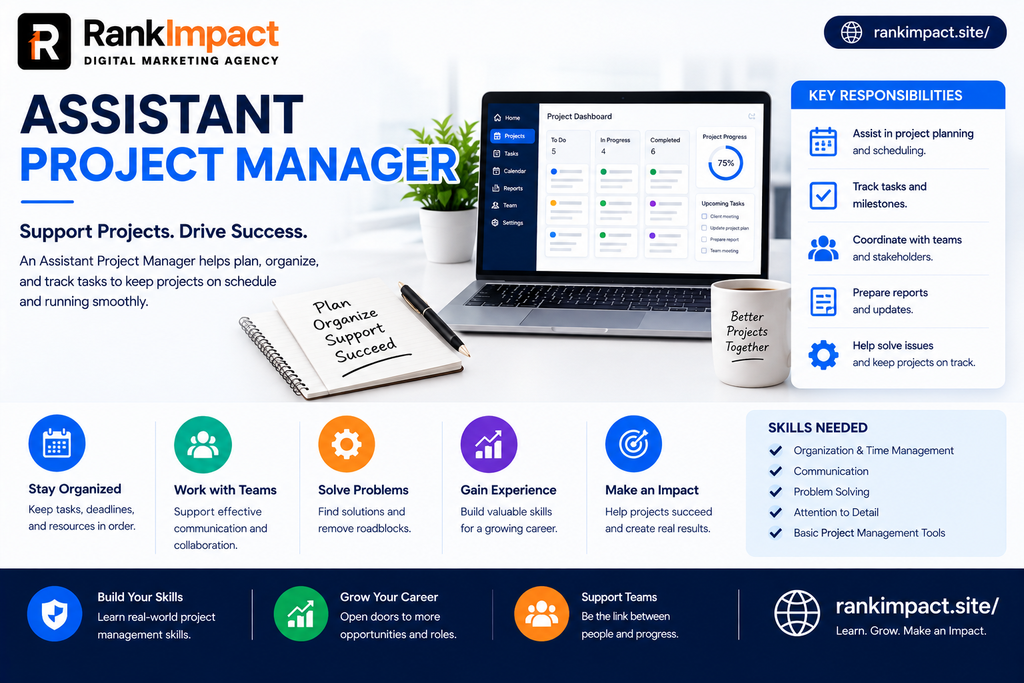
Assistant project manager reviewing a sprint board with a SaaS team.

Frequently asked questions about the assistant project manager role

What does an assistant project manager do?

An assistant project manager supports the project manager by building schedules, tracking tasks, managing risks, preparing status reports, and coordinating communication between team members and stakeholders.

Is an assistant project manager the same as a project coordinator?

No. A coordinator mainly handles administrative support, while an assistant project manager also owns parts of the plan and may lead smaller projects or workstreams.

How much does an assistant project manager earn?

Pay varies by country and industry. The United States median for project management specialists was 100750 US dollars in May 2024, and assistant level roles usually start below that figure and rise with experience and certification.

Do you need a degree to become an assistant project manager?

A degree in business, management, or technology is common and helpful, but it is not always required. Certifications, practical experience, and a strong portfolio can also open the door.

Which certification is best for an assistant project manager?

The Certified Associate in Project Management from the Project Management Institute is a popular entry level choice. A Scrum foundation certificate is a useful addition for software teams.

What skills does an assistant project manager need?

The most important skills are clear communication, planning, risk management, tool fluency, stakeholder management, Agile knowledge, and leadership without formal authority.

How long does it take to move from assistant project manager to project manager?

Many people make the move in one to three years, depending on performance, company size, and the chance to lead a complete project.

Can an assistant project manager work remotely?

Yes. Because the work relies on digital tools and written communication, many SaaS companies hire remote assistant project managers, although some prefer overlap in time zones.

What tools should an assistant project manager learn first?

Begin with one task board such as Jira or Asana, then add a spreadsheet tool, a documentation tool like Notion or Confluence, and a team chat platform like Slack.

What are the biggest challenges an assistant project manager faces?

Common challenges include balancing many stakeholder demands, keeping plans realistic, influencing people without formal authority, and delivering bad news early and calmly.

Conclusion Your next step as an assistant project manager

The assistant project manager role is one of the best entry points into a lasting and well paid career. It teaches planning, communication, risk control, and leadership in real conditions, and it gives you a front row seat to how great products reach customers. Success in the role comes from a few repeatable habits, which are writing clear updates, surfacing risks early, learning your tools deeply, and understanding the goal behind every task. Start small by managing one real project this month, build a simple portfolio, and add an entry level certification. With steady practice, an assistant project manager can become a trusted project leader faster than most people expect.

Key Takeaways

Takeaway 1 An assistant project manager supports the project manager with planning, tracking, risk control, and communication.

Takeaway 2 The role sits between project coordinator and project manager and often owns a workstream or a small project.

Takeaway 3 The 7 core skills are communication, planning, risk management, tool fluency, stakeholder management, Agile knowledge, and leadership without authority.

Takeaway 4 The United States median wage for project management specialists was 100750 US dollars in May 2024, with 6 percent growth projected from 2024 to 2034.

Takeaway 5 Follow 6 steps to enter the field, which are education, certification, tools, experience, a portfolio, and interview preparation.

Takeaway 6 Avoid vague updates, hidden bad news, endless scope changes, and missing documentation.

Takeaway 7 Most professionals move up to project manager within one to three years when they deliver results and keep learning.
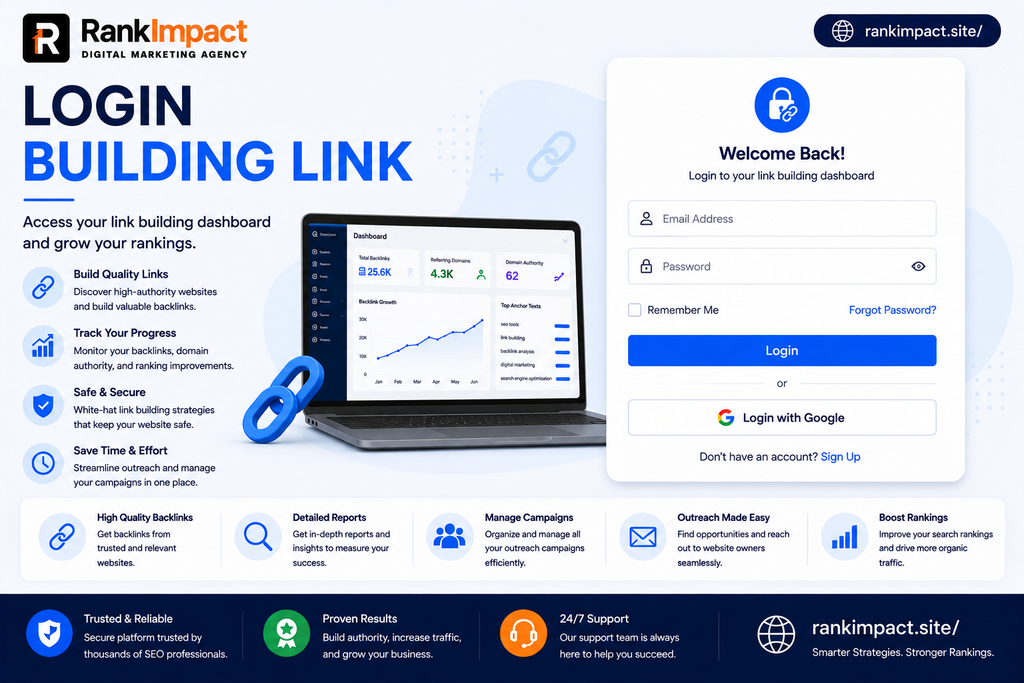
BuildingLink Login Guide Simple Steps for 2026

Struggling with your BuildingLink login. This complete guide covers setup steps password resets the resident app and quick fixes for common issues.

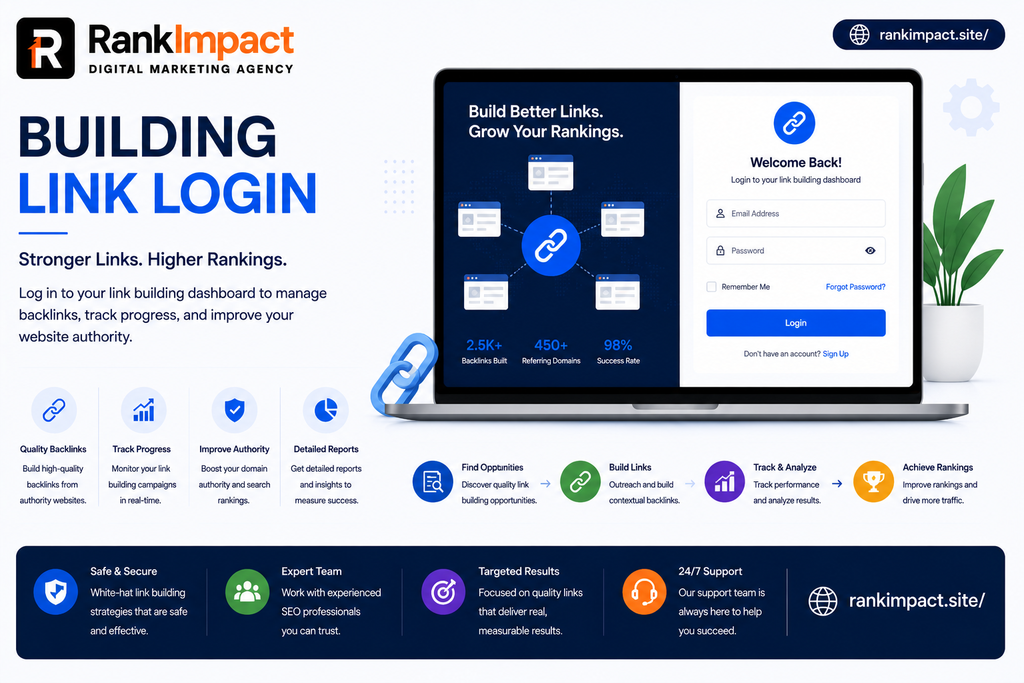
BuildingLink login guide showing steps to sign in and reset password

BuildingLink Login Guide Simple Steps for 2026

Anyone who lives in a managed apartment or condo building has probably run into the same moment of confusion at least once, staring at a login screen that will not accept a password that used to work fine last month. BuildingLink is one of the most widely used resident portals in North America, connecting residents to their building management for everything from package tracking to amenity bookings, and a smooth BuildingLink login is often the first thing a new resident needs to figure out before they can use any of those features. This guide walks through the entire login process from setup to troubleshooting, written for residents who just want a clear answer without digging through a dozen scattered support pages.

Whether you are setting up your account for the very first time, switching from a desktop browser to the mobile app, or trying to recover a forgotten password at eleven at night, the steps below cover every situation you are likely to run into with your BuildingLink login.

People searching for a BuildingLink login are almost always trying to solve one of three immediate problems. Some are brand new residents who just received a welcome email from their building and need to activate their account for the first time. Others are existing residents who cannot remember their username or password and want a fast fix rather than a lengthy explanation. A smaller group is comparing the desktop portal against the mobile app to decide which one fits their daily routine better.

This intent is highly practical and time sensitive, which means the content that serves readers best is organized around clear steps rather than long background explanations. Readers want to find their exact situation quickly, follow a short set of instructions, and get back to checking their deliveries or booking the gym.

BuildingLink is a property management platform used by thousands of residential buildings to give residents a central place to manage daily building interactions. Through the portal, residents can track package deliveries, submit maintenance requests, reserve shared amenities like a gym or a party room, communicate with building staff, and receive important announcements from management.

Your BuildingLink login is the key to all of this because each account is tied specifically to your unit and your building. Unlike a general consumer app where anyone can sign up freely, BuildingLink accounts are created by your building management team first, and residents then activate the account using credentials sent directly to their email. This is an important distinction for new users, since you cannot simply create your own account from scratch the way you would with most consumer apps.

Setting up your account correctly the first time prevents almost every common login problem down the road, so it is worth following each step carefully rather than rushing through it.

Step one is locating your welcome email. After your building management registers you as a resident, BuildingLink sends an email containing a unique activation link along with your assigned username. This email typically comes directly from BuildingLink rather than your building staff, so check your spam or promotions folder if you do not see it within a day or two of moving in.

Step two is creating your password. Clicking the activation link opens a secure page where you will type your chosen password and confirm it a second time. Choose something you will remember but that is not easily guessed, ideally combining letters, numbers, and at least one symbol if the system allows it.

Step three is confirming your account details. After saving your new password, the system usually shows a confirmation screen letting you know your account is ready. At this point you should be redirected automatically to the main login screen.

Step four is completing your first login. On the login screen you will see two fields, one for your username and one for your password. Type both carefully, paying close attention to capital letters, since passwords are case sensitive. After entering both fields correctly, click the login button to access your resident dashboard for the first time.

Step by Step Guide to Logging In on the Website

Once your account is fully set up, logging back in is a quick two field process every time. Navigate to your building’s specific BuildingLink web address, which is usually a unique subdomain assigned to your property rather than a single shared login page for all buildings everywhere. Enter your username in the first field and your password in the second, then select the login button.

If you plan to use the portal frequently from the same personal computer, most versions of the site offer a remember me style option that keeps you signed in between visits so you do not need to retype your credentials every single time. This option should only be used on a private device, never on a shared or public computer, since it stores your session locally.

If your building uses single sign on through a separate corporate or building wide account system, you may see an additional option on the login screen for that instead of the standard username and password fields. This is common in larger managed properties that integrate multiple building systems under one authentication provider.

For many residents, the mobile app is the easiest way to manage a BuildingLink login day to day since it avoids typing a long web address every time. The Resident app is available as a free download for both Apple and Android devices, and it uses the exact same username and password as the website version, so there is no separate account to create.

After downloading the app and opening it, enter your existing username and password on the login screen exactly as you would on the desktop site. Once logged in successfully, the app will typically ask whether you want to enable push notifications, which is worth turning on if you want instant alerts about package deliveries or building announcements. Many residents find that once they set up the app, they rarely need to open the website version again, since the app covers the same core features including deliveries, amenity reservations, and building documents.

Even with a straightforward system, a handful of login issues come up repeatedly, and most of them have simple fixes.

Forgotten passwords are the single most common issue. If you cannot remember your password, look for the forgot password link directly below the login fields rather than guessing repeatedly, since too many failed attempts can temporarily lock your account. Entering your registered email address triggers a reset email containing a secure link to set a new password.

Forgotten usernames cause a similar amount of confusion, especially for residents who set up their account months or years ago and never needed to log in again until now. The same forgot password flow on most BuildingLink login pages also allows you to recover your username by confirming your email address on file.

Account lockouts after repeated failed attempts are a security feature rather than a bug. If you see a message saying your account has been temporarily locked, waiting a short period before trying again or using the password reset flow immediately is usually faster than repeatedly retrying the same incorrect password.

Outdated email addresses on file can quietly block the entire recovery process, since password reset emails and username reminders only go to whatever email address your building management originally entered. If you no longer have access to that email account, contacting your building management directly is the fastest way to get your profile updated so future resets actually reach you.

Browser related issues occasionally cause login pages to behave unexpectedly, particularly saved autofill data that no longer matches your actual credentials. Clearing saved form data for the site or trying an incognito browser window often resolves login pages that appear to reject a password you know is correct.

Resetting your credentials follows a similar process whether you are using the website or the mobile app, though the exact menu location differs slightly between the two.

On the website, once you are logged in, navigate to the my profile section, typically found near the top right corner of the resident dashboard. From there, select the login and password tab, where you can update either your username, your password, or both at the same time. Always confirm any password change by entering it a second time before saving, since a mismatched confirmation field is a common reason updates fail silently.

On the mobile app, the same update happens through the my profile icon, followed by login and password, and then password. You will be asked to enter your current password along with your new password twice for confirmation before the change takes effect.

If you are locked out entirely and cannot log in to reach these settings, use the forgot password link on the main login screen instead, which does not require you to already be signed in.

Because your BuildingLink account often contains personal details tied to your home address and daily routine, treating your login credentials with the same care as a banking account is a reasonable standard to hold yourself to.

Avoid reusing a password from another account, since a breach on an unrelated site could otherwise expose your building portal as well. Update your password periodically rather than only when forced to, and avoid writing it down anywhere easily accessible in shared spaces within your building. Only use the remember me option on personal devices, and always log out manually after using a shared or public computer, such as one in a building common area or business center. If you ever receive a suspicious email claiming to be from BuildingLink asking you to click a link and reenter your password unexpectedly, verify directly with your building management before clicking anything, since phishing attempts targeting resident portals are not uncommon.

Residents who have lived in multiple managed properties sometimes compare their BuildingLink login experience to other resident portal systems they have used previously. Compared to many smaller, custom built building websites, BuildingLink offers a more consistent and polished login experience across both web and mobile, along with dedicated customer support available by phone for login specific issues.

One meaningful difference is that BuildingLink accounts are created exclusively through building management rather than open self registration, which adds a layer of security since only verified residents can activate an account in the first place. This is different from many general purpose apps where anyone with an email address can sign up instantly, and it is worth understanding this distinction if you are used to more open platforms and are wondering why you cannot simply create your own account without an invitation.

Frequently Asked Questions

How do I log in to BuildingLink for the first time?

Check your email for a welcome message from BuildingLink containing an activation link and your assigned username, click the link to set your password, and you will then be redirected to the main login screen to sign in for the first time.

What do I do if I forgot my BuildingLink login password?

Click the forgot password link below the main login fields, enter the email address associated with your account, and follow the reset link sent to your inbox to create a new password.

Can I use the same BuildingLink login on both the website and the app ?

Yes, your username and password work identically across the website and the Resident app, so there is no need to create a separate account for mobile.

Why does my BuildingLink login keep getting rejected?

This is usually caused by a typo in your username or password, an outdated saved autofill entry in your browser, or a temporary account lock after several failed attempts, and trying the password reset flow often resolves it faster than repeated guessing.

How do I change my BuildingLink username or password once logged in ?

Go to your profile settings, select the login and password tab, and update either field, confirming any new password a second time before saving your changes.

Is BuildingLink safe to use for personal information ?

BuildingLink accounts are created only through verified building management registration rather than open signup, which adds a layer of protection, though residents should still follow standard password security practices for extra safety.

What should I do if my email on file is outdated and I cannot receive a password reset ?

Contact your building management directly so they can update the email address associated with your account, since all login recovery emails are sent only to the address currently on file.

Do I need a separate account for each building if I move?

Typically yes, since BuildingLink accounts are tied to a specific unit and property, so moving to a new managed building usually means receiving a new activation email and setting up a fresh login for that property.

Is there a difference between BuildingLink login on desktop versus mobile?

The core login process is nearly identical, though the app adds convenient features like push notifications for deliveries and announcements that are not always as immediate through the desktop browser version.

Who do I contact if none of the login troubleshooting steps work ?

BuildingLink offers direct customer support by phone and email for login specific issues, and your building management can also assist with account level problems like outdated contact information.

Conclusion

A smooth BuildingLink login experience comes down to getting the initial account setup right, knowing exactly where to look when something goes wrong, and following a few simple security habits along the way. Whether you prefer the desktop site or the mobile app, the process is designed to be quick once your account is properly activated, and most login problems residents run into have a fast, straightforward fix rather than requiring a call to support. Keep your email on file current, use the forgot password flow whenever needed rather than guessing repeatedly, and your BuildingLink login should stay reliable for as long as you live in your building.

Key Takeaways

Your BuildingLink login is created by your building management first, and residents activate it using a welcome email rather than signing up independently.

The same username and password work identically across the website and the Resident mobile app, so there is no separate account needed for either platform.

Most login problems stem from forgotten passwords, outdated email addresses on file, or browser autofill issues, and nearly all of them can be resolved through the forgot password flow.

Updating your login credentials is done through the profile settings menu on both the website and the app, using the login and password section.

Treating your BuildingLink credentials with the same care as a banking login, including avoiding password reuse and being cautious of unexpected reset emails, keeps your account and personal building information secure.

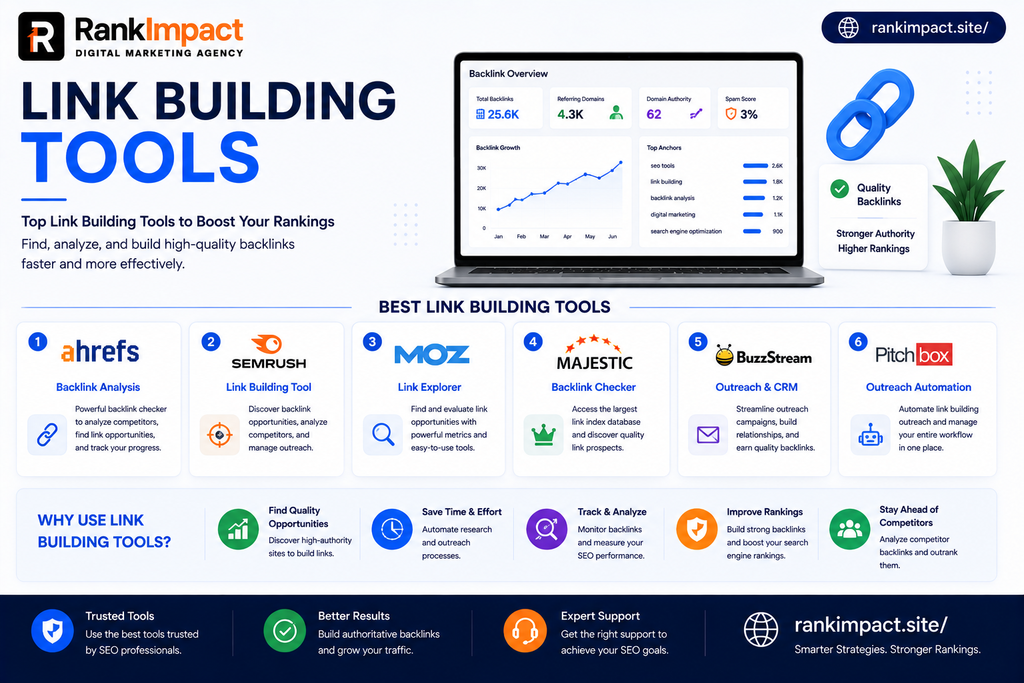
Best Link Building Tools for SEO Success in 2026

Discover the best link building tools for 2026 including pricing tips common mistakes and a simple guide to choosing the right stack for your team.

Best link building tools comparison guide for SEO success in 2026.

Best Link Building Tools for SEO

Anyone who has tried to grow organic traffic without a real backlink strategy knows how frustrating it can be to write great content and still watch it sit on page four of Google. The truth is that content quality alone rarely moves rankings anymore. What moves rankings is a website that other trusted sites are willing to link to, and finding those opportunities manually takes far more time than most marketing teams have. This is exactly why link building tools have become one of the most searched categories in SEO software today. Whether you run a small SaaS startup or manage link acquisition for a growing agency, the right link building tools can turn a slow, guesswork heavy process into a repeatable system that brings in real referring domains month after month.

This guide breaks down what link building tools actually do, which ones are worth paying for in 2026, how to match a tool to your specific stage of growth, and the mistakes that quietly waste budget for teams that pick the wrong platform. The goal here is not to hand you another generic listicle. It is to help you understand the category well enough that you can make a confident decision and start seeing results from your outreach within the first few campaigns.

At the core, link building tools help with three connected jobs. They help you find link opportunities, they help you manage and automate outreach to the people who control those opportunities, and they help you track the backlinks you already have so you can measure progress and catch problems early.

A backlink research tool crawls the web and stores an index of links between websites. This lets you see who links to your competitors, which pages attract the most links, and which of your own pages are underperforming compared to similar content elsewhere. An outreach platform takes that research and turns it into action by managing email sequences, tracking replies, and organizing prospects into pipelines so nothing falls through the cracks. A monitoring tool then keeps watch over your existing link profile, alerting you when links go missing, when a toxic domain starts pointing at your site, or when a competitor picks up a placement you should be targeting too.

Understanding this three part structure matters because most beginners assume one single tool should do everything. In reality, most successful SEO teams combine two or three specialized tools rather than relying on one all in one platform, and knowing which job each tool solves will save you from buying overlapping subscriptions.

Not every tool in this space serves the same purpose, and grouping them by function makes it much easier to build a stack that fits your workflow.

Backlink analysis and research platforms are the foundation of almost every serious campaign. These tools maintain massive indexes of the web and let you study domain authority, referring domains, anchor text distribution, and competitor link gaps. Ahrefs and Semrush are the two names that dominate this category, with Moz Pro and Majestic offering strong alternatives that some teams prefer for specific metrics like Domain Authority or Trust Flow.

Outreach and relationship management tools handle the human side of link building. Once you know who to contact, these platforms help you send personalized emails at scale, track opens and replies, and manage follow up sequences without losing track of a single prospect. BuzzStream and Pitchbox are widely used here, and newer entrants like Respona combine research and outreach in a single workflow.

Contact discovery tools solve a very specific but very common problem, which is finding the right email address for a site owner or editor. Hunter.io and Snov.io both specialize in scraping and verifying emails so your outreach does not bounce or land in the wrong inbox.

Monitoring and reporting tools track your link profile over time. Linkody and Google Search Console both fall into this bucket, alerting you to lost links, new links, and shifts in your overall backlink health so you can act quickly rather than discovering a problem months later.

Digital PR and mention based platforms like HARO style services connect you with journalists actively looking for expert sources, which can produce high authority backlinks from major publications without traditional cold outreach.

With dozens of platforms competing for attention, it helps to know exactly which features separate a genuinely useful tool from one that looks impressive in a demo but adds little value day to day.

A large and frequently updated backlink index matters more than almost anything else. If a tool’s database is small or updates infrequently, every decision you make based on it will be built on outdated information. Look for platforms that clearly state how often their crawler refreshes data and how large their index is compared to competitors.

Competitor gap analysis is another feature worth prioritizing. This shows you which domains link to your competitors but not to you, instantly surfacing a prioritized prospect list instead of leaving you to guess where to start.

Email finding and verification built directly into the workflow saves enormous time. Switching between three or four separate tabs to research a prospect, find their email, verify it, and then log it manually is exactly the kind of friction that causes teams to abandon outreach halfway through a campaign.

Reporting and white label options matter most for agencies. If you manage client accounts, the ability to export clean reports or present dashboards under your own branding often justifies a higher price tag on its own.

Finally, look closely at how a tool defines link quality. Some platforms lean heavily on Domain Authority, others on Domain Rating, and others on custom trust metrics. None of these numbers are perfect, but understanding which one a tool uses helps you interpret its recommendations correctly instead of chasing a score that does not reflect real ranking impact.

There is no single best tool because the right choice depends heavily on your budget, team size, and where you are in your link building maturity.

For solo marketers and small SaaS founders working with a limited budget, a lean stack usually works best. Ahrefs Lite or a comparable entry tier backlink tool paired with a free email finder and Google Search Console covers research, prospecting, and monitoring without a large monthly commitment. This combination is enough to run a focused campaign of ten to twenty outreach emails per week while still tracking results properly.

For growing SaaS companies and in house marketing teams, a mid tier stack tends to deliver the best return. Semrush or Ahrefs for research, paired with a dedicated outreach tool like BuzzStream, allows a small team to run consistent monthly campaigns without needing an enterprise budget. At this stage, adding a contact verification tool like Hunter.io also becomes worthwhile because outreach volume is high enough that bounce rates start to matter.

For agencies managing multiple clients, an enterprise stack built around Pitchbox or Respona for campaign automation, combined with Ahrefs for research and a white label reporting layer, is usually necessary to keep quality consistent across accounts. Agencies also benefit from tools with built in team permissions so multiple link builders can work the same account without duplicating outreach to the same prospect.

For teams focused on digital PR rather than traditional outreach, a HARO style journalist matching service combined with strong brand monitoring can produce a very different kind of backlink profile, often from higher authority news and media sites that traditional cold email rarely reaches.

Choosing the right link building tool starts with an honest look at your current bottleneck rather than a feature checklist. Ask yourself where campaigns actually stall today. If you struggle to find enough relevant prospects, invest first in a stronger research platform. If you have plenty of prospects but outreach never gets sent consistently, the bottleneck is workflow, not data, and an outreach automation tool will help far more than another research subscription.

Budget should be evaluated against expected output rather than sticker price alone. A one hundred fifty dollar per month tool that helps your team close five quality backlinks is a far better investment than a free tool that produces none, so it helps to estimate cost per link based on your team’s realistic capacity before comparing prices.

Team size changes the calculation significantly. A solo operator rarely needs multi seat permissions or white label reporting, while a five person agency team will quickly outgrow a single seat tool and end up paying for workarounds that cost more in wasted time than a proper upgrade would have.

Finally, always test a tool with a real campaign before committing to an annual plan. Free trials exist specifically so you can validate that a platform’s index actually covers your niche and that its interface fits how your team naturally works, rather than trusting marketing copy alone.

Even with excellent software, plenty of campaigns underperform because of avoidable mistakes.

The most common mistake is treating a tool as a strategy replacement. Software can surface opportunities and automate sending, but it cannot write a genuinely compelling pitch or decide which relationships are worth nurturing over months rather than days. Teams that expect a platform to do the thinking for them consistently see lower reply rates than teams that use the tool to support a clear strategic plan.

A second frequent mistake is prioritizing volume over relevance. Sending five hundred generic emails to loosely related websites almost always performs worse than sending fifty carefully personalized emails to genuinely relevant sites. Most modern link building tools make bulk sending easy, which tempts teams into quantity focused campaigns that damage sender reputation and produce low quality, low relevance links.

Ignoring link quality metrics is another costly error. Chasing a high volume of low authority links can actually hurt rankings rather than help them, especially when those links come from spammy or unrelated domains. A single relevant link from a respected site in your industry is typically worth far more than a dozen low quality directory links.

Many teams also neglect monitoring entirely once a campaign wraps up. Links get removed, sites go offline, and toxic domains occasionally start linking without your knowledge. Without regular monitoring, months can pass before you notice a lost link that was previously driving meaningful referral traffic.

Finally, some businesses fail to align their internal linking with their external link building efforts. Earning strong backlinks to a homepage does little good if the internal structure of the site does not pass that authority through to the pages that actually need to rank, which is why internal linking strategy should always be reviewed alongside any external campaign.

Getting real value out of link building tools comes down to a handful of consistent habits rather than any single trick.

Start every campaign with a clear target list built from competitor gap analysis rather than a random prospect scrape. This ensures every outreach email goes to a site with a genuine reason to link to you, which dramatically improves reply rates.

Segment your prospects by relevance and authority before reaching out. Not every site deserves the same pitch, and personalizing based on the recipient’s content history takes only a few extra minutes but often doubles response rates compared to a generic template.

Track everything in one place rather than spreading data across spreadsheets and multiple tool dashboards. Most modern platforms allow tagging and status updates, and keeping a single source of truth prevents duplicate outreach to the same contact from different team members.

Review your backlink profile monthly rather than only at the start or end of a campaign. Catching a lost link or a spike in toxic referring domains early gives you far more room to act before it affects rankings.

Combine automated outreach with genuine relationship building wherever possible. The strongest, most durable backlinks usually come from real relationships with editors, bloggers, and journalists rather than one time transactional emails, so treat the tool as a way to scale outreach, not replace the human element entirely.

Pricing across this category varies widely depending on the depth of data and the number of features bundled together. Entry level backlink research tools typically start somewhere between one hundred and one hundred fifty dollars per month for a single user license. Mid tier outreach platforms designed for small teams generally fall in a similar range, often between twenty and seventy dollars per month depending on the number of contacts and sending volume included.

Enterprise grade platforms built for agencies running high volume campaigns across multiple clients can run from one hundred fifty to several hundred dollars per month, particularly once white label reporting and multiple team seats are added. Free tools still play an important role at every budget level. Google Search Console remains one of the most valuable free resources available since it shows your actual verified backlink data directly from Google, and pairing it with a free tier email finder can support a lean early stage campaign at no cost at all.

The smartest approach is to start with the minimum viable stack that solves your current bottleneck, track how many quality links that stack produces over a ninety day period, and only upgrade to more expensive tools once you can clearly justify the cost against the results you are already seeing.

Frequently Asked Questions

What are link building tools used for?

Link building tools are used for finding backlink opportunities, managing outreach to website owners and editors, and monitoring an existing backlink profile over time. They combine research data, contact information, and outreach automation into a single workflow that would otherwise require manual searching and tracking.

Are link building tools worth paying for?

For most growing websites, yes. Free methods can work for very small campaigns, but paid link building tools save significant time through automation, larger and more accurate backlink indexes, and built in prospect management that becomes essential once outreach volume increases.

What is the best free link building tool ?

Google Search Console is widely considered the best free option since it shows verified backlink data directly from Google’s own index. Many email finder tools also offer limited free tiers that work well for small scale outreach campaigns.

How many backlinks do I need to rank on Google?

There is no fixed number since ranking depends on competition level, content quality, and overall site authority rather than backlink count alone. A smaller number of highly relevant, high authority links typically outperforms a much larger number of low quality links.

Can link building tools hurt my SEO ?

The tools themselves cannot hurt your SEO, but misusing them by sending mass generic outreach or acquiring links from irrelevant, low quality, or spammy domains can lead to a weaker or even penalized link profile.

What is the difference between Ahrefs and Semrush for link building ?

Ahrefs is generally regarded as stronger for pure backlink research thanks to its large and frequently updated index, while Semrush offers a broader all in one platform that combines link building with content and keyword research in a single subscription.

Do I need both a research tool and an outreach tool ?

Most successful campaigns use at least one research tool for finding opportunities and one outreach tool for managing communication, since combining both functions in a single lower cost platform often means sacrificing depth in one area.

How often should I monitor my backlink profile ?

Reviewing your backlink profile at least once a month is a reasonable baseline for most websites, while sites in competitive niches or those running active outreach campaigns often benefit from checking weekly.

What is a good reply rate for link building outreach?

Reply rates vary widely, but a well targeted, personalized campaign typically sees somewhere between ten and twenty percent replies, while generic bulk outreach often falls well below five percent.

Can small businesses use enterprise link building tools ?

Small businesses can use enterprise tools, but the cost is rarely justified until outreach volume and team size grow enough to need multiple seats, white label reporting, or advanced automation features that a smaller starter tool does not offer.

Conclusion

Choosing the right link building tools comes down to understanding your actual bottleneck, matching that bottleneck to the right category of software, and committing to consistent monthly habits rather than one off campaigns. The tools themselves will not build relationships or write compelling pitches for you, but they will save enormous amounts of time on research, organization, and monitoring so your team can focus energy where it matters most. Start lean, measure results honestly, and scale your stack only when the data clearly justifies the added cost.

Key Takeaways

Link building tools fall into distinct categories including research, outreach, contact discovery, and monitoring, and most successful teams combine two or three rather than relying on a single all in one platform.

The right tool depends on your specific bottleneck, whether that is a lack of prospects, inconsistent outreach, or poor visibility into your existing backlink profile.

Quality and relevance consistently outperform volume, and chasing large numbers of low authority links can do more harm than good.

Regular monitoring is essential since backlinks are lost and toxic links can appear without warning, making monthly reviews a non negotiable habit rather than an optional extra.

Budget should be evaluated against realistic output, starting with a lean stack and upgrading only once results clearly justify the added cost.

8 Facts About Construction Project Manager Jobs In 2026

Exploring construction project manager jobs? Get real salary ranges qualifications job outlook and where the best opportunities are right now.

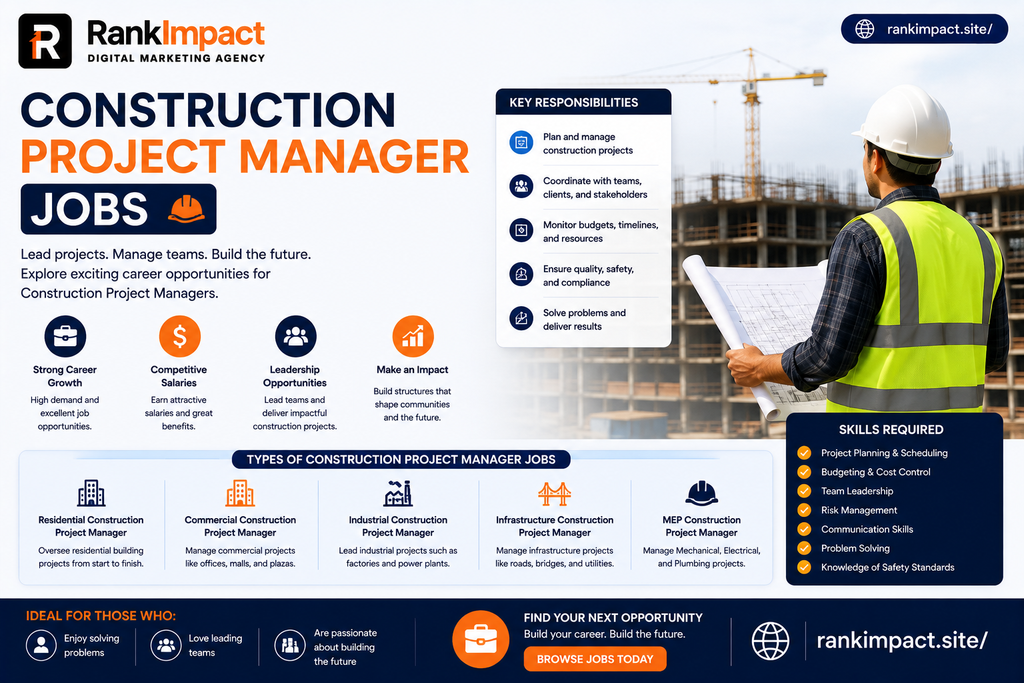
construction project manager jobs salary and career guide.

What A Construction Project Manager Actually Does Day To Day

A construction project manager is the person responsible for making sure a building project gets finished on time, within budget, and up to the required quality and safety standards. This sounds simple in one sentence, but the actual job touches nearly every part of a construction site and the business behind it. On any given day, a construction project manager might review blueprints with an architect in the morning, negotiate a material delivery delay with a supplier by early afternoon, walk the job site to check progress against the schedule, and close the day reviewing budget reports to catch cost overruns before they grow into serious problems.

The role sits at the intersection of technical construction knowledge and business management skill. A good construction project manager needs to understand structural concepts well enough to catch a scheduling conflict between the electrical and plumbing crews, but also needs strong enough communication skills to explain a budget shortfall to a client without losing their confidence. This dual skill set is exactly why the role commands strong pay relative to many other management positions, since very few people are equally comfortable on a job site and in a boardroom.

How Much Construction Project Manager Jobs Actually Pay

Salary is usually the first thing people want to know, and the honest answer is that pay varies significantly depending on experience level, project size, and geography. National data clusters most consistently between 106,000 and 120,000 dollars annually for a typical construction project manager, with the Bureau of Labor Statistics reporting a median wage close to 107,000 dollars for the broader construction manager category. Entry level assistant project managers and project engineers usually start in the 55,000 to 75,000 dollar range, while experienced mid career project managers commonly earn between 95,000 and 135,000 dollars depending on the complexity of the projects they oversee.

At the senior end of the field, project managers overseeing large commercial developments, healthcare facilities, or infrastructure projects frequently earn between 135,000 and 185,000 dollars, and top performers in premium markets working on mission critical projects like data centers have reported total compensation exceeding 200,000 dollars. Geography plays a meaningful role in these numbers as well, with markets like California, New York, and major metro areas in Texas consistently paying above the national average due to higher construction costs and stronger project demand. Specialization also moves the number significantly, since commercial work tends to pay more than residential, infrastructure projects often pay a premium over standard commercial builds, and healthcare facility construction frequently commands the highest pay of all due to the specialized regulatory and technical requirements involved.

Job Outlook For Construction Project Managers

The employment outlook for this field is unusually strong compared to many management careers. The Bureau of Labor Statistics projects construction manager employment to grow around 9 percent through the early 2030s, which is considerably faster than the average growth rate across all occupations, with an estimated 45,800 openings expected each year when accounting for both new positions and retirements.

Several forces are driving this sustained demand. A wave of experienced project managers who entered the field decades ago are now retiring, leaving a real gap that newer professionals are stepping into faster than the industry can fully train replacements. Federal infrastructure investment programs have simultaneously increased the volume of large scale projects requiring experienced oversight, particularly in transportation, utilities, and broadband expansion. On top of that, entirely new categories of construction work, especially data center and healthcare facility construction, have created specialized demand for project managers comfortable working with complex technical requirements and tight regulatory compliance standards.

Qualifications And Education Needed To Get Hired

One of the more encouraging realities about construction project manager jobs is that a four year degree, while helpful, is not always a strict requirement. Many successful construction project managers worked their way up through the trades, starting as laborers or tradespeople, moving into site supervisor or foreman roles, and eventually transitioning into full project management positions after years of hands on experience. That said, a bachelor’s degree in construction management, civil engineering, or a related field does meaningfully accelerate the path for those who have access to that education, since it demonstrates formal knowledge of scheduling, cost estimation, and construction law that would otherwise take years to absorb on the job.

Certifications carry significant weight in this field regardless of educational background. The Certified Construction Manager credential and the Project Management Professional certification are both widely recognized by employers as proof of formal project management competency. For those earlier in their journey, entry level credentials focused specifically on construction fundamentals can serve as a stepping stone, providing enough foundational knowledge to land a project engineer or assistant project manager role that leads naturally into full project management responsibility after a few years of demonstrated performance.

Skills That Separate Strong Candidates From The Rest

Technical scheduling ability is table stakes for this role, but it is rarely what separates a good candidate from a great one. The professionals who consistently earn the higher end of the salary range tend to combine strong technical fundamentals with genuinely exceptional communication skills, since so much of the job involves translating problems between people who think in very different terms, including architects, tradespeople, clients, and financial stakeholders.

Proficiency with modern construction management software has also become a serious differentiator rather than a nice to have. Project managers fluent in Building Information Modeling software, digital scheduling platforms, and increasingly AI powered project forecasting tools are commanding premium pay, since these tools directly reduce costly scheduling conflicts and material waste that eat into project profitability. Risk anticipation is another underrated skill, since the project managers who consistently deliver projects on budget tend to be the ones who identify potential delays and cost overruns weeks before they become unavoidable, rather than reacting to problems only after they surface.

Where The Best Construction Project Manager Jobs Are Right Now

Geography matters more in this field than in many other management careers because construction activity is inherently tied to regional growth patterns. The Southwest and Southeast regions of the United States are currently seeing especially strong demand, driven by sustained population growth fueling large scale residential and infrastructure development. Major metro areas including New York, Los Angeles, Dallas, Houston, and Atlanta consistently post above average pay alongside high project volume, making them attractive markets for project managers willing to relocate or already based nearby.

Smaller and rural markets should not be dismissed either, since federal investment in utilities and broadband infrastructure is creating meaningful demand in areas that historically saw less construction activity. For project managers open to specialization, healthcare facility construction and data center development represent two of the fastest growing and highest paying niches in the entire field right now, often commanding a substantial premium over standard commercial or residential work due to the specialized technical and regulatory knowledge required.

Common Mistakes People Make When Pursuing This Career

A frequent mistake among career changers is underestimating how much hands on construction familiarity matters, even for a management position. Employers strongly prefer candidates who understand what actually happens on a job site, since a project manager who cannot recognize a realistic timeline for framing or electrical rough in will struggle to manage subcontractors credibly. Spending time on a job site or pursuing an entry level construction role before jumping straight into project management significantly improves long term success in the field.

Another common mistake is treating certifications as a replacement for demonstrated experience rather than a complement to it. A certification can absolutely help a resume stand out, but employers consistently favor candidates who can point to specific projects they helped deliver, even in a supporting role, over candidates with credentials alone and no practical track record.

Many aspiring project managers also underestimate the importance of software fluency, assuming that scheduling and budgeting knowledge alone is sufficient. In a field increasingly shaped by digital project management platforms and Building Information Modeling, candidates who cannot speak confidently about the tools their target employer uses are at a real disadvantage compared to those who have taken time to learn the relevant software before applying.

Finally, some candidates apply broadly without tailoring their approach to a specific project type or region, missing the reality that pay and opportunity vary enormously depending on specialization and geography. Researching which sectors are growing in a specific target market, whether that is healthcare construction in one region or infrastructure work in another, produces far better results than a generic job search approach.

Best Practices For Landing And Growing In This Career

Start by building relationships within the local construction community long before you need a job, since much of the hiring in this field still happens through referrals and reputation rather than cold applications alone. Attend local trade association events, connect with general contractors, and stay visible within your regional construction network.

Invest early in learning at least one major construction management software platform thoroughly, since this single skill consistently appears as a differentiator in job postings and interviews. Pursue a recognized certification once you have some practical experience under your belt, since certifications tend to carry more weight when paired with real project history rather than presented on their own. Track your accomplishments on every project you touch, even in a junior role, including specific budget figures, timeline improvements, or problems you personally helped solve, since these concrete details make a resume and interview far more compelling than generic descriptions of responsibility.

Finally, stay deliberately aware of which construction sectors are expanding in your region. A project manager willing to build expertise in a high growth niche like healthcare facilities or data center construction often finds themselves with significantly more leverage and higher pay than a generalist competing for standard commercial work.

Frequently Asked Questions

What qualifications do I need for construction project manager jobs?

Many employers accept significant hands on construction experience in place of a formal degree, though a bachelor’s degree in construction management or civil engineering does accelerate the path. Certifications like Certified Construction Manager or Project Management Professional are widely respected regardless of educational background.

How much do construction project manager jobs pay?

National pay typically clusters between 106,000 and 120,000 dollars annually, with entry level roles starting around 55,000 to 75,000 dollars and senior project managers on large or specialized projects earning 135,000 to 185,000 dollars or more.

Is construction project management a good career choice in 2026?

Yes, demand remains strong due to workforce retirements, federal infrastructure investment, and growth in specialized sectors like healthcare and data center construction, with employment projected to grow around 9 percent through the early 2030s.

Do construction project manager jobs require a college degree?

Not always. Many professionals advance into the role through hands on construction experience and site leadership roles, though a relevant degree can accelerate the path for those with access to it.

What is the difference between a construction project manager and a superintendent?

A project manager typically focuses on budget, scheduling, client communication, and overall project delivery, while a superintendent manages the daily on site coordination of trades and labor, though the two roles work closely together throughout a project.

What skills matter most for construction project manager jobs?

Strong scheduling and budgeting ability, clear communication across technical and non technical stakeholders, and growing fluency with construction management software including Building Information Modeling tools are among the most valued skills in this field.

Which regions have the strongest demand for construction project managers?

The Southwest and Southeast United States are seeing particularly strong demand due to population growth, while major metros like New York, Los Angeles, Dallas, Houston, and Atlanta consistently offer high pay and project volume.

Can I transition into construction project manager jobs from an unrelated career?

Yes, though building some hands on construction familiarity first, whether through an entry level role or targeted certification, significantly improves credibility with employers compared to applying with no site level exposure at all.

What industries within construction pay the most for project managers?

Healthcare facility construction and data center development are currently among the highest paying specializations, often commanding a meaningful premium over standard residential or commercial project work.

How long does it typically take to become a construction project manager?

Most professionals spend several years, often four to eight, building experience through roles like project engineer or assistant project manager before stepping into a full construction project manager position, though a strong educational background can shorten that timeline.

Conclusion

Construction project manager jobs remain one of the more reliable paths to strong pay and long term career stability in 2026, supported by real workforce shortages, sustained infrastructure investment, and steady growth across both traditional and emerging construction sectors. Whether you are coming up through the trades, finishing a construction management degree, or considering a career change from an unrelated field, the path into this role rewards a combination of hands on credibility, communication skill, and growing fluency with modern project management technology. The salary numbers alone make a compelling case, but the sustained demand behind those numbers is what makes this a genuinely strong long term career choice rather than a short term opportunity.

Key Takeaways

Construction project manager jobs typically pay between 106,000 and 120,000 dollars nationally, with senior roles on large or specialized projects reaching 135,000 to 185,000 dollars or more.

Employment in this field is projected to grow around 9 percent through the early 2030s, driven by workforce retirements and sustained infrastructure investment.

A four year degree helps but is not always required, since many professionals advance through hands on trade and site leadership experience.

Certifications like Certified Construction Manager and Project Management Professional carry real weight, especially when paired with demonstrated project experience.

Fluency with construction management software and Building Information Modeling tools has become a genuine pay differentiator in this field.

Healthcare facility construction and data center development currently represent some of the highest paying and fastest growing specializations within the industry.

9 Facts About The Google Project Management Certificate

Thinking about the google project management certificate? Get real cost timelines job outcomes and how it compares to CAPM and PMP before you enroll.

google project management certificate overview and career guide.

What The Google Project Management Certificate Actually Is

The Google Project Management Certificate is a beginner friendly online program built by Google and hosted entirely on Coursera. It requires no degree, no prior project management experience, and no prerequisites of any kind, which is exactly why it has become one of the most recommended starting points for career changers. The program is structured as a 7 course series covering more than 140 hours of instruction, walking learners through the full project lifecycle from initiation and planning through execution, monitoring, and closing, with dedicated modules on Agile and Scrum methodology, risk management, budgeting, stakeholder communication, and quality assurance.

What sets this certificate apart from a typical online course is the hands on nature of the assignments. Learners are not simply watching videos and answering quiz questions. They work through real project scenarios using tools like Google Sheets, presentation software, and Asana, and the program even includes exposure to generative AI tools for tasks like drafting project plans and organizing job applications. By the end of the program, learners complete a capstone project that becomes a portfolio piece they can show directly to hiring managers, which is often more persuasive in an interview than the certificate itself.

How Much The Google Project Management Certificate Actually Costs

Cost is one of the most searched questions attached to this certificate, and the answer is more specific than most articles let on. The program runs through a Coursera subscription priced at 49 dollars per month in the United States and Canada, following an initial 7 day free trial. Since the certificate is entirely self paced, your total cost depends entirely on how quickly you move through the material rather than a fixed enrollment fee.

Most learners who study at a moderate pace of around 10 hours per week finish in roughly 3 to 6 months, which puts the realistic total cost somewhere between 150 and 300 dollars. Learners who dedicate themselves full time and push through in 6 to 8 weeks can complete the entire program for close to 100 dollars, making it one of the least expensive meaningful credentials available in the project management space. On the other end, someone studying just 5 to 7 hours per week may take 7 months or longer, pushing the total closer to 345 dollars. Coursera also offers financial aid for learners who qualify, which can bring the total cost down to zero for those who cannot afford the monthly subscription.

How Long It Really Takes To Finish

Google estimates the certificate takes about 6 months when studying 10 hours per week, but this number is intentionally conservative and many learners finish considerably faster. Someone with a dedicated block of free time, such as a gap between jobs or a summer break, can realistically complete the coursework in 2 to 3 months by studying 15 to 20 hours per week. Highly motivated learners who treat the certificate like a full time job and study 20 or more hours weekly have finished the entire 7 course series in as little as 6 to 8 weeks.

The honest answer is that pacing is entirely up to you, since Coursera allows you to move through material as quickly or slowly as your schedule allows, with no fixed class dates or cohort deadlines to keep up with. This flexibility is one of the biggest advantages of the program for working adults who cannot commit to a rigid class schedule.

Is The Google Project Management Certificate Actually Worth It

Whether this certificate is worth it depends heavily on where you currently stand in your career. For someone with zero project management background trying to break into an entry level coordinator or associate project manager role, the certificate offers strong return on investment. Entry level project coordinator roles have reported median starting salaries around 70,500 dollars, which means even a full 294 dollar investment pays for itself many times over within the first paycheck if the credential helps you land the role.

The certificate also carries genuine institutional weight beyond just Google’s name recognition. Google holds status as an approved member of the Project Management Institute’s Authorized Training Partner program, and the certificate delivers over 100 hours of instruction that count directly toward the education requirement for the Certified Associate in Project Management credential, commonly known as CAPM. Graduates are also offered CAPM at a discounted price, which makes this certificate function as a practical stepping stone toward more advanced PMI credentials rather than a dead end.

Where the certificate offers less value is for people who already have several years of hands on project management experience. If you already manage complex projects professionally, the CAPM or the full Project Management Professional credential, known as the PMP, will likely carry more weight with hiring managers and demonstrate a level of expertise this beginner program is not designed to prove.

Google Certificate Versus CAPM Versus PMP

Understanding how this certificate stacks up against the two major PMI credentials clarifies exactly who it is built for. The Google certificate requires no prior experience at all, has no proctored exam, and costs somewhere between 150 and 300 dollars total. CAPM also requires no experience but does require a proctored 150 question exam lasting three hours and typically costs between 400 and 600 dollars once you include exam and study material fees. PMP sits at the far end of the spectrum, requiring 36 to 60 months of verified project management experience, a proctored 180 question exam lasting nearly four hours, and total costs that frequently exceed 600 dollars and can climb past 1500 dollars depending on training resources used.

This comparison makes the practical use case obvious. The Google certificate is the on ramp for people with no experience who need to build foundational knowledge and a portfolio piece. CAPM is the next logical step once foundational knowledge is in place but real world experience is still limited. PMP is reserved for professionals who already have years of verified project leadership experience and want the most respected credential in the industry.

What You Actually Learn Inside The Program

The curriculum is broken into distinct courses that build on each other progressively. Early courses introduce the foundations of project management as a discipline, covering key terminology, project lifecycle stages, and the different roles involved in a typical project team. From there, the program moves into practical planning skills, teaching learners how to define project scope, build realistic timelines, and manage stakeholder expectations from day one rather than after problems arise.

Agile and Scrum receive dedicated attention, which matters significantly since most modern SaaS companies and technology teams run at least part of their workflow using Agile principles. Learners practice running sprints, managing a product backlog, and facilitating Scrum ceremonies like standups and retrospectives, which are directly transferable skills for anyone hoping to work at a software company. Risk management and quality assurance modules teach learners how to anticipate problems before they derail a project and how to build quality checks into a workflow rather than catching mistakes only at the end.

The program closes with career preparation content that many competing certificates skip entirely. Learners get direct help building a standout resume, organizing their job search using spreadsheets, and even practicing interview responses using AI powered tools. This career support layer is part of why graduates frequently mention feeling genuinely job ready rather than just academically informed by the time they finish.

Real World Ways This Certificate Gets Used

A career changer working a retail management job might use the certificate to formally validate skills they were already applying informally, such as coordinating staff schedules and managing inventory timelines, then use that validation to apply for entry level project coordinator roles at logistics or retail companies. A recent college graduate with a degree unrelated to business might use the certificate to pivot into tech adjacent roles, since the Agile and Scrum training translates directly into software team environments even without a computer science background.

A small business owner might complete the certificate not to get hired elsewhere but to run their own operations more efficiently, applying the risk management and stakeholder communication frameworks directly to client projects. An administrative assistant looking to move up within their current company might use the certificate alongside their existing institutional knowledge to make a strong internal case for a promotion into a formal project management title, since the combination of company familiarity and a recognized credential is often more persuasive to an internal hiring committee than either factor alone.

Common Mistakes People Make While Pursuing This Certificate

The most common mistake is treating the estimated 6 month timeline as a requirement rather than a suggestion, which leads some learners to pace themselves unnecessarily slowly and pay for extra months of subscription fees they did not need to spend. Setting a personal deadline and studying consistently, even just 5 to 7 hours a week, moves most learners through the material faster than the default estimate suggests.

Another frequent mistake is skipping the capstone project or completing it with minimal effort, since some learners view it as a formality rather than the single most valuable asset the program produces. Hiring managers respond far more strongly to a polished portfolio piece demonstrating real project planning work than to the certificate title alone, so this final project deserves more time investment, not less.

A third mistake is assuming the certificate alone guarantees a job offer. The certificate is a strong signal of foundational knowledge, but pairing it with networking, tailored resume language, and genuine practice articulating your new skills in interviews makes a measurable difference in actual hiring outcomes. Treating the certificate as one part of a broader job search strategy rather than the entire strategy itself leads to significantly better results.

Finally, many learners forget to cancel or manage their Coursera subscription properly once they finish, continuing to pay monthly fees for a certificate they have already completed. Since Coursera renews automatically, marking a calendar reminder to cancel immediately after finishing the final assessment avoids paying for unused months.

Best Practices For Getting The Most Value From The Program

Take full advantage of the 7 day free trial before committing financially, using that window to explore the course structure and confirm the pacing works with your schedule. Set a personal weekly study goal that is realistic for your actual life rather than blindly following Google’s default 10 hour estimate, since consistency matters more than raw hours logged in any single week.

Treat every assignment, especially the capstone project, as a piece of your professional portfolio rather than busywork to get through. Save drafts, refine your final capstone submission, and consider publishing a polished version of it publicly on a platform like LinkedIn or a personal portfolio site once complete. Actively engage with the career support materials near the end of the program rather than skipping them, since the resume and interview preparation content is specifically designed to convert your new knowledge into an actual job offer rather than just a line on a certificate.

Frequently Asked Questions

What is the google project management certificate?

It is a beginner level online program created by Google and hosted on Coursera that teaches the fundamentals of project management, including Agile and Scrum, risk management, and stakeholder communication, requiring no prior experience or degree.

How much does the google project management certificate cost?

It costs 49 dollars per month through a Coursera subscription after a 7 day free trial, with most learners paying a total of 150 to 300 dollars depending on how quickly they complete the 7 course series.

How long does it take to complete the certificate?

Google estimates about 6 months at 10 hours per week, though motivated learners studying full time have completed it in as little as 6 to 8 weeks.

Is the google project management certificate respected by employers?

Yes, it is accepted by an employer consortium that includes companies like Google, Deloitte, and T-Mobile for entry level project coordination roles, and it also counts toward CAPM education requirements through PMI.

Does this certificate replace the PMP credential?

No, it does not replace PMP, which requires several years of verified project management experience. The Google certificate is better understood as an entry point or a stepping stone toward CAPM rather than a PMP substitute.

Can I get this certificate for free?

Yes, Coursera offers financial aid for learners who qualify, which can bring the total cost down to zero, and the 7 day free trial lets you explore the content before paying anything.

What jobs can I get with the google project management certificate?

Common entry points include project coordinator, associate project manager, and junior program coordinator roles, particularly at companies participating in the employer hiring consortium tied to the certificate.

Do I need any prior experience to enroll?

No prior experience, degree, or prerequisite coursework is required, which is one of the main reasons this certificate is recommended so frequently for career changers.

Is the google project management certificate worth it in 2026?

For beginners aiming at entry level project roles, yes, since the low cost relative to potential entry level salaries and the CAPM education credit make it a strong return on investment, though experienced professionals may benefit more from CAPM or PMP directly.

What topics does the certificate cover?

The curriculum covers project lifecycle fundamentals, Agile and Scrum methodology, risk management, budgeting, stakeholder communication, quality assurance, and career preparation including resume building and interview practice.

Conclusion

The google project management certificate has earned its reputation as one of the most practical entry points into project management for a simple reason, it combines a low realistic cost, a flexible self paced structure, and genuine institutional credibility through its PMI partnership into a single beginner friendly package. Whether you are switching careers entirely, formalizing skills you already use informally, or looking for a stepping stone toward CAPM or PMP down the road, this certificate delivers real value when you approach it with a clear study plan and take the capstone project seriously. The numbers make the case on their own, a total investment usually under 300 dollars measured against a median entry level salary well into the seventy thousand dollar range is a return few other credentials in any field can match.

Key Takeaways

The google project management certificate costs 49 dollars per month on Coursera with most learners paying a total of 150 to 300 dollars over 3 to 6 months.

No degree experience or prerequisites are required to enroll making it accessible to complete beginners.

The program includes over 140 hours of instruction across 7 courses covering Agile Scrum risk management and stakeholder communication.

More than 100 hours of the certificate count toward CAPM education requirements through Google’s PMI Authorized Training Partner status.

The certificate works best as an entry point for beginners while CAPM and PMP remain better suited for learners with existing project experience.

Taking the capstone project seriously and pairing the certificate with active job search effort meaningfully improves real hiring outcomes.

10 Examples of CRM Software Every Business Should Know

Explore real examples of crm software used by small businesses and enterprises to understand which crm fits your sales workflow best.

examples of crm software dashboard for business use.

What Is a CRM and Why Examples Matter More Than Definitions

A customer relationship management system is software that stores every interaction a business has with a lead or a customer in one place. That includes emails, phone calls, meeting notes, deal stages, support tickets, and purchase history. Instead of a sales rep digging through a personal inbox to remember what was discussed three weeks ago, everything sits inside one shared record.

Definitions only go so far though. Reading that a CRM tracks customer data does not tell you what that looks like inside a real sales team or a real support department. That is why looking at concrete CRM examples is more useful than reading another dictionary style explanation. When you see how a 5 person agency uses a CRM differently than a 500 person enterprise, the value of the software becomes obvious in a way no definition can capture.

Throughout this guide you will see specific platforms, specific industries, and specific workflows so you can map the examples to your own situation rather than guessing which features actually matter.

Salesforce

Salesforce is often the first name people think of when they hear the word CRM, and for good reason. It is used by large enterprises across banking, healthcare, retail, and technology because it can be customized almost endlessly. A sales director at a mid size manufacturing company might use Salesforce to build a custom pipeline with 12 deal stages, automated approval workflows for discounts, and dashboards that update in real time for the executive team. The tradeoff is cost and complexity, since smaller teams often find Salesforce more powerful than they actually need.

HubSpot CRM

HubSpot built its reputation on offering a genuinely useful free CRM tier, which made it the default starting point for startups and small marketing teams. A 3 person marketing agency might use HubSpot to track every lead that comes through a contact form, automatically tag them based on which service page they visited, and trigger a follow up email sequence without writing a single line of code. HubSpot pairs especially well with content marketing and inbound lead generation because its CRM, email tool, and landing page builder all live under one roof.

Zoho CRM

Zoho is a strong example for cost conscious businesses that still want a wide feature set. An ecommerce brand selling through multiple channels might use Zoho to unify orders from a website, a marketplace, and social commerce into a single customer timeline, then use built in AI scoring to flag which leads are most likely to convert. Zoho tends to attract businesses in Asia, the Middle East, and small to mid size operations globally because of its pricing and its bundled suite of business apps beyond just the CRM.

Pipedrive

Pipedrive was designed by salespeople for salespeople, and it shows in how visual and pipeline focused the interface is. A real estate agency might use Pipedrive to move a buyer through stages like inquiry, property viewing, offer submitted, and closed, with reminders automatically set for follow up calls at each stage. Teams that value simplicity over deep customization often prefer Pipedrive because there is very little setup friction before a rep can start using it productively.

Freshsales by Freshworks

Freshsales is a common example for support heavy businesses that already use Freshdesk, since the two products share data seamlessly. A SaaS company offering a subscription product might use Freshsales to see a customer’s support ticket history right next to their renewal date, which helps the account manager decide whether to offer a discount before a churn risk becomes a lost customer.

Zendesk Sell

Zendesk Sell is a strong example of a CRM built with customer service teams in mind. A software company running both sales and support through Zendesk might use Sell to hand off a closed deal directly into the support queue with full context already attached, so the new customer never has to repeat their story to a different department.

Monday CRM

Monday CRM is popular among teams that already use Monday for project management and want their sales pipeline to live in the same visual, color coded boards. A digital marketing agency managing both client projects and new business leads might run both functions inside Monday so account managers and sales reps are working from the same dashboard language.

Copper CRM

Copper is built specifically to integrate with Google Workspace, which makes it a favorite among businesses that live inside Gmail and Google Calendar all day. A consulting firm might use Copper so that every email sent from Gmail is automatically logged against the right client record without any manual data entry, saving hours of admin work every week.

Insightly

Insightly is often cited as a strong CRM example for businesses that need project management bundled with sales tracking. A creative studio taking on client work might use Insightly to move a lead from proposal to signed contract, then automatically convert that record into a project with tasks and milestones, keeping sales and delivery connected instead of siloed.

Nimble

Nimble stands out as a social selling focused CRM example, pulling in social media profile data automatically when a new contact is added. A freelance consultant or solo founder might use Nimble to keep a lightweight but socially informed view of prospects without needing an enterprise grade tool.

CRM Examples by Business Type

CRM Examples in Small Business

Small businesses usually need speed of setup over depth of customization. A local dental clinic might use a simple CRM purely to track appointment reminders and patient follow ups, while a boutique retail shop might use one mainly to remember customer preferences for personalized recommendations. In both cases, the CRM is less about complex pipelines and more about not letting a repeat customer fall through the cracks.

CRM Examples in Enterprise Companies

Large enterprises tend to run CRM systems that connect to dozens of other tools, from ERP systems to marketing automation platforms to custom internal databases. A national insurance provider might use a CRM to manage millions of policyholder records, route claims to the right regional office automatically, and maintain compliance logs for every customer interaction, since regulatory requirements make audit trails essential.

CRM Examples in B2B Sales

B2B sales cycles are often long and involve multiple decision makers, so CRM examples in this space usually center around deal tracking across weeks or months. A software vendor selling to other businesses might use a CRM to track every stakeholder involved in a single deal, log every demo call, and set automated reminders so no prospect goes quiet without a nudge.

CRM Examples in B2C and Retail

B2C businesses tend to use CRM data for personalization at scale rather than one to one relationship management. An online fashion retailer might use CRM data to segment customers by purchase frequency and send targeted promotions to those who have not bought in 60 days, turning customer data directly into revenue recovery.

CRM Examples by Function and Type

Operational CRM Examples

Operational CRMs focus on automating day to day processes like lead capture, follow ups, and service tickets. A call center might use an operational CRM to automatically log every inbound call, assign it to the right agent, and trigger a satisfaction survey once the call ends.

Analytical CRM Examples

Analytical CRMs are built around turning customer data into insight. A subscription box company might use analytical CRM reporting to identify which customer segment has the highest lifetime value, then shift marketing spend toward acquiring more customers who match that profile.

Collaborative CRM Examples

Collaborative CRMs focus on sharing customer information across departments. A telecom provider might use a collaborative CRM so that sales, billing, and technical support all see the same customer record, preventing the frustrating experience of a customer repeating their issue to three different teams.

Real World CRM Use Case Examples

A growing SaaS startup might use its CRM to track free trial signups, automatically flag accounts that have not logged in for 5 days, and trigger a personalized email from customer success before that trial silently expires. A wedding photography business might use a CRM to manage every inquiry from initial contact to signed contract to final gallery delivery, ensuring no bride or groom feels forgotten during a stressful planning season. A B2B logistics company might use its CRM to track every shipment related conversation with a client, so account managers can spot patterns like repeated delivery delays before the client brings it up themselves.

These examples matter because they show the CRM is rarely just a sales tool. It becomes the operational memory of the entire customer relationship, used by marketing, sales, support, and even finance teams depending on how it is configured.

Best Practices When Learning From CRM Examples

Choosing a CRM based on examples alone is not enough. The businesses in the examples above succeeded because they followed a few consistent practices. They kept their data clean by removing duplicate contacts regularly. They trained their entire team on the same workflow instead of letting each rep build their own system. They connected the CRM to other tools like email and calendars so data entry happened automatically instead of manually. And they revisited their CRM setup every few months to remove unused fields and stages that had accumulated clutter over time.

Common Mistakes Businesses Make With CRM Systems

The most common mistake is picking a CRM based on brand recognition rather than actual team workflow. A small team choosing an enterprise grade tool like Salesforce often ends up paying for features nobody uses. Another frequent mistake is treating the CRM as optional, where some reps log their activity and others do not, which destroys the reliability of the data for everyone. Businesses also commonly fail to customize deal stages to match their actual sales process, instead using generic default stages that do not reflect reality. Finally, many companies never review their CRM data for accuracy, letting outdated contact information and duplicate records pile up until the system becomes more of a liability than an asset.

How to Choose the Right CRM Based on These Examples

Start by identifying which example above most closely matches your business size and sales complexity. A solo founder or very small team should lean toward simple, fast to set up tools rather than enterprise platforms. A business with a long, multi stakeholder sales cycle should prioritize deal tracking depth over flashy extras. A support heavy business should weight integration with existing helpdesk tools more heavily than pipeline visuals. Matching the CRM to your actual daily workflow, rather than to the most popular name in the market, is what separates a tool that gets used from one that gets abandoned within 3 months.

Frequently Asked Questions

What are some real examples of CRM software?

Some of the most widely used CRM examples include Salesforce, HubSpot CRM, Zoho CRM, Pipedrive, Freshsales, Zendesk Sell, Monday CRM, Copper, Insightly, and Nimble. Each one serves a slightly different type of business, from small startups to large enterprises.

What is the simplest example of a CRM for a small business?

HubSpot CRM and Pipedrive are commonly recommended examples for small businesses because they require minimal setup time and offer straightforward pipeline tracking without overwhelming complexity.

Can you give an example of how a CRM is used in daily business operations?

A common example is a sales rep logging a call directly into the CRM after speaking with a lead, setting an automatic reminder for a follow up in 3 days, and the system notifying a manager if that follow up does not happen on time.

What industries commonly use CRM software?

Real estate, healthcare, retail, financial services, software companies, logistics, and hospitality are among the industries with the highest CRM adoption, since all of them depend heavily on tracking ongoing customer relationships.

Is a CRM only useful for sales teams?

No, modern CRM examples show usage across marketing, customer support, and even finance departments, since all of these teams benefit from a shared view of customer history and communication.

What is the difference between operational and analytical CRM examples?

Operational CRM examples focus on automating everyday tasks like follow ups and ticket routing, while analytical CRM examples focus on turning stored customer data into reports and insights that guide strategic decisions.

How do I know which CRM example fits my business?

Match the example to your team size, sales cycle length, and existing tools. A short sales cycle with a small team benefits from simple tools, while a long enterprise sales cycle benefits from deeper customization and reporting.

What is a common mistake businesses make when adopting a CRM?

A frequent mistake is choosing a CRM based on its popularity rather than its fit for the actual sales process, which often leads to low adoption rates among the sales team.

Are free CRM examples worth using?

Yes, free tiers like the one offered by HubSpot CRM are genuinely usable for small teams and are a common starting point before a business decides it needs more advanced features.

Do CRM examples differ between B2B and B2C companies?

Yes, B2B CRM examples usually emphasize long deal tracking across multiple stakeholders, while B2C CRM examples usually emphasize customer segmentation and personalized marketing at scale.

Conclusion

Looking at real examples of CRM software makes the entire category easier to understand than any dictionary style definition ever could. From Salesforce serving large enterprises to Pipedrive serving lean sales teams, the right choice depends entirely on your business size, your sales complexity, and the daily workflow your team already follows. The businesses that get the most value are the ones that pick a tool matching their actual process, keep their data clean, and treat the CRM as a shared source of truth rather than an optional add on. Use the examples in this guide as a starting point, then test the 2 or 3 platforms that most closely resemble your own situation before making a final decision.

Key Takeaways

Salesforce, HubSpot, Zoho, Pipedrive, Freshsales, Zendesk Sell, Monday CRM, Copper, Insightly, and Nimble are among the most recognized CRM examples across different business sizes.

Small businesses generally benefit from simpler tools while enterprises benefit from deeper customization and integration.

CRM usage spans far beyond sales, touching marketing, support, and even finance teams.

Operational, analytical, and collaborative CRM types serve different core purposes inside a business.

The most common CRM mistakes involve poor adoption, dirty data, and choosing a tool based on popularity instead of fit.

Matching a CRM example to your specific sales cycle and team size matters more than choosing the most well known brand.

CRM Best Practices to Maximize Growth in 2026

Discover proven crm best practices for data hygiene automation adoption and governance that turn your CRM into a real driver of revenue growth.

crm best practices guide for data hygiene and adoption.

Why CRM Best Practices Matter More Than the Software Itself

Most CRM failures have very little to do with the software vendor and almost everything to do with how the system gets configured, adopted, and maintained inside the organization using it. Two companies can purchase the exact same CRM platform and end up with completely different outcomes, where one builds a reliable source of truth that drives forecasting and coaching decisions while the other watches reps quietly slip back into spreadsheets within a few months. This gap almost always comes down to the discipline applied around data entry standards, ongoing training, and internal accountability rather than any missing feature in the software itself. Understanding this early changes how a business approaches CRM strategy, shifting the focus away from constantly evaluating whether to switch platforms and toward building the habits and processes that make any platform succeed. Companies that treat CRM adoption as an ongoing organizational discipline, rather than a one time technical implementation, consistently see stronger long term results regardless of which specific tool they use.

Establish Clean Data Entry Standards From the Start

Data quality is the single most important factor determining whether a CRM becomes genuinely useful or slowly turns into a pile of unreliable information nobody trusts. A sales team that allows reps to enter company names inconsistently, skip required fields, or leave deal stages outdated quickly ends up with reporting that leadership cannot rely on for forecasting or strategic decisions. Establishing clear, written data entry standards before a CRM even fully rolls out, covering exactly how contacts, companies, and deal stages should be labeled, prevents this problem from taking root in the first place. Many high performing teams also build mandatory fields directly into their CRM configuration, ensuring reps cannot advance a deal to the next pipeline stage without entering critical information like next steps or expected close date. Running a recurring data audit, even a simple monthly check for duplicate records or missing fields, catches small inconsistencies before they compound into a much larger cleanup project down the road.

Build Automation Around Repetitive Administrative Tasks

One of the most valuable crm best practices involves identifying which manual tasks eat up the most time for your sales team and systematically automating them rather than accepting them as an unavoidable cost of doing business. A sales team that manually sends every follow up email after a demo call is spending time that could go toward actual selling activity, when a simple automated sequence triggered by a specific deal stage could handle that task consistently and immediately. Automating lead assignment based on territory, company size, or industry ensures new leads reach the right rep instantly rather than sitting untouched while someone manually reviews and distributes them. Many teams also build automated internal notifications, alerting a manager when a high value deal has not been updated in a set number of days, which helps catch stalled opportunities before they quietly die in the pipeline. The goal of automation should always be removing friction from necessary but repetitive work, not replacing the genuine human judgment and relationship building that actually closes deals.

Prioritize User Adoption Over Feature Complexity

A CRM loaded with advanced features means nothing if the sales team does not actually use it consistently, which makes user adoption one of the most critical and most frequently neglected areas of CRM strategy. Rolling out a new system with a single training session and no ongoing reinforcement almost guarantees that reps will forget half of what they learned within a few weeks and default back to whatever workflow felt more familiar. Successful organizations typically build a phased training approach, starting with the core daily workflows every rep needs immediately and gradually introducing more advanced features once the basics have become habit. Involving frontline reps early in the configuration process, asking for their input on pipeline stages and required fields before finalizing the setup, significantly increases buy in because the system reflects how they actually sell rather than how leadership imagines they sell. Recognizing and reinforcing good CRM usage publicly, such as highlighting a rep whose consistent data entry led to an accurate forecast, also helps build a culture where using the system correctly becomes the expected norm rather than an optional extra task.

Align Sales and Marketing Data Inside the Same System

Sales and marketing teams working from disconnected data sources represent one of the most common and costly problems that strong crm best practices are specifically designed to solve. When marketing generates a lead through a webinar or content download but that engagement history does not transfer cleanly into the CRM record sales reps see, reps end up calling prospects without any context about what actually brought them to the table. Building a proper integration between marketing automation tools and the CRM, so that every touchpoint a lead has with marketing content appears directly on their contact record, gives sales reps significantly more context heading into their first conversation. Establishing a shared definition of what qualifies as a marketing qualified lead versus a sales qualified lead, agreed upon by both departments and reflected consistently in the CRM, prevents the common friction where marketing feels leads are being ignored while sales feels leads are low quality. Regular joint reviews between sales and marketing leadership, using CRM data to examine which lead sources and campaigns are actually converting into closed revenue, keeps both teams focused on the same shared goals rather than operating in separate silos.

Use CRM Reporting to Drive Real Decisions Not Just Track Activity

Many organizations build detailed CRM dashboards that track dozens of metrics but rarely translate that reporting into actual decisions, which wastes the analytical potential a well maintained CRM genuinely offers. Reviewing pipeline health on a consistent weekly cadence, looking specifically for deals that have stalled in a stage far longer than the typical sales cycle, helps managers intervene with coaching or support before a deal quietly dies. Tracking conversion rates between individual pipeline stages, rather than just overall win rate, reveals exactly where prospects are dropping out of the process and allows teams to address that specific bottleneck rather than guessing at broad improvements. Comparing forecasted revenue against actual closed revenue over several consecutive quarters helps a sales organization calibrate how accurately their team is estimating deal probability, which directly improves the reliability of future forecasting. The most effective sales leaders treat CRM reporting as an ongoing diagnostic tool woven into regular team meetings, rather than a report generated once a quarter purely for executive review.

Establish Clear Data Governance and Ownership

As a CRM grows in size and complexity, having a single person or small team responsible for its ongoing configuration, data quality, and process updates becomes essential rather than optional. Without a designated owner, CRM configuration tends to drift over time as different managers add fields, change pipeline stages, or introduce inconsistent processes without any centralized oversight, eventually creating a system that feels confusing and unreliable to everyone using it. A dedicated CRM administrator or revenue operations lead should be responsible for approving significant configuration changes, maintaining documentation of current processes, and running periodic data cleanup projects to catch duplicate records or outdated information. Establishing clear rules around who can create new custom fields or modify pipeline stages prevents the common problem of a CRM becoming cluttered with abandoned fields nobody remembers the purpose of. Documenting your CRM processes in a living internal reference, updated whenever a significant change happens, also makes onboarding new team members considerably faster and reduces the institutional knowledge lost whenever an experienced employee leaves the company.

Common Mistakes That Undermine CRM Best Practices

One of the most frequent mistakes organizations make is treating CRM implementation as a single completed project rather than an ongoing discipline that requires continuous attention as the business evolves. Many teams also fail to define what success actually looks like before rolling out new processes, making it impossible to objectively measure whether a change in CRM strategy is actually improving outcomes or simply adding more administrative overhead. Allowing inconsistent data entry to persist without correction is another critical mistake, since even a small percentage of unreliable records can quickly erode leadership trust in the entire reporting system, making people revert to manual spreadsheets they perceive as more accurate. Overloading the CRM with too many custom fields and mandatory requirements, often introduced with good intentions but never removed once they become obsolete, creates unnecessary friction that slows reps down and encourages shortcuts or incomplete data entry. Finally, many organizations neglect to revisit their CRM processes as the business scales, continuing to use a configuration built for a five person sales team long after the organization has grown into fifty reps with much more complex reporting needs.

Building a CRM Culture That Lasts Beyond Initial Rollout

The organizations that sustain strong CRM discipline over multiple years typically treat it as a core part of their sales culture rather than an isolated technical system managed separately from how the business actually operates. Leadership involvement plays a significant role here, since sales managers who actively use CRM data during one on one coaching sessions and pipeline reviews send a clear signal that the system matters, while managers who ignore it in favor of gut feeling quietly undermine adoption across the entire team. Building CRM proficiency into onboarding for every new sales hire, rather than treating it as an optional add on training session, ensures consistent habits form from day one instead of needing to be corrected later. Celebrating specific examples where accurate CRM data led to a better business decision, such as catching a stalling deal early enough to save it or identifying an underperforming lead source before wasting further budget on it, reinforces the tangible value of consistent data discipline in a way abstract policy reminders rarely achieve. A CRM culture built on these habits tends to survive leadership changes, team growth, and even platform migrations far better than one dependent entirely on a single champion pushing for compliance.

How CRM Best Practices Differ by Team Size and Maturity

Early stage sales teams with just a handful of reps typically benefit most from focusing on basic data hygiene and consistent pipeline stage usage, since the priority at this stage is simply building the habit of using the system at all rather than layering on complex automation. Growing mid sized teams usually reach a point where automation becomes essential, particularly around lead routing and follow up sequences, since manual processes that worked fine with five reps quickly become bottlenecks once the team doubles or triples in size. Larger organizations with dedicated sales operations functions typically need to invest heavily in governance and documentation, since the complexity of multiple teams, territories, and reporting requirements makes informal, undocumented processes unsustainable at scale. Companies going through significant growth or restructuring should revisit their CRM best practices specifically during those transition periods, since processes that worked well for the previous organizational structure often need meaningful adjustment to remain effective under new reporting lines or expanded team responsibilities.

Frequently Asked Questions

What are the most important crm best practices?

The most important crm best practices include maintaining clean and consistent data entry standards, automating repetitive administrative tasks, prioritizing genuine user adoption, aligning sales and marketing data, and establishing clear ownership over ongoing system governance.

How often should CRM data be cleaned?

Most organizations benefit from a monthly review for obvious issues like duplicate records or missing required fields, combined with a more thorough quarterly audit to catch deeper data quality problems before they significantly affect reporting accuracy.

Why do sales teams stop using their CRM?

Sales teams commonly stop using a CRM when the system feels more like an administrative burden than a genuine sales tool, often due to poor initial training, overly complex configuration, or a lack of visible leadership reinforcement around consistent usage.

How do you improve CRM adoption among sales reps?

Improving adoption typically requires involving reps early in system configuration, providing phased training focused on daily workflows first, and having managers actively reference CRM data during coaching conversations to reinforce its ongoing importance.

What is the biggest mistake companies make with CRM implementation?

The biggest mistake is treating CRM implementation as a single completed project rather than an ongoing discipline that requires continuous training, governance, and process updates as the business and team continue to evolve.

Should marketing and sales share the same CRM data ?

Yes, sharing the same CRM data between sales and marketing significantly improves lead context, conversion tracking, and overall alignment between the two departments, reducing the friction that often occurs when teams work from disconnected systems.

How do you measure whether CRM best practices are working?

Success can be measured through improvements in data accuracy, forecast reliability compared to actual closed revenue, pipeline conversion rates between stages, and overall consistency of daily CRM usage across the sales team.

Who should own CRM governance inside a company?

A dedicated CRM administrator or revenue operations lead should typically own ongoing governance, including approving configuration changes, maintaining documentation, and running periodic data quality audits across the system.

Do small businesses need formal CRM best practices?

Yes, even small businesses benefit significantly from establishing basic data entry standards and consistent pipeline usage early on, since habits formed with a small team become considerably harder to correct once the organization grows larger.

How does automation fit into CRM best practices?

Automation should be used to remove friction from repetitive administrative tasks like lead routing and follow up reminders, freeing sales reps to focus more time on actual selling activity rather than manual data entry and task management.

Conclusion

Getting real value from a CRM system depends far more on the habits and discipline built around it than on any single feature the software itself provides. Following consistent crm best practices, including clean data entry standards, thoughtful automation, genuine user adoption, and clear long term governance, is what transforms a CRM from an expensive piece of shelfware into a genuine driver of sales performance and revenue predictability. The organizations that succeed long term treat these practices as an ongoing cultural commitment rather than a one time implementation checklist, revisiting and adjusting their approach as the team grows and the business evolves. Start by identifying which area from this guide represents your biggest current gap, whether that is inconsistent data, weak adoption, or missing governance, and build a specific improvement plan around that single area before trying to fix everything at once.

Key Takeaways

Strong crm best practices depend far more on organizational discipline and consistent habits than on any specific software feature or platform choice.

Establishing clean data entry standards from the very beginning prevents the compounding data quality problems that quietly erode trust in CRM reporting over time.

Automating repetitive administrative tasks like lead routing and follow up reminders frees sales reps to focus more time on genuine selling activity.

User adoption improves significantly when frontline reps are involved early in configuration and when managers actively reference CRM data during coaching conversations.

Aligning sales and marketing data inside the same system reduces friction and gives sales reps far more context before their first conversation with a lead.

Clear governance and a designated system owner become essential as a CRM grows in complexity, preventing configuration drift and unnecessary clutter over time.

CRM best practices should evolve as a team grows in size and maturity, with early stage teams focusing on basic hygiene and larger organizations investing more heavily in automation and formal governance.

Most Effective CRM Tools for B2B Companies in 2026

Discover the most effective crm tools for b2b companies including Salesforce HubSpot and Pipedrive with real use cases evaluation tips and best practices.

most effective crm tools for b2b companies comparison guide.

What Makes a CRM Effective Specifically for B2B Selling

B2b selling involves fundamentally different mechanics than business to consumer selling, and the most effective tools reflect that reality in their core architecture rather than treating it as an afterthought feature. Deal cycles in b2b commonly stretch across weeks or months and involve multiple stakeholders inside the buying organization, which means an effective CRM needs strong support for tracking multiple contacts tied to a single account rather than just individual one off leads. Account based selling has become increasingly central to b2b revenue strategy, so tools that let sales and marketing teams organize their entire pipeline around target accounts, rather than isolated individual contacts, tend to produce far better alignment between the two departments. Forecasting accuracy also matters enormously in b2b, since larger deal sizes and longer cycles mean an inaccurate pipeline forecast can throw off hiring plans, budget decisions, and investor reporting at a company wide level. Finally, tight integration between the CRM and marketing automation tools becomes essential in b2b, since marketing qualified leads typically need to flow seamlessly into sales pipelines with full context preserved rather than losing important engagement history during handoff.

Salesforce Sales Cloud for Complex B2B Pipelines

Salesforce remains one of the most effective crm tools for b2b companies managing complex, multi stakeholder sales cycles, largely because of how deeply it supports account hierarchies and custom deal structures. A b2b software company selling to large enterprise accounts can use Salesforce to map out every contact inside a target account, track which stakeholder influences which part of the buying decision, and build custom approval workflows that mirror their actual internal sales process. Its forecasting and reporting capabilities are particularly strong for b2b organizations with multiple sales teams or territories, allowing revenue leaders to roll up pipeline data across the entire organization while still drilling into individual rep performance when needed. The AppExchange marketplace also gives b2b companies access to specialized tools for contract management, proposal generation, and account based marketing that plug directly into the existing CRM data. The tradeoff remains implementation complexity, since b2b organizations adopting Salesforce typically need a dedicated administrator or outside consultant to configure the system properly for their specific sales motion rather than relying on out of the box defaults.

HubSpot for B2B Companies Prioritizing Sales and Marketing Alignment

HubSpot consistently ranks among the most effective crm tools for b2b companies that need tight coordination between marketing and sales teams throughout a long consideration cycle. A b2b services company running content marketing, email nurture campaigns, and outbound sales simultaneously can use HubSpot to see exactly which content a prospect engaged with before their first sales call, giving reps far more context than a bare contact record would provide. Its lead scoring functionality helps b2b teams prioritize which accounts are showing genuine buying signals, such as repeated visits to pricing pages or downloading multiple pieces of bottom of funnel content, rather than treating every inbound lead with equal urgency. HubSpot also handles account based marketing reasonably well through its more advanced tiers, letting b2b teams organize campaigns and reporting around target account lists rather than individual contacts alone. Companies with smaller sales teams that rely heavily on inbound demand generation tend to see the strongest return from HubSpot, while organizations with extremely complex enterprise sales processes sometimes find its customization ceiling lower than platforms built specifically for that complexity.

Pipedrive for Lean B2B Sales Teams

Pipedrive earns its place among the most effective crm tools for b2b companies that prioritize a clean, visual sales process over extensive customization and marketing automation depth. A b2b consulting firm running a lean sales team with a handful of active deals at any given time benefits from Pipedrive’s simple pipeline visualization, which makes it easy to see exactly which deals need attention without digging through complex reports. Its relatively short learning curve means new sales hires can become productive within their first week, which matters significantly for smaller b2b teams that cannot afford lengthy onboarding periods. Pipedrive also offers solid activity based selling features, prompting reps to schedule and complete specific follow up actions that keep deals moving rather than letting them stall in a pipeline stage. The tool’s marketing automation and account based selling capabilities are noticeably lighter than platforms like HubSpot or Salesforce, making it a better fit for smaller b2b teams with simpler sales processes than for larger organizations managing complex enterprise deals.

Zoho CRM for Budget Conscious B2B Organizations

Zoho CRM stands out among the most effective crm tools for b2b companies watching their software budget closely while still needing genuine depth in sales automation and reporting. A growing b2b manufacturing company can use Zoho to manage multi contact accounts, automate follow up sequences based on deal stage, and generate detailed sales forecasting reports at a fraction of the cost of comparable enterprise platforms. Zoho also integrates naturally with its own suite of connected business applications, which appeals strongly to b2b companies that want unified data across sales, finance, and customer support without managing a dozen separate vendor relationships. Its workflow automation engine, while not quite as flexible as Salesforce, still covers the vast majority of automation needs that mid sized b2b sales teams require on a daily basis. Some larger b2b enterprises eventually find Zoho’s interface and advanced customization options less refined than higher priced competitors, but for cost conscious mid sized organizations it consistently delivers strong value relative to price.

Microsoft Dynamics 365 for Enterprise B2B Operations

Microsoft Dynamics 365 appears frequently among the most effective crm tools for b2b companies already deeply embedded in the Microsoft ecosystem, particularly large enterprises managing complex operational data alongside their sales pipeline. A b2b industrial equipment manufacturer running its entire operation through Microsoft tools can connect Dynamics 365 directly into Outlook, Teams, and existing enterprise resource planning data, giving sales reps full context on account history, order status, and support tickets without switching platforms. Its combination of CRM and ERP functionality makes it particularly effective for b2b companies where sales, finance, and supply chain data need to work together closely, such as manufacturers or distributors managing large recurring account relationships. Implementation projects for Dynamics 365 tend to be significant undertakings though, often requiring months of configuration and specialized consulting support, which makes it a realistic choice mainly for larger b2b enterprises with the internal resources to manage that complexity rather than smaller growing companies.

Freshsales for B2B Teams Wanting Built In Automation

Freshsales has earned a spot among the most effective crm tools for b2b companies that want strong built in automation and artificial intelligence features without needing to purchase and integrate separate add on tools. A b2b software company running an active outbound sales motion can use Freshsales built in lead scoring to identify which accounts are showing the strongest buying signals based on email engagement and website activity, helping reps prioritize their limited outreach time more effectively. The platform also bundles phone and email functionality directly into the CRM, which reduces the need for smaller b2b teams to purchase and manage separate calling software just to run an effective outbound process. Freshsales tends to work particularly well for growing b2b teams that want a modern, straightforward interface without a lengthy setup process, though very large enterprises with highly complex multi department workflows may eventually find some of its customization options more limited compared to platforms like Salesforce.

Key Features B2B Companies Should Prioritize When Evaluating CRM Tools

When narrowing down the most effective crm tools for b2b companies, certain features consistently matter more for b2b selling than others and deserve extra weight during evaluation. Account and contact hierarchy support ranks near the top of this list, since b2b deals almost always involve multiple stakeholders inside a single organization, and a CRM that cannot clearly map relationships between contacts within an account creates blind spots during the sales process. Strong pipeline forecasting and reporting functionality also matters significantly more in b2b than in transactional consumer selling, since accurate revenue forecasting directly informs hiring, budgeting, and investor communication at a company wide level. Integration capabilities with marketing automation platforms deserve careful evaluation too, since b2b revenue teams depend heavily on preserving full engagement history as leads move from marketing qualified to sales qualified status. Customization flexibility matters as well, particularly for b2b companies with unique sales processes that do not fit neatly into a CRM’s default pipeline structure. Finally, evaluating how well a CRM supports team collaboration features like shared notes, internal mentions, and deal handoff workflows helps ensure the tool actually improves coordination rather than just digitizing an already disconnected process.

Common Mistakes B2B Companies Make When Selecting a CRM

One of the most frequent mistakes b2b companies make is choosing a CRM based on brand recognition or a peer recommendation without first mapping the tool against their actual sales process and deal complexity, which often results in paying for enterprise features that never get used or missing critical functionality the business genuinely needs. Another common error involves underestimating the importance of account based data structure during setup, leading teams to configure the CRM around individual contacts rather than properly organized accounts, which quickly creates confusion once multiple stakeholders from the same company enter the pipeline. Many b2b organizations also skip building proper integration between their CRM and marketing automation platform during initial rollout, resulting in disconnected data that forces reps to manually piece together a lead’s full engagement history before every call. Rushing implementation without adequate sales team training is another recurring issue, since reps who do not fully understand how to use pipeline stages, forecasting fields, or activity tracking correctly often revert to personal spreadsheets within a few months, undermining the entire investment. Finally, many b2b companies fail to revisit their CRM configuration as their sales process matures, sticking with an outdated pipeline structure for years even as their actual selling motion evolves significantly.

Best Practices for Getting Maximum Value From a B2B CRM

B2b companies that get the most value from their CRM typically start by mapping their actual sales process in detail before configuring any pipeline stages or automation rules, ensuring the system reflects how deals genuinely move through their organization rather than a generic default template. Building clear data entry standards around account and contact structure from day one prevents the common problem of messy, duplicate records that erode trust in CRM data over time. Establishing a tight integration between sales and marketing data, even if it requires additional setup effort early on, pays significant dividends by ensuring leads carry their full engagement context as they move through the funnel. Reviewing pipeline and forecasting reports together as a revenue team on a regular cadence, rather than only during formal quarterly reviews, helps surface deal risks and process bottlenecks while there is still time to address them. It also helps enormously to designate an internal CRM owner responsible for ongoing configuration, training, and data hygiene, since b2b sales processes evolve constantly and a system that never gets revisited after initial launch inevitably falls out of alignment with how the business actually sells.

How to Match a CRM Tool to Your B2B Sales Motion

Companies running a primarily inbound, content driven b2b sales motion typically get the strongest results from HubSpot, given its deep integration between marketing engagement data and the sales pipeline. B2b organizations managing complex enterprise deals with multiple stakeholders and long approval cycles generally benefit most from Salesforce or Microsoft Dynamics 365, since both offer the deep customization and account hierarchy support that complex deals demand. Smaller b2b teams running a lean, activity focused outbound sales process without heavy marketing automation needs often find Pipedrive delivers the cleanest, fastest to adopt experience. Mid sized b2b companies balancing cost against genuine feature depth frequently land on Zoho CRM as a strong middle ground option that avoids both the complexity of enterprise platforms and the limitations of very basic tools. Matching the tool to your specific sales motion, deal complexity, and internal resources for ongoing administration will consistently produce a better long term outcome than simply choosing whichever platform appears most frequently at the top of general best CRM lists.

Frequently Asked Questions

What are the most effective crm tools for b2b companies?

Salesforce, HubSpot, Pipedrive, Zoho CRM, Microsoft Dynamics 365, and Freshsales are consistently ranked among the most effective crm tools for b2b companies, each serving different needs around deal complexity, budget, and sales and marketing alignment.

What features should a b2b CRM have?

A strong b2b CRM should include account and contact hierarchy support, accurate pipeline forecasting, integration with marketing automation tools, workflow customization, and collaboration features that help sales and marketing teams stay aligned throughout a long deal cycle.

Is Salesforce good for b2b companies?

Yes, Salesforce is widely considered one of the strongest CRM platforms for b2b companies managing complex, multi stakeholder deals, thanks to its deep customization options and strong account hierarchy support.

What is the difference between a b2b CRM and a b2c CRM?

A b2b CRM typically emphasizes account hierarchies, long sales cycles, and multiple stakeholder tracking, while a b2c CRM usually focuses more on high volume transactional data and individual customer purchase history.

Which CRM is best for small b2b sales teams?

Pipedrive and HubSpot are commonly recommended for small b2b sales teams due to their shorter learning curve, clean pipeline visualization, and accessible pricing for growing organizations.

How important is sales and marketing alignment in a b2b CRM?

Sales and marketing alignment is critical in b2b CRM selection, since long consideration cycles mean leads often engage with marketing content extensively before ever speaking with a sales rep, and losing that context during handoff weakens conversion rates significantly.

Can a CRM help with account based marketing in b2b ?

Yes, many modern CRM platforms including HubSpot and Salesforce support account based marketing by allowing teams to organize campaigns, pipelines, and reporting around target account lists rather than individual contacts alone.

How long does it take to implement a CRM for a b2b company?

Implementation timelines vary based on complexity, with smaller b2b teams often becoming fully operational within a few weeks while larger enterprise implementations involving custom workflows can take several months.

What is the average cost of a CRM for b2b companies ?

CRM costs for b2b companies generally range from free entry level plans up to more than one hundred fifty dollars per user per month for advanced enterprise tiers, with most mid sized b2b organizations spending between thirty and eighty dollars per user per month.

Do b2b companies need CRM software with forecasting features?

Yes, forecasting features are particularly important for b2b companies because longer sales cycles and larger deal sizes make accurate revenue prediction essential for hiring, budgeting, and overall business planning decisions.

Conclusion

Finding the most effective crm tools for b2b companies comes down to matching a platform’s core strengths to the specific complexity of your sales motion rather than simply picking whichever tool ranks highest on a generic list. Salesforce and Microsoft Dynamics 365 excel for enterprises managing complex, multi stakeholder deals, HubSpot stands out for organizations prioritizing tight sales and marketing alignment, and tools like Pipedrive and Zoho CRM offer strong value for leaner or budget conscious b2b teams. The businesses that get the most value from their CRM investment take the time to map their actual sales process before configuring any system, prioritize account level data structure over simple contact lists, and commit to ongoing training and data hygiene rather than treating implementation as a one time project. Evaluate your team’s deal complexity, budget, and internal resources honestly, and you will land on a CRM that genuinely supports your b2b revenue growth rather than one that simply looks impressive on a features page.

Key Takeaways

The most effective crm tools for b2b companies are built around account hierarchies, multi stakeholder tracking, and accurate pipeline forecasting rather than simple individual contact management.

Salesforce and Microsoft Dynamics 365 are best suited for enterprises managing complex b2b deals with multiple stakeholders and long approval cycles.

HubSpot delivers the strongest results for b2b companies that depend heavily on tight coordination between marketing content engagement and sales follow up.

Pipedrive and Zoho CRM offer excellent options for leaner or budget conscious b2b sales teams that need a clean process without extensive customization.

Common mistakes include choosing a CRM based on brand recognition alone, neglecting account level data structure, and skipping integration between sales and marketing platforms.

Successful b2b CRM adoption depends heavily on mapping your actual sales process before configuration and designating an internal owner for ongoing data hygiene and training.

Matching a CRM to your specific deal complexity, budget, and sales motion consistently produces better long term results than choosing based on general popularity rankings alone.

CRM Systems Examples for Every Business Type 2026

Explore real crm systems examples across operational analytical and collaborative categories with use cases best practices and buying tips for 2026.

crm systems examples comparison guide by category.

Understanding CRM Systems Before Comparing Examples

A CRM system is more than a digital address book. At its core it is software designed to capture, organize, and act on every interaction a business has with a lead or customer, including emails, calls, purchases, support tickets, and marketing touchpoints. What separates one CRM system from another is often not the basic contact management functionality, since almost every system on the market can do that reasonably well, but rather how the system is architected around a specific business goal. Some systems are built primarily to automate sales workflows, others are built to analyze large volumes of customer data for strategic decisions, and others are built specifically to keep multiple departments aligned around the same customer information. Understanding these underlying categories before comparing individual products makes it much easier to evaluate whether a system will actually solve your business problem rather than just adding another tool to your technology stack.

Operational CRM Systems and Real Examples

Operational CRM systems focus on automating and streamlining the day to day processes involved in sales, marketing, and customer service. These systems are built around workflows, meaning they help teams move leads through a pipeline, trigger follow up tasks automatically, and reduce the manual work involved in managing customer relationships at scale. Pipedrive is a strong example of an operational CRM system, since its entire design centers around visualizing and automating the sales pipeline so reps can focus on moving deals forward rather than manually tracking where each opportunity stands. Keap is another clear example, built specifically around automating repetitive marketing and follow up tasks for small businesses, such as automatically tagging leads based on behavior and triggering personalized email sequences without manual intervention. Businesses that struggle most with manual, repetitive administrative work in their sales or marketing process typically benefit the most from an operational CRM system, since the primary value comes from removing friction out of daily tasks rather than from deep data analysis.

Analytical CRM Systems and Real Examples

Analytical CRM systems place their emphasis on collecting and interpreting large volumes of customer data to guide strategic business decisions, rather than simply automating day to day tasks. These systems typically include strong reporting, forecasting, and customer segmentation capabilities that help leadership teams understand patterns across their entire customer base. Salesforce Sales Cloud, particularly when paired with its advanced analytics tools, is a strong example of an analytical CRM system, since larger organizations frequently use it to identify which customer segments generate the most revenue, forecast future sales trends, and understand which sales activities most reliably lead to closed deals. Microsoft Dynamics 365 also functions strongly as an analytical system, especially for enterprises that combine CRM data with broader operational data to generate deep business intelligence across sales, finance, and customer service simultaneously. Companies with large customer bases and complex reporting needs, especially those that rely on data driven forecasting to guide strategic planning, tend to get the most value from a system built with strong analytical capabilities at its core.

Collaborative CRM Systems and Real Examples

Collaborative CRM systems are built primarily to ensure that different departments within a business, such as sales, marketing, and customer support, share the same customer information seamlessly instead of working from disconnected records. The goal of a collaborative system is to eliminate the miscommunication that happens when a support team has no visibility into a customer past sales conversations, or when a marketing team cannot see which leads eventually became paying customers. HubSpot CRM is a excellent example of a collaborative system, since its architecture was specifically designed to unify marketing, sales, and service data inside one shared record for every contact, allowing a support agent to instantly see a customer full history before responding to an issue. Zoho CRM also performs strongly as a collaborative system, particularly when paired with its broader suite of connected business applications, giving departments across an organization access to the same customer data without needing separate integrations. Businesses where sales, marketing, and support teams frequently need visibility into each other’s interactions with the same customers should prioritize a system with strong collaborative functionality above all else.

Industry Specific CRM Systems and Real Examples

Beyond the three core categories, many CRM systems have been purpose built or heavily customized for specific industries, and understanding these examples helps businesses in specialized fields avoid forcing a generic system into a workflow it was never designed for. Real estate businesses commonly rely on systems like Zoho CRM or specialized platforms built specifically around property listings, buyer matching, and long multi touch sales cycles unique to real estate transactions. Healthcare organizations often require CRM systems with strong compliance features built in, since patient related communication needs to meet strict privacy regulations that a generic sales focused CRM may not adequately support. Financial services firms frequently choose systems like Salesforce Financial Services Cloud, which extends standard CRM functionality with features built specifically around compliance tracking, household level relationship mapping, and the longer term client relationships typical in wealth management and insurance. Recognizing that your industry may benefit from a specialized or heavily customized system, rather than assuming every business needs the same generic CRM, can save significant time and frustration during implementation.

Cloud Based Versus On Premise CRM Systems

Deployment model is another important lens for understanding CRM systems examples, since where a system runs and how it is maintained significantly affects cost, flexibility, and long term scalability. Cloud based CRM systems, sometimes called software as a service systems, are hosted entirely by the vendor and accessed through a web browser, meaning businesses avoid the cost and complexity of maintaining physical servers or dedicated IT infrastructure. HubSpot, Pipedrive, and Zoho CRM are all delivered as cloud based systems, which makes them significantly faster to set up and easier to scale as a business grows, since new users and features can typically be added without any infrastructure changes. On premise CRM systems, by contrast, are installed and maintained on a company’s own servers, giving the organization complete control over data storage and security configuration, which can matter significantly for businesses in highly regulated industries or with strict internal data policies. The tradeoff is that on premise systems require dedicated IT resources to maintain, update, and secure, making them a realistic option mainly for larger enterprises with the technical infrastructure and staff to support that ongoing responsibility.

How Businesses Actually Use CRM Systems Day to Day

Looking at how real teams use these systems on a daily basis helps illustrate why the underlying category matters so much more than the specific product name. A sales development representative at a software company might spend their morning inside an operational CRM system like Pipedrive, working through a queue of automatically prioritized leads and logging call notes directly into the pipeline as deals move forward. Later that same day, a sales operations manager might log into an analytical CRM system like Salesforce to review a dashboard showing which lead sources are converting at the highest rate this quarter, using that insight to adjust where marketing budget gets allocated. Meanwhile, a customer support agent working inside a collaborative CRM system like HubSpot might pull up a customer record and instantly see every past sales conversation and support ticket before responding to a new inquiry, avoiding the frustration of asking a customer to repeat information they have already shared. These three examples happening within the same broader customer relationship illustrate why understanding system categories, rather than treating all CRM software as interchangeable, leads to much smarter purchasing decisions.

Common Mistakes When Evaluating CRM Systems

One of the most common mistakes businesses make is choosing a CRM system based on a competitor’s recommendation without first identifying whether their own primary challenge is operational, analytical, or collaborative in nature, which often results in paying for capabilities the business never actually uses. Another frequent error is underestimating the importance of data migration during a system change, since moving from an old CRM or spreadsheet system into a new platform without a clear data cleaning plan usually results in duplicate records and inaccurate reporting from the very first day. Many businesses also make the mistake of selecting an enterprise grade analytical system when their actual challenge is simple sales process automation, leading to a much steeper learning curve and slower adoption than a lighter operational system would have required. Skipping a genuine trial period with real business data, and instead relying only on sales demos filled with sample records, is another mistake that frequently leads to buyer’s remorse once daily use reveals gaps the demo never surfaced. Finally, many organizations fail to plan for how their needs will evolve, choosing a system that fits today’s small team perfectly but cannot scale reporting or automation capabilities as the business grows over the following few years.

Best Practices for Choosing and Implementing a CRM System

The most successful CRM implementations typically start with a clear internal audit of existing processes, identifying exactly where manual work, miscommunication, or missing data are causing the most friction before evaluating any specific software. Involving the actual end users, including sales reps and support agents who will use the system daily, in the evaluation and selection process significantly improves adoption rates compared to a system chosen entirely by leadership without frontline input. Setting a realistic implementation timeline that includes proper data migration, staff training, and a phased rollout rather than an all at once launch helps prevent the confusion and resistance that often derail new system adoption. It also helps to define clear, measurable goals before implementation begins, such as reducing average deal cycle time or improving response time on support tickets, so the business can objectively evaluate whether the new system is delivering real value within the first few months. Finally, building in a regular review cadence after launch, checking in at thirty, sixty, and ninety days to address adoption gaps or workflow issues early, dramatically increases the odds that a new CRM system becomes a lasting operational improvement rather than an expensive tool that quietly falls out of use.

Choosing the Right CRM System for Your Business Stage

Early stage businesses and startups generally benefit most from lightweight operational systems like Pipedrive or the free tier of HubSpot, since the priority at this stage is simply getting organized without adding unnecessary complexity or cost. Growing mid sized businesses often find that a collaborative system like HubSpot or Zoho CRM becomes increasingly valuable as more departments start interacting with the same customers and need shared visibility into those relationships. Larger organizations managing complex reporting needs, multiple business units, or large sales teams typically require the deeper analytical capabilities found in systems like Salesforce or Microsoft Dynamics 365, even though these systems demand a larger investment in setup and ongoing administration. Businesses operating in specialized or heavily regulated industries should prioritize systems with strong industry specific functionality or compliance features over generic platforms, even if that means paying a premium compared to more general purpose alternatives. Matching your current business stage and specific pain points to the right system category, rather than defaulting to whichever brand is most well known, consistently produces better long term outcomes than choosing based on popularity alone.

Frequently Asked Questions

What are some examples of CRM systems Common crm systems examples include Salesforce, HubSpot CRM, Zoho CRM, Pipedrive, Microsoft Dynamics 365, and Keap, each representing a different category of system built around operational automation, analytical reporting, or collaborative data sharing.

What are the three main types of CRM systems The three main types are operational CRM systems which automate sales and marketing workflows, analytical CRM systems which focus on data analysis and reporting, and collaborative CRM systems which unify customer information across different departments.

What is the most widely used CRM system Salesforce is generally considered the most widely used CRM system globally, particularly among mid sized to large enterprises, due to its extensive customization options and broad ecosystem of integrations.

Is HubSpot considered a CRM system Yes, HubSpot is a full CRM system that combines contact management, sales pipeline tracking, and marketing automation into one platform, and it is especially known for its accessible free tier for small businesses.

How do I choose the right CRM system for my business Choosing the right system starts with identifying whether your biggest challenge is process automation, data analysis, or cross department collaboration, then selecting a system built around that specific strength rather than choosing based on brand popularity alone.

What is the difference between a CRM system and CRM software CRM system and CRM software are generally used interchangeably to describe the same category of technology, though system sometimes refers more broadly to the overall process and structure while software refers to the specific application itself.

Can small businesses benefit from CRM systems Yes, small businesses often benefit significantly from CRM systems, even lightweight operational ones, since organizing customer data and automating basic follow up tasks can meaningfully improve conversion rates even with a very small team.

What industries use specialized CRM systems Real estate, healthcare, and financial services are among the industries that frequently rely on specialized or heavily customized CRM systems built around their unique compliance requirements and sales cycle structures.

How long does it take to implement a new CRM system Implementation timelines vary widely depending on business size and data complexity, but small businesses can often be fully operational within a few weeks while larger enterprise implementations may take several months.

Do CRM systems integrate with other business tools Most modern CRM systems offer integrations with email platforms, calendar tools, accounting software, and marketing automation tools, allowing businesses to connect their CRM with the rest of their existing technology stack.

Conclusion

Understanding real crm systems examples across different categories gives you a far more useful foundation for making a purchasing decision than simply comparing a list of product names and prices. Operational systems like Pipedrive and Keap excel at automating daily workflows, analytical systems like Salesforce and Microsoft Dynamics 365 shine when data driven decision making is the priority, and collaborative systems like HubSpot and Zoho CRM keep departments aligned around shared customer information. Layering in deployment model considerations and industry specific needs adds another important dimension to the decision, since the right system for a fast growing startup looks very different from the right system for a regulated financial services firm. Take the time to clearly identify your organization’s biggest operational challenge before comparing specific products, involve the people who will use the system daily in your evaluation process, and choose a system built around the category of problem you are actually trying to solve.

Key Takeaways

CRM systems generally fall into three main categories including operational systems focused on automation, analytical systems focused on data and reporting, and collaborative systems focused on cross department visibility.

Pipedrive and Keap are strong examples of operational CRM systems built to automate daily sales and marketing workflows.

Salesforce and Microsoft Dynamics 365 represent strong analytical CRM systems suited to businesses with complex reporting and forecasting needs.

HubSpot and Zoho CRM serve as excellent examples of collaborative systems that unify customer data across sales marketing and support teams.

Industry specific systems exist for fields like real estate, healthcare, and financial services, offering compliance and workflow features generic systems often lack.

Choosing between cloud based and on premise deployment depends heavily on internal IT resources and specific data security requirements.

The most successful CRM implementations start with a clear internal audit of existing challenges rather than choosing a system based on popularity or a competitor’s recommendation.

Get Your FREE SEO Audit

Enter your details below. Our team will review your website and email you a comprehensive SEO and speed report within 24 hours.