Learn what is cloud integration with a plain definition 5 main types real SaaS examples benefits risks and a simple plan to get started in 2026 for any team.
Table of Contents
What Is Cloud Integration A Plain Definition
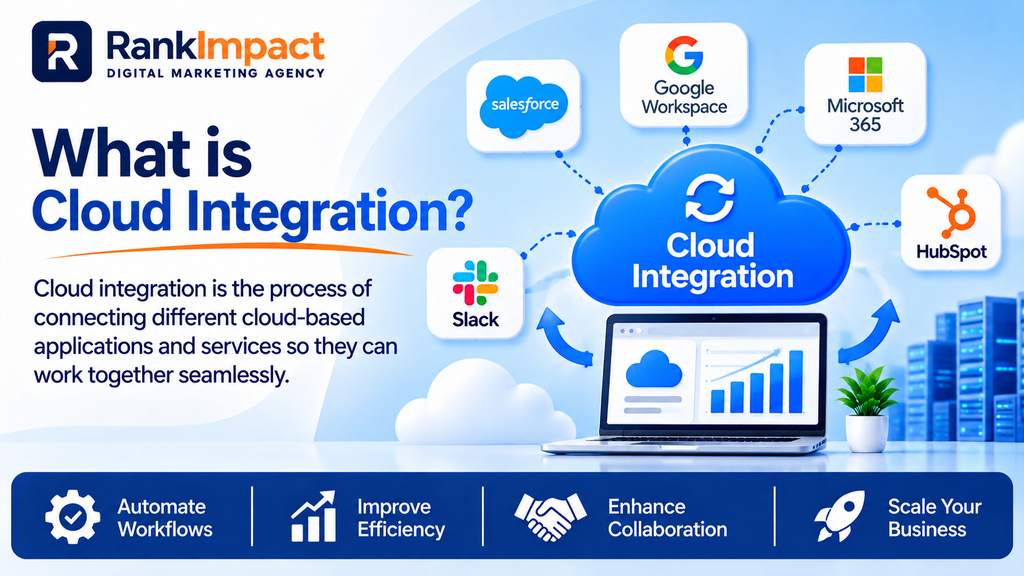
In short, what is cloud integration is a question with a simple answer, because cloud integration is the process of connecting cloud based applications, data sources, and services so that they can share information and work together as one coordinated system. It can also include connecting cloud systems to older software that still runs inside a company data center, which is often called on premises software. The goal is to remove manual work, keep information consistent, and let processes run across tools without human copying and pasting.
A simple example makes the idea clear. When a customer signs a contract in your sales system, cloud integration can automatically create their account in the billing platform, open an onboarding task in the project tool, send a welcome message from the email platform, and add a record to the data warehouse for reporting. Without integration, a person would perform each of those steps by hand, and any mistake or delay would affect the customer. With integration, the same facts move between systems in seconds, using rules your team designed once.
Why Cloud Integration Matters Now
Three trends explain why what is cloud integration has become one of the most searched topics in business technology. The first is software sprawl. Companies of every size now rely on dozens or even hundreds of cloud applications, and each department tends to choose its own. The second is hybrid and multi cloud adoption, since many organizations run some workloads in public clouds, some in private environments, and some on older systems that are expensive to replace. The third is the rise of automation and artificial intelligence, which depend on clean, connected data to deliver useful results.
Market research reflects the demand. Most research firms estimate the cloud integration software market at roughly 7 to 9 billion dollars around 2026, with annual growth in the range of 13 to 15 percent, although exact figures vary by definition. Whatever the precise number, the direction is clear. Businesses are investing in integration because disconnected systems slow decisions, increase errors, and frustrate both employees and customers.
How Cloud Integration Works
To answer what is cloud integration in practical terms, look at the building blocks behind it, since most projects rely on a handful of them. Application programming interfaces, usually called APIs, are the doors that applications open so other programs can request or send data in a structured way. Connectors are prebuilt links that handle the technical details of talking to a specific application, such as a popular customer relationship system or payment provider. Middleware is the software layer that sits between systems, receiving data from one, translating it into the format another expects, and delivering it.
Data mapping defines how fields in one system correspond to fields in another, for example matching a customer name field to a contact name field. Transformation rules clean, convert, or enrich the data on the way. Orchestration coordinates the order of steps, such as waiting for a payment to succeed before creating a license. Monitoring and error handling watch the flows, retry failed messages, and alert people when something needs attention. Most modern platforms let teams build these flows visually, with little or no code, while still allowing developers to add custom logic when needed.
5 Types of Cloud Integration
The answer to what is cloud integration includes several kinds of connections, and understanding the five main types helps you choose the right approach.
The first type is cloud to cloud integration, which connects two or more cloud applications, for example a marketing automation platform and a customer relationship system. This is the most common type for small and mid sized companies and is often supported by ready made connectors.
The second type is cloud to on premises integration, also called hybrid integration. It links a cloud application to software running in your own data center, such as an older accounting or manufacturing system. This type usually requires secure gateways or agents that can reach inside your network without exposing it.
The third type is data integration, which moves and combines data from many sources into a central location such as a data warehouse or data lake for reporting and analysis. It includes extract, transform, and load processes as well as real time data streaming.
The fourth type is API integration, which connects systems through their programming interfaces, either by consuming the APIs of other services or by publishing your own so that partners and customers can connect to you. Strong API design and management are central here.
The fifth type is process and event integration, which automates multi step business workflows and reacts to events as they happen, such as a new order, a failed payment, or a support ticket. It focuses on coordinating actions across systems in real time or near real time.
Most real projects combine more than one type. A company might use cloud to cloud connectors for marketing tools, a gateway for an older finance system, and a data pipeline feeding a reporting platform.
Common Integration Patterns and Architectures
Beyond types, teams choose patterns that describe how systems are wired together. Point to point integration connects two systems directly. It is quick to build, but as the number of systems grows, the number of connections multiplies and becomes difficult to maintain. Hub and spoke integration routes everything through a central hub, which simplifies management and monitoring.
An enterprise service bus is a more traditional central backbone that handles routing, transformation, and messaging across a large organization. API led connectivity organizes integration into layers, with system interfaces that expose raw data, process interfaces that combine it into business logic, and experience interfaces tailored to specific users or channels. Event driven architecture uses messages published when something happens, so other systems can subscribe and react without tight coupling.
No single pattern is best for every case. Small teams often start with point to point connectors and move toward a hub or API led design as complexity grows. Large enterprises tend to mix patterns, using events for real time reactions and APIs for on demand requests.
Cloud Integration vs iPaaS vs API Management vs ETL
Several terms close to what is cloud integration are often confused, so it helps to separate them. Cloud integration is the broad practice of connecting cloud systems. Integration platform as a service, or iPaaS, is a delivery model in which a vendor hosts a platform with connectors, a visual designer, and monitoring so you can build integrations without managing servers. API management is the set of tools for publishing, securing, versioning, and monitoring APIs. ETL, which stands for extract, transform, and load, is a method for moving large volumes of data into a warehouse or lake for analytics, and a newer variation called ELT loads data first and transforms it afterward.
In practice, a modern platform may combine several of these capabilities. When you evaluate vendors, ask which parts they cover well and which require another tool, instead of assuming that one product handles everything.
Key Benefits of Cloud Integration
The benefits fall into six groups. Efficiency improves because routine data entry and handoffs disappear, freeing people for higher value work. Accuracy improves because information is entered once and flows everywhere, reducing duplicate records and mismatches. Speed improves because processes such as onboarding, order fulfillment, and reporting run in minutes instead of days.
Visibility improves because leaders see a unified view of customers, revenue, and operations. Customer experience improves because teams share context and respond faster. Scalability and agility improve because you can add new tools without rebuilding everything and change vendors with less pain, which gives the business more flexibility as it grows.
Practical SaaS Examples of Cloud Integration
Consider a small software company that sells subscriptions. When a trial user upgrades, an integration creates the paid subscription in the billing system, updates the customer relationship record, notifies the success team in the chat tool, and tags the user in the email platform so they receive onboarding messages. Revenue reporting stays correct because every system reflects the same event.
Consider an ecommerce brand that sells through its own site and several marketplaces. Integration keeps inventory counts synchronized across channels, sends orders to a warehouse system, and pushes shipping updates back to customers. This prevents overselling and cuts the time staff spend reconciling spreadsheets.
Consider a healthcare technology company that must connect a cloud scheduling tool to an older on premises records system. A secure gateway carries only the necessary data, access is logged, and sensitive fields are masked, helping the company improve patient experience while respecting privacy rules.
Challenges and Risks to Plan For
Cloud integration brings real challenges. Security is the first, since every connection is a possible entry point and each system may handle sensitive data. Data quality is the second, because connecting messy systems spreads errors faster. Complexity grows as the number of integrations increases, and undocumented connections can break when one application changes its interface.
Latency and reliability matter when processes depend on real time responses. Vendor lock in is a risk if your flows are tied to a proprietary designer that is hard to leave. Cost can creep upward through usage based pricing, extra connectors, and the time needed for maintenance. Finally, skills and ownership can be unclear, so nobody feels responsible when an integration fails at night. Naming owners and documenting each flow reduces this risk.
Security and Governance Best Practices
Treat integrations as part of your security perimeter. Use the principle of least privilege so each connection has only the access it needs. Store credentials in a secrets manager instead of in code or shared documents, rotate them regularly, and use encryption for data in transit and at rest. Log activity so you can investigate issues and meet audit requirements.
Establish governance as well. Keep an inventory of integrations with an owner, purpose, data fields involved, and a description of what happens when it fails. Review permissions quarterly, test changes before release, and set alerts for failures and unusual activity. If your industry requires compliance with standards such as SOC 2, HIPAA, or GDPR, confirm that your platform and each connected system support the required controls.
How to Plan a Cloud Integration Project
Once you know what is cloud integration, a simple plan reduces risk. First, define the business goal in measurable terms, such as reducing order processing time from two days to two hours. Second, inventory your systems, data, and existing connections, and identify the highest value process to improve first. Third, choose an approach and tool that fits your skills and budget, whether prebuilt connectors, a platform, or custom development.
Fourth, design the data flow, including field mappings, error handling, and ownership. Fifth, build and test in a safe environment using realistic data. Sixth, launch gradually and monitor closely, then document the integration and train the team. Seventh, review results after 30 and 90 days and expand to the next process. Starting small proves value quickly and builds confidence.
Common Mistakes to Avoid
The first mistake is starting with a tool instead of a problem, which leads to expensive platforms that solve nothing important. The second is ignoring data quality and trying to connect inconsistent records. The third is building many point to point connections without a plan, creating a tangle that nobody can maintain.
The fourth mistake is skipping monitoring, so failures go unnoticed until customers complain. The fifth is neglecting security and permissions. The sixth is failing to involve the people who use the systems daily, which results in flows that do not match real work. The seventh is expecting a one time project, when integrations need ongoing care as applications and processes change.
The Future of Cloud Integration
Several trends are shaping the next few years. Artificial intelligence is being added to integration tools to suggest field mappings, generate workflows from plain language descriptions, and detect anomalies. Event driven designs are growing as businesses expect real time responses. Low code and no code tools are letting business teams build their own flows, with governance from central teams.
Integration is also becoming a product feature. Software vendors increasingly offer ready made integrations and embedded platforms so customers can connect tools themselves. For buyers, the safest strategy is to favor open standards, clear data portability, and vendors with a visible roadmap.
Frequently Asked Questions
1. What does cloud integration mean in simple terms?
Cloud integration refers to connecting cloud-based applications, platforms, and data sources so they can exchange information and work together automatically. It eliminates the need for employees to manually transfer information between different tools.
2. What are the different types of cloud integration?
The five common types include cloud-to-cloud integration, cloud-to-on-premises or hybrid integration, data integration, API integration, and process or event-based integration. Businesses often combine multiple approaches to meet their technology requirements.
3. Can you give an example of cloud integration?
For example, when a customer changes their subscription plan in a SaaS application, cloud integration can automatically update the billing system, customer relationship management records, chat notifications, and email marketing platform without requiring manual updates.
4. How does cloud integration differ from iPaaS?
Cloud integration is the overall process of connecting cloud applications and systems to exchange data. In comparison, Integration Platform as a Service (iPaaS) is a cloud-hosted solution that provides ready-made connectors and tools for building and managing these connections.
5. Why do businesses need cloud integration?
Cloud integration helps organizations minimize repetitive tasks, maintain accurate information, improve operational efficiency, and gain a more complete view of their business data. It also makes adopting new applications and expanding existing systems easier as business needs change.
6. What challenges can businesses face with cloud integration?
Common challenges include security vulnerabilities, inconsistent data, increasing system complexity, service interruptions, vendor dependency, and unclear management responsibilities. Proper planning, security measures, and integration governance can help prevent these problems.
7. Is cloud integration the same as API integration?
No. API integration is one approach used within cloud integration, but the two terms have different meanings. Cloud integration also covers data pipelines, hybrid system connections, and event-driven workflows that allow multiple applications to communicate.
8. How much should a business budget for cloud integration?
The overall cost depends on the number of applications, integration complexity, and tools involved. Basic connectors may be available at little or no cost, while customized integrations and enterprise platforms can require larger investments. Businesses should also account for implementation, ongoing maintenance, and usage charges.
9. Is cloud integration useful for small businesses?
Yes. Small businesses that rely on multiple cloud applications can benefit from connecting their tools. Even basic automations between a few platforms can save valuable time, reduce manual errors, and make everyday operations more efficient.
10. What is the best way to start implementing cloud integration?
Begin by identifying a repetitive task that takes too much time, then determine which applications and data need to be connected. Select an integration tool that matches your technical requirements, create a small integration, and test its performance. Once everything works properly, monitor the results before connecting additional systems.
Conclusion
Understanding what is cloud integration helps you see why connected systems have become a basic requirement for modern organizations. It links cloud applications, data, and older software so information flows reliably, processes run automatically, and teams work from the same facts. With five main types, a range of architectural patterns, and a growing set of tools, the right approach depends on your goals, skills, and budget. Start with a clear business problem, protect security and data quality, document every connection, and expand step by step. When you know what is cloud integration and how to apply it carefully, you turn a collection of separate tools into a coordinated system that supports growth.
Key Takeaways
Cloud integration connects cloud applications, data, and older systems so they share information and automate work across tools.
The 5 main types are cloud to cloud, cloud to on premises, data integration, API integration, and process or event integration, and most real projects combine several.
Common patterns include point to point, hub and spoke, enterprise service bus, API led connectivity, and event driven architecture, and the best fit depends on scale and complexity.
Benefits include efficiency, accuracy, speed, visibility, better customer experience, and flexibility, while risks include security, data quality, complexity, and vendor lock in.
Start with one valuable process, assign owners, secure every connection, monitor flows, and avoid the 7 common mistakes of tool first thinking, poor data quality, and missing monitoring.