Is google workspace a saas Get the clear answer with 5 facts examples current plan prices for 2026 and tips to manage it securely as part of your stack.
Table of Contents
The Short Answer Is Yes
When people ask is google workspace a saas, the answer is clear. Google Workspace is software as a service. The widely used definition from the United States National Institute of Standards and Technology describes SaaS as a model in which the provider runs applications on cloud infrastructure and customers use them through a web browser or a simple client, without managing the underlying servers, storage, or operating systems. Google Workspace fits that description exactly. Google hosts and operates Gmail, Docs, Sheets, Drive, Meet, Calendar, and the rest. You sign in with a browser or an app, pay a subscription per user, and Google handles updates, security patching, and capacity behind the scenes.
Because customers rent access instead of installing and maintaining software, the model also shifts responsibility. Google is responsible for keeping the service running and the infrastructure secure, while the customer is responsible for managing users, permissions, data sharing, and how people use the tools. That division of responsibility is a defining feature of SaaS, and it is why administrators of Google Workspace spend their time on identity, policy, and data governance rather than on hardware.
What Makes Something a SaaS
Five characteristics help you answer is google workspace a saas for yourself, and Google Workspace shows all of them.
The first is delivery over the internet. You use the product through a browser or an app without installing a large program locally. The second is subscription pricing. Customers pay a recurring fee per user or per usage tier instead of buying a perpetual license. The third is provider managed operations, meaning the vendor maintains servers, updates features, applies security fixes, and keeps the service available.
The fourth is multi tenancy. Many customers share the same underlying platform while their data and settings remain logically separated, which allows the vendor to improve one codebase for everyone. The fifth is rapid, continuous updates. New features and fixes arrive automatically, so customers are not stuck on old versions. Google Workspace has all five traits, which is why industry analysts and Google itself describe it as a SaaS offering.
What Is Inside Google Workspace
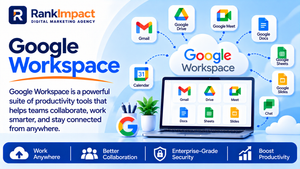
To see why the answer to is google workspace a saas is yes, look at what it contains. It is a bundle of cloud applications designed for communication, collaboration, and storage. Gmail provides business email on your own domain. Google Drive stores and shares files. Docs, Sheets, and Slides handle documents, spreadsheets, and presentations with real time collaboration. Calendar manages schedules, Meet and Chat support video calls and messaging, and Forms, Sites, and Keep add smaller tools. An admin console lets administrators manage users, security settings, devices, and policies from one place.
The product has changed names over time. It began as Google Apps for Your Domain, became G Suite, and was rebranded as Google Workspace in 2020. Today Google also includes its Gemini artificial intelligence assistant in the business plans, with features that vary by edition. Each application is a SaaS product on its own, and the suite packages them under one subscription, one identity system, and one billing relationship.
Is Google Workspace a SaaS, PaaS, or IaaS
Cloud services are often described in three layers. Infrastructure as a service, or IaaS, provides raw computing resources such as virtual machines, storage, and networks that customers configure themselves. Platform as a service, or PaaS, provides an environment where developers build and run applications without managing servers. Software as a service, or SaaS, provides finished applications that people simply use.
Google Workspace sits in the third layer. You do not provision servers or write code to get an email inbox or a shared document. You get a ready to use application. By contrast, Google Cloud Platform offers IaaS and PaaS products such as virtual machines, managed databases, and application hosting. A simple way to remember the difference is to ask who builds what. With SaaS, the vendor builds and runs the application. With PaaS and IaaS, you build your own application on the vendor foundation.
Google Workspace vs Google Cloud Platform
Many people confuse Google Workspace with Google Cloud because both come from Google and both use cloud technology. They serve different needs. Google Workspace is a productivity and collaboration suite for end users. Google Cloud Platform is a set of infrastructure and development services for building, hosting, and analyzing applications and data.
A company might use both. A software startup could run its product on Google Cloud, where engineers manage servers, databases, and deployments, while the whole team uses Google Workspace for email, documents, and meetings. The two are billed separately, managed in different consoles, and have different security models, although they can share an identity system. When someone asks whether Google Workspace is SaaS or cloud, the clearest answer is that it is SaaS, and SaaS is one category of cloud computing.
Where Google Workspace Goes Beyond Plain SaaS
Although Workspace is firmly SaaS, it also offers extensibility features that resemble platform capabilities. Google Apps Script lets users and developers write small programs that automate tasks across Gmail, Sheets, Docs, and other apps. Add ons and the Google Workspace Marketplace let third parties publish integrations that plug into the suite. Public application programming interfaces allow developers to read and write data in Drive, Calendar, Gmail, and more, subject to permissions.
These features let a team build custom workflows, such as a script that creates a project folder, a calendar event, and a chat message whenever a deal closes. They do not change the classification of the product. The core service remains software that Google operates for you, and the extensions are optional ways to adapt it. Many modern SaaS tools offer similar extension points, which is why extensibility is now considered a normal part of the model.
Google Workspace Plans and Pricing in 2026
Pricing is part of the answer to is google workspace a saas because subscriptions scale with the number of users. As of October 2026, published United States list prices for the three Business plans are about 7 dollars per user per month for Starter, 14 dollars for Standard, and 22 dollars for Plus on an annual commitment, and about 8.40, 16.80, and 26.40 dollars on the flexible month to month plan. The Business plans support up to 300 users, and larger or more regulated organizations use the Enterprise edition, which is custom priced.
Storage and features rise with each tier. Starter includes 30 gigabytes of pooled storage per user, Standard includes 2 terabytes and larger meetings with recording, and Plus includes 5 terabytes along with Vault for eDiscovery and retention. Google has bundled its Gemini assistant into the business plans, with the fuller set of features in Standard and above. Prices change, vary by region, and may include promotions, so check the official pricing page before you budget.
Benefits of Google Workspace as a SaaS Product
Once you accept the answer to is google workspace a saas, the model gives it several practical advantages. Setup is fast, since a small team can create accounts and start working in an afternoon. There is no server hardware to buy or maintain, and updates arrive automatically. Real time collaboration reduces version confusion, because everyone works in the same document. Access from any device with a browser supports remote and hybrid work.
Costs are predictable because you pay per user, and you can add or remove seats as the team changes. Security is a shared responsibility, with Google providing infrastructure protections and the customer enabling controls such as two step verification, single sign on, and data loss prevention. For a growing company, these advantages mean less time spent on administration and more time spent on the business.
Limitations and Risks to Consider
The answer to is google workspace a saas also brings tradeoffs, and Google Workspace is no exception. You depend on the vendor for availability, features, and pricing, so outages and price increases are outside your control. Google raised Business plan prices in 2025 when it bundled Gemini into every plan, which shows that costs can change. Data lock in is a consideration, because moving large volumes of files, email history, and shared permissions to another platform takes planning.
Some workflows work best with an internet connection, although offline modes exist for certain apps. Highly regulated organizations must confirm that the edition and settings meet their compliance requirements, including data residency. Finally, convenience can create governance problems. Easy sharing means files can end up visible to the wrong people unless administrators set clear policies and train staff.
Google Workspace vs Microsoft 365 as SaaS
Microsoft 365 is the closest competitor and is also a SaaS suite, although it includes desktop applications that run locally alongside cloud services. Google Workspace is built around the browser and real time collaboration, while Microsoft 365 offers deeper desktop features and tight integration with Windows and enterprise tools. Both include email, document editing, video meetings, storage, and an administration console, and both now bundle artificial intelligence assistants.
Choosing between them depends on your existing tools, the file formats your partners use, the skills of your team, and your preference for web native collaboration versus desktop depth. Many companies run mixed environments, so interoperability and migration tools matter. Evaluate both with a pilot group before committing.
How to Manage Google Workspace as Part of Your SaaS Stack
Treat Google Workspace as the identity and collaboration hub of your SaaS stack. Start with identity and access. Turn on two step verification, use single sign on for other applications, and set clear roles for administrators. Review sharing settings so that external sharing is allowed only where needed.
Next, manage data. Define retention rules, use shared drives for team content instead of personal folders, and consider a third party backup service, since SaaS providers generally protect their infrastructure but customers remain responsible for their own data and recovery needs. Finally, keep an inventory of connected applications. Review which third party apps have access to Gmail and Drive, remove those you no longer use, and require approval for new ones. Regular reviews every quarter keep the environment tidy and secure.
Common Mistakes to Avoid
The first mistake is assuming the vendor handles everything, including backup and sharing policy. The second is leaving default sharing settings unchanged, which can expose sensitive files. The third is skipping two step verification, one of the simplest protections against account takeover.
The fourth mistake is confusing Google Workspace with Google Cloud when buying or budgeting, which leads to missing line items or duplicate spending. The fifth is allowing unmanaged third party add ons, which can access data without review. The sixth is failing to offboard departing employees promptly, so accounts and files stay accessible. The seventh is ignoring renewal dates and price changes, which can cause surprise costs.
Frequently Asked Questions
1. Is Google Workspace considered a SaaS product?
Yes. Google Workspace is a Software as a Service (SaaS) solution because Google manages and hosts its applications, allowing users to access them through web browsers or mobile apps. Businesses pay a recurring subscription based on the number of users.
2. Does Google Workspace fall under SaaS, PaaS, or IaaS?
Google Workspace belongs to the SaaS category. It offers ready-to-use applications such as Gmail, Google Docs, Sheets, Drive, and Meet. In contrast, Google Cloud Platform provides infrastructure and platform services that developers and businesses use to build and manage their own applications.
3. Is Gmail an example of SaaS software?
Yes. Gmail is a cloud-based SaaS email service that Google hosts, maintains, and updates. Its business-focused version is available as part of Google Workspace subscriptions.
4. How is Google Workspace different from Google Cloud?
Google Workspace is designed for everyday productivity, communication, and team collaboration through applications such as Gmail and Google Docs. Google Cloud, on the other hand, provides cloud infrastructure, development tools, and data services that businesses use to build, deploy, and operate applications.
5. Can businesses use Google Workspace for free?
Google Workspace does not offer a free Business subscription. Although Google provides free personal accounts, businesses need a paid Workspace plan to access its business features. As of October 2026, Business plans start at approximately $7 per user per month with an annual commitment.
6. Is Google Workspace different from the old G Suite?
No. Google Workspace is the updated name for G Suite, which Google rebranded in 2020. The new branding introduced a more integrated productivity experience, with additional collaboration features and newer artificial intelligence capabilities.
7. Does Google Docs qualify as a SaaS application?
Yes. Google Docs is a SaaS application that allows users to create, edit, and share documents online. It operates through a web browser, while Google manages the underlying infrastructure and cloud storage.
8. Is Microsoft 365 another example of SaaS?
Yes. Microsoft 365 is also a Software as a Service solution that provides cloud-based productivity and collaboration tools. However, it also offers desktop applications that users can install on their computers alongside its online services.
9. What benefits does Google Workspace offer as a SaaS solution?
Google Workspace offers several advantages, including quick setup, automatic software updates, reduced hardware maintenance, real-time collaboration, access across different devices, and predictable subscription-based pricing. These features make it easier for businesses to manage everyday operations.
10. Do businesses need separate backups when using Google Workspace?
In many cases, yes. Although Google manages and protects its cloud infrastructure, organizations remain responsible for managing their own business data. Additional third-party backup solutions can help protect important files and emails against accidental deletion, unauthorized access, and account-related problems.
Conclusion
So, is google workspace a saas. Yes, and it is a textbook example, because Google runs the applications, customers access them over the internet, pricing is a per user subscription, the platform is shared across many customers, and updates arrive continuously. Understanding that classification helps you separate Workspace from Google Cloud, budget correctly, apply the right security controls, and manage it as part of a wider software stack. Remember the shared responsibility model, set strong identity and sharing policies, review connected apps regularly, and plan for backup and offboarding. With those habits in place, Google Workspace delivers the speed and simplicity that make SaaS so attractive, while keeping your data and your team under control.

Key Takeaways
Google Workspace is software as a service. Google hosts and operates the applications, and customers use them through a browser or app on a subscription.
5 traits define SaaS, namely internet delivery, subscription pricing, provider managed operations, multi tenancy, and continuous updates, and Workspace has all of them.
Google Cloud Platform is different. It offers IaaS and PaaS for building applications, while Workspace offers finished productivity apps.
As of October 2026, list prices run about 7, 14, and 22 dollars per user per month on annual plans for Starter, Standard, and Plus, with Gemini included, though prices change and vary by region.
Manage it well with two step verification, sharing controls, app reviews, backup, and timely offboarding, and avoid the 7 common mistakes of assuming the vendor handles everything.