+92 318 3068833 Get Free Audit

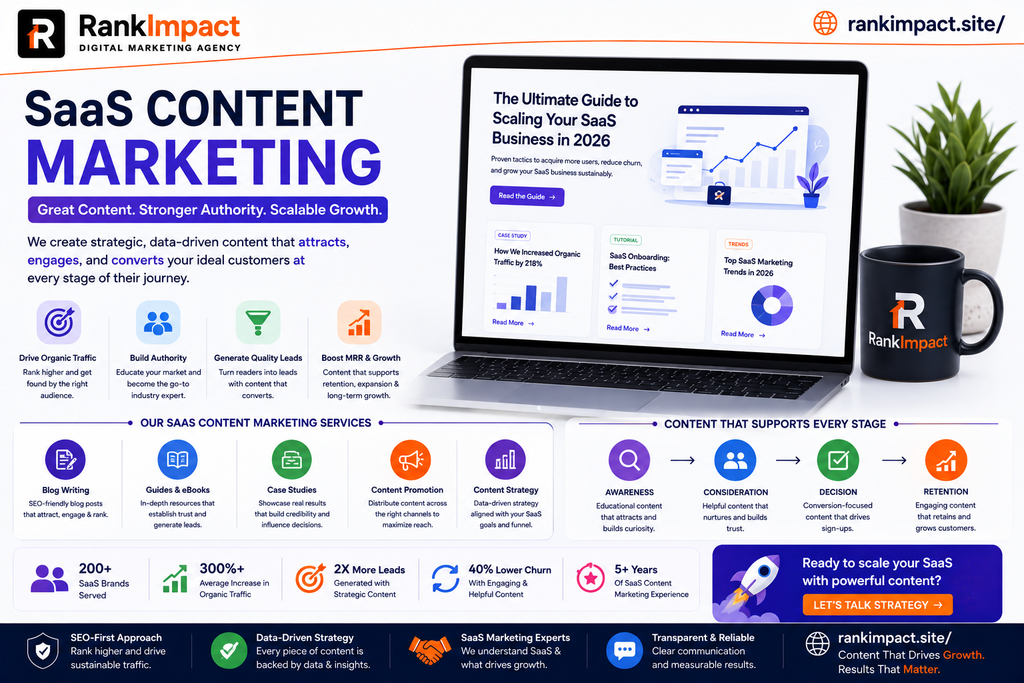
SaaS Content Marketing 11 Strategies That Drive Signups

Learn how SaaS content marketing turns organic traffic into trial signups and revenue, with strategies, formats, and mistakes to avoid in 2026.
SaaS content marketing

Why SaaS Content Marketing Decides Who Wins the Category

Every SaaS category eventually reaches a point where the product features start to look the same across vendors. When that happens, the company that wins is usually the one that has built the most trust with buyers before they ever request a demo. That trust is built almost entirely through content.

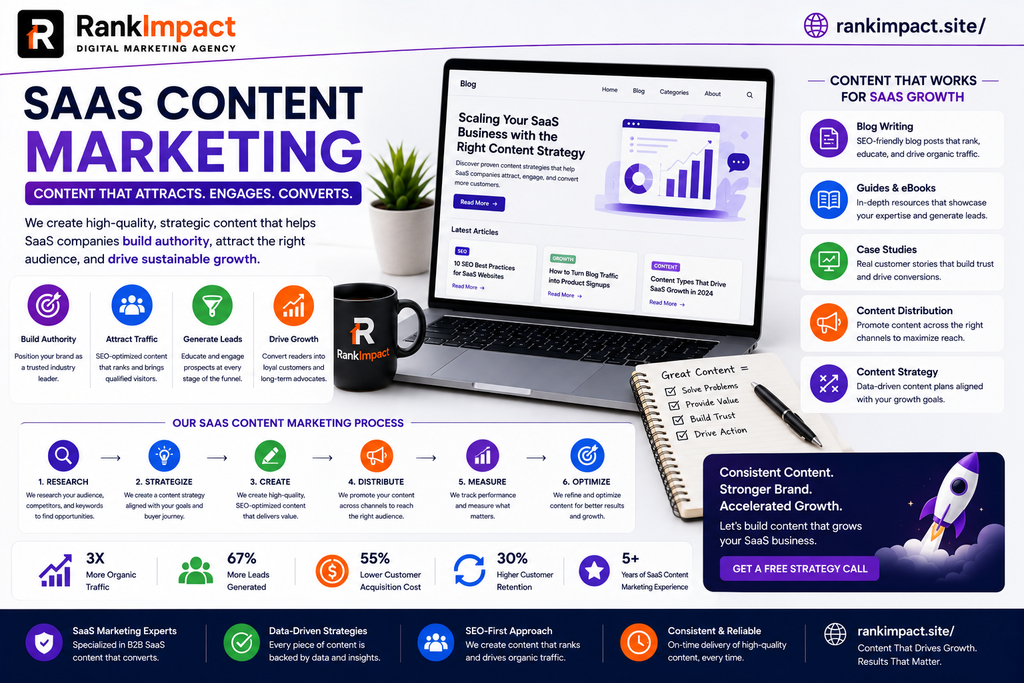
SaaS content marketing is the practice of creating and distributing educational, product aware, and decision stage content that moves software buyers from first discovering a problem to signing up for a trial and eventually becoming a paying customer. Unlike traditional content marketing, it has to serve a longer, more research heavy buying journey, support both marketing and product teams, and speak to technical and non technical stakeholders at the same time.

Research from First Page Sage’s 2026 benchmarking study found that cite index=59-3 B2B SaaS SEO produces an average return of 702 percent with a break even period of roughly seven months when measured over a three year window cite. Few other marketing channels for software companies come close to that kind of long term payoff, which is exactly why so many SaaS founders and marketing leaders treat content as a core growth lever rather than a side project.

This guide breaks down what SaaS content marketing actually involves, how it differs from generic B2B content, and the specific strategies, formats, and workflows that experienced SaaS marketers rely on to turn blog traffic into trial signups and expansion revenue.

What Makes SaaS Content Marketing Different From Regular Content Marketing

On the surface, SaaS content marketing looks like any other form of content marketing. There is still keyword research, blog writing, distribution, and measurement. The differences show up in the details, and they matter enormously if you want your content to actually move the needle.

First, SaaS products are usually intangible and often hard to explain in a single sentence, which means content has to do more educational heavy lifting before a prospect understands why the product matters. Second, the buying committee for most B2B software purchases includes several people with different priorities, so a single blog post rarely closes a deal on its own. Third, SaaS is a subscription business, so content does not stop mattering after the sale. Onboarding guides, feature announcements, and best practice articles all influence whether a customer renews or churns.

Finally, SaaS competes in some of the most saturated search results on the internet. Review sites like G2 and Capterra, along with a handful of large incumbent brands, dominate the top rankings for many high intent software queries. Winning visibility requires content that is more specific, more technically credible, and better structured than what a generic content marketing playbook produces.

Understanding Buyer Intent Across the SaaS Funnel

The single biggest mistake in SaaS content marketing is treating every piece of content the same way. Buyers at different stages of the funnel need fundamentally different information, and mapping content to each stage is what separates a strategy that generates leads from one that just generates traffic.

Top of funnel content targets people who are aware of a problem but not yet aware that software can solve it. These readers respond well to broad educational guides, industry trend pieces, and original research. Middle of funnel content targets people actively comparing approaches or evaluating categories of tools, so templates, calculators, and how to guides tend to perform best here. Bottom of funnel content targets people who already know they need a solution and are deciding between specific vendors, which is where comparison pages, alternative pages, and detailed case studies do the heavy lifting.

A useful rule of thumb shared by several experienced SaaS content strategists is that alternative and versus pages, while lower in search volume than broad educational terms, convert at dramatically higher rates because the searcher is closer to a buying decision. Mapping your keyword list to funnel stage before you write a single article prevents the common trap of producing dozens of top of funnel posts that generate traffic but never move anyone toward a purchase.

Building a SaaS Content Marketing Strategy That Aligns With Product Led Growth

Many SaaS companies now rely on product led growth, where the product itself, often through a free trial or freemium tier, does much of the selling. This changes what a content strategy needs to accomplish. It is no longer enough to generate a lead for a sales team to call. Content also needs to drive self serve signups and help users discover value inside the product quickly.

A strong SaaS content marketing strategy for a product led company typically includes use case pages that show specific job to be done scenarios, in app content and empty states that guide new users, and comparison content that helps prospects self select the right plan or feature set without a sales conversation. It also means writing content with clear, low friction calls to action, since a reader who is ready to act should be able to start a trial in one click rather than fill out a lengthy contact form.

The strategy also needs a clear point of view on what the company stands for. Buyers increasingly choose vendors that demonstrate real expertise rather than generic best practices they could find anywhere. Original research, proprietary benchmarks, and opinionated frameworks consistently outperform recycled listicle content because they cannot be easily replicated by competitors or summarized away by an AI answer engine.

Keyword Research and Topical Authority for SaaS Companies

Keyword research for SaaS content marketing works best when it starts from the product rather than from a generic keyword tool. Begin by listing every job your product helps a user accomplish, every problem it solves, and every alternative approach a buyer might currently be using instead of your software. From there, expand into adjacent topics your audience cares about, even if those topics are not directly about your product category.

Topical authority is built by covering a subject area exhaustively rather than publishing isolated posts. A useful structure is the pillar and cluster model, where a broad pillar page targets a competitive head term and a set of supporting articles targets the specific long tail questions related to that topic, all linked back to the pillar. This structure signals to search engines that your site has depth on the subject, and it also gives readers a clear path to explore related content, which improves engagement metrics.

Keyword difficulty matters more for newer SaaS sites than for established ones. A site with limited domain authority should prioritize lower competition, high commercial intent terms first to build early wins, then gradually move into more competitive head terms as authority grows. Chasing the highest volume keyword in a category before your site has earned enough authority is one of the most common ways early stage SaaS content programs waste months of effort.

Content Formats That Work Best for SaaS Companies

Blog posts remain the backbone of most SaaS content marketing programs, but the format mix matters. Comparison and alternative pages convert exceptionally well because they meet buyers at the exact moment they are deciding between vendors. Customer case studies build the kind of social proof that no amount of self authored content can replicate, especially when they include specific, measurable outcomes.

Webinars deserve more attention than many SaaS marketers give them. Industry data shows that cite index 58 4 a majority of marketers report webinars generate higher quality leads than any other content format cite, largely because live formats create a level of engagement and trust that static content cannot match. Templates, calculators, and other interactive tools also perform well because they let prospects experience the value of your thinking, and often your product, before they ever sign up.

Changelogs and product update posts are frequently overlooked, but they matter for retention. Existing customers who understand what is new and why it matters are less likely to churn, and public changelogs also give your sales and customer success teams fresh material to share with prospects and accounts. A well rounded SaaS content marketing plan blends acquisition focused formats with retention focused formats rather than treating content purely as a top of funnel activity.

Structuring a SaaS Content Team and Workflow

Small SaaS companies often start with a single content marketer wearing several hats, while larger organizations build dedicated teams that include a content strategist, writers or freelancers, an SEO specialist, and a designer or video producer. Regardless of team size, the workflow that separates high performing programs from stagnant ones is consistency paired with a documented editorial process.

Every piece of content should move through a clear pipeline that includes topic research and validation, an outline or brief that captures search intent and key points to cover, a draft reviewed by someone with subject matter expertise, and a publishing checklist that covers onpage SEO, internal linking, and calls to action. Subject matter review is especially important in SaaS, where technical inaccuracies or outdated feature claims damage credibility with the exact audience you are trying to win over.

Publishing frequency matters less than most marketers assume, but consistency does not. Research on SaaS blogging performance found that cite index=56 2 roughly 98 percent of top performing SaaS companies maintain an active blog, and those publishing eleven or more posts per month see over three times more traffic than less frequent publishers cite. The takeaway is not that every company needs to publish daily, but that a realistic, sustainable cadence beats sporadic bursts of content followed by long gaps.

SEO Best Practices for SaaS Content Marketing

Technical SEO issues quietly undermine a surprising number of otherwise strong SaaS content programs. Product subdomains that are not properly blocked from crawling can waste crawl budget on thin, session specific pages instead of your marketing content. Duplicate pricing pages, parameter heavy URLs, and slow loading, JavaScript heavy marketing sites all suppress rankings that good content should otherwise earn.

On page optimization for SaaS content should focus on matching search intent precisely, using clear heading structure, and answering the core question a reader is searching for within the first few sentences of the page. This approach also happens to align well with how featured snippets and AI generated answer summaries pull information, since both favor content that states a direct answer early and supports it with detail afterward.

Backlinks remain one of the strongest ranking factors for competitive SaaS keywords. Analysis from uSERP found that <cite index=”65 6″>pages ranking in the top position have nearly four times as many backlinks as lower ranked pages on the same results page</cite>. For SaaS companies, earning links through original research, tool based content, and genuine expert commentary tends to outperform outreach campaigns built around generic guest posts.

Using SaaS Content Marketing to Reduce Churn and Grow Existing Accounts

Most conversations about SaaS content marketing focus entirely on acquisition, but some of the highest-leverage content a SaaS company can produce is aimed at existing customers. Onboarding guides, feature deep dives, and workflow-specific tutorials directly influence whether a new customer reaches the point of realizing value, often called the activation moment, before their trial ends or their first invoice arrives.

For customers already using the product, ongoing educational content helps drive feature adoption, which is one of the strongest predictors of renewal. A customer who only uses a fraction of what your software offers is far more likely to churn than one who has adopted several core workflows. Content that proactively teaches underused features, shares customer success patterns, and explains new releases keeps the product relevant in the customer’s daily work.

This retention focused content also supports expansion revenue. Case studies and use case content that show what is possible at a higher tier or with an add on feature give customer success and sales teams natural material for upsell conversations, without content ever feeling like a hard sell.

Common SaaS Content Marketing Mistakes to Avoid

The most common mistake is writing generic, surface level content that could have been published by any company in any industry. Buyers evaluating software are usually more sophisticated than the average reader, and shallow content erodes trust rather than building it. The second most common mistake is ignoring bottom of funnel content in favor of broad, high volume topics that look impressive in traffic reports but rarely convert.

Many SaaS teams also underestimate how much technical SEO and site structure affect content performance, publishing excellent articles on a site that search engines struggle to crawl efficiently. Others treat content as a one time project rather than a compounding asset, failing to update older posts as the product evolves, which leaves outdated screenshots, pricing, and feature claims live on the site for years.

A final and increasingly important mistake is failing to differentiate content from what a search engine or AI assistant can already summarize. As more informational queries get resolved directly within search results and AI tools, purely explanatory content loses value over time. The content that continues to earn attention going forward is content built on original data, direct product expertise, and a clear point of view that cannot be easily reproduced by a machine summarizing publicly available information.

Measuring the ROI of SaaS Content Marketing

Traffic is the easiest metric to track and the least useful one on its own. A mature SaaS content marketing program measures performance against business outcomes, including trial signups attributed to organic content, content influenced pipeline, and the eventual conversion of content sourced leads into paying customers. Tools like Google Search Console and product analytics platforms can be connected to track a reader’s path from first blog visit to signup.

Assisted conversions matter as much as last click conversions in SaaS, since the buying journey often spans weeks or months and touches multiple pieces of content before a decision is made. Attribution models that only credit the final touchpoint will consistently undervalue top and middle of funnel content, leading teams to defund the very content that built initial awareness and trust.

For retention focused content, the relevant metrics shift to feature adoption rate, time to activation, and support ticket deflection. A knowledge base article that reduces support volume for a common question delivers measurable value even though it will never appear in a traditional marketing attribution report, which is why SaaS content ROI should be evaluated holistically across acquisition, activation, and retention rather than through a single funnel top metric.

Real World SaaS Content Marketing Examples

Several well known SaaS companies illustrate what disciplined content marketing looks like in practice. Ahrefs built its blog around detailed, data backed guides written by practitioners who use the product daily, which reinforces product credibility while ranking for competitive SEO terms. HubSpot has long relied on a massive library of educational content across every stage of the funnel, supported by tools and templates that generate leads independent of the blog itself.

Smaller, more focused companies show that scale is not a prerequisite for strong results. Niche SaaS products have grown organic traffic significantly by publishing narrowly focused, highly specific content that speaks directly to a well defined audience rather than trying to compete for broad, generic terms. The common thread across every successful example is specificity. Companies that describe exactly who a piece of content is for, and exactly what problem it solves, consistently outperform companies producing broader, less targeted material aimed at everyone and no one in particular.

Frequently Asked Questions

What is SaaS content marketing?

SaaS content marketing is the process of creating and distributing content, such as blog posts, comparison pages, case studies, and guides, to attract, convert, and retain customers for a software as a service business. It differs from general content marketing because it must support a longer buying cycle, multiple stakeholders, and both new customer acquisition and existing customer retention.

How is SaaS content marketing different from B2B content marketing in general?

SaaS content marketing shares many principles with broader B2B content marketing but places heavier emphasis on product education, comparison content, and post sale retention material, since SaaS revenue depends on ongoing subscriptions rather than one time purchases.

How long does it take to see results from SaaS content marketing?

Most SaaS companies begin seeing measurable organic traffic and lead generation within three to six months, though competitive terms and newer domains often take longer. Results tend to compound over time as topical authority and backlink profiles grow.

What type of content converts best for SaaS companies?

Bottom of funnel content such as comparison pages, alternative pages, and detailed case studies typically converts at the highest rate, since it targets readers who are actively evaluating vendors and close to a purchase decision.

How often should a SaaS company publish blog content?

Consistency matters more than raw frequency. A sustainable cadence that a team can maintain long term, whether that is weekly or a few times a month, generally outperforms sporadic bursts of publishing followed by long gaps.

Should SaaS companies create content for existing customers, not just prospects?

Yes. Onboarding guides, feature updates, and educational content for current users directly influence activation, feature adoption, and renewal rates, making retention focused content one of the highest leverage areas of a content program.

How does SEO fit into a SaaS content marketing strategy?

SEO and content marketing are deeply intertwined for SaaS companies, since organic search is typically the largest source of long term, low cost traffic. Keyword research, technical site health, and backlink acquisition all directly affect how much value a content program generates.

What are the biggest mistakes SaaS companies make with content marketing?

Common mistakes include publishing generic content that lacks real expertise, over indexing on top of funnel topics while neglecting bottom of funnel conversion content, ignoring technical SEO issues, and treating content as a one time project instead of an asset that requires ongoing updates.

How should a SaaS company measure content marketing ROI?

ROI should be measured across the full customer lifecycle, including organic traffic, trial signups, content influenced pipeline, and retention metrics like feature adoption and support ticket deflection, rather than relying on a single top of funnel metric like page views.

Do small SaaS startups need a large content team to succeed with content marketing?

No. Many successful SaaS content marketing programs start with a single dedicated marketer or a small team, focused on a narrow set of high intent topics, before scaling up as the strategy proves itself and budget allows.

Conclusion

SaaS content marketing is no longer optional for software companies competing in crowded categories. It is the mechanism through which buyers build trust, evaluate alternatives, and ultimately decide who deserves their business, and it continues working long after the sale by driving activation and reducing churn. The companies that treat content as a disciplined, funnel aware program, backed by real subject matter expertise and sound technical execution, consistently outperform those treating it as an occasional blogging exercise. Whether you are a founder writing your first ten articles or a marketing leader scaling a mature program, the fundamentals stay the same: understand exactly who you are writing for, map content to where they are in their decision, and never stop refining what you publish as your product and market evolve.
Conclusion

SaaS content marketing is no longer optional for software companies competing in crowded categories. It is the mechanism through which buyers build trust, evaluate alternatives, and ultimately decide who deserves their business, and it continues working long after the sale by driving activation and reducing churn. The companies that treat content as a disciplined, funnel aware program, backed by real subject matter expertise and sound technical execution, consistently outperform those treating it as an occasional blogging exercise. Whether you are a founder writing your first ten articles or a marketing leader scaling a mature program, the fundamentals stay the same: understand exactly who you are writing for, map content to where they are in their decision, and never stop refining what you publish as your product and market evolve.

Key Takeaways

Effective SaaS content marketing requires mapping content to every stage of the buyer journey rather than producing generic educational posts alone. Bottom of funnel formats like comparison pages and case studies typically deliver the strongest conversion rates. Topical authority, built through a structured pillar and cluster approach, outperforms isolated, disconnected blog posts. Technical SEO health directly affects whether strong content can actually rank. Retention focused content for existing customers is often undervalued despite its direct impact on renewal and expansion revenue. Original research, proprietary data, and genuine product expertise increasingly separate content that earns lasting attention from content that gets summarized away by search engines and AI tools. Finally, ROI should be tracked holistically across acquisition, activation, and retention, not through traffic alone.
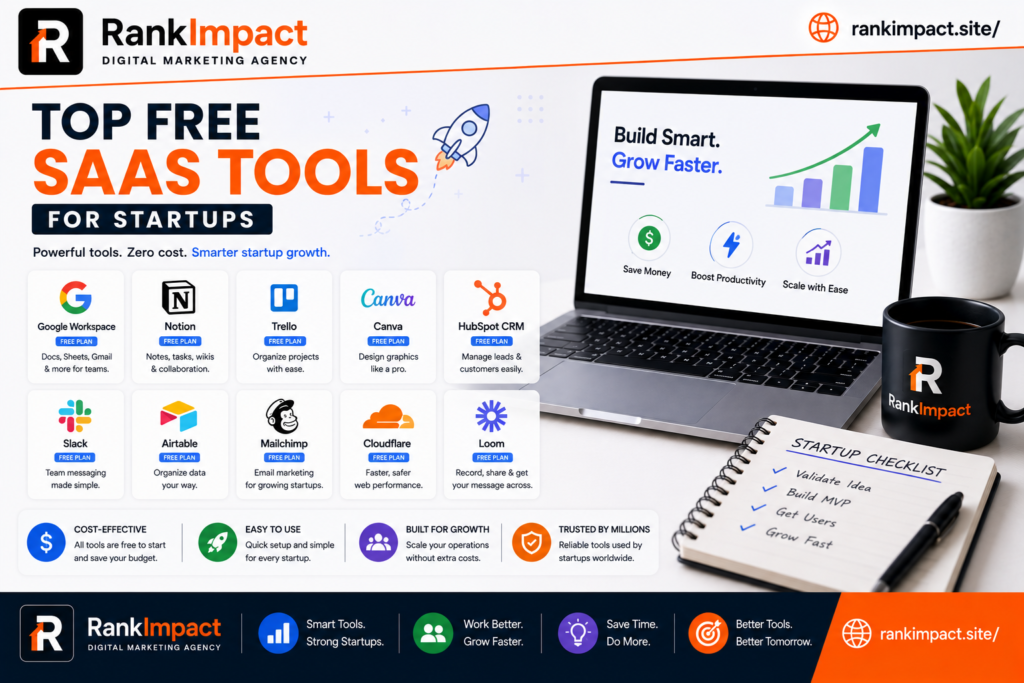
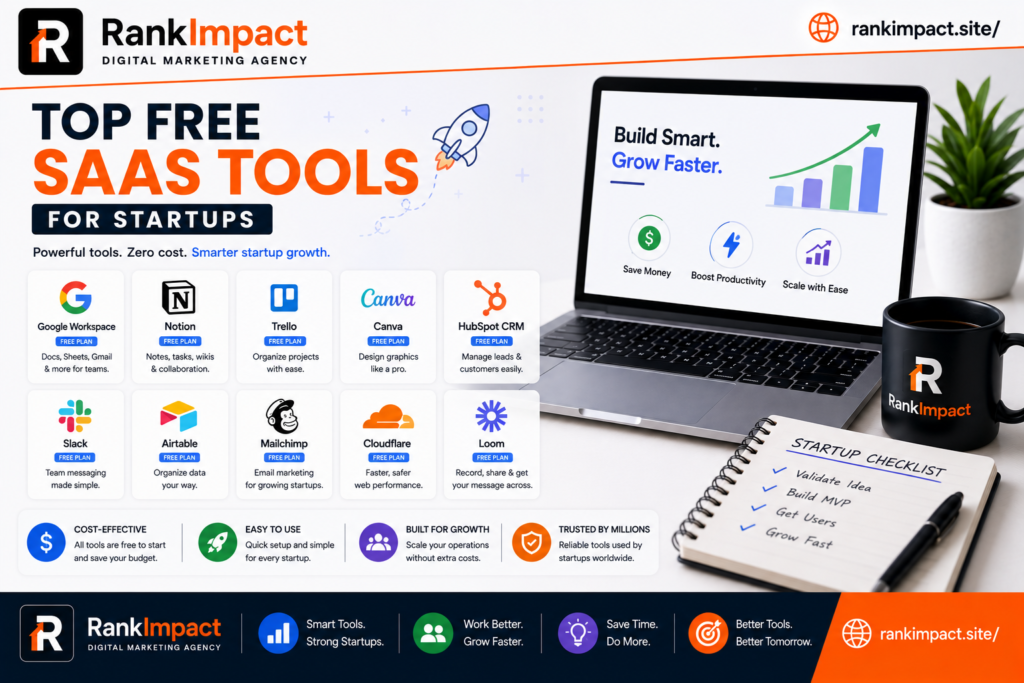
Top SaaS Tools for Startups 15 Best Picks for 2026

Discover the top SaaS tools for startups in 2026, covering CRM, finance, marketing, support, and hosting, with real free tier options for every growth stage.

top saas tools for startups

15 Top SaaS Tools for Startups to Scale Faster in 2026

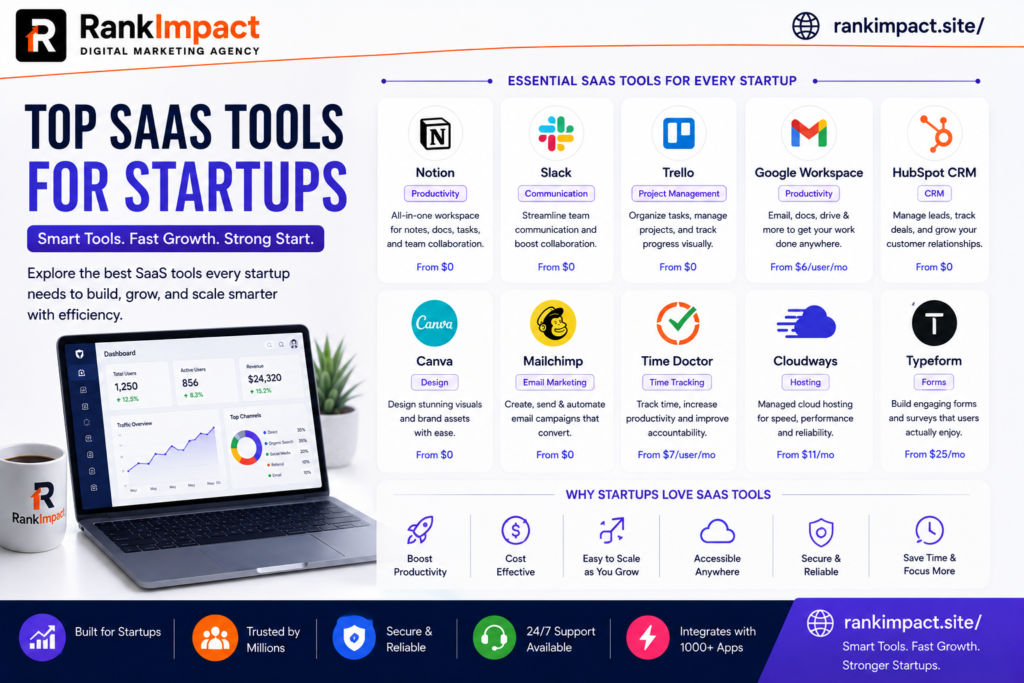
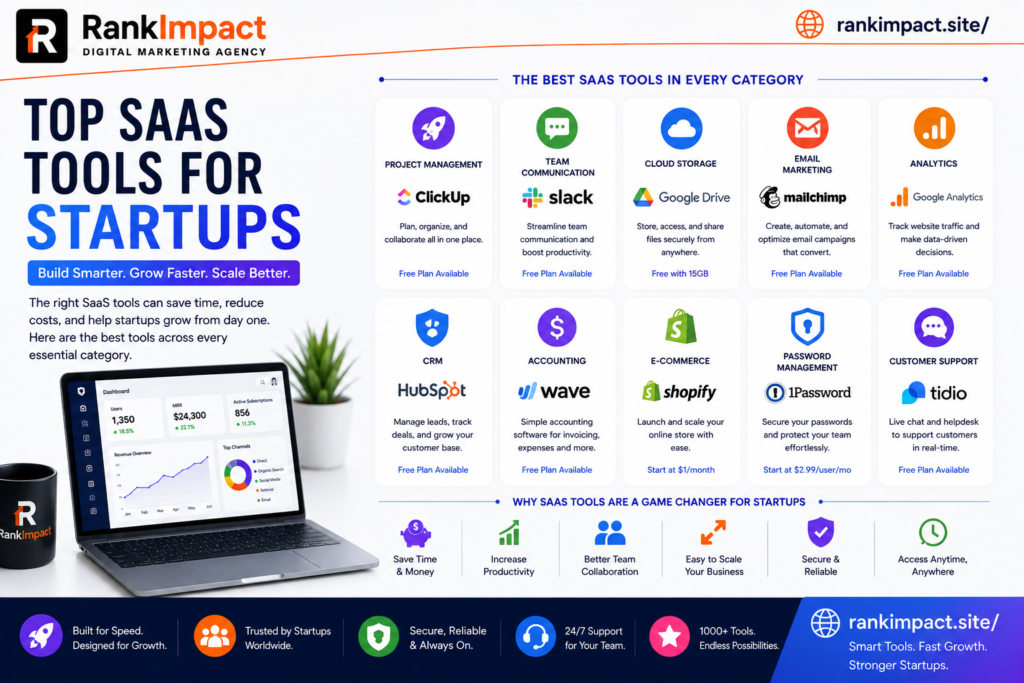
Every early stage founder eventually hits the same wall. The product is live, the first customers are signing up, and suddenly there is no time left to run finance, support, marketing, and operations by hand. This is exactly where the right software stack starts to matter. Choosing the top SaaS tools for startups is not about collecting as many apps as possible. It is about picking a lean set of platforms that remove friction, save hours every week, and grow with the business instead of holding it back.

This guide walks through the categories every startup needs to cover, names specific platforms worth testing in each one, and explains how to evaluate a tool before you commit your card details to another monthly subscription. The goal is not a random directory of software. It is a practical shortlist of the top SaaS tools for startups, built around what actually moves the needle for a small team trying to reach product market fit without burning through runway on tools nobody uses after month two.

Whether you are a solo founder validating an idea or a five person team preparing for your first funding round, the categories below cover the operational backbone almost every SaaS or product led startup eventually needs. Rather than listing every possible option, this article focuses on tools with a track record of actually being adopted by small teams, not just tools that look impressive in a sales demo.

Why the Right SaaS Stack Matters More Than People Think

Founders often underestimate how much a messy tool stack costs them. Spreadsheets scattered across Google Drive, five different chat apps because nobody agreed on one, and a CRM that only half the sales team updates are not just annoying. They slow down decisions, create blind spots around cash flow, and make onboarding a new hire painful because nothing lives in one place.

A well chosen set of SaaS tools for startups solves three problems at once. First, it centralizes information so founders and managers can see what is actually happening in the business without chasing five people for updates. Second, it automates repetitive work like invoicing, lead follow up, and reporting, which frees up hours that a small team simply does not have to spare. Third, it creates a foundation that can scale. A tool that works for three people and breaks at twenty is a tool you will have to migrate away from later, and migrations are expensive in both time and morale.

The best approach is to think in categories rather than individual products. Every startup, regardless of industry, needs to cover communication, customer relationships, finance, marketing, project management, support, analytics, and hosting. Below is a breakdown of proven options in each category, along with what makes them a strong fit for early stage teams specifically, and why they consistently appear on lists of the top SaaS tools for startups across different industries.

Communication and Team Collaboration Tools

Remote and hybrid teams live or die by how well they communicate asynchronously. The right messaging and video tools keep everyone aligned without turning every question into a 30 minute meeting.

Slack remains one of the most widely adopted options for team messaging because it integrates with almost every other tool a startup already uses, from project trackers to customer support software. Its free tier is generous enough for a small team to run entirely on it before upgrading. You can review current plans directly on the Slack pricing page.

Notion has become a favorite for startups that want a single workspace for documentation, wikis, meeting notes, and lightweight project tracking. Because it replaces several standalone tools, it often ends up saving money rather than adding another line item. Details on its startup friendly pricing are available on the Notion for startups page.

Google Workspace is still the default choice for email, shared calendars, and document collaboration for a reason. It is reliable, familiar to almost every new hire, and scales cleanly from a two person team to a two hundred person company without a painful migration.

Customer Relationship Management Platforms

A CRM is often the first serious software purchase a startup makes once sales conversations move past a handful of manual emails. The mistake many founders make is jumping straight to an enterprise grade CRM before they need one.

HubSpot’s free CRM tier is a strong starting point because it covers contact management, deal tracking, and basic email tools without requiring a credit card. As the sales process matures, teams can move into paid tiers without switching platforms. You can explore what is included on the HubSpot CRM overview.

Zoho CRM is another practical option for budget conscious startups, particularly those already using other Zoho products for finance or support. Its lower entry pricing compared to some competitors makes it appealing for teams that need CRM functionality without a large monthly commitment.

Pipedrive is worth considering for startups with a sales led motion, since its pipeline visualization is built specifically around helping small sales teams move deals forward rather than managing large enterprise account hierarchies.

SaaS Content Marketing and Growth Tools

Marketing software is where many startups either overspend on tools they barely touch or underinvest and fall behind competitors who are consistently visible in search and social. A lean content marketing stack should cover email, SEO research, and social scheduling at minimum.

Mailchimp continues to be a dependable entry point for email marketing, offering automation, audience segmentation, and a free plan suitable for early stage lists. Current plan details are on the Mailchimp pricing page.

Semrush and Ahrefs are the two most established platforms for keyword research, competitor analysis, and technical SEO audits. Startups building an organic acquisition channel through blog content, much like a SaaS content marketing strategy built around search intent, typically rely on one of these two tools to identify keyword opportunities and track ranking progress over time.

Buffer offers a straightforward way to schedule and manage social posts across multiple platforms from a single dashboard, which matters when the same one or two people are handling marketing, support, and half of sales.

Finance, Accounting and Budget Control Tools

Financial visibility is non negotiable, even for a two person startup. Founders who put off proper accounting until year two often discover expensive surprises when it comes time to raise funding or file taxes.

QuickBooks Online remains the most widely used accounting platform for small businesses and startups, offering invoicing, expense tracking, and integrations with most banks and payment processors. Its scalability makes it a safe long term choice rather than something you will outgrow quickly.

Wave is a genuinely free alternative for very early stage startups that need basic invoicing and accounting without a monthly fee, making it a sensible starting point before revenue justifies a paid platform.

Stripe handles payment processing for a large share of SaaS and ecommerce startups worldwide, and its documentation and developer tools make it a practical choice even for non technical founders working with a small engineering team. Pricing and product details are available on the Stripe pricing page.

As spending on software grows, startups should also build a habit of auditing which subscriptions are actually being used each quarter, since unused licenses are one of the most common silent budget leaks in a growing SaaS stack.

Project Management and Productivity Tools

Without a shared system for tracking work, tasks live in someone’s head, in Slack threads, or in a notebook that gets lost. A lightweight project management tool prevents dropped balls as the team grows past a handful of people.

Trello’s board based interface is simple enough for non technical teams to adopt in a single afternoon, which makes it a common first project management tool for startups that are not ready for something more complex.

Asana works well for startups managing multiple projects across departments, offering timelines, dependencies, and reporting that Trello does not provide out of the box, while still remaining approachable for smaller teams.

ClickUp positions itself as an all in one workspace covering tasks, docs, and goals, and its generous free tier makes it attractive for cash conscious founders who want more functionality without an immediate spend commitment.

Customer Support and Success Platforms

How a startup handles its first hundred support tickets often determines whether early customers become advocates or churn quietly. Support tooling does not need to be complex, but it does need to be consistent.

Zendesk is a long established option for structured ticketing, live chat, and a searchable help center, making it a solid choice once support volume grows beyond what a shared inbox can handle. You can review its plans on the Zendesk pricing page.

Intercom combines live chat, help center articles, and product tours in one platform, which appeals to SaaS startups that want support and onboarding to feel connected rather than separate systems.

Help Scout is worth considering for startups that want a shared inbox style experience that still feels personal, rather than a ticket number driven workflow that can feel impersonal to early customers.

Analytics and Product Data Tools

Startups that do not measure usage tend to guess at what to build next, which is one of the most expensive mistakes a small team can make. Product analytics turns assumptions into evidence.

Google Analytics remains the default choice for website traffic analysis and is free for the volume most early stage startups generate, covering acquisition channels, behavior flow, and conversion tracking.

Mixpanel and Amplitude both specialize in product analytics, tracking how users actually move through a SaaS product rather than just website traffic. These tools are particularly useful once a startup needs to understand feature adoption and retention cohorts rather than just top of funnel numbers.

Hotjar adds a visual layer to analytics through heatmaps and session recordings, helping product and marketing teams see exactly where users hesitate or drop off on a page.

Hosting, DevOps and Security Tools

Reliable infrastructure is invisible when it works and catastrophic when it does not. Startups need hosting and security tools that scale automatically rather than requiring manual intervention every time traffic spikes.

DigitalOcean and Vercel are both popular among startups for their straightforward pricing and developer friendly deployment workflows, particularly for teams building modern web applications without a dedicated infrastructure team.

Cloudflare provides content delivery, DNS management, and basic security protection that most startups need from day one, and its free tier covers a meaningful amount of what a small site requires before any paid upgrade becomes necessary.

1Password or a similar credentials manager should be considered mandatory rather than optional, since shared logins passed around in chat messages are one of the most common and easily preventable security failures at early stage companies.

Matching SaaS Tools to Your Startup’s Growth Stage

Not every startup needs the same stack on day one, and one of the most common mistakes founders make is adopting tools built for a stage they have not reached yet. Matching software choices to where the company actually stands saves both money and onboarding time.

Thinking about the top SaaS tools for startups through the lens of company stage, rather than category alone, makes the decision process far less overwhelming. At the idea and pre revenue stage, the priority should be free tools that require no long term commitment. A founder validating a concept does not need a paid CRM or a premium analytics suite. Google Workspace, Trello, Wave, and the free tiers of Slack and Mailchimp are usually more than enough to run the business end to end at this stage.

Once a startup has its first paying customers, it typically needs to add proper accounting through QuickBooks or Stripe for payments, a real CRM like HubSpot to track a growing pipeline, and a support tool such as Help Scout to keep response times consistent as inbound volume increases.

As the team grows past ten or fifteen people, the top SaaS tools for startups at this stage usually shift toward platforms with stronger permissions, reporting, and integration depth, such as Asana for cross department project tracking, Zendesk for structured support ticketing, and dedicated product analytics like Mixpanel or Amplitude to guide roadmap decisions with real usage data instead of guesswork.

How to Choose the Right SaaS Tools for Your Startup

With so many options in every category, the decision process matters more than the specific brand name. A few principles consistently separate startups that build an efficient stack from those that end up with tool sprawl.

Start with the problem, not the product. It is tempting to adopt a tool because a competitor uses it or because it trended on a startup newsletter, but the better question is always what specific bottleneck this tool removes right now.

Favor tools with genuine free tiers over free trials when you are pre revenue. A free trial creates artificial urgency to decide before you have real usage data, while a genuine free tier lets you validate fit over weeks or months without financial pressure.

Check integration compatibility before committing. A tool that does not connect to the rest of your stack through native integrations or something like Zapier will eventually create manual work that defeats the purpose of automating in the first place.

Reassess every quarter rather than assuming a tool chosen at launch is still the right fit a year later. Startups change quickly, and a tool that fit a five person team may be the wrong choice once headcount doubles.

Talk to the team actually using the tool before renewing or expanding a subscription. Founders often make software decisions in isolation based on what looks good in a pitch deck or investor update, while the people entering data every day have the clearest view of whether a platform is genuinely saving time or just adding another login to manage. A quick five minute check in before each renewal date can surface friction points long before they show up as a churned customer or a missed deadline.

Test a tool with real data before rolling it out company wide. A trial run with actual customer records, actual invoices, or actual support tickets reveals limitations that a sales demo never will, and it is far cheaper to discover a dealbreaker during a two week pilot than after a year long contract has already been signed.

Common Mistakes Startups Make When Selecting SaaS Tools

Even experienced founders fall into predictable traps when building out their software stack. Recognizing these patterns early can save real money and time.

Buying enterprise tools too early is one of the most frequent mistakes, since features built for companies with hundreds of employees often add complexity a five person startup does not need yet, along with a price tag that does not match current revenue.

Letting different departments choose tools independently, without checking whether something already covers the need, leads to overlapping subscriptions that quietly drain the budget every month without anyone noticing until a financial review flags it.

Ignoring onboarding and training time is another common blind spot. A tool that looks powerful in a demo but takes three weeks for the team to actually adopt is not saving time, it is costing it, at least in the short term.

Skipping the cancellation step when a tool stops being used is a small habit that compounds. Startups that build a quarterly subscription audit into their routine consistently spend less on software than those that only look at their SaaS bill once a year.

Chasing every new tool that appears on a startup newsletter or a Product Hunt launch is another trap worth naming directly. Novelty is not the same as necessity, and the strongest lists of the top SaaS tools for startups tend to favor proven, well supported platforms over the newest entrant promising to disrupt an entire category overnight.

Building a Lean Stack Without Sacrificing Growth

A lean approach to software does not mean avoiding paid tools altogether. It means being deliberate about when a paid upgrade is actually justified by a real bottleneck rather than a nice to have feature. Many of the top SaaS tools for startups mentioned throughout this guide offer a natural upgrade path, which means a founder can start on a free tier, prove the value internally, and only move to a paid plan once the team is genuinely constrained by the free version.

This approach also protects runway during the earliest and most fragile period of a company’s life. Every dollar spent on a tool that sits unused is a dollar that could have extended the runway by another day, and in a startup that difference sometimes matters more than founders realize until they are staring at a shrinking bank balance a year later. Treat every new subscription as a decision that deserves the same scrutiny as a hire, because in a very real sense, a SaaS subscription is buying a small amount of capacity that a human would otherwise have to provide manually.

Frequently Asked Questions

What are the most important SaaS tools for a brand new startup?

At minimum, a new startup should cover communication, a basic CRM, accounting, and a project management tool. These four categories represent the most essential of the top SaaS tools for startups and address the operational basics that almost every early stage company needs regardless of industry.

Are there genuinely free SaaS tools for startups, or are they all trials?

Several tools mentioned in this guide, including Wave for accounting and the free tiers of Slack, Trello, and HubSpot CRM, offer real ongoing free plans rather than limited time trials, making them practical choices for pre revenue startups.

How many SaaS tools should a startup realistically use?

There is no fixed number, but most efficient early stage teams operate with somewhere between eight and fifteen core tools across all departments. Beyond that range, overlapping functionality and unused subscriptions tend to creep in.

What is the best free CRM for an early stage startup?

HubSpot’s free CRM tier is generally considered the strongest free option, since it includes contact management, deal tracking, and basic email tools without a time limit, unlike many trial based alternatives.

Should a startup choose an all in one platform or specialized tools for each function?

It depends on team size. Very small teams often benefit from all in one platforms like ClickUp or Notion that reduce the number of logins, while growing teams with specialized needs tend to get more value from best in class tools per category.

How often should a startup review its SaaS subscriptions?

A quarterly review is generally sufficient for most early stage companies. This cadence catches unused licenses and overlapping tools before they accumulate into a significant unnecessary expense.

What SaaS tools help startups with limited marketing budgets specifically?

Mailchimp’s free email tier, Buffer’s social scheduling, and Google Analytics all offer meaningful functionality at no cost, making them a sensible starting point before investing in paid SEO or advertising platforms.

Is it worth paying for premium SaaS tools before reaching product market fit?

Generally no, with the exception of tools directly tied to revenue generation like payment processing or core infrastructure. Most other categories have capable free or low cost options that are sufficient before product market fit is confirmed.

How do startups avoid overspending on SaaS tools as they scale?

Regular subscription audits, centralizing purchasing decisions rather than letting every department buy independently, and negotiating annual plans once usage is proven are the three most effective ways startups keep SaaS spend under control.

What is the biggest risk of choosing the wrong SaaS tools early on?

The biggest risk is not the monthly cost itself but the migration cost later. Moving customer data, retraining a team, and rebuilding workflows around a new platform is far more expensive in time and disruption than the subscription fee ever was.

Conclusion

There is no single correct answer to which software a startup should run on, and treating this list as a rigid checklist would miss the point. The real value in identifying the top SaaS tools for startups lies in matching each category to an actual operational need rather than chasing trends or copying a competitor’s stack without understanding why it works for them. Start small, favor tools with real free tiers while validating fit, and build the habit of reviewing subscriptions regularly as the team grows. A startup that gets its software stack right early spends less time fighting its own tools and more time building the product and relationships that actually drive growth.

Key Takeaways

Choosing the top SaaS tools for startups comes down to solving real bottlenecks with tools that have genuine free tiers, integrate cleanly with the rest of the stack, and can scale without forcing a painful migration later. Communication, CRM, finance, marketing, project management, support, analytics, and hosting are the eight categories every startup needs to cover, though the specific product within each category should match the team’s size, budget, and technical comfort level rather than simply following what a competitor uses. Reviewing the stack every quarter, favoring free tiers over trials while pre revenue, and checking integration compatibility before committing are the habits that consistently separate lean, efficient startups from those buried in unused subscriptions.

SaaS Security Posture Management Guide 2026 Explained

Learn what saas security posture management means and how it protects cloud apps from misconfigurations weak permissions and compliance gaps in 2026.

saas security posture management

What Is SaaS Security Posture Management

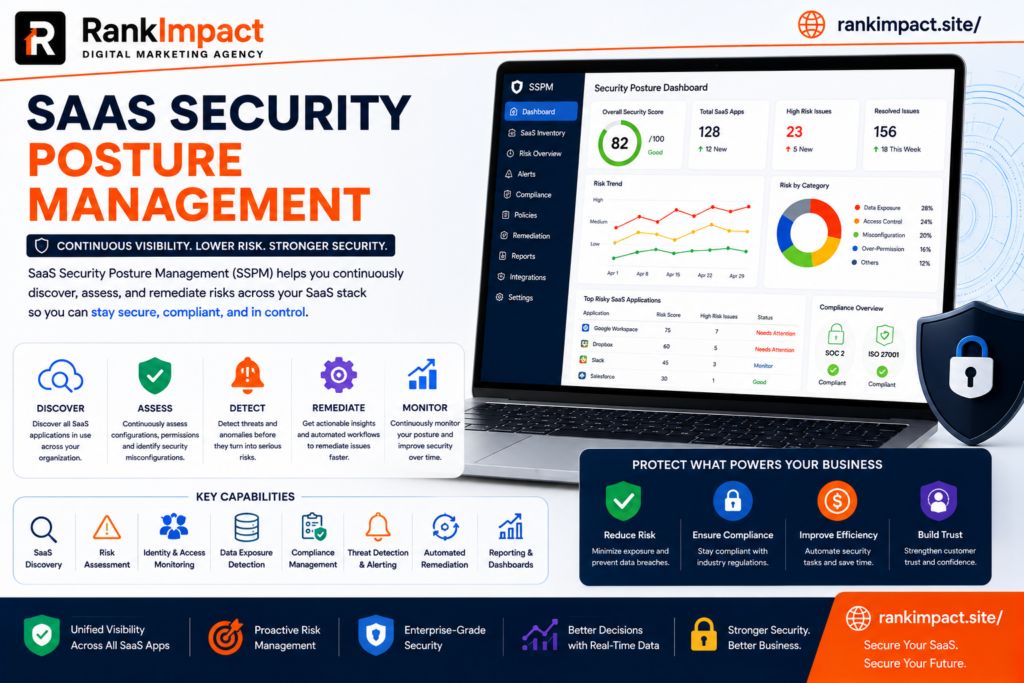
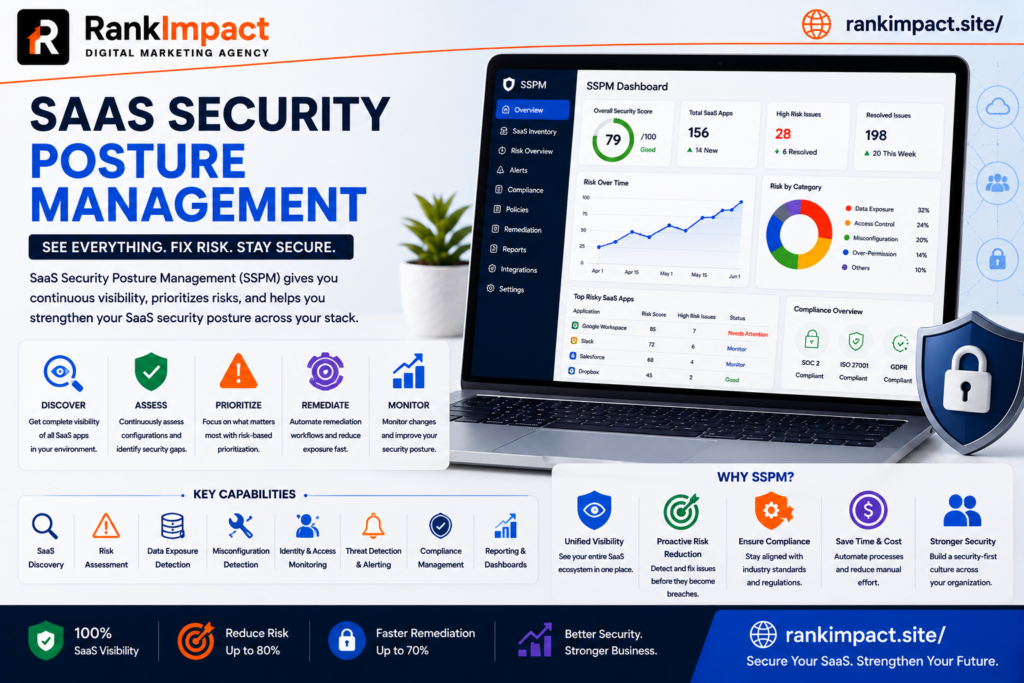
Saas security posture management is the practice of continuously monitoring assessing and improving the security configuration of cloud based software applications used across an organization. As companies adopt dozens or even hundreds of saas tools for communication project management finance and human resources each application introduces its own settings permissions and potential misconfigurations that can create security gaps if left unchecked. Saas security posture management gives organizations visibility into these gaps and provides a structured way to fix them before they become costly breaches.

Unlike traditional network security which focused primarily on protecting a defined perimeter such as an office network or data center saas security posture management addresses a much more distributed environment where sensitive data lives across many independently managed cloud platforms. Each of these platforms has its own security settings and default configurations are not always aligned with an organization’s actual risk tolerance which is exactly the gap that saas security posture management is designed to close.

Why SaaS Security Posture Management Has Become Essential

The rapid growth of cloud software adoption has created what many security professionals now call saas sprawl where employees across different departments sign up for tools independently often without formal approval from IT or security teams. Saas security posture management has become essential precisely because this sprawl makes it nearly impossible for security teams to manually track every application every user permission and every configuration change happening across the organization.

Data breaches originating from misconfigured cloud applications have become increasingly common and often result from simple oversights rather than sophisticated attacks. A file sharing folder left publicly accessible an overly broad permission granted to a third party integration or an inactive employee account that was never deactivated are the kinds of everyday issues that saas security posture management is specifically built to catch before they lead to a serious incident.

Regulatory pressure has also increased the importance of saas security posture management across nearly every industry. Data protection laws increasingly require organizations to demonstrate that they have controls in place to monitor and secure customer information wherever it is stored including within third party cloud applications. Without a structured saas security posture management program demonstrating this level of control during an audit becomes extremely difficult.

Core Components of SaaS Security Posture Management

Continuous configuration monitoring sits at the heart of any effective saas security posture management program. Rather than performing periodic manual security reviews modern platforms continuously scan connected applications to detect risky settings such as disabled multi factor authentication overly permissive sharing rules or unused administrative accounts and flag them immediately for remediation.

Identity and access governance is another critical component within saas security posture management. This involves tracking exactly who has access to which applications what level of permission they hold and whether that access still aligns with their current role. Employees who change departments or leave the company entirely often retain access to sensitive systems far longer than they should without a dedicated process to catch these gaps.

Third party application risk assessment has become increasingly important as saas security posture management programs mature. Many saas platforms allow integrations with other third party tools through APIs and these connected applications can introduce risk even when the primary platform itself is properly secured. Evaluating and monitoring these connected integrations is now considered a core function of comprehensive saas security posture management.

Compliance mapping rounds out the core components of saas security posture management by connecting technical security controls directly to specific regulatory requirements such as data residency rules or industry specific standards. This mapping makes it significantly easier for security and compliance teams to demonstrate adherence during audits without manually cross referencing spreadsheets and screenshots.

How SaaS Security Posture Management Differs From Traditional Security Tools

Traditional security tools such as firewalls and endpoint protection software were built to defend a relatively fixed network perimeter and a known set of devices. Saas security posture management operates in a fundamentally different environment where the assets being protected are cloud applications controlled by third party vendors rather than infrastructure the organization directly owns or manages.

Visibility is another major point of difference. Traditional security tools typically provide detailed visibility into network traffic and device activity but very little insight into application level configurations such as sharing permissions or user roles within a specific saas platform. Saas security posture management fills this gap by connecting directly to each application through APIs to continuously assess configuration level risk that traditional tools simply cannot see.

Response speed also differs significantly between the two approaches. Because saas security posture management platforms continuously monitor configurations rather than relying on periodic manual audits security teams can often remediate a misconfiguration within hours of it appearing rather than discovering it months later during an annual review when the damage may have already occurred.

How to Implement SaaS Security Posture Management

Implementing saas security posture management effectively starts with building a complete inventory of every cloud application currently in use across the organization. This discovery phase often reveals a surprising number of unauthorized or forgotten applications that were never formally approved which is exactly the kind of hidden risk a saas security posture management program is designed to surface.

Once the inventory is complete the next step involves connecting each critical application to the saas security posture management platform through secure API integrations. This connection allows the platform to begin continuously monitoring configurations user permissions and third party integrations without requiring manual checks from the security team on an ongoing basis.

Establishing clear security baselines is essential during implementation. Every organization has different risk tolerance levels so a saas security posture management program should define what constitutes an acceptable configuration for each type of application rather than relying purely on generic default recommendations that may not reflect the organization’s actual compliance requirements.

Assigning clear ownership for remediation is often the step that determines whether a saas security posture management program succeeds or fails in practice. Detecting a misconfiguration provides little value if there is no defined process for who addresses it and by when. Successful programs typically assign specific owners for each application and establish service level expectations for resolving flagged issues.

Common Mistakes Companies Make With SaaS Security Posture Management

One of the most frequent mistakes organizations make with saas security posture management is treating it as a one time audit rather than an ongoing continuous process. Cloud application configurations change constantly as new employees join settings get adjusted and new integrations are added which means a single point in time assessment quickly becomes outdated and provides a false sense of security.

Another common mistake is focusing saas security posture management efforts only on a handful of high profile applications while ignoring smaller tools that individual teams have adopted independently. These smaller unmonitored applications often become the weakest link in an organization’s overall security posture precisely because they receive the least attention from centralized security teams.

Failing to involve business unit leaders in the saas security posture management process is another pitfall that undermines long term success. Security teams that attempt to enforce strict configuration changes without explaining the reasoning to department heads often face pushback or workarounds that quietly reintroduce the very risks the program was designed to eliminate.

Many organizations also underestimate the importance of prioritization within saas security posture management. Not every flagged issue carries the same level of risk and treating every alert with equal urgency quickly leads to alert fatigue among security teams. Effective programs establish clear risk scoring so the most critical issues receive immediate attention while lower priority items are addressed on a reasonable timeline.

Best Practices for a Strong SaaS Security Posture Management Program

Automating remediation wherever possible significantly strengthens a saas security posture management program by reducing the time between detection and resolution. Many platforms now offer automated workflows that can immediately disable an inactive account or revoke an overly broad permission without requiring manual intervention for common well understood risk patterns.

Regularly reviewing and updating security baselines keeps a saas security posture management program relevant as the organization and its risk landscape evolve. What was considered an acceptable configuration a year ago may no longer align with current compliance requirements or emerging threat patterns so baselines should be revisited on a consistent schedule rather than set once and forgotten.

Integrating saas security posture management findings into broader security operations improves overall organizational resilience. Rather than treating cloud application security as a separate silo leading organizations feed relevant alerts and risk data into their central security operations center so analysts have a complete picture when investigating potential incidents across the entire technology environment.

Training employees on secure usage of approved saas platforms complements the technical controls provided by saas security posture management tools. Many misconfigurations originate from well meaning employees who simply do not understand the security implications of a particular sharing setting so ongoing education remains an important human layer alongside automated monitoring.

The Future of SaaS Security Posture Management

Artificial intelligence is increasingly being applied within saas security posture management to identify subtle patterns of risk that traditional rule based detection might miss entirely. Machine learning models can analyze historical configuration changes and user behavior to flag anomalies that suggest a compromised account or an emerging insider threat long before a rule based system would catch the same issue.

Deeper integration between saas security posture management and identity providers is another trend shaping the future of the category. As organizations increasingly centralize authentication through single sign on systems security platforms are gaining richer context about user identity and behavior which allows for more accurate risk assessment across every connected application.

Expanding coverage to include generative artificial intelligence tools represents a newer frontier for saas security posture management. As employees begin connecting company data to various artificial intelligence platforms and plugins security teams are extending their monitoring scope to include these emerging tools which introduce entirely new categories of data exposure risk that did not exist just a few years ago.

Frequently Asked Questions

What does saas security posture management mean?

Saas security posture management means continuously monitoring and improving the security configuration of cloud based software applications to identify and fix risks such as excessive permissions weak authentication settings or unauthorized third party integrations.

Why is saas security posture management important for small businesses?

Saas security posture management is important for small businesses because they often lack dedicated security teams to manually monitor every cloud application which makes automated continuous monitoring especially valuable for catching risks before they lead to a breach.

How is saas security posture management different from cloud security posture management?

Saas security posture management focuses specifically on securing software as a service applications such as communication and productivity tools while cloud security posture management typically addresses infrastructure level cloud environments such as virtual servers and storage systems.

What are the biggest risks that saas security posture management helps prevent?

Saas security posture management helps prevent risks such as publicly exposed files excessive user permissions inactive accounts that remain active and risky third party integrations that could expose sensitive company data.

How long does it take to implement saas security posture management?

Initial implementation of saas security posture management including application discovery and connecting core platforms typically takes a few weeks though building out mature baselines and remediation workflows can take several months depending on the number of applications involved.

Does saas security posture management require dedicated security staff?

While saas security posture management platforms automate much of the monitoring and detection work organizations still benefit from having at least one dedicated owner responsible for reviewing alerts and coordinating remediation across different teams.

Can saas security posture management help with regulatory compliance?

Yes saas security posture management helps organizations demonstrate regulatory compliance by mapping technical security controls directly to specific requirements and providing documented evidence of continuous monitoring during audits.

What industries benefit most from saas security posture management?

Industries handling sensitive data such as healthcare finance and technology benefit significantly from saas security posture management though any organization relying on multiple cloud applications faces similar risks that make the practice valuable.

Artificial intelligence improves saas security posture management by identifying unusual behavioral patterns and configuration changes that might indicate a security risk which traditional rule based systems could easily overlook.

What should a company look for when choosing a saas security posture management platform

A company should look for broad application coverage strong API integration capabilities automated remediation options and clear compliance mapping features when choosing a saas security posture management platform.

Conclusion

Saas security posture management has become a foundational requirement for any organization operating across a growing number of cloud applications rather than an optional add on reserved for large enterprises. Companies that invest in continuous monitoring clear ownership and strong baseline configurations through a structured saas security posture management program significantly reduce their exposure to costly data breaches and compliance failures. As artificial intelligence and generative tools continue expanding the cloud application landscape organizations that prioritize saas security posture management today will be far better positioned to manage risk confidently in the years ahead.

Key Takeaways

Saas security posture management continuously monitors cloud application configurations to identify and remediate security risks before they lead to a breach

Growing saas sprawl across departments makes manual security oversight nearly impossible which is why continuous automated monitoring has become essential

Core components include configuration monitoring identity and access governance third party risk assessment and compliance mapping

Common mistakes include treating the process as a one time audit ignoring smaller applications and failing to prioritize alerts by actual risk level

Successful programs assign clear remediation ownership automate common fixes and regularly update security baselines as the organization evolves

Artificial intelligence and deeper identity integration are shaping the next generation of saas security posture management capabilities

SaaS Lead Generation Guide 2026 Strategies That Convert

Learn proven saas lead generation strategies for 2026 covering content SEO paid ads and product led growth to attract and convert qualified customers.

saas lead generation

What Is SaaS Lead Generation

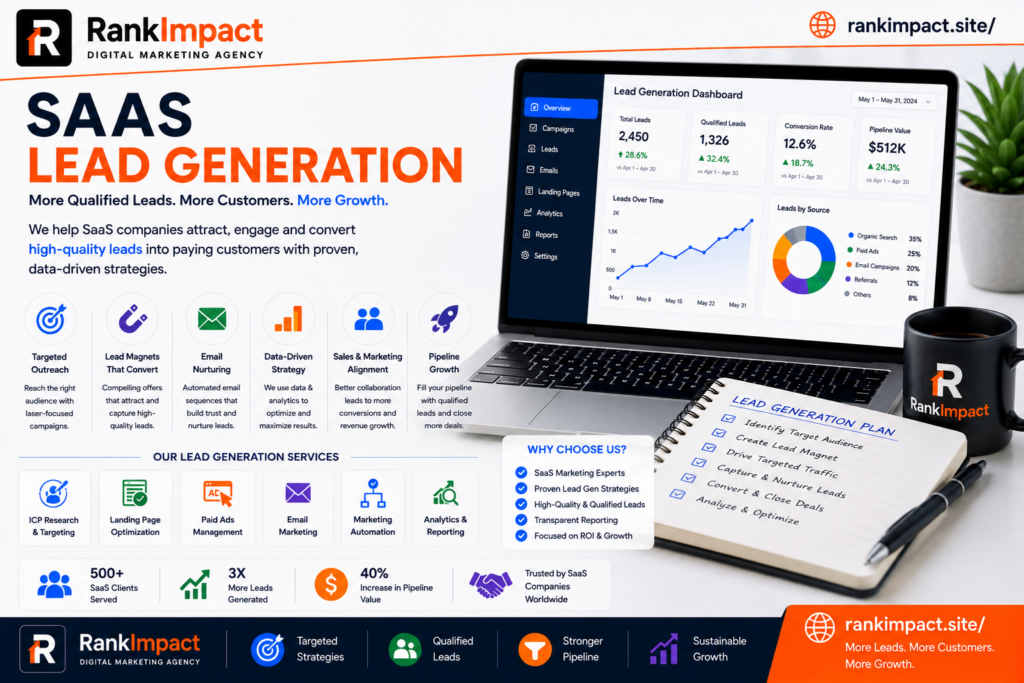
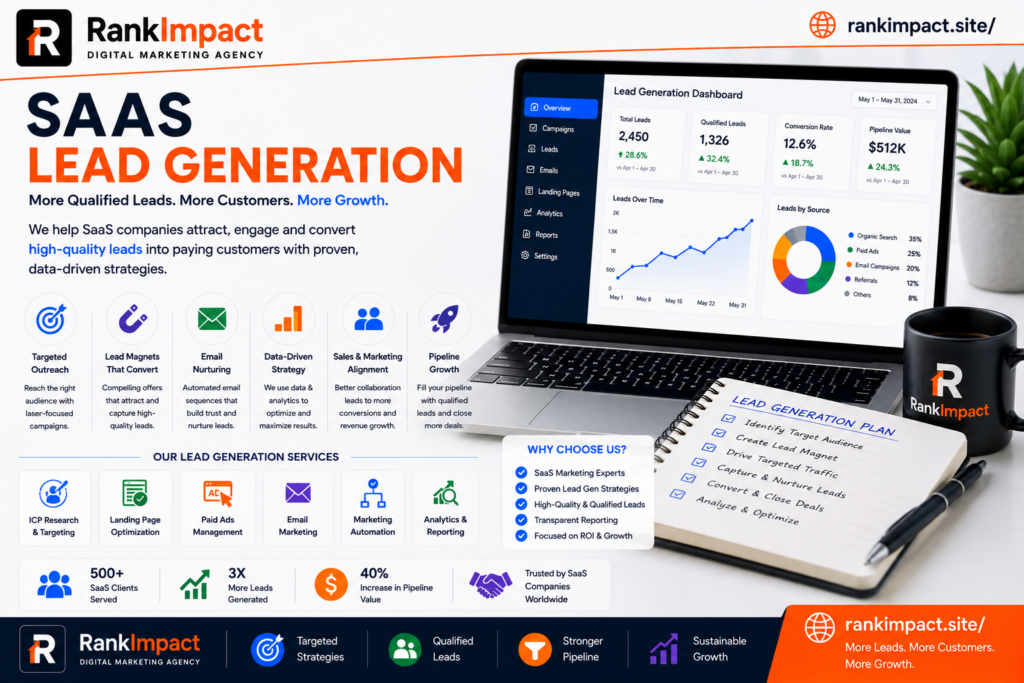
Saas lead generation is the process of attracting identifying and nurturing potential customers for a software as a service product until they are ready to start a trial book a demo or make a purchase. Unlike traditional lead generation that might rely heavily on cold calling or print advertising saas lead generation typically centers around digital channels such as content marketing search engine optimization paid advertising and product led growth tactics that let prospects experience value before ever speaking to a sales representative.

The goal of saas lead generation is not simply to collect as many email addresses as possible but to attract the right audience people who genuinely have the problem your software solves and the budget authority to purchase it. Because saas products are usually sold on a recurring subscription basis the quality of a lead matters just as much as the volume since a poorly matched customer will likely churn within a few months and drag down the overall business economics.

Why SaaS Lead Generation Is Different From Traditional Marketing

Saas lead generation operates under a unique set of dynamics that traditional product marketing does not face. Because software is often sold through recurring subscriptions the customer relationship does not end at the point of sale. This means saas lead generation strategies need to attract customers who are likely to stay engaged renew their subscription and eventually expand their usage rather than simply making a single transaction and disappearing.

Trial and freemium models also set saas lead generation apart from other industries. Many software companies allow prospects to use a limited version of the product for free or test the full version for a set number of days before committing to payment. This approach shifts a significant part of the lead generation process toward proving value quickly rather than relying purely on persuasive sales copy or discount offers.

The buying committee involved in software purchases tends to be more complex as well. A single saas lead generation campaign might need to appeal to an end user who will use the product daily a department manager who controls the budget and an IT or security team that needs to approve the tool before it can be adopted company wide. Successful campaigns account for all of these stakeholders rather than targeting only one persona.

Core Channels for SaaS Lead Generation

Content marketing remains one of the strongest pillars of saas lead generation because it allows companies to attract prospects who are actively searching for solutions to a specific problem. Blog posts comparison guides and educational resources that answer real questions build trust over time and often convert better than paid advertising because the reader arrives already interested in the topic rather than being interrupted by an ad.

Search engine optimization works closely alongside content and deserves its own focus within saas lead generation strategy. Ranking for keywords related to the problems your software solves ensures a steady stream of organic traffic that does not require ongoing ad spend. Long term saas lead generation programs that invest early in search visibility often see compounding returns as older articles continue generating leads years after publication.

Paid advertising through search and social platforms remains a valuable channel for saas lead generation especially when a company needs faster results than organic content can provide. Search ads tend to work well for capturing high intent prospects who are already searching for a solution while social ads are often more effective for building awareness among an audience that may not yet realize they have the problem your product solves.

Product led growth has become an increasingly popular saas lead generation strategy where the product itself acts as the primary acquisition channel. Free trials freemium tiers and interactive demos let prospects experience the value of the software firsthand which often shortens the sales cycle and reduces the burden placed on marketing content and sales conversations alone.

Referral and partnership programs round out a well balanced saas lead generation strategy. Existing customers who are genuinely satisfied with a product are often willing to refer colleagues especially when incentivized properly and partnerships with complementary software companies can open access to an entirely new pool of qualified prospects.

Building a High Converting Landing Page for SaaS Lead Generation

A landing page built specifically for saas lead generation needs to communicate value within seconds since visitors arriving from ads or search results rarely have patience for vague messaging. The headline should clearly state what the product does and who it is for while the supporting copy addresses the specific pain point that brought the visitor to the page in the first place.

Social proof plays a critical role in saas lead generation landing pages because software buyers are naturally cautious about committing to a new tool. Customer testimonials case study snippets and recognizable client logos reduce perceived risk and give hesitant visitors the confidence needed to take the next step whether that is starting a trial or booking a demo.

The call to action deserves careful attention as well. A landing page focused on saas lead generation should generally offer a single clear action rather than presenting multiple competing options that create decision fatigue. Reducing form fields to only the essential information needed also tends to improve conversion rates significantly since every additional field creates friction that can cause a prospect to abandon the process.

Nurturing Leads Through the SaaS Funnel

Not every lead captured through saas lead generation efforts is ready to buy immediately and this is where nurturing becomes essential. Email sequences that deliver relevant educational content based on where a prospect entered the funnel help maintain engagement without feeling pushy or overly promotional. A lead who downloaded a beginner guide needs different follow up content than one who requested a product demo.

Lead scoring is a practical tool within saas lead generation that helps sales and marketing teams prioritize their time effectively. By assigning point values to specific actions such as visiting a pricing page attending a webinar or opening multiple emails teams can identify which leads are showing genuine buying signals and route them to sales at the right moment rather than too early or too late.

Marketing automation platforms make it possible to scale saas lead generation nurturing without requiring a large team to manually manage every interaction. Behavioral triggers can automatically send a relevant case study when a prospect visits a specific feature page or alert a sales representative when a high value account shows increased engagement across multiple touchpoints.

Common Mistakes Companies Make With SaaS Lead Generation

One of the most frequent mistakes in saas lead generation is focusing entirely on lead volume while ignoring lead quality. Marketing teams under pressure to hit numbers sometimes cast an overly wide net that generates plenty of form fills but very few leads that actually match the ideal customer profile. This creates frustration for sales teams and inflates the perceived cost of acquiring a genuinely qualified customer.

Another common mistake is neglecting the handoff between marketing and sales. Even a well executed saas lead generation campaign can fail if leads sit untouched for days before a sales representative follows up. Speed to lead matters significantly in software sales since prospects researching multiple vendors will often move forward with whichever company responds first with helpful relevant information.

Many companies also make the mistake of treating saas lead generation as a one time project rather than an ongoing system. Content gets published once and never updated ad campaigns run without regular optimization and landing pages remain unchanged for years despite declining performance. Consistent testing and refinement are necessary to keep results improving over time rather than slowly declining.

Ignoring the post trial experience is another costly error. Companies often pour significant resources into saas lead generation to drive trial signups but then fail to guide those users toward activation and value realization during the trial period. Without a structured onboarding sequence many trial users simply never return leaving strong top of funnel numbers that never translate into paying customers.

Best Practices for Scaling SaaS Lead Generation

Scaling saas lead generation successfully starts with clearly defining an ideal customer profile before increasing spend or content output. Knowing exactly which company size industry and use case represents your best fit customer allows every channel from content to paid ads to be built around attracting that specific audience rather than generic broad appeal.

Diversifying channels is another important practice for sustainable saas lead generation growth. Relying entirely on one source such as paid search or a single content platform creates vulnerability if algorithm changes or rising costs suddenly reduce performance. A balanced mix of organic content paid advertising product led growth and partnerships provides more stability over time.

Aligning sales and marketing teams around shared definitions and goals significantly improves saas lead generation outcomes. When both teams agree on what qualifies as a good lead and communicate regularly about which channels and messaging are producing the best results the entire process becomes more efficient and less prone to wasted effort.

Regularly analyzing data and attribution is essential for improving saas lead generation over time. Understanding which channels and campaigns actually drive customers rather than just leads allows teams to reallocate budget toward what is genuinely working and away from tactics that look good on a dashboard but fail to produce real revenue.

The Future of SaaS Lead Generation

Artificial intelligence is beginning to reshape saas lead generation in meaningful ways particularly through predictive lead scoring that can identify high intent prospects earlier in their research journey. These tools analyze behavioral patterns across thousands of data points to surface signals that a human marketer might easily miss.

Personalization is also becoming more sophisticated within saas lead generation strategies. Rather than sending the same generic message to every visitor modern platforms can dynamically adjust landing page content email messaging and even pricing presentation based on a visitor’s industry company size or previous behavior on the site.

Community driven growth is emerging as another important trend shaping the future of saas lead generation. Companies that build active communities around their product category often generate a steady stream of warm leads through organic discussion recommendations and shared knowledge exchanges that feel far more authentic than traditional advertising ever could.

Frequently Asked Questions

What does saas lead generation mean?

Saas lead generation refers to the process of attracting and converting potential customers for a software as a service product through channels such as content marketing search engine optimization paid advertising and product led growth strategies.

What is the best channel for saas lead generation?

There is no single best channel for saas lead generation since the right mix depends on your target audience and sales cycle though most successful companies combine content marketing search engine optimization and product led growth for balanced long term results.

How long does saas lead generation take to show results?

Paid advertising within saas lead generation can produce leads within days while organic strategies such as content marketing and search engine optimization typically take three to six months to build meaningful momentum but tend to deliver more sustainable long term results.

What is a good conversion rate for saas lead generation landing pages?

Conversion rates for saas lead generation landing pages vary widely by industry and traffic source but a rate between three and five percent is generally considered solid while rates above ten percent are considered excellent for most software categories.

How does product led growth relate to saas lead generation?

Product led growth is a saas lead generation approach where the product itself serves as the primary driver of new customer acquisition through free trials or freemium tiers that let prospects experience value before making a purchase decision.

What is lead scoring in saas lead generation?

Lead scoring is a method used in saas lead generation that assigns point values to specific prospect behaviors such as visiting a pricing page or attending a webinar to help sales teams prioritize which leads are most likely ready to buy.

Should saas lead generation focus more on quality or quantity?

Quality should generally take priority over quantity in saas lead generation because poorly matched customers tend to churn quickly which increases acquisition costs and undermines long term revenue even if initial signup numbers look impressive.

How do sales and marketing teams work together in saas lead generation?

Effective saas lead generation requires sales and marketing teams to agree on a shared definition of a qualified lead and maintain regular communication aboWhat role does content marketing play in saas lead generationut which channels and messaging are converting best so leads are followed up quickly and appropriately.

What role does content marketing play in saas lead generation?

Content marketing plays a central role in saas lead generation by attracting prospects who are actively searching for solutions to their problems and building trust through educational resources before they ever interact with a sales representative.

Can small saas companies compete in lead generation against larger competitors?

Yes small saas companies can compete effectively in lead generation by focusing on a narrow well defined niche producing highly specific content and building genuine community engagement rather than trying to outspend larger competitors on broad advertising campaigns.

Conclusion

Saas lead generation has evolved into a multi channel discipline that blends content search advertising and product experience into a single coordinated system rather than relying on any one tactic alone. Companies that build their saas lead generation strategy around a clearly defined ideal customer profile diversify their channels and maintain tight alignment between sales and marketing consistently outperform those chasing volume without a clear strategic foundation. As artificial intelligence personalization and community driven growth continue reshaping the landscape businesses that invest in a thoughtful adaptable saas lead generation approach today will be best positioned to capture sustainable growth in the years ahead.

Key Takeaways

Saas lead generation focuses on attracting and converting the right prospects for a subscription based software product rather than simply maximizing lead volume

Core channels include content marketing search engine optimization paid advertising product led growth and referral partnerships that work best when combined strategically

High converting landing pages rely on clear value focused headlines strong social proof and a single simple call to action with minimal form friction

Common mistakes include prioritizing quantity over quality neglecting fast sales follow up and treating lead generation as a one time project instead of an ongoing system

Lead scoring and marketing automation help teams prioritize genuinely interested prospects and scale nurturing efforts efficiently

Artificial intelligence personalization and community driven growth are shaping the next generation of effective saas lead generation strategies

SaaS HR Management Guide 2026 Benefits and Best Tools

Discover how saas hr management streamlines payroll onboarding and compliance in 2026. Learn features benefits and how to choose the right platform.

saas hr management

What Is SaaS HR Management

SaaS hr management refers to the use of cloud based Software as a Service platforms to handle every core human resources function including recruitment onboarding payroll benefits performance tracking compliance and employee data storage. Instead of installing software on local servers a company using saas hr management simply logs into a web browser or mobile app and accesses everything through a subscription model hosted by the vendor. This approach removes the burden of maintaining physical infrastructure updating software manually or hiring dedicated IT staff just to keep HR systems running.

The rise of saas hr management is closely tied to the broader shift toward cloud computing across every business function. Companies of every size from five person startups to enterprises with thousands of employees now rely on saas hr management tools because they are faster to deploy more affordable upfront and easier to scale than legacy on premise HR systems. The core idea behind saas hr management is simple. HR teams should spend their time on people not on patching servers or manually updating spreadsheets.

Why Businesses Are Switching to SaaS HR Management

Traditional HR software often required significant capital investment long implementation timelines and constant technical maintenance. Saas hr management flips that model entirely by offering a subscription based structure where businesses pay monthly or annually based on the number of employees or features used. This shift has made powerful HR tools accessible to small and mid sized businesses that previously could not afford enterprise grade systems.

Another major driver behind the adoption of saas hr management is remote and hybrid work. When teams are distributed across cities or countries HR processes need to work from anywhere at any time. A cloud based saas hr management platform allows employees to submit time off requests update personal information access pay stubs and complete onboarding tasks without ever stepping into an office. This flexibility has become a baseline expectation rather than a bonus feature.

Cost predictability is another reason companies are moving toward saas hr management. Instead of unpredictable maintenance fees and expensive upgrade cycles businesses get a clear subscription price that usually includes updates security patches and customer support. This predictability makes budgeting easier for finance teams and reduces the total cost of ownership over time compared to legacy systems.

Core Features of a Strong SaaS HR Management Platform

Not all platforms are built the same and understanding the essential features of saas hr management helps buyers avoid choosing a tool that looks impressive but lacks depth where it matters. A strong saas hr management platform typically includes an applicant tracking system for recruitment a structured onboarding workflow for new hires and a centralized employee database that stores documents contracts and personal information securely.

Payroll and benefits administration are also central to most saas hr management suites. The best platforms integrate payroll processing tax calculations and benefits enrollment directly into the same system so HR teams are not manually transferring data between disconnected tools. Performance management features such as goal tracking review cycles and feedback tools are increasingly standard as well since employee development has become a top priority for retention.

Compliance tools deserve special attention within saas hr management because labor laws vary by region and change frequently. Leading platforms automatically update compliance rules track required documentation and send alerts when policies need attention. Reporting and analytics dashboards round out a complete saas hr management solution by giving leadership visibility into headcount turnover diversity metrics and workforce trends without requiring manual data pulls.

How SaaS HR Management Improves Employee Experience

Employee experience has become one of the most important metrics tied to retention and productivity and saas hr management plays a direct role in shaping it. Self service portals allow employees to update their own information request time off and access company policies instantly instead of waiting on HR staff to respond to emails. This kind of autonomy reduces friction and builds trust between employees and the organization.

Onboarding is another area where saas hr management makes a visible difference. New hires who go through a smooth digital onboarding process that includes automated document signing training assignments and welcome messages tend to feel more confident and engaged from day one. A clunky paper based onboarding process by contrast often leaves new employees confused and disconnected before they even start contributing.

Communication also improves significantly with saas hr management because most platforms include built in messaging announcement boards and recognition tools. Employees no longer have to dig through email chains to find important updates and managers can publicly recognize achievements in a way that boosts morale across the entire organization.

SaaS HR Management vs Traditional HR Software

The difference between saas hr management and traditional on premise HR software comes down to deployment cost and flexibility. Traditional systems require physical servers dedicated IT support and often a large upfront licensing fee before a company sees any value. Saas hr management eliminates that barrier by hosting everything in the cloud and charging a predictable subscription fee that scales with the business.

Updates are another key difference. With traditional software updates are often manual time consuming and sometimes require downtime that disrupts daily operations. Saas hr management vendors push updates automatically in the background so users always have access to the latest features and security patches without lifting a finger.

Scalability also favors saas hr management. A company using on premise software that suddenly doubles in size may need to purchase additional licenses hardware and support contracts which can take weeks to implement. A saas hr management platform on the other hand can typically scale up or down within minutes simply by adjusting the subscription plan making it far more suitable for fast growing or seasonal businesses.

How to Choose the Right SaaS HR Management Solution

Choosing the right saas hr management platform starts with clearly identifying the specific pain points your organization is trying to solve. A company struggling with manual payroll errors has different priorities than one struggling with disorganized recruitment so the evaluation process should begin with an honest audit of current HR workflows and gaps.

Integration capability is one of the most overlooked factors when selecting saas hr management software. The platform needs to connect smoothly with existing tools such as accounting software communication platforms and applicant sourcing channels. A saas hr management system that operates in isolation from the rest of your tech stack creates more manual work rather than less which defeats the purpose of automation.

Security and compliance certifications should also be a top priority since HR systems store some of the most sensitive data a company holds including social security numbers salary details and medical information. Look for saas hr management vendors that offer strong data encryption regular third party security audits and compliance with regional data protection regulations relevant to your industry.

Finally consider the vendor’s customer support quality and long term product roadmap. A saas hr management provider that offers responsive support and continues investing in new features will serve your business far better over time than one offering a cheap price with limited ongoing development.

Common Mistakes Companies Make With SaaS HR Management

One of the most frequent mistakes businesses make when adopting saas hr management is rushing the implementation without proper data migration planning. Moving years of employee records from spreadsheets or legacy systems into a new platform requires careful mapping and validation. Skipping this step often leads to missing records duplicate entries or incorrect payroll calculations that create headaches for months afterward.

Another common mistake is underutilizing the platform’s full feature set. Many companies purchase a comprehensive saas hr management solution but only use it for basic tasks like storing employee files while ignoring powerful features such as performance tracking analytics or automated compliance alerts. This results in a poor return on investment and a system that never reaches its full potential.

Failing to train employees and managers properly is another pitfall that undermines saas hr management adoption. Even the most intuitive platform requires a short onboarding period for staff to understand how to use self service features correctly. Companies that skip training often see low adoption rates and employees reverting back to old manual processes out of frustration.

Lastly some organizations choose a saas hr management platform based purely on price without considering scalability. A cheap tool that cannot grow with the company often needs to be replaced within a year or two which creates additional migration costs and disruption that could have been avoided with better upfront planning.

Best Practices for Implementing SaaS HR Management

Successful implementation of saas hr management starts with assembling a small cross functional team that includes HR IT and a few representative employees from different departments. This team should be responsible for testing the platform before full rollout gathering feedback and identifying any workflow gaps that need to be addressed before the wider organization begins using it.

A phased rollout tends to work better than switching everything at once. Start by migrating core functions such as employee records and time off tracking before layering in more complex modules like performance reviews or advanced analytics. This approach in saas hr management reduces the risk of overwhelming staff and allows the team to troubleshoot issues on a smaller scale first.

Clear communication throughout the transition is essential. Employees should understand why the company is adopting a new saas hr management platform what benefits it brings to their daily work and where to go for help if they run into issues. Transparent communication reduces resistance and builds buy in across the organization.

Ongoing evaluation after launch is just as important as the initial rollout. Set a schedule to review usage data gather employee feedback and measure whether the saas hr management platform is delivering the efficiency gains that were expected. Continuous improvement ensures the investment keeps paying off as the company evolves.

The Future of SaaS HR Management

Artificial intelligence is rapidly reshaping saas hr management with predictive analytics that can flag flight risk employees before they resign and recommend personalized development plans based on performance data. These capabilities move HR from a reactive function to a proactive strategic partner within the business.

Automation is also expanding beyond simple workflows into more complex decision support. Modern saas hr management platforms increasingly use machine learning to screen resumes suggest interview questions and even draft personalized onboarding plans based on a new hire’s role and background. This reduces administrative burden while improving consistency across the hiring process.

Employee wellbeing tools are becoming a standard part of saas hr management as companies recognize the connection between mental health support and retention. Expect to see more platforms integrating pulse surveys wellness check ins and mental health resources directly into the core HR experience rather than treating them as separate add on tools.

Frequently Asked Questions

What does saas hr management mean in simple terms?

Saas hr management means using cloud based software accessed through a subscription to handle human resources tasks such as payroll recruitment onboarding and employee records instead of relying on physical servers or paper based systems.

Is saas hr management suitable for small businesses?

Yes saas hr management is often ideal for small businesses because it requires no large upfront investment scales easily as the team grows and eliminates the need for dedicated IT staff to maintain the system.

How much does a saas hr management platform typically cost?

Pricing for saas hr management usually follows a per employee per month model that can range from a few dollars to over twenty dollars per employee depending on the features included such as payroll benefits and advanced analytics.

Is employee data safe on a saas hr management platform?

Reputable saas hr management providers use strong encryption regular security audits and compliance certifications to protect sensitive employee data making them generally safer than storing information in spreadsheets or unsecured local files.

Can saas hr management integrate with accounting software?

Most modern saas hr management platforms offer native integrations or open APIs that connect directly with popular accounting and payroll systems allowing data to flow automatically without manual entry.

How long does it take to implement a saas hr management system?

Implementation timelines vary but most saas hr management platforms can be set up within a few weeks for small to mid sized companies while larger enterprises with complex data migrations may take a couple of months.

What is the difference between HRIS and saas hr management?

HRIS refers to the broader category of human resources information systems while saas hr management specifically describes HRIS tools delivered through a cloud based subscription model rather than installed on premise.

Does saas hr management support remote teams?

Yes saas hr management is particularly well suited for remote and hybrid teams since employees can access self service portals payroll information and onboarding materials from any location with an internet connection.

What features should I prioritize in a saas hr management platform?

Prioritize core features such as payroll accuracy compliance tracking integration capability and self service tools since these directly impact daily operations and employee satisfaction more than flashy secondary features.

Can saas hr management help reduce HR administrative workload?

Yes automation within saas hr management significantly reduces manual administrative tasks such as data entry document processing and compliance tracking freeing HR teams to focus on strategic initiatives like culture and talent development.

Conclusion

Saas hr management has moved from being a nice to have convenience to a foundational requirement for modern businesses managing distributed teams and rising employee expectations. Companies that invest in the right saas hr management platform and implement it thoughtfully gain measurable advantages in efficiency compliance and employee satisfaction that directly support long term growth. As artificial intelligence and automation continue advancing the gap between businesses using strong saas hr management tools and those relying on outdated manual processes will only widen making now the right time to evaluate your options and make the switch.

Key Takeaways

Saas hr management delivers cloud based human resources functionality through a subscription model that removes the need for physical infrastructure and dedicated IT maintenance

Businesses adopt saas hr management for cost predictability remote work support and faster scalability compared to traditional on premise systems

Core features to evaluate include payroll processing compliance automation self service portals and integration capability with existing business tools

Common implementation mistakes include rushing data migration underusing platform features and skipping employee training

A phased rollout clear communication and ongoing evaluation lead to more successful saas hr management adoption

Artificial intelligence and predictive analytics are shaping the next generation of saas hr management platforms with a growing focus on employee wellbeing

SaaS Application Development Services 7 Things to Know

Learn 7 essential things to know about SaaS application development services before hiring a partner, from architecture to pricing models.

saas application development services

SaaS Application Development Services 7 Things to Know Before You Hire

Building a SaaS product involves considerably more than writing code and deploying it to a server. It requires architectural decisions that will shape how the product scales for years, security practices that determine whether enterprise customers will ever trust the platform, and an understanding of subscription business mechanics that most general software development simply does not require. This is precisely why SaaS application development services have become a distinct and specialized category within the broader software development industry, separate from generalist agencies that build websites or standard business applications without genuine multi tenant or subscription specific expertise.

This guide is written for founders, product leaders, and technical decision makers evaluating whether to build a SaaS product internally or partner with outside development services, and if partnering, how to actually select a provider capable of delivering genuine long term value rather than a functional but fragile initial version. Readers researching this topic typically fall into a few groups. Some are non technical founders needing a development partner capable of owning the entire technical build. Others are technical founders needing supplemental capacity or specific expertise their internal team lacks. And some are already working with a provider and evaluating whether that relationship is genuinely serving the company’s long term technical needs. This article addresses all three in depth.

What SaaS Application Development Services Actually Involve

SaaS application development services typically encompass the full lifecycle of building a cloud based, subscription delivered software product, extending well beyond initial coding into architecture planning, ongoing infrastructure management, and continuous iteration based on real user feedback after launch. This usually begins with discovery and technical architecture planning, where a development partner works to understand genuine business requirements before making foundational decisions around technology stack, database design, and multi tenancy approach that will be extremely costly to reverse later once a product has real users and data depending on those early choices.

Core development work covers building the actual application functionality, including user authentication, subscription billing integration, and the specific features that deliver a product’s core value proposition. Quality SaaS application development services also address infrastructure and deployment architecture specifically suited to a subscription model, including considerations around scalability, uptime reliability, and the specific security requirements that differentiate a multi tenant SaaS application from a simpler standalone software project serving only a single organization.

Ongoing maintenance and iterative development frequently continue well past initial launch, since a SaaS product’s value depends heavily on continuous improvement based on genuine user feedback and evolving market needs, unlike a one time software delivery that a client simply takes ownership of without expecting further collaborative development.

Why SaaS Development Requires Genuinely Specialized Expertise

Multi tenancy architecture represents one of the most consequential technical decisions in any SaaS product, determining how customer data remains properly isolated and secure while still allowing the underlying application infrastructure to serve many customers efficiently from shared resources. Getting this architectural decision wrong early creates technical debt that becomes exponentially more expensive to correct as a product grows and accumulates real customer data built on top of a flawed foundational structure.

Subscription billing logic introduces genuine complexity that a generalist development team unfamiliar with SaaS specifically often underestimates significantly, including handling plan upgrades and downgrades, prorated billing adjustments, failed payment recovery workflows, and the various edge cases that emerge once a subscription business has meaningfully diverse customer billing situations across different plan tiers and payment timing.

Security and compliance requirements also differ meaningfully in a SaaS context compared to standard software development, particularly once a product begins serving business customers who will scrutinize data handling practices closely during their own procurement process. A development partner without genuine experience building products that have successfully passed enterprise security review often misses considerations that only become apparent once a product actually faces this kind of scrutiny from a sophisticated prospective customer.

Core Deliverables to Expect From a Quality Development Partner

A genuinely thorough engagement begins with a discovery phase producing clear technical documentation and architecture decisions before any significant code gets written, rather than jumping directly into development based on an incomplete or ambiguous understanding of actual requirements. This upfront investment, while sometimes feeling like it delays visible progress, consistently prevents considerably more costly rework later once foundational architectural assumptions prove mismatched with genuine product needs.

Transparent, iterative development practices, including regular working software demonstrations rather than a single large delivery at the end of a lengthy development period, allow a client to provide meaningful feedback throughout the process rather than only discovering misalignment once a project is largely complete and difficult to meaningfully adjust without significant additional cost.

Comprehensive testing practices, including automated testing coverage rather than relying purely on manual quality assurance, meaningfully reduce the risk of costly production issues once real customers depend on the application functioning reliably. A development partner should be able to clearly explain their testing approach and provide genuine visibility into testing coverage rather than treating quality assurance as an opaque internal process the client simply has to trust without any real transparency.

Documentation and genuine knowledge transfer matter considerably as well, since a client should never end up entirely dependent on a single external provider with no internal understanding of how their own product actually works technically. Quality providers proactively document architectural decisions and provide genuine technical knowledge transfer rather than treating documentation as an afterthought only produced reluctantly upon explicit request.

How to Evaluate SaaS Application Development Services Providers

Reviewing a prospective provider’s portfolio specifically for genuine SaaS experience, rather than general software development across unrelated project types, reveals whether their expertise actually transfers meaningfully to your own product’s specific technical challenges. A provider whose portfolio consists primarily of simple websites or basic internal tools, however technically competent that work may be, often lacks the specific multi tenant architecture and subscription billing experience a genuine SaaS product requires.

Requesting to speak directly with a previous SaaS specific client offers considerably more useful insight than marketing materials or a curated case study alone, particularly around how the provider actually performed once real technical challenges emerged during development rather than only how they presented during the initial sales process. Asking this previous client specifically about post launch support and how the provider handled unexpected technical issues after the product went live reveals meaningful information about genuine long term partnership quality.

Understanding a provider’s specific technology stack expertise and confirming genuine alignment with your product’s technical requirements prevents a mismatch where a provider technically capable in a different stack attempts to build your product using unfamiliar tools, often resulting in a less polished and less maintainable final product than working with a provider whose genuine expertise matches your specific technical needs.

Clarifying exactly who will work on your project day to day, distinct from the senior team members present during initial sales conversations, prevents the common disappointment of impressive early conversations giving way to considerably less experienced developers actually handling the ongoing technical work once a contract begins.

Choosing Between a Full Product Build and Supplemental Development Support

Companies with no internal technical team typically need a provider capable of owning the entire product build, from initial architecture through ongoing feature development, essentially functioning as an outsourced technical team responsible for the product’s complete technical execution. This arrangement requires genuinely deep trust and clear communication given how much technical decision making authority the provider inevitably holds throughout the relationship.

Companies with an existing internal technical team more commonly need supplemental development support for specific expertise gaps or additional capacity during particularly demanding periods, rather than complete ownership of the product. This kind of engagement typically works best when the external provider integrates closely with the internal team’s existing processes and technical standards rather than operating as an entirely separate and disconnected development effort running parallel to internal work.

Understanding genuinely which category your company falls into before beginning to evaluate providers prevents pursuing the wrong type of engagement entirely, since a provider excellent at complete product ownership may not integrate as smoothly into an existing team’s established workflow, and the reverse mismatch creates similar friction in the opposite direction.

Common Mistakes Companies Make When Hiring Development Services

Selecting a provider based primarily on the lowest quoted price, without adequately weighing genuine SaaS specific experience and technical quality, frequently results in considerably higher total cost once accumulated technical debt and necessary rework are eventually accounted for, often discovered only well after the initial engagement has concluded and the provider is no longer involved.

Providing insufficiently clear requirements and expecting a development partner to independently fill significant strategic gaps represents another common misstep, since even an excellent technical provider cannot compensate fully for a client’s own unclear product vision, and the resulting product frequently reflects that underlying ambiguity regardless of the provider’s genuine technical skill.

Neglecting to plan for genuine long term maintenance and iteration needs beyond initial launch creates problems that surface months later, when a company realizes the provider relationship was structured purely around delivering an initial version without adequate consideration for the ongoing development work every genuinely successful SaaS product requires well past its first release.

Failing to establish clear intellectual property and code ownership terms before beginning work occasionally creates serious complications later, particularly if a client relationship with a provider eventually ends and questions arise about who genuinely owns the resulting codebase and any accumulated technical assets built during the engagement.

Pricing Models and Budget Considerations

SaaS application development services pricing varies considerably based on project scope, provider experience level, and geographic location of the development team, with fixed price, time and materials, and dedicated team models each suiting different project situations depending on how clearly defined the initial requirements genuinely are. Fixed price arrangements work reasonably well for narrowly scoped projects with stable, well understood requirements, while time and materials or dedicated team models typically suit the more common situation where a SaaS product’s requirements will genuinely evolve considerably as development progresses and real user feedback begins informing product direction.

Companies should approach unusually low pricing quotes with genuine skepticism, since quality SaaS specific development expertise commands real market rates, and pricing significantly below typical market rates for comparable scope often indicates either considerably less experienced developers, inadequate testing and quality practices, or unsustainable business practices likely to affect delivery quality as a project progresses.

Questions to Ask Before Signing a Development Contract

Asking specifically about a provider’s experience with multi tenant architecture and subscription billing integration reveals genuine SaaS specific expertise beyond general software development capability, since these represent the specific technical areas where generalist providers most commonly lack genuine depth compared to specialized SaaS development providers.

Understanding exactly what ongoing support and maintenance looks like after initial launch, including response time commitments for critical issues, clarifies whether the relationship genuinely extends into the long term partnership most SaaS products require rather than ending abruptly the moment an initial version ships.

Clarifying intellectual property ownership, code repository access, and exactly what happens if the engagement ends prematurely protects a company from potentially serious complications later, ensuring genuine ownership and continued access to the codebase regardless of how the specific provider relationship eventually evolves.

Frequently Asked Questions

What do SaaS application development services typically include?

SaaS application development services typically include discovery and architecture planning, core application development, subscription billing integration, infrastructure and deployment setup, and ongoing maintenance and iterative development after launch.

How much do SaaS application development services typically cost?

Pricing varies considerably based on project scope and provider experience, though companies should approach unusually low quotes with skepticism since genuine SaaS specific expertise commands real market rates reflecting its specialized nature.

Why is multi tenancy architecture important in SaaS application development?

Multi tenancy architecture determines how customer data remains properly isolated and secure while still serving many customers efficiently from shared infrastructure, and getting this decision wrong early creates costly technical debt later.

Should a non technical founder hire SaaS application development services for a full product build?

Yes, non technical founders typically need a provider capable of owning the entire technical build, functioning essentially as an outsourced technical team responsible for complete product execution and ongoing development.

What is the difference between fixed price and time and materials pricing models?

Fixed price arrangements suit narrowly scoped projects with stable requirements, while time and materials models typically suit SaaS products where requirements evolve considerably as development progresses and user feedback informs direction.

How can a company evaluate whether a development provider has genuine SaaS experience?

Companies should review portfolios specifically for multi tenant SaaS products rather than general software work, and speak directly with previous SaaS specific clients about post launch support and technical partnership quality.

Does SaaS application development include ongoing support after launch?

Quality providers typically continue offering maintenance and iterative development well past initial launch, since a SaaS product’s value depends heavily on continuous improvement based on genuine user feedback over time.

What is the biggest mistake companies make when hiring SaaS application development services?

The biggest mistake is selecting a provider based primarily on the lowest price without adequately weighing genuine SaaS specific experience, often resulting in considerably higher total cost once technical debt is eventually accounted for.

Can an internal technical team work alongside external SaaS application development services?

Yes, companies with an existing internal team commonly hire supplemental development support for specific expertise gaps, which works best when the external provider integrates closely with existing internal processes and standards.

What should be clarified regarding intellectual property before hiring a development provider?

Companies should clarify intellectual property ownership, code repository access, and exactly what happens to the codebase if the engagement ends prematurely, protecting against serious complications later in the relationship.

Conclusion

Selecting among available SaaS application development services providers requires looking well beyond a polished initial pitch toward genuine multi tenant architecture experience, transparent development practices, and a demonstrated commitment to long term partnership rather than a purely transactional initial build. Companies that invest time evaluating providers rigorously, clarify requirements and ownership terms clearly upfront, and plan realistically for the ongoing development every genuinely successful SaaS product requires consistently avoid the costly technical debt and relationship friction that catches so many companies off guard during their first major development engagement.

Key Takeaways

SaaS application development services differ meaningfully from general software development due to multi tenancy architecture, subscription billing complexity, and security requirements specific to serving many business customers from shared infrastructure. A quality provider should offer transparent, iterative development practices along with comprehensive testing and genuine documentation rather than treating these as afterthoughts. Evaluating a provider’s genuine SaaS specific portfolio and speaking directly with previous clients reveals considerably more than marketing materials or curated case studies alone. Clarifying intellectual property ownership and long term support expectations before signing a contract prevents serious complications later in the relationship. Companies with no internal technical team typically need full product ownership, while those with existing teams more commonly benefit from supplemental development support integrated closely with internal processes.

Top 10 Free SaaS Tools for Startups in 2026

Discover the top free SaaS tools for startups in 2026 covering communication, CRM, hosting, and analytics, with real limits explained.

top free saas tools for startups

Top 10 Free SaaS Tools for Startups in 2026

Every founder eventually faces the same early decision point. Runway is limited, the product still needs validating, and yet a startup cannot function without basic infrastructure for communication, project tracking, customer relationships, and payments. This is exactly why finding the best free SaaS tools for startups has become such a heavily searched topic, since the right free tier can genuinely replace what used to require a real monthly budget, while the wrong choice quietly creates a ceiling that blocks growth just when things start working.

This guide is written for solo founders, early stage teams, and anyone building a startup on a genuinely constrained budget who wants a clear, current picture of which free SaaS tools actually deliver real value rather than a stripped down teaser designed purely to force an upgrade. Readers researching this topic typically want three things. Which tools have free tiers generous enough to run a real business rather than a token trial. What the actual limits look like once usage grows. And how to combine these tools into a coherent stack without creating the tool sprawl that quietly drains a startup’s attention and budget later. This article covers all three with specific, current detail.

Understanding What Free Actually Means Before You Choose

Before evaluating specific tools, it helps to understand that the word free covers several genuinely different offers, and confusing them leads to disappointment later. A free plan means the tool remains usable indefinitely at no cost as long as usage stays within defined caps on users, features, or volume. Freemium describes a free tier deliberately built as an on ramp toward a paid plan, where the core is usable but the good stuff is gated behind an upgrade. A free trial offers full access to a paid plan for a limited window, typically seven to thirty days, after which you pay or lose access entirely.

Understanding this distinction upfront prevents a common mistake where a founder builds critical early workflows around a trial, only to face a sudden and disruptive paywall weeks later. The tools highlighted in this guide are true free plans or genuinely generous freemium tiers, not disguised trials.

Slack for Team Communication

Slack remains one of the most reliable starting points for early stage team communication, and its free plan is considerably more generous than many founders initially expect. The free tier offers unlimited users, with the most recent ninety days of messages searchable, meaning small teams lose older message history but rarely hit a genuine blocker in their first year of operation. For developer first or community led startups, Discord serves as a strong alternative, since it remains genuinely free for almost everything, which explains its popularity specifically within technical and community driven early stage companies.

The practical tip here is to resist upgrading purely because a sales prompt suggests it. Most early teams never actually need searchable history beyond ninety days, and paying for that capability before it becomes a genuine operational blocker wastes budget that could extend runway further.

Notion for Documentation and Project Management

Notion has become a near default choice for early stage startups needing a flexible workspace covering documentation, lightweight project tracking, and internal knowledge management within a single tool. Its free tier is genuinely capable enough that many founding teams run their entire operational documentation on it without ever needing to upgrade during their first year, particularly useful given how much early stage work involves constantly evolving processes that benefit from Notion’s flexible, non rigid structure compared to more specialized but less adaptable alternatives.

The common mistake with Notion specifically is over structuring it too early, building elaborate databases and workflows before the team has actually settled into consistent habits, which often means rebuilding the entire structure a few months later once real usage patterns become clear.

HubSpot CRM for Sales and Customer Relationships

HubSpot’s free customer relationship management tool stands out as one of the strongest free offerings available to startups today, providing unlimited users and unlimited contacts with deal pipeline management, email tracking, and meeting scheduling included at no cost. This level of functionality means most startups can run HubSpot free for their entire first year before genuinely needing the automation and advanced reporting features reserved for paid tiers.

A CRM becomes genuinely necessary once a startup is managing more than roughly fifty active leads or once more than one person is involved in selling, since informal tracking through spreadsheets or memory breaks down quickly beyond that point. Adopting HubSpot’s free tier early, even before reaching that threshold, builds good tracking habits before the volume makes disorganization costly.

GitHub for Version Control and Collaboration

For any startup building software, GitHub functions as essential infrastructure rather than an optional convenience, and its free tier covers private repositories, collaboration features, and continuous integration workflows sufficient for most early stage engineering teams. Beyond core version control, GitHub increasingly integrates with broader developer workflows, making it a natural anchor around which other free developer tools connect smoothly.

The mistake many early technical founders make is under using GitHub’s built in project tracking and issue management features, instead adopting a separate paid project management tool for engineering work that GitHub’s own free capabilities could largely handle during the earliest stages.

Vercel for Hosting and Deployment

Vercel’s free Hobby tier has become a popular choice specifically for startups deploying modern web applications, offering meaningful infrastructure capacity without upfront cost during the critical period before a product has proven meaningful traction. This tier suits early stage deployment needs well, though founders should understand its limits around commercial usage and team collaboration before assuming it will scale indefinitely without eventual upgrade.

Combining Vercel with a startup’s broader technical stack tends to work smoothly given how tightly integrated it has become with common modern frontend frameworks, reducing the setup friction that might otherwise consume valuable early engineering time.

PostHog for Product Analytics

Understanding how users actually interact with an early product matters enormously, and PostHog’s free tier provides genuine product analytics capability including event tracking and basic session insight without the cost typically associated with more established enterprise analytics platforms. This kind of visibility into user behavior helps founders make product decisions grounded in actual usage patterns rather than assumption alone during the critical early validation period.

A common mistake here involves collecting extensive analytics data without ever establishing a regular habit of actually reviewing it, which means the tool provides no real value despite technically being implemented correctly within the product.

Figma for Design and Prototyping

Figma’s free tier remains genuinely useful for early stage design work, supporting collaborative interface design and prototyping that founders and early designers can use to iterate quickly on product direction before committing engineering resources to a specific implementation. Its collaborative, browser based nature also means design feedback and iteration can happen quickly across a distributed team without the friction that older, file based design tools historically created.

Stripe for Payments

Stripe operates differently from most tools on this list since it charges per transaction rather than through a traditional subscription model, meaning a startup genuinely pays nothing until it processes actual revenue. This structure makes Stripe effectively free infrastructure during the pre revenue period while remaining the same reliable payment processing layer a startup will continue relying on well into later growth stages, avoiding the disruption of switching payment providers later simply because an initial free option no longer scales.

Zendesk and Freshdesk for Customer Support

Early stage customer support needs are typically modest enough that dedicated free tools handle them well. Tawk.to offers completely free live chat that many early startups begin with when a simple chat widget on the website covers the immediate need. As support volume grows beyond simple live chat, Freshdesk’s free tier for basic email ticketing provides a natural next step without requiring immediate investment in a more expensive dedicated support platform.

Separately, some infrastructure and support vendors offer startup specific programs extending well beyond standard free tiers, including cloud credits, AI API access, and extended free periods specifically designed for early stage companies, which founders should actively research within their specific technical category rather than assuming only standard public free tiers are available.

Zapier for Workflow Automation

Connecting the tools above without manual, repetitive work is where Zapier’s free tier earns its place in an early stage stack, allowing basic automated workflows between apps like Slack, Notion, and HubSpot without requiring custom engineering work to build these connections manually. The free tier’s limits on the number of active automations mean founders should prioritize automating the most repetitive and time consuming manual tasks first rather than attempting to automate everything simultaneously within a constrained free allocation.

How to Build a Coherent Free Stack Without Creating Sprawl

Selecting individual free tools matters less than how deliberately they get combined into a coherent operational stack. Research on this exact challenge notes that the SaaS tools a founder chooses in the first twelve months will either become the startup’s greatest leverage or its quietest budget leak, and the difference typically comes down to intentional selection rather than reactive adoption whenever a new tool seems briefly appealing.

The most common trap founders fall into is accumulating tools that overlap in function, since even early stage startups commonly run dozens of different SaaS tools, with a meaningful portion serving genuinely redundant purposes never noticed until a founder audits actual usage months later. A related and equally damaging pattern is silent cost leakage, where a small forgotten subscription quietly continues billing for months after the team stopped actively using it.

The most effective approach involves choosing a small number of tools per essential function early, resisting the urge to add new tools reactively whenever a minor friction point appears, and only upgrading a specific tool once its free tier limit becomes a genuine, demonstrated blocker rather than a theoretical future concern.

Common Mistakes Startups Make With Free SaaS Tools

Assuming every free tier remains free indefinitely without understanding its specific limits represents the most frequent mistake, since building critical workflows around a tool without knowing exactly where its free ceiling sits creates disruptive surprises precisely when a startup can least afford them, typically during a period of rapid early growth.

Choosing tools purely based on what competitors or other founders use, without genuinely evaluating fit for a startup’s own specific workflow and team size, frequently results in adopting a tool that looks impressive but does not actually match real operational needs. Free tools still cost real time to implement and learn, so genuine fit matters even when the direct financial cost is zero.

Failing to periodically audit an accumulated stack represents another common gap, allowing tools adopted for a since abandoned experiment or a team member no longer with the company to continue quietly consuming attention and, in freemium cases, occasionally converting to paid billing without anyone actively noticing the change.

Frequently Asked Questions

What are the best free SaaS tools for startups in 2026?

The best free SaaS tools for startups in 2026 include Slack for communication, Notion for documentation, HubSpot CRM for sales, GitHub for development, Vercel for hosting, PostHog for analytics, Figma for design, and Stripe for payments.

Can a startup really run entirely on free SaaS tools?

Yes, many early stage startups run entirely on free tools during their first year, since generous free tiers across communication, CRM, hosting, and analytics categories can genuinely cover most operational needs before revenue justifies paid upgrades.

What is the difference between a free plan and a free trial?

A free plan remains usable indefinitely within defined limits on users or features, while a free trial provides full paid plan access for a limited window before requiring payment or losing access entirely.

How many free SaaS tools should a startup use at once?

Most startups should begin with a small, focused set of tools covering essential functions rather than adopting many tools simultaneously, since tool sprawl creates fragmented data and wasted attention even when every individual tool is free.

Is HubSpot CRM really free for startups?

Yes, HubSpot’s free CRM tier offers unlimited users and contacts along with deal pipeline management and email tracking, meaning most startups can run it free for their entire first year before needing paid automation features.

When should a startup upgrade from a free SaaS tool to a paid plan?

A startup should upgrade only once a free tier’s specific limit becomes a genuine, demonstrated blocker to growth or operations, rather than upgrading preemptively based on marketing prompts or assumed future need.

Do free SaaS tools for startups actually have hidden limits?

Yes, free tiers almost always include specific limits such as message history caps, user seat restrictions, or feature gating, and understanding these limits upfront prevents disruptive surprises as usage grows.

What free SaaS tool should a startup adopt first?

Most startups benefit most from starting with a communication tool like Slack and a documentation tool like Notion, since these support nearly every other early stage workflow across the team.

Are there free SaaS tools specifically for startup founders beyond standard free tiers?

Yes, many vendors offer startup specific programs including extended free periods and cloud credits beyond their standard public free tier, and founders should actively research these programs within their specific technical category.

How can a startup avoid wasting money on unused free SaaS tools?

Conducting a periodic audit of the entire tool stack, checking actual usage against every active subscription, helps startups catch abandoned tools before a freemium tier quietly converts to paid billing unnoticed.

Conclusion

The landscape of free SaaS tools for startups in 2026 has genuinely improved to the point where a founder can build real operational infrastructure across communication, documentation, sales, engineering, and analytics without spending meaningful money in the earliest stage of a company. The tools covered in this guide, from Slack and Notion through HubSpot, GitHub, and Stripe, represent free tiers generous enough to support genuine early stage operations rather than token trials designed purely to force an early upgrade. The real skill lies not in finding these individual tools, which have become widely known, but in combining them deliberately into a coherent stack while resisting the sprawl and silent cost leakage that quietly undermines so many early stage teams.

Key Takeaways

The best free SaaS tools for startups in 2026 span communication, documentation, sales, engineering, hosting, and analytics, with tools like Slack, Notion, and HubSpot offering genuinely generous free tiers. Understanding the difference between a free plan, freemium tier, and free trial prevents disruptive surprises once early usage grows. Tool sprawl and silent cost leakage from forgotten subscriptions represent the most common ways startups waste time and budget even while using nominally free tools. Upgrading should happen only once a specific free tier limit becomes a genuinely demonstrated operational blocker rather than a preemptive decision. Periodically auditing the full tool stack helps startups catch redundant or abandoned tools before they quietly convert to paid billing.

SaaS SEO Services 7 Steps to Choose the Right Partner

Discover 7 key steps to choosing the right SaaS SEO services partner, including what to look for, common mistakes, and pricing tips.

SaaS SEO services

SaaS SEO Services A Complete Guide to Choosing the Right Partner

Choosing between building an internal SEO function and hiring outside help is a decision nearly every growing SaaS company eventually faces, and it rarely has an obvious answer. SaaS SEO services occupy a specific niche within the broader digital marketing industry because ranking a software product involves technical considerations, buyer research patterns, and content depth requirements that differ meaningfully from SEO work in most other industries. A generalist agency comfortable optimizing an ecommerce product page or a local business listing often struggles when asked to build topical authority around a complex software category with a long, research intensive sales cycle.

This guide is written for founders, marketing leaders, and growth teams evaluating whether to bring in SaaS SEO services and, if so, how to actually choose a partner that will deliver genuine results rather than vanity traffic metrics. Readers researching this topic typically fall into a few groups. Some are early stage founders trying to understand what SaaS SEO services actually include before committing budget. Others are marketing leaders who have already tried a generalist agency without success and are trying to understand what a specialized provider does differently. And some are evaluating multiple SaaS SEO services providers and need a framework for comparing them meaningfully. This article addresses all three in depth.

What SaaS SEO Services Actually Include

SaaS SEO services typically cover a combination of strategic, technical, and content focused work specifically tailored to how software buyers research and evaluate products. This usually begins with keyword and topic research grounded in actual buyer intent rather than generic search volume, since a term with high search volume but low genuine buying intent often wastes resources that would be better spent targeting more specific, lower volume terms closer to an actual purchase decision.

Technical SEO work forms another core component, addressing site architecture, page speed, structured data, and crawlability issues that specifically affect how search engines index and understand a SaaS company’s often large and complex website, which frequently includes a marketing site, a documentation section, a blog, and sometimes a separate help center all needing to work together cohesively from a technical indexing standpoint.

Content strategy and production represents the most visible component of most SaaS SEO services, encompassing everything from top of funnel educational content to bottom of funnel comparison and product pages designed to convert readers already deep in an evaluation process. Link building and digital PR often round out a comprehensive service offering, since earning genuine authoritative backlinks remains one of the more difficult but impactful levers within any competitive SEO strategy.

Why SaaS Companies Need a Specialized Approach

Software buyers research differently than consumers or buyers in most other B2B categories, typically consuming a longer sequence of content before ever engaging directly with a sales team, often involving multiple stakeholders within the same purchasing company who each research independently before a group decision is made. SaaS SEO services built around this reality structure content specifically to support this extended, multi stakeholder research process rather than optimizing purely for a single conversion moment.

The competitive landscape within most software categories has also grown considerably more sophisticated, with well funded competitors regularly publishing detailed comparison content, in depth guides, and product led content specifically designed to intercept buyers at every stage of research. Generic SEO tactics that might work adequately in a less competitive industry frequently underperform significantly against this level of sophistication, which is precisely why specialized SaaS SEO services focused specifically on software company growth have become a distinct category within the broader agency landscape.

Search intent within software categories also carries unique complexity, since a single keyword can represent meaningfully different intent depending on subtle phrasing, and providers experienced specifically with SaaS companies tend to recognize these distinctions more reliably than generalist providers accustomed to industries with more straightforward, transactional search behavior.

Core Deliverables to Expect From a Quality Provider

A genuinely comprehensive SaaS SEO services engagement typically begins with a thorough technical and content audit identifying specific gaps and opportunities rather than generic recommendations that could apply to nearly any website. This audit should result in a clear, prioritized roadmap rather than an overwhelming list of every possible improvement without guidance on what actually matters most given the company’s current stage and resources.

Ongoing content production forms the backbone of most engagements, and quality providers typically involve subject matter expertise directly in the process rather than producing generic content written without genuine understanding of the software category or its buyers. This often means structured interviews with a company’s own product and customer success teams to extract genuine expertise that generic freelance writers simply cannot replicate independently.

Regular reporting tied to meaningful business metrics, rather than surface level traffic numbers alone, distinguishes providers genuinely focused on driving pipeline from those primarily focused on demonstrating activity. A provider should be able to clearly connect specific content or technical work to measurable outcomes like organic trial signups or demo requests, even if full attribution remains imperfect given the realistic complexity of a typical SaaS buying journey.

Technical implementation support, not just recommendations, matters considerably as well, since many internal teams lack the bandwidth or specific expertise to implement technical SEO recommendations independently, and a provider willing to work directly within a company’s content management system or alongside its engineering team tends to produce considerably faster and more reliable results than one that simply hands off a list of suggested changes.

How to Evaluate SaaS SEO Services Providers

Reviewing a prospective provider’s own case studies and client results provides useful signal but should be examined critically rather than taken entirely at face value, since traffic growth alone does not necessarily indicate genuine business impact. Asking specifically about how results connected to actual pipeline or revenue for previous SaaS clients reveals considerably more than a chart showing organic traffic climbing over time.

Requesting to speak directly with a current or recent client, ideally one in a similar stage or category to your own company, offers insight that marketing materials alone cannot provide, particularly around how responsive and collaborative the provider actually is once an engagement is underway rather than during the initial sales process when every provider naturally presents its best face.

Evaluating a provider’s own content and organic visibility offers a surprisingly direct signal, since a SaaS SEO services provider that cannot demonstrate strong organic performance for its own website raises legitimate questions about whether they can genuinely deliver that same outcome for a client’s more complex situation.

Understanding exactly who will work on your account day to day, rather than only the senior team members present during the sales process, prevents a common disappointment where impressive initial conversations give way to considerably less experienced staff handling the actual ongoing work once a contract begins.

Common Mistakes Companies Make When Hiring SaaS SEO Services

One of the most frequent mistakes is selecting a provider based primarily on price rather than evaluating genuine fit and experience within the software category specifically, since a lower cost provider lacking real SaaS expertise often ends up costing considerably more in wasted time and missed opportunity than a more expensive specialized provider would have.

Expecting rapid results within the first few months represents another common misstep, since meaningful organic SEO results generally require six to twelve months to materialize even with excellent execution, given how long search engines take to fully recognize and reward genuinely improved topical authority and content depth. Companies that abandon a provider prematurely based on impatience often never see the results that were beginning to build.

Many companies also fail to provide the internal access and collaboration a provider genuinely needs to succeed, treating an external SEO engagement as something that can operate entirely independently without input from product, sales, or customer facing teams who hold genuine expertise the provider needs to produce truly authoritative content rather than surface level material.

Neglecting to align on clear success metrics before an engagement begins creates ongoing friction and unclear expectations later, since a company expecting pipeline impact while a provider is measuring success primarily through traffic growth will inevitably experience a mismatch that becomes apparent only well into the engagement rather than being addressed proactively from the start.

In House SEO Versus Hiring SaaS SEO Services

Deciding between building an internal team and hiring an external provider depends considerably on company stage, budget, and how central organic growth is to the overall growth strategy. Very early stage companies often lack sufficient budget to hire a full internal team while simultaneously lacking sufficient content volume to fully occupy an outside agency’s typical retainer, making a smaller specialized freelancer or boutique provider a more practical starting point than either extreme.

Companies at a more established growth stage frequently find that a hybrid model works best, maintaining a smaller internal team responsible for strategy and internal subject matter coordination while outsourcing specific execution work like technical implementation or content production volume to specialized SaaS SEO services providers who can scale output more flexibly than hiring additional full time staff.

Larger, well resourced companies sometimes eventually build a fully internal team once organic growth has proven itself as a genuinely core growth channel worth dedicated permanent investment, though even at this stage many continue supplementing internal capacity with specialized outside expertise for specific technical audits or competitive analysis work that benefits from an outside perspective.

Pricing Models and Budget Expectations

SaaS SEO services pricing varies considerably depending on scope, provider experience level, and whether an engagement includes content production volume or focuses primarily on strategy and technical work. Monthly retainer models remain the most common structure, typically scaling based on the volume of content produced and the depth of ongoing technical and strategic involvement included within the engagement.

Project based pricing sometimes applies to discrete work like a comprehensive technical audit or a content migration project with a clearly defined scope and endpoint, though most SaaS companies benefit more from an ongoing retainer relationship given how much organic SEO results depend on sustained, consistent effort over an extended period rather than a single discrete project.

Companies should approach unusually low pricing with healthy skepticism, since genuinely effective SaaS SEO services require meaningful time investment from experienced practitioners, and pricing significantly below typical market rates often indicates either less experienced staff, production heavy content mills prioritizing volume over genuine quality, or unsustainable business practices that eventually affect service quality as a provider scales.

Questions to Ask Before Signing a Contract

Asking directly what specific SaaS categories a provider has worked within previously reveals whether their experience genuinely transfers to your own company’s situation, since expertise gained working with consumer subscription apps does not necessarily transfer smoothly to complex B2B software with a considerably longer and more technical buying process.

Understanding exactly how content topics get selected and approved throughout an engagement clarifies how much internal involvement will genuinely be required, preventing a mismatch where a company expects a provider to work entirely independently while the provider actually expects significant ongoing internal collaboration to produce genuinely authoritative content.

Clarifying what happens to content and any accumulated organic assets if the engagement ends helps avoid an unpleasant surprise later, since some providers structure contracts in ways that complicate a company’s ability to continue benefiting from work already completed after a relationship concludes.

Frequently Asked Questions

What do SaaS SEO services typically include?

SaaS SEO services typically include keyword and topic research grounded in buyer intent, technical SEO work, content strategy and production, and link building specifically tailored to how software buyers research and evaluate products.

How much do SaaS SEO services typically cost?

Pricing varies considerably based on scope and provider experience, though most SaaS companies should approach unusually low pricing with skepticism since genuinely effective work requires meaningful time investment from experienced practitioners.

How long does it take to see results from SaaS SEO services?

Meaningful organic results typically take six to twelve months to materialize, even with excellent execution, given how long search engines take to fully recognize genuinely improved topical authority and content depth.

Should an early stage SaaS startup hire SaaS SEO services or build an internal team?

Early stage companies often benefit most from a smaller specialized freelancer or boutique provider, since they typically lack sufficient budget for a full internal team while also lacking enough content volume for a large outside agency retainer.

What makes SaaS SEO services different from general SEO services?

SaaS SEO services address the longer, multi stakeholder buying process, technical complexity, and competitive content sophistication specific to software categories, requiring genuine category expertise that generalist providers often lack.

How can a company evaluate whether a SaaS SEO services provider is genuinely effective?

Companies should review case studies critically, speak directly with current or recent clients, and examine the provider’s own organic visibility as a direct signal of whether they can genuinely deliver similar results.

Do SaaS SEO services include technical implementation or only recommendations?

Quality providers typically offer direct implementation support rather than only recommendations, since many internal teams lack the bandwidth to execute technical SEO changes independently.

What is the biggest mistake companies make when hiring SaaS SEO services?

The biggest mistake is selecting a provider based primarily on price rather than genuine SaaS specific experience, since a cheaper but less specialized provider often costs more in wasted time and missed opportunity.

Can a hybrid model combining internal staff and outside SaaS SEO services work well?

Yes, many established growth stage companies find a hybrid model effective, maintaining internal strategy and subject matter coordination while outsourcing execution and content volume to a specialized provider.

What should be clarified before signing a contract with a SaaS SEO services provider?

Companies should clarify prior category specific experience, how content topics get selected and approved, and what happens to accumulated content and organic assets if the engagement ends.

Conclusion

Choosing among available SaaS SEO services providers requires looking well beyond a polished pitch deck toward genuine category specific experience, transparent reporting tied to real business outcomes, and a collaborative approach that treats a company’s own product and customer expertise as essential to producing content that actually deserves to rank. Companies that invest the time to evaluate providers rigorously, set realistic timeline expectations, and maintain genuine internal collaboration throughout an engagement consistently see stronger, more sustainable results than those that treat outside SEO help as a hands off solution requiring no meaningful internal involvement.

Key Takeaways

SaaS SEO services differ meaningfully from general SEO work due to longer buying cycles, multiple stakeholders, and considerably more sophisticated competitive content within most software categories. A comprehensive engagement should include technical implementation support, not only strategic recommendations left for an internal team to execute independently. Evaluating a provider’s own organic visibility and speaking directly with current clients reveals considerably more than marketing materials or case studies alone. Meaningful results typically require six to twelve months, and companies that abandon a provider prematurely often never see results that were genuinely beginning to build. A hybrid model combining internal strategic ownership with outsourced execution frequently works best for companies at a more established growth stage.

SaaS Budget Control A Complete Guide for 2026

Learn how to build effective SaaS budget control including spend audits, license optimization, and renewal negotiation in this complete guide.

SaaS budget control

SaaS Budget Control A Complete Guide to Managing Software Spend

Most companies discover a real SaaS budget control problem the same way. Someone in finance runs an audit ahead of a renewal cycle and finds a list of subscriptions nobody remembers approving, tools with a handful of active users despite being billed for hundreds of seats, and departments that each purchased a slightly different version of the same tool independently. This scenario has become common enough that SaaS budget control has shifted from a minor operational task into a genuine strategic priority for finance and operations leaders across companies of nearly every size.

This guide is written for finance leaders, operations managers, and IT decision makers who need a practical framework for controlling software spend without slowing down the teams that genuinely need those tools to do their jobs well. Readers researching this topic typically fall into a few groups. Some are finance leaders trying to build a formal process where none currently exists. Others are operations leads at a scaling company where tool sprawl has quietly gotten out of hand. And some are executives trying to understand why software spend keeps climbing faster than headcount. This article addresses all three by covering the strategic, procedural, and practical dimensions of SaaS budget control in depth.

Why SaaS Budget Control Has Become Genuinely Difficult

Software purchasing has become radically decentralized compared to a decade ago. A marketing manager can subscribe to a new tool with a company credit card in minutes, a sales team can adopt a trial that quietly becomes a paid subscription, and an engineering team can spin up infrastructure tools without ever routing the purchase through a formal procurement process. This decentralization has genuine benefits, since teams can adopt tools that solve immediate problems without waiting weeks for approval, but it also means software spend often grows without any single person maintaining a complete picture of what the company is actually paying for.

The subscription pricing model itself compounds this challenge. Unlike a large one time purchase that naturally triggers scrutiny, a recurring monthly charge of a modest amount rarely draws attention on its own, yet dozens of these smaller subscriptions accumulated across departments over several years can represent a genuinely significant portion of operating expenses that nobody has reviewed holistically. Many companies only discover the true scale of this spend when a finance team finally conducts a comprehensive audit, often revealing overlapping tools, unused licenses, and forgotten trials that quietly converted to paid plans.

What SaaS Budget Control Actually Means

SaaS budget control refers to the systems, processes, and oversight a company puts in place to track, manage, and optimize its software subscription spending across the entire organization. This extends well beyond simply approving new purchases and includes ongoing monitoring of usage, renewal timing, license allocation, and the relationship between what a company pays for a tool and the actual value that tool delivers to the teams using it.

Effective SaaS budget control requires visibility as its foundation. A company cannot control spend it cannot see clearly, which means building a complete inventory of active subscriptions, their cost, their renewal dates, and who within the organization actually uses them represents the essential first step before any meaningful optimization can happen. Many companies are surprised by how much this initial inventory process alone reveals about spend they had lost track of entirely.

Building a Complete Inventory of Software Spend

Creating an accurate inventory starts with pulling data from every possible source rather than relying on a single system that likely misses a meaningful portion of actual spend. Corporate credit card statements often reveal subscriptions purchased outside any formal procurement process, while accounting software categorization can help identify recurring software charges that might otherwise blend into broader expense categories without specific attention.

Cross referencing this financial data against actual usage data from single sign on logs or the tools themselves reveals a critical second dimension beyond simple cost, namely whether a subscription is genuinely being used at the level it is being paid for. A tool billed for fifty seats but showing regular activity from only twelve users represents a clear and immediately actionable opportunity, and this kind of usage versus cost mismatch tends to be far more common than most finance leaders initially expect once they actually look.

Engaging directly with department heads during this inventory process adds essential context that financial data alone cannot provide. A tool showing low login frequency might still be critical for a specific quarterly process that happens infrequently, and understanding this kind of nuance prevents a well intentioned cost cutting effort from accidentally removing a tool a team genuinely depends on for something not reflected in daily usage patterns.

Establishing Clear Approval Workflows for New Purchases

Once a company understands its current spend, preventing the same sprawl from recurring requires a deliberate approval process for new subscriptions going forward. The most effective approval workflows balance genuine oversight against speed, since a process so slow or bureaucratic that teams route around it entirely defeats its own purpose and simply pushes spending back into the shadows it was designed to eliminate.

A practical approach involves setting a clear spending threshold below which team leads can approve new tools independently, while purchases above that threshold require a brief review confirming the tool does not significantly overlap with something the company already pays for. This threshold should be calibrated to the company’s actual size and risk tolerance rather than copied directly from another company’s process, since what represents meaningful oversight for a small team can feel like unnecessary friction for a larger organization with more established purchasing patterns.

Requiring a documented business justification, even briefly, for purchases above the threshold creates a natural moment for reflection that often surfaces redundancy before a purchase happens rather than after, which is considerably easier to prevent than to unwind once a team has built workflows around a new tool.

Reducing Redundant and Overlapping Tools

Tool redundancy accumulates gradually and often invisibly as different departments solve similar problems independently over time without full awareness of what other teams are already using. A marketing team might adopt a project management tool entirely separate from the one engineering already uses, or two departments might each purchase a similar analytics platform because neither was aware the other had already solved a nearly identical need.

Conducting a structured redundancy review, ideally on an annual basis, involves mapping tools by function rather than by department, which often reveals overlap that would remain hidden if reviewed purely through a departmental lens. When redundancy is identified, consolidating onto a single tool typically requires careful change management rather than simply mandating a switch, since the team currently on the tool being phased out will need genuine support transitioning workflows and data without significant disruption to their ongoing work.

Standardizing on approved tools within specific categories, communicated clearly to teams before they go searching for a new solution independently, prevents a meaningful amount of redundancy from forming in the first place. A simple internal resource listing company approved tools by function, kept current and easily accessible, meaningfully reduces the likelihood of a team purchasing something that substantially duplicates an existing subscription.

Optimizing License Allocation and Seat Usage

Even after eliminating genuinely redundant tools, most companies still overpay significantly for licenses within tools they genuinely need due to seat allocation that does not match actual usage. Regularly reviewing active user counts against purchased seats across every subscription surfaces immediate opportunities to downgrade plan tiers or remove inactive licenses without losing any functionality the company actually relies on.

Automating this review where possible, through tools specifically designed to track SaaS usage patterns, removes the dependency on someone remembering to manually audit dozens of subscriptions on a regular schedule, which in practice tends to happen inconsistently at best without dedicated tooling supporting the process.

Offboarding processes deserve particular attention within this context, since departing employees frequently retain active licenses across multiple tools for weeks or months after leaving simply because deprovisioning access was not built into a formal offboarding checklist. Integrating license removal directly into the standard offboarding workflow, rather than treating it as a separate manual task that IT remembers only sporadically, closes a gap that quietly costs many companies a meaningful amount over the course of a year.

Negotiating Renewals Strategically

Renewal timing represents one of the most underutilized opportunities within SaaS budget control, since many companies allow subscriptions to auto renew without any negotiation simply because tracking every individual renewal date across dozens of tools feels administratively burdensome. Building a renewal calendar that flags upcoming contracts at least sixty to ninety days before their renewal date creates the lead time needed to genuinely negotiate rather than accepting whatever terms a vendor’s default renewal presents.

Approaching a renewal conversation armed with actual usage data strengthens a company’s negotiating position considerably, since a vendor is far more likely to offer meaningful concessions when a customer can demonstrate genuine intent to right size or reconsider the relationship rather than appearing to renew automatically regardless of the terms offered.

Multi year contracts can offer meaningful discounts but should be weighed carefully against the flexibility a company loses by committing further into the future, particularly for tools in categories where the competitive landscape is evolving quickly and a better alternative might emerge before a long commitment period ends.

Common Mistakes Companies Make With SaaS Budget Control

One of the most frequent mistakes is treating a spend audit as a one time project rather than an ongoing discipline, conducting a thorough review once and then allowing the same sprawl that prompted the original audit to gradually reaccumulate over the following year without any regular follow up process in place.

Overcorrecting toward excessive restriction represents an opposite but equally damaging mistake, where a company responds to discovering wasted spend by implementing such a slow or bureaucratic approval process that teams begin purchasing tools outside official channels again simply to avoid the friction, recreating the exact visibility problem the new process was meant to solve.

Many companies also focus exclusively on cost while ignoring the value a tool genuinely delivers, cutting a subscription based purely on its price without adequately weighing the productivity or revenue impact losing that tool would actually have on the team using it. Effective SaaS budget control requires evaluating cost against genuine business value rather than treating every reduction in spend as an unambiguous win regardless of what is lost.

Failing to involve the actual users of a tool in decisions about its future frequently backfires as well, since finance or operations teams making unilateral decisions based purely on usage data often miss important context that only the team actually using the tool day to day can provide about why that usage pattern looks the way it does.

Building a Sustainable SaaS Budget Control Process

The companies that manage software spend most effectively treat SaaS budget control as a continuous, cross functional discipline rather than an occasional cost cutting exercise triggered only when spend becomes visibly alarming. This typically means assigning clear ownership, whether to a dedicated finance operations role or a rotating cross departmental committee, responsible for maintaining the software inventory, monitoring usage trends, and managing the renewal calendar on an ongoing basis rather than reactively.

Establishing a regular cadence, such as a quarterly review meeting bringing together finance and key department leads, keeps SaaS budget control embedded in normal operating rhythm rather than becoming a forgotten process that only resurfaces when a particularly large invoice draws unwanted attention. This consistency ultimately matters more than any individual tactic, since the discipline of ongoing review is what prevents the same expensive sprawl from quietly rebuilding itself year after year.

Frequently Asked Questions

What is SaaS budget control?

SaaS budget control refers to the systems and processes a company uses to track, manage, and optimize its software subscription spending, including visibility into active tools, usage monitoring, and renewal management across the organization.

How do companies typically lose control of SaaS spending?

Companies typically lose control through decentralized purchasing where individual teams subscribe to tools independently, combined with small recurring charges that rarely draw scrutiny compared to larger one time purchases.

What is the first step in establishing SaaS budget control?

The first step is building a complete inventory of active subscriptions by cross referencing credit card statements, accounting records, and single sign on logs to understand both what is being paid for and what is actually being used.

How often should a company review its SaaS budget control process?

Most effective programs conduct a quarterly review alongside a more comprehensive annual audit, keeping oversight consistent rather than only reviewing spend when a problem becomes obviously visible.

Should small companies worry about SaaS budget control?

Yes, since tool sprawl and unused licenses accumulate proportionally even in smaller organizations, and establishing good habits early prevents a much larger and more difficult cleanup as the company scales.

How can a company reduce redundant software tools?

Conducting a structured review that maps tools by function rather than department typically reveals overlap, followed by careful change management to consolidate onto a single approved tool per category.

What role does offboarding play in SaaS budget control?

Offboarding plays a significant role since departing employees often retain active licenses for weeks or months if license removal is not built directly into the standard offboarding checklist.

How far in advance should renewal negotiations begin?

Most successful negotiations begin sixty to ninety days before a contract renewal date, providing enough lead time to gather usage data and negotiate meaningfully rather than accepting default renewal terms.

What is the biggest mistake companies make with SaaS budget control?

The biggest mistake is treating a spend audit as a one time project rather than an ongoing discipline, which allows the same tool sprawl that prompted the original review to gradually reaccumulate.

Does SaaS budget control mean cutting every underused tool?

No, effective SaaS budget control weighs actual business value against cost rather than automatically cutting every tool with lower usage, since some tools remain genuinely important despite infrequent activity.

Conclusion

SaaS budget control has become an essential discipline for companies of nearly every size as software purchasing has grown increasingly decentralized and subscription costs have quietly accumulated across departments. Building genuine visibility into active spend, establishing approval workflows that balance oversight against speed, and treating renewal negotiation and license optimization as ongoing priorities rather than occasional projects together form the foundation of a program that genuinely controls costs without slowing down the teams that depend on these tools daily. Companies that build this as a continuous discipline, with clear ownership and a regular review cadence, consistently avoid the expensive sprawl that catches so many organizations off guard during their first comprehensive audit.

Key Takeaways

SaaS budget control requires building complete visibility into active software spend before any meaningful optimization becomes possible. Decentralized purchasing and small recurring charges are the primary reasons software spend grows without adequate oversight in most companies. Regular reviews of license allocation and usage data frequently reveal significant opportunities to downgrade or eliminate unused seats. Renewal negotiations conducted sixty to ninety days in advance, backed by genuine usage data, produce considerably better outcomes than passive auto renewal. Treating SaaS budget control as an ongoing discipline with clear ownership, rather than a one time audit, prevents the same costly sprawl from quietly rebuilding over time.

Email Marketing News What Is Changing in 2026

Stay current with the latest email marketing news including AI filtering, authentication changes, and privacy shifts affecting your program in 2026.

email marketing news

Email Marketing News What Is Actually Changing in 2026

Anyone following email marketing news closely in 2026 has likely noticed the tone shifting from incremental tips toward something more structural. This is not a year of small template tweaks or minor subject line experiments. Inbox providers are rebuilding how they filter and prioritize messages, AI is embedding itself directly into how emails are written and read, and privacy regulation continues tightening access to the third party data marketers once relied on. For anyone responsible for a brand’s email program, staying current with this news is not optional anymore, since the gap between marketers adapting early and those relying on outdated tactics is widening quickly.

This guide is written for marketing managers, SaaS growth teams, and email specialists who want a clear, current picture of what is actually happening in email marketing rather than recycled advice from a year or two ago. Readers researching this topic typically want to understand three things. What has genuinely changed recently rather than being simply predicted. Which of these changes require immediate action versus longer term planning. And how to translate broad industry trends into practical steps for their own program. This article addresses all three with grounded, current detail.

Smarter Inboxes Are Changing What Counts as a Successful Send

One of the most significant developments shaping email marketing news this year is the continued rise of AI powered inbox filtering. Major inbox providers now use intelligent systems that automatically sort incoming messages into categories, meaning a message reaching someone’s inbox no longer guarantees it reaches their primary attention. As one industry source describes it, a smart inbox uses artificial intelligence to automatically prioritize and sort incoming emails into categories such as general, advertising, or social, which means marketers now need to think beyond simple delivery and toward whether a message is prioritized enough to actually be seen. CleverReach

This shift has real consequences for how success is measured. Engagement signals such as opens, clicks, and time spent reading increasingly influence whether future messages from the same sender land in a priority category or get quietly filtered elsewhere. Marketers who continue optimizing purely for list size or raw send volume without attention to genuine engagement quality risk seeing their overall inbox placement decline over time, even if their content has not changed.

Bot Clicks and Engagement Metrics Are Under Scrutiny

A related and increasingly discussed issue in current email marketing news involves the reliability of engagement data itself. Automated security scanning and bot activity have made click and open metrics considerably less trustworthy than they once were, and the industry is responding directly. In 2026, the industry is pushing harder than ever toward metrics that reflect genuine human engagement rather than automated noise. Upland Software

For marketers, this means reevaluating which metrics actually inform strategic decisions. Relying heavily on raw open rates without accounting for bot inflated numbers can lead to false confidence in underperforming campaigns or, conversely, undervaluing content that is actually resonating with real subscribers. Teams should prioritize metrics less susceptible to automated distortion, including conversion actions taken after a click, reply rates, and forwarded or shared content, since these behaviors are far harder for automated systems to fake convincingly.

Authentication Requirements Are Becoming Stricter

Sender authentication has moved from a technical afterthought to a central topic in current email marketing news, driven by inbox providers raising requirements around domain verification and sender trust. Modern inbox systems increasingly evaluate sender reputation, identity, and domain alignment together as part of a broader deliverability profile rather than treating authentication as a simple pass or fail technical checkbox separate from actual engagement quality. Mailjet

This has direct practical implications. Marketers who have not reviewed their domain authentication setup recently, including SPF, DKIM, and DMARC configuration, risk seeing deliverability quietly decline even without any obvious error message alerting them to the problem. Regularly auditing these technical settings alongside maintaining clean, engaged subscriber lists has become a genuine deliverability requirement rather than a nice to have best practice reserved for larger enterprise senders.

Brand Recognition Inside the Inbox Is a Growing Trend

A newer development gaining attention in email marketing news involves visual brand verification appearing directly within the inbox itself. Technologies that let subscribers visually confirm a trusted sender before even opening a message are becoming more prominent, and the data behind this trend is notable. Showing a registered logo in an email can increase opens by 38 percent and boost brand recall by as much as 120 percent according to research referenced by industry analysts, suggesting this is not a minor cosmetic feature but a meaningful driver of both immediate engagement and longer term brand recognition. Knak

For marketing teams, this signals that authentication investment increasingly pays a visible dividend beyond simply avoiding the spam folder. Brands that properly configure the technical requirements behind these visual trust indicators gain a genuine competitive advantage in a crowded inbox where subscribers are making rapid trust decisions in a fraction of a second.

AI Is Now Writing, Summarizing, and Filtering Email Simultaneously

Artificial intelligence has moved well beyond simple send time optimization and is now embedded across nearly every stage of the email lifecycle. Current reporting on this topic notes that AI is becoming deeply embedded in how emails are created, summarized, filtered, and even written, often before a human ever reads them. This represents a meaningful shift from AI as an optional productivity assistant to AI functioning as an active layer between sender and recipient. Knak

Practically, this means marketers are drafting entire email sequences from short prompts rather than writing every message individually, a workflow that has moved from experimental to standard practice remarkably quickly. At the same time, recipients increasingly rely on AI generated summaries of their inbox rather than reading full messages themselves, which raises a genuine strategic question about how subject lines and preview text should be written when an AI system may summarize the content before a human ever sees the original wording.

Privacy Regulation Continues Pushing Marketers Toward First Party Data

Ongoing regulatory pressure and platform level restrictions continue limiting how much marketers can rely on third party tracking data, accelerating a shift already well underway. Current industry reporting confirms that email marketing increasingly relies on first party and zero party data collected directly from customers as broader data privacy regulations and platform restrictions continue limiting third party data access across the industry. DailyStory

This trend elevates the importance of preference centers, progressive profiling, and transparent value exchanges where subscribers understand exactly what data they are sharing and why. Marketers building genuine first party data collection directly into their subscriber experience, rather than relying on inferred or purchased data, are positioning their programs more sustainably for a regulatory environment that shows no signs of loosening.

Hyper Segmentation Is Replacing Broad Audience Categories

Segmentation strategy has evolved considerably beyond simple demographic or behavioral buckets. Current guidance on this trend notes that broad categories are no longer sufficient, since hyper segmentation uses layered data points to create highly specific audiences based on behavior, lifecycle stage, preferences, and intent. DailyStory

This level of segmentation requires marketing automation platforms capable of managing considerably more complexity than simple list based sending allowed in previous years. Teams still relying on broad, infrequently updated segments are likely leaving meaningful engagement and conversion performance on the table compared to competitors building genuinely dynamic, behavior driven audience structures that update continuously as subscriber activity changes.

Interactive Email Is Becoming Standard Rather Than Experimental

Interactive elements within email itself, allowing subscribers to take action without leaving their inbox, have moved from a novelty tactic to mainstream practice. Adoption data supports this shift clearly, with industry research finding that 97 percent of marketers in 2025 already used at least one interactive element in their marketing emails, suggesting near universal adoption is now the baseline expectation rather than a differentiator reserved for advanced senders. Litmus

For B2B specifically, this trend applies somewhat differently than for consumer brands, since research indicates B2C brands are more than twice as likely as B2B brands to incorporate CSS based interactivity into their emails. B2B marketers should weigh interactivity against their specific audience’s expectations rather than assuming consumer focused tactics translate directly, though the broader trend toward reducing friction and keeping engagement within the inbox itself remains relevant across both contexts. Litmus

Common Mistakes Marketers Make When Reacting to Email Marketing News

A frequent mistake is chasing every emerging trend simultaneously rather than prioritizing changes with the most direct impact on deliverability and genuine engagement. Authentication and list hygiene fundamentals matter considerably more than adding flashy interactive elements to a program still struggling with basic inbox placement.

Many teams also fail to audit their technical email infrastructure regularly, treating authentication setup as a one time configuration rather than something requiring periodic review as inbox provider requirements evolve. A quarterly technical audit covering domain authentication and sender reputation prevents the kind of quiet deliverability decline that often goes unnoticed until performance has already dropped meaningfully.

Overreliance on engagement metrics without accounting for bot distortion represents another common misstep, leading teams to draw incorrect conclusions about what content genuinely resonates with real subscribers. Layering in metrics less susceptible to automated manipulation provides a considerably more accurate picture of actual program health.

Finally, many marketers underestimate how quickly AI generated content is becoming standard practice among competitors, continuing to write every message manually while competitors use AI assisted drafting to test considerably more variations and personalization approaches within the same time investment.

Reviewing domain authentication configuration should be a near immediate priority given how directly it now affects both deliverability and the newer visual trust indicators appearing in modern inboxes. This is a foundational technical step that supports every other trend discussed in this guide.

Building genuine first party data collection into the subscriber experience, through clear preference centers and transparent value exchanges, positions a program more sustainably as third party data access continues narrowing across the industry.

Testing AI assisted drafting for at least a portion of email content allows teams to evaluate genuine efficiency gains without fully replacing human oversight and brand voice consistency, which remains essential even as AI tools become more capable.

Auditing segmentation strategy against the more granular, behavior driven approach increasingly standard across the industry helps identify where broad legacy segments may be limiting engagement and conversion performance unnecessarily.

Frequently Asked Questions

What is the biggest change in email marketing news for 2026?

The most significant change involves inbox providers using AI to filter and prioritize messages more aggressively, meaning genuine engagement quality now matters considerably more than simple deliverability alone.

How is AI changing email marketing right now?

AI is being used to draft entire email sequences from short prompts, summarize inbox content for recipients, and power smarter filtering systems that determine which messages receive priority placement.

Why are bot clicks a concern in current email marketing news?

Automated security scanning and bot activity have made open and click metrics less reliable, pushing the industry toward metrics that better reflect genuine human engagement rather than automated noise.

What is hyper segmentation in email marketing?

Hyper segmentation uses layered data points including behavior, lifecycle stage, and intent to create highly specific audience groups rather than relying on broad categories like general subscribers or customers.

Why does email authentication matter more in 2026?

Modern inbox systems evaluate sender reputation, identity, and domain alignment together as part of overall deliverability, meaning weak authentication can quietly reduce inbox placement even without an obvious error.

Is interactive email still an emerging trend or standard practice now?

Interactive email has become standard practice, with the vast majority of marketers already incorporating at least one interactive element into their campaigns rather than treating it as an experimental tactic.

How does data privacy regulation affect current email marketing strategy?

Ongoing privacy regulation continues limiting third party data access, pushing marketers toward first party and zero party data collected directly and transparently from subscribers themselves.

Do B2B and B2C brands follow the same email marketing trends?

Not entirely, since B2C brands adopt certain tactics like interactive design more aggressively than B2B brands, meaning marketers should weigh emerging trends against their specific audience rather than applying them uniformly.

How often should marketers check email marketing news for updates?

Given how quickly inbox provider requirements and AI capabilities are evolving in 2026, reviewing current email marketing news at least quarterly helps teams catch technical and strategic shifts before they affect performance.

What should a marketer prioritize first among current email marketing trends?

Reviewing domain authentication configuration should be the first priority, since it directly affects deliverability and increasingly supports newer visual trust indicators now appearing across major inboxes.

Conclusion

Email marketing news in 2026 reflects a channel undergoing genuine structural change rather than superficial trend cycling. Smarter inbox filtering, stricter authentication expectations, deepening AI integration, and continued privacy driven shifts toward first party data are reshaping what actually works, and marketers who treat these as background noise risk watching their performance decline without a clear explanation. Staying current with this evolving landscape and prioritizing foundational technical health alongside genuine audience relevance remains the clearest path to sustained email performance going forward.

Key Takeaways

Current email marketing news centers on AI powered inbox filtering that increasingly determines whether messages receive priority placement rather than simply arriving in the inbox. Authentication has become a central deliverability factor as inbox providers evaluate sender reputation and domain alignment together. Engagement metrics require more careful interpretation given rising bot activity distorting open and click data across the industry. Privacy regulation continues pushing marketers toward first party and zero party data collected transparently and directly from subscribers. Hyper segmentation and near universal interactive email adoption reflect an industry moving well past broad, static audience approaches.

Get Your FREE SEO Audit

Enter your details below. Our team will review your website and email you a comprehensive SEO and speed report within 24 hours.