+92 318 3068833 Get Free Audit

SaaS Security Posture Management Guide 2026 Explained

Learn what saas security posture management means and how it protects cloud apps from misconfigurations weak permissions and compliance gaps in 2026.
saas security posture management

What Is SaaS Security Posture Management

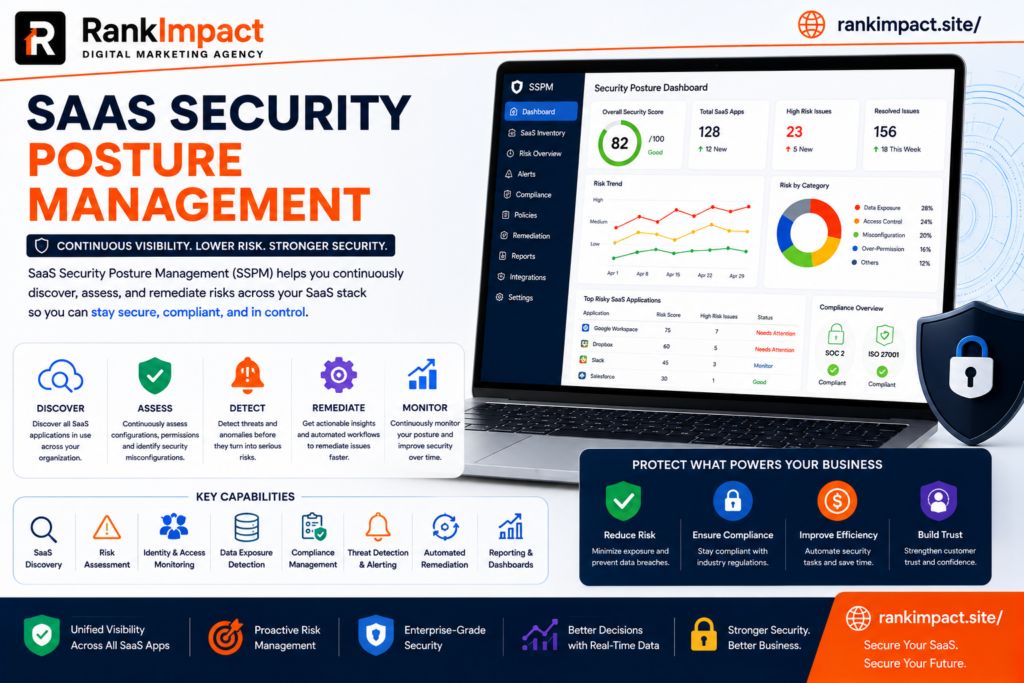
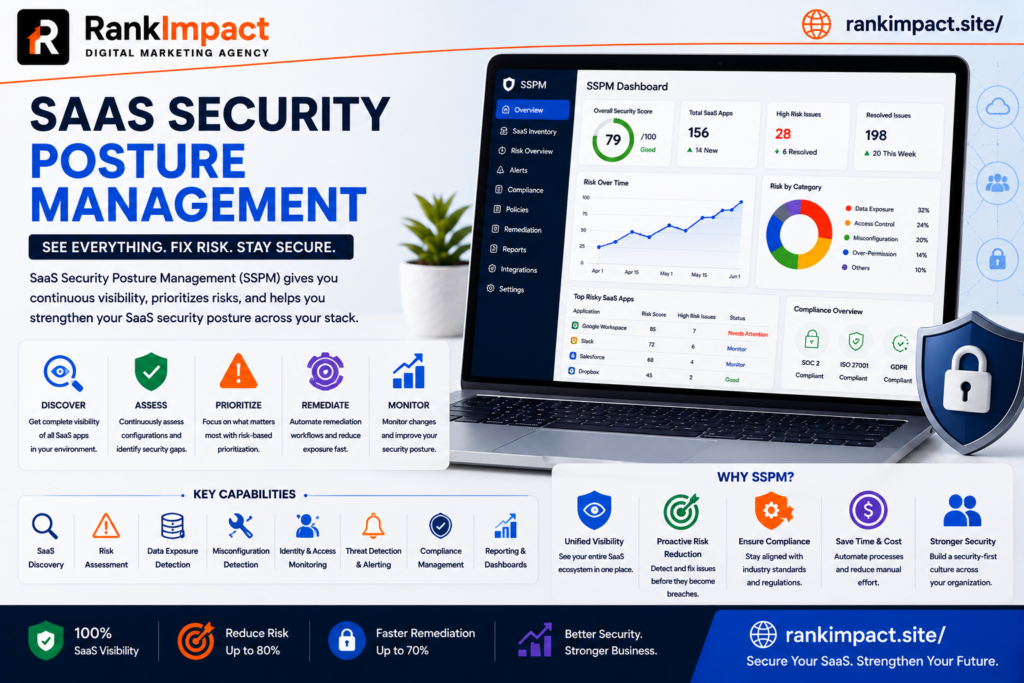
Saas security posture management is the practice of continuously monitoring assessing and improving the security configuration of cloud based software applications used across an organization. As companies adopt dozens or even hundreds of saas tools for communication project management finance and human resources each application introduces its own settings permissions and potential misconfigurations that can create security gaps if left unchecked. Saas security posture management gives organizations visibility into these gaps and provides a structured way to fix them before they become costly breaches.

Unlike traditional network security which focused primarily on protecting a defined perimeter such as an office network or data center saas security posture management addresses a much more distributed environment where sensitive data lives across many independently managed cloud platforms. Each of these platforms has its own security settings and default configurations are not always aligned with an organization’s actual risk tolerance which is exactly the gap that saas security posture management is designed to close.

Why SaaS Security Posture Management Has Become Essential

The rapid growth of cloud software adoption has created what many security professionals now call saas sprawl where employees across different departments sign up for tools independently often without formal approval from IT or security teams. Saas security posture management has become essential precisely because this sprawl makes it nearly impossible for security teams to manually track every application every user permission and every configuration change happening across the organization.

Data breaches originating from misconfigured cloud applications have become increasingly common and often result from simple oversights rather than sophisticated attacks. A file sharing folder left publicly accessible an overly broad permission granted to a third party integration or an inactive employee account that was never deactivated are the kinds of everyday issues that saas security posture management is specifically built to catch before they lead to a serious incident.

Regulatory pressure has also increased the importance of saas security posture management across nearly every industry. Data protection laws increasingly require organizations to demonstrate that they have controls in place to monitor and secure customer information wherever it is stored including within third party cloud applications. Without a structured saas security posture management program demonstrating this level of control during an audit becomes extremely difficult.

Core Components of SaaS Security Posture Management

Continuous configuration monitoring sits at the heart of any effective saas security posture management program. Rather than performing periodic manual security reviews modern platforms continuously scan connected applications to detect risky settings such as disabled multi factor authentication overly permissive sharing rules or unused administrative accounts and flag them immediately for remediation.

Identity and access governance is another critical component within saas security posture management. This involves tracking exactly who has access to which applications what level of permission they hold and whether that access still aligns with their current role. Employees who change departments or leave the company entirely often retain access to sensitive systems far longer than they should without a dedicated process to catch these gaps.

Third party application risk assessment has become increasingly important as saas security posture management programs mature. Many saas platforms allow integrations with other third party tools through APIs and these connected applications can introduce risk even when the primary platform itself is properly secured. Evaluating and monitoring these connected integrations is now considered a core function of comprehensive saas security posture management.

Compliance mapping rounds out the core components of saas security posture management by connecting technical security controls directly to specific regulatory requirements such as data residency rules or industry specific standards. This mapping makes it significantly easier for security and compliance teams to demonstrate adherence during audits without manually cross referencing spreadsheets and screenshots.

How SaaS Security Posture Management Differs From Traditional Security Tools

Traditional security tools such as firewalls and endpoint protection software were built to defend a relatively fixed network perimeter and a known set of devices. Saas security posture management operates in a fundamentally different environment where the assets being protected are cloud applications controlled by third party vendors rather than infrastructure the organization directly owns or manages.

Visibility is another major point of difference. Traditional security tools typically provide detailed visibility into network traffic and device activity but very little insight into application level configurations such as sharing permissions or user roles within a specific saas platform. Saas security posture management fills this gap by connecting directly to each application through APIs to continuously assess configuration level risk that traditional tools simply cannot see.

Response speed also differs significantly between the two approaches. Because saas security posture management platforms continuously monitor configurations rather than relying on periodic manual audits security teams can often remediate a misconfiguration within hours of it appearing rather than discovering it months later during an annual review when the damage may have already occurred.

How to Implement SaaS Security Posture Management

Implementing saas security posture management effectively starts with building a complete inventory of every cloud application currently in use across the organization. This discovery phase often reveals a surprising number of unauthorized or forgotten applications that were never formally approved which is exactly the kind of hidden risk a saas security posture management program is designed to surface.

Once the inventory is complete the next step involves connecting each critical application to the saas security posture management platform through secure API integrations. This connection allows the platform to begin continuously monitoring configurations user permissions and third party integrations without requiring manual checks from the security team on an ongoing basis.

Establishing clear security baselines is essential during implementation. Every organization has different risk tolerance levels so a saas security posture management program should define what constitutes an acceptable configuration for each type of application rather than relying purely on generic default recommendations that may not reflect the organization’s actual compliance requirements.

Assigning clear ownership for remediation is often the step that determines whether a saas security posture management program succeeds or fails in practice. Detecting a misconfiguration provides little value if there is no defined process for who addresses it and by when. Successful programs typically assign specific owners for each application and establish service level expectations for resolving flagged issues.

Common Mistakes Companies Make With SaaS Security Posture Management

One of the most frequent mistakes organizations make with saas security posture management is treating it as a one time audit rather than an ongoing continuous process. Cloud application configurations change constantly as new employees join settings get adjusted and new integrations are added which means a single point in time assessment quickly becomes outdated and provides a false sense of security.

Another common mistake is focusing saas security posture management efforts only on a handful of high profile applications while ignoring smaller tools that individual teams have adopted independently. These smaller unmonitored applications often become the weakest link in an organization’s overall security posture precisely because they receive the least attention from centralized security teams.

Failing to involve business unit leaders in the saas security posture management process is another pitfall that undermines long term success. Security teams that attempt to enforce strict configuration changes without explaining the reasoning to department heads often face pushback or workarounds that quietly reintroduce the very risks the program was designed to eliminate.

Many organizations also underestimate the importance of prioritization within saas security posture management. Not every flagged issue carries the same level of risk and treating every alert with equal urgency quickly leads to alert fatigue among security teams. Effective programs establish clear risk scoring so the most critical issues receive immediate attention while lower priority items are addressed on a reasonable timeline.

Best Practices for a Strong SaaS Security Posture Management Program

Automating remediation wherever possible significantly strengthens a saas security posture management program by reducing the time between detection and resolution. Many platforms now offer automated workflows that can immediately disable an inactive account or revoke an overly broad permission without requiring manual intervention for common well understood risk patterns.

Regularly reviewing and updating security baselines keeps a saas security posture management program relevant as the organization and its risk landscape evolve. What was considered an acceptable configuration a year ago may no longer align with current compliance requirements or emerging threat patterns so baselines should be revisited on a consistent schedule rather than set once and forgotten.

Integrating saas security posture management findings into broader security operations improves overall organizational resilience. Rather than treating cloud application security as a separate silo leading organizations feed relevant alerts and risk data into their central security operations center so analysts have a complete picture when investigating potential incidents across the entire technology environment.

Training employees on secure usage of approved saas platforms complements the technical controls provided by saas security posture management tools. Many misconfigurations originate from well meaning employees who simply do not understand the security implications of a particular sharing setting so ongoing education remains an important human layer alongside automated monitoring.

The Future of SaaS Security Posture Management

Artificial intelligence is increasingly being applied within saas security posture management to identify subtle patterns of risk that traditional rule based detection might miss entirely. Machine learning models can analyze historical configuration changes and user behavior to flag anomalies that suggest a compromised account or an emerging insider threat long before a rule based system would catch the same issue.

Deeper integration between saas security posture management and identity providers is another trend shaping the future of the category. As organizations increasingly centralize authentication through single sign on systems security platforms are gaining richer context about user identity and behavior which allows for more accurate risk assessment across every connected application.

Expanding coverage to include generative artificial intelligence tools represents a newer frontier for saas security posture management. As employees begin connecting company data to various artificial intelligence platforms and plugins security teams are extending their monitoring scope to include these emerging tools which introduce entirely new categories of data exposure risk that did not exist just a few years ago.

Frequently Asked Questions

What does saas security posture management mean?

Saas security posture management means continuously monitoring and improving the security configuration of cloud based software applications to identify and fix risks such as excessive permissions weak authentication settings or unauthorized third party integrations.

Why is saas security posture management important for small businesses?

Saas security posture management is important for small businesses because they often lack dedicated security teams to manually monitor every cloud application which makes automated continuous monitoring especially valuable for catching risks before they lead to a breach.

How is saas security posture management different from cloud security posture management?

Saas security posture management focuses specifically on securing software as a service applications such as communication and productivity tools while cloud security posture management typically addresses infrastructure level cloud environments such as virtual servers and storage systems.

What are the biggest risks that saas security posture management helps prevent?

Saas security posture management helps prevent risks such as publicly exposed files excessive user permissions inactive accounts that remain active and risky third party integrations that could expose sensitive company data.

How long does it take to implement saas security posture management?

Initial implementation of saas security posture management including application discovery and connecting core platforms typically takes a few weeks though building out mature baselines and remediation workflows can take several months depending on the number of applications involved.

Does saas security posture management require dedicated security staff?

While saas security posture management platforms automate much of the monitoring and detection work organizations still benefit from having at least one dedicated owner responsible for reviewing alerts and coordinating remediation across different teams.

Can saas security posture management help with regulatory compliance?

Yes saas security posture management helps organizations demonstrate regulatory compliance by mapping technical security controls directly to specific requirements and providing documented evidence of continuous monitoring during audits.

What industries benefit most from saas security posture management?

Industries handling sensitive data such as healthcare finance and technology benefit significantly from saas security posture management though any organization relying on multiple cloud applications faces similar risks that make the practice valuable.

Artificial intelligence improves saas security posture management by identifying unusual behavioral patterns and configuration changes that might indicate a security risk which traditional rule based systems could easily overlook.

What should a company look for when choosing a saas security posture management platform

A company should look for broad application coverage strong API integration capabilities automated remediation options and clear compliance mapping features when choosing a saas security posture management platform.

Conclusion

Saas security posture management has become a foundational requirement for any organization operating across a growing number of cloud applications rather than an optional add on reserved for large enterprises. Companies that invest in continuous monitoring clear ownership and strong baseline configurations through a structured saas security posture management program significantly reduce their exposure to costly data breaches and compliance failures. As artificial intelligence and generative tools continue expanding the cloud application landscape organizations that prioritize saas security posture management today will be far better positioned to manage risk confidently in the years ahead.
Key Takeaways

Saas security posture management continuously monitors cloud application configurations to identify and remediate security risks before they lead to a breach

Growing saas sprawl across departments makes manual security oversight nearly impossible which is why continuous automated monitoring has become essential

Core components include configuration monitoring identity and access governance third party risk assessment and compliance mapping

Common mistakes include treating the process as a one time audit ignoring smaller applications and failing to prioritize alerts by actual risk level

Successful programs assign clear remediation ownership automate common fixes and regularly update security baselines as the organization evolves

Artificial intelligence and deeper identity integration are shaping the next generation of saas security posture management capabilities
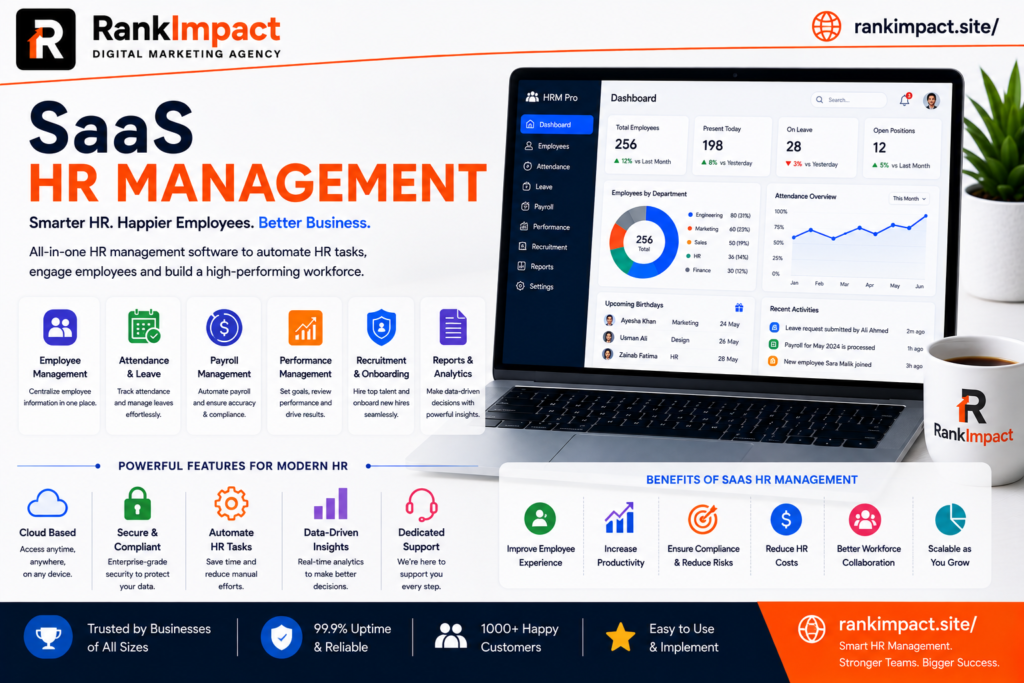
SaaS HR Management Guide 2026 Benefits and Best Tools

Discover how saas hr management streamlines payroll onboarding and compliance in 2026. Learn features benefits and how to choose the right platform.

saas hr management

What Is SaaS HR Management

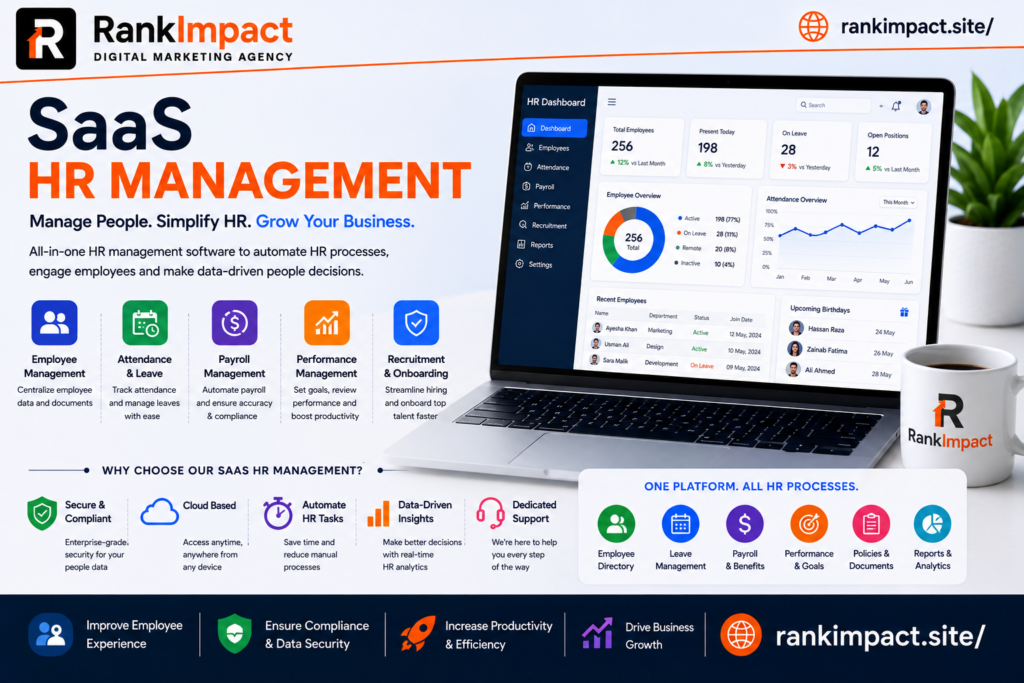
SaaS hr management refers to the use of cloud based Software as a Service platforms to handle every core human resources function including recruitment onboarding payroll benefits performance tracking compliance and employee data storage. Instead of installing software on local servers a company using saas hr management simply logs into a web browser or mobile app and accesses everything through a subscription model hosted by the vendor. This approach removes the burden of maintaining physical infrastructure updating software manually or hiring dedicated IT staff just to keep HR systems running.

The rise of saas hr management is closely tied to the broader shift toward cloud computing across every business function. Companies of every size from five person startups to enterprises with thousands of employees now rely on saas hr management tools because they are faster to deploy more affordable upfront and easier to scale than legacy on premise HR systems. The core idea behind saas hr management is simple. HR teams should spend their time on people not on patching servers or manually updating spreadsheets.

Why Businesses Are Switching to SaaS HR Management

Traditional HR software often required significant capital investment long implementation timelines and constant technical maintenance. Saas hr management flips that model entirely by offering a subscription based structure where businesses pay monthly or annually based on the number of employees or features used. This shift has made powerful HR tools accessible to small and mid sized businesses that previously could not afford enterprise grade systems.

Another major driver behind the adoption of saas hr management is remote and hybrid work. When teams are distributed across cities or countries HR processes need to work from anywhere at any time. A cloud based saas hr management platform allows employees to submit time off requests update personal information access pay stubs and complete onboarding tasks without ever stepping into an office. This flexibility has become a baseline expectation rather than a bonus feature.

Cost predictability is another reason companies are moving toward saas hr management. Instead of unpredictable maintenance fees and expensive upgrade cycles businesses get a clear subscription price that usually includes updates security patches and customer support. This predictability makes budgeting easier for finance teams and reduces the total cost of ownership over time compared to legacy systems.

Core Features of a Strong SaaS HR Management Platform

Not all platforms are built the same and understanding the essential features of saas hr management helps buyers avoid choosing a tool that looks impressive but lacks depth where it matters. A strong saas hr management platform typically includes an applicant tracking system for recruitment a structured onboarding workflow for new hires and a centralized employee database that stores documents contracts and personal information securely.

Payroll and benefits administration are also central to most saas hr management suites. The best platforms integrate payroll processing tax calculations and benefits enrollment directly into the same system so HR teams are not manually transferring data between disconnected tools. Performance management features such as goal tracking review cycles and feedback tools are increasingly standard as well since employee development has become a top priority for retention.

Compliance tools deserve special attention within saas hr management because labor laws vary by region and change frequently. Leading platforms automatically update compliance rules track required documentation and send alerts when policies need attention. Reporting and analytics dashboards round out a complete saas hr management solution by giving leadership visibility into headcount turnover diversity metrics and workforce trends without requiring manual data pulls.

How SaaS HR Management Improves Employee Experience

Employee experience has become one of the most important metrics tied to retention and productivity and saas hr management plays a direct role in shaping it. Self service portals allow employees to update their own information request time off and access company policies instantly instead of waiting on HR staff to respond to emails. This kind of autonomy reduces friction and builds trust between employees and the organization.

Onboarding is another area where saas hr management makes a visible difference. New hires who go through a smooth digital onboarding process that includes automated document signing training assignments and welcome messages tend to feel more confident and engaged from day one. A clunky paper based onboarding process by contrast often leaves new employees confused and disconnected before they even start contributing.

Communication also improves significantly with saas hr management because most platforms include built in messaging announcement boards and recognition tools. Employees no longer have to dig through email chains to find important updates and managers can publicly recognize achievements in a way that boosts morale across the entire organization.

SaaS HR Management vs Traditional HR Software

The difference between saas hr management and traditional on premise HR software comes down to deployment cost and flexibility. Traditional systems require physical servers dedicated IT support and often a large upfront licensing fee before a company sees any value. Saas hr management eliminates that barrier by hosting everything in the cloud and charging a predictable subscription fee that scales with the business.

Updates are another key difference. With traditional software updates are often manual time consuming and sometimes require downtime that disrupts daily operations. Saas hr management vendors push updates automatically in the background so users always have access to the latest features and security patches without lifting a finger.

Scalability also favors saas hr management. A company using on premise software that suddenly doubles in size may need to purchase additional licenses hardware and support contracts which can take weeks to implement. A saas hr management platform on the other hand can typically scale up or down within minutes simply by adjusting the subscription plan making it far more suitable for fast growing or seasonal businesses.

How to Choose the Right SaaS HR Management Solution

Choosing the right saas hr management platform starts with clearly identifying the specific pain points your organization is trying to solve. A company struggling with manual payroll errors has different priorities than one struggling with disorganized recruitment so the evaluation process should begin with an honest audit of current HR workflows and gaps.

Integration capability is one of the most overlooked factors when selecting saas hr management software. The platform needs to connect smoothly with existing tools such as accounting software communication platforms and applicant sourcing channels. A saas hr management system that operates in isolation from the rest of your tech stack creates more manual work rather than less which defeats the purpose of automation.

Security and compliance certifications should also be a top priority since HR systems store some of the most sensitive data a company holds including social security numbers salary details and medical information. Look for saas hr management vendors that offer strong data encryption regular third party security audits and compliance with regional data protection regulations relevant to your industry.

Finally consider the vendor’s customer support quality and long term product roadmap. A saas hr management provider that offers responsive support and continues investing in new features will serve your business far better over time than one offering a cheap price with limited ongoing development.

Common Mistakes Companies Make With SaaS HR Management

One of the most frequent mistakes businesses make when adopting saas hr management is rushing the implementation without proper data migration planning. Moving years of employee records from spreadsheets or legacy systems into a new platform requires careful mapping and validation. Skipping this step often leads to missing records duplicate entries or incorrect payroll calculations that create headaches for months afterward.

Another common mistake is underutilizing the platform’s full feature set. Many companies purchase a comprehensive saas hr management solution but only use it for basic tasks like storing employee files while ignoring powerful features such as performance tracking analytics or automated compliance alerts. This results in a poor return on investment and a system that never reaches its full potential.

Failing to train employees and managers properly is another pitfall that undermines saas hr management adoption. Even the most intuitive platform requires a short onboarding period for staff to understand how to use self service features correctly. Companies that skip training often see low adoption rates and employees reverting back to old manual processes out of frustration.

Lastly some organizations choose a saas hr management platform based purely on price without considering scalability. A cheap tool that cannot grow with the company often needs to be replaced within a year or two which creates additional migration costs and disruption that could have been avoided with better upfront planning.

Best Practices for Implementing SaaS HR Management

Successful implementation of saas hr management starts with assembling a small cross functional team that includes HR IT and a few representative employees from different departments. This team should be responsible for testing the platform before full rollout gathering feedback and identifying any workflow gaps that need to be addressed before the wider organization begins using it.

A phased rollout tends to work better than switching everything at once. Start by migrating core functions such as employee records and time off tracking before layering in more complex modules like performance reviews or advanced analytics. This approach in saas hr management reduces the risk of overwhelming staff and allows the team to troubleshoot issues on a smaller scale first.

Clear communication throughout the transition is essential. Employees should understand why the company is adopting a new saas hr management platform what benefits it brings to their daily work and where to go for help if they run into issues. Transparent communication reduces resistance and builds buy in across the organization.

Ongoing evaluation after launch is just as important as the initial rollout. Set a schedule to review usage data gather employee feedback and measure whether the saas hr management platform is delivering the efficiency gains that were expected. Continuous improvement ensures the investment keeps paying off as the company evolves.

The Future of SaaS HR Management

Artificial intelligence is rapidly reshaping saas hr management with predictive analytics that can flag flight risk employees before they resign and recommend personalized development plans based on performance data. These capabilities move HR from a reactive function to a proactive strategic partner within the business.

Automation is also expanding beyond simple workflows into more complex decision support. Modern saas hr management platforms increasingly use machine learning to screen resumes suggest interview questions and even draft personalized onboarding plans based on a new hire’s role and background. This reduces administrative burden while improving consistency across the hiring process.

Employee wellbeing tools are becoming a standard part of saas hr management as companies recognize the connection between mental health support and retention. Expect to see more platforms integrating pulse surveys wellness check ins and mental health resources directly into the core HR experience rather than treating them as separate add on tools.

Frequently Asked Questions

What does saas hr management mean in simple terms?

Saas hr management means using cloud based software accessed through a subscription to handle human resources tasks such as payroll recruitment onboarding and employee records instead of relying on physical servers or paper based systems.

Is saas hr management suitable for small businesses?

Yes saas hr management is often ideal for small businesses because it requires no large upfront investment scales easily as the team grows and eliminates the need for dedicated IT staff to maintain the system.

How much does a saas hr management platform typically cost?

Pricing for saas hr management usually follows a per employee per month model that can range from a few dollars to over twenty dollars per employee depending on the features included such as payroll benefits and advanced analytics.

Is employee data safe on a saas hr management platform?

Reputable saas hr management providers use strong encryption regular security audits and compliance certifications to protect sensitive employee data making them generally safer than storing information in spreadsheets or unsecured local files.

Can saas hr management integrate with accounting software?

Most modern saas hr management platforms offer native integrations or open APIs that connect directly with popular accounting and payroll systems allowing data to flow automatically without manual entry.

How long does it take to implement a saas hr management system?

Implementation timelines vary but most saas hr management platforms can be set up within a few weeks for small to mid sized companies while larger enterprises with complex data migrations may take a couple of months.

What is the difference between HRIS and saas hr management?

HRIS refers to the broader category of human resources information systems while saas hr management specifically describes HRIS tools delivered through a cloud based subscription model rather than installed on premise.

Does saas hr management support remote teams?

Yes saas hr management is particularly well suited for remote and hybrid teams since employees can access self service portals payroll information and onboarding materials from any location with an internet connection.

What features should I prioritize in a saas hr management platform?

Prioritize core features such as payroll accuracy compliance tracking integration capability and self service tools since these directly impact daily operations and employee satisfaction more than flashy secondary features.

Can saas hr management help reduce HR administrative workload?

Yes automation within saas hr management significantly reduces manual administrative tasks such as data entry document processing and compliance tracking freeing HR teams to focus on strategic initiatives like culture and talent development.

Conclusion

Saas hr management has moved from being a nice to have convenience to a foundational requirement for modern businesses managing distributed teams and rising employee expectations. Companies that invest in the right saas hr management platform and implement it thoughtfully gain measurable advantages in efficiency compliance and employee satisfaction that directly support long term growth. As artificial intelligence and automation continue advancing the gap between businesses using strong saas hr management tools and those relying on outdated manual processes will only widen making now the right time to evaluate your options and make the switch.

Key Takeaways

Saas hr management delivers cloud based human resources functionality through a subscription model that removes the need for physical infrastructure and dedicated IT maintenance

Businesses adopt saas hr management for cost predictability remote work support and faster scalability compared to traditional on premise systems

Core features to evaluate include payroll processing compliance automation self service portals and integration capability with existing business tools

Common implementation mistakes include rushing data migration underusing platform features and skipping employee training

A phased rollout clear communication and ongoing evaluation lead to more successful saas hr management adoption

Artificial intelligence and predictive analytics are shaping the next generation of saas hr management platforms with a growing focus on employee wellbeing

SaaS Application Development Services 7 Things to Know

Learn 7 essential things to know about SaaS application development services before hiring a partner, from architecture to pricing models.

saas application development services

SaaS Application Development Services 7 Things to Know Before You Hire

Building a SaaS product involves considerably more than writing code and deploying it to a server. It requires architectural decisions that will shape how the product scales for years, security practices that determine whether enterprise customers will ever trust the platform, and an understanding of subscription business mechanics that most general software development simply does not require. This is precisely why SaaS application development services have become a distinct and specialized category within the broader software development industry, separate from generalist agencies that build websites or standard business applications without genuine multi tenant or subscription specific expertise.

This guide is written for founders, product leaders, and technical decision makers evaluating whether to build a SaaS product internally or partner with outside development services, and if partnering, how to actually select a provider capable of delivering genuine long term value rather than a functional but fragile initial version. Readers researching this topic typically fall into a few groups. Some are non technical founders needing a development partner capable of owning the entire technical build. Others are technical founders needing supplemental capacity or specific expertise their internal team lacks. And some are already working with a provider and evaluating whether that relationship is genuinely serving the company’s long term technical needs. This article addresses all three in depth.

What SaaS Application Development Services Actually Involve

SaaS application development services typically encompass the full lifecycle of building a cloud based, subscription delivered software product, extending well beyond initial coding into architecture planning, ongoing infrastructure management, and continuous iteration based on real user feedback after launch. This usually begins with discovery and technical architecture planning, where a development partner works to understand genuine business requirements before making foundational decisions around technology stack, database design, and multi tenancy approach that will be extremely costly to reverse later once a product has real users and data depending on those early choices.

Core development work covers building the actual application functionality, including user authentication, subscription billing integration, and the specific features that deliver a product’s core value proposition. Quality SaaS application development services also address infrastructure and deployment architecture specifically suited to a subscription model, including considerations around scalability, uptime reliability, and the specific security requirements that differentiate a multi tenant SaaS application from a simpler standalone software project serving only a single organization.

Ongoing maintenance and iterative development frequently continue well past initial launch, since a SaaS product’s value depends heavily on continuous improvement based on genuine user feedback and evolving market needs, unlike a one time software delivery that a client simply takes ownership of without expecting further collaborative development.

Why SaaS Development Requires Genuinely Specialized Expertise

Multi tenancy architecture represents one of the most consequential technical decisions in any SaaS product, determining how customer data remains properly isolated and secure while still allowing the underlying application infrastructure to serve many customers efficiently from shared resources. Getting this architectural decision wrong early creates technical debt that becomes exponentially more expensive to correct as a product grows and accumulates real customer data built on top of a flawed foundational structure.

Subscription billing logic introduces genuine complexity that a generalist development team unfamiliar with SaaS specifically often underestimates significantly, including handling plan upgrades and downgrades, prorated billing adjustments, failed payment recovery workflows, and the various edge cases that emerge once a subscription business has meaningfully diverse customer billing situations across different plan tiers and payment timing.

Security and compliance requirements also differ meaningfully in a SaaS context compared to standard software development, particularly once a product begins serving business customers who will scrutinize data handling practices closely during their own procurement process. A development partner without genuine experience building products that have successfully passed enterprise security review often misses considerations that only become apparent once a product actually faces this kind of scrutiny from a sophisticated prospective customer.

Core Deliverables to Expect From a Quality Development Partner

A genuinely thorough engagement begins with a discovery phase producing clear technical documentation and architecture decisions before any significant code gets written, rather than jumping directly into development based on an incomplete or ambiguous understanding of actual requirements. This upfront investment, while sometimes feeling like it delays visible progress, consistently prevents considerably more costly rework later once foundational architectural assumptions prove mismatched with genuine product needs.

Transparent, iterative development practices, including regular working software demonstrations rather than a single large delivery at the end of a lengthy development period, allow a client to provide meaningful feedback throughout the process rather than only discovering misalignment once a project is largely complete and difficult to meaningfully adjust without significant additional cost.

Comprehensive testing practices, including automated testing coverage rather than relying purely on manual quality assurance, meaningfully reduce the risk of costly production issues once real customers depend on the application functioning reliably. A development partner should be able to clearly explain their testing approach and provide genuine visibility into testing coverage rather than treating quality assurance as an opaque internal process the client simply has to trust without any real transparency.

Documentation and genuine knowledge transfer matter considerably as well, since a client should never end up entirely dependent on a single external provider with no internal understanding of how their own product actually works technically. Quality providers proactively document architectural decisions and provide genuine technical knowledge transfer rather than treating documentation as an afterthought only produced reluctantly upon explicit request.

How to Evaluate SaaS Application Development Services Providers

Reviewing a prospective provider’s portfolio specifically for genuine SaaS experience, rather than general software development across unrelated project types, reveals whether their expertise actually transfers meaningfully to your own product’s specific technical challenges. A provider whose portfolio consists primarily of simple websites or basic internal tools, however technically competent that work may be, often lacks the specific multi tenant architecture and subscription billing experience a genuine SaaS product requires.

Requesting to speak directly with a previous SaaS specific client offers considerably more useful insight than marketing materials or a curated case study alone, particularly around how the provider actually performed once real technical challenges emerged during development rather than only how they presented during the initial sales process. Asking this previous client specifically about post launch support and how the provider handled unexpected technical issues after the product went live reveals meaningful information about genuine long term partnership quality.

Understanding a provider’s specific technology stack expertise and confirming genuine alignment with your product’s technical requirements prevents a mismatch where a provider technically capable in a different stack attempts to build your product using unfamiliar tools, often resulting in a less polished and less maintainable final product than working with a provider whose genuine expertise matches your specific technical needs.

Clarifying exactly who will work on your project day to day, distinct from the senior team members present during initial sales conversations, prevents the common disappointment of impressive early conversations giving way to considerably less experienced developers actually handling the ongoing technical work once a contract begins.

Choosing Between a Full Product Build and Supplemental Development Support

Companies with no internal technical team typically need a provider capable of owning the entire product build, from initial architecture through ongoing feature development, essentially functioning as an outsourced technical team responsible for the product’s complete technical execution. This arrangement requires genuinely deep trust and clear communication given how much technical decision making authority the provider inevitably holds throughout the relationship.

Companies with an existing internal technical team more commonly need supplemental development support for specific expertise gaps or additional capacity during particularly demanding periods, rather than complete ownership of the product. This kind of engagement typically works best when the external provider integrates closely with the internal team’s existing processes and technical standards rather than operating as an entirely separate and disconnected development effort running parallel to internal work.

Understanding genuinely which category your company falls into before beginning to evaluate providers prevents pursuing the wrong type of engagement entirely, since a provider excellent at complete product ownership may not integrate as smoothly into an existing team’s established workflow, and the reverse mismatch creates similar friction in the opposite direction.

Common Mistakes Companies Make When Hiring Development Services

Selecting a provider based primarily on the lowest quoted price, without adequately weighing genuine SaaS specific experience and technical quality, frequently results in considerably higher total cost once accumulated technical debt and necessary rework are eventually accounted for, often discovered only well after the initial engagement has concluded and the provider is no longer involved.

Providing insufficiently clear requirements and expecting a development partner to independently fill significant strategic gaps represents another common misstep, since even an excellent technical provider cannot compensate fully for a client’s own unclear product vision, and the resulting product frequently reflects that underlying ambiguity regardless of the provider’s genuine technical skill.

Neglecting to plan for genuine long term maintenance and iteration needs beyond initial launch creates problems that surface months later, when a company realizes the provider relationship was structured purely around delivering an initial version without adequate consideration for the ongoing development work every genuinely successful SaaS product requires well past its first release.

Failing to establish clear intellectual property and code ownership terms before beginning work occasionally creates serious complications later, particularly if a client relationship with a provider eventually ends and questions arise about who genuinely owns the resulting codebase and any accumulated technical assets built during the engagement.

Pricing Models and Budget Considerations

SaaS application development services pricing varies considerably based on project scope, provider experience level, and geographic location of the development team, with fixed price, time and materials, and dedicated team models each suiting different project situations depending on how clearly defined the initial requirements genuinely are. Fixed price arrangements work reasonably well for narrowly scoped projects with stable, well understood requirements, while time and materials or dedicated team models typically suit the more common situation where a SaaS product’s requirements will genuinely evolve considerably as development progresses and real user feedback begins informing product direction.

Companies should approach unusually low pricing quotes with genuine skepticism, since quality SaaS specific development expertise commands real market rates, and pricing significantly below typical market rates for comparable scope often indicates either considerably less experienced developers, inadequate testing and quality practices, or unsustainable business practices likely to affect delivery quality as a project progresses.

Questions to Ask Before Signing a Development Contract

Asking specifically about a provider’s experience with multi tenant architecture and subscription billing integration reveals genuine SaaS specific expertise beyond general software development capability, since these represent the specific technical areas where generalist providers most commonly lack genuine depth compared to specialized SaaS development providers.

Understanding exactly what ongoing support and maintenance looks like after initial launch, including response time commitments for critical issues, clarifies whether the relationship genuinely extends into the long term partnership most SaaS products require rather than ending abruptly the moment an initial version ships.

Clarifying intellectual property ownership, code repository access, and exactly what happens if the engagement ends prematurely protects a company from potentially serious complications later, ensuring genuine ownership and continued access to the codebase regardless of how the specific provider relationship eventually evolves.

Frequently Asked Questions

What do SaaS application development services typically include?

SaaS application development services typically include discovery and architecture planning, core application development, subscription billing integration, infrastructure and deployment setup, and ongoing maintenance and iterative development after launch.

How much do SaaS application development services typically cost?

Pricing varies considerably based on project scope and provider experience, though companies should approach unusually low quotes with skepticism since genuine SaaS specific expertise commands real market rates reflecting its specialized nature.

Why is multi tenancy architecture important in SaaS application development?

Multi tenancy architecture determines how customer data remains properly isolated and secure while still serving many customers efficiently from shared infrastructure, and getting this decision wrong early creates costly technical debt later.

Should a non technical founder hire SaaS application development services for a full product build?

Yes, non technical founders typically need a provider capable of owning the entire technical build, functioning essentially as an outsourced technical team responsible for complete product execution and ongoing development.

What is the difference between fixed price and time and materials pricing models?

Fixed price arrangements suit narrowly scoped projects with stable requirements, while time and materials models typically suit SaaS products where requirements evolve considerably as development progresses and user feedback informs direction.

How can a company evaluate whether a development provider has genuine SaaS experience?

Companies should review portfolios specifically for multi tenant SaaS products rather than general software work, and speak directly with previous SaaS specific clients about post launch support and technical partnership quality.

Does SaaS application development include ongoing support after launch?

Quality providers typically continue offering maintenance and iterative development well past initial launch, since a SaaS product’s value depends heavily on continuous improvement based on genuine user feedback over time.

What is the biggest mistake companies make when hiring SaaS application development services?

The biggest mistake is selecting a provider based primarily on the lowest price without adequately weighing genuine SaaS specific experience, often resulting in considerably higher total cost once technical debt is eventually accounted for.

Can an internal technical team work alongside external SaaS application development services?

Yes, companies with an existing internal team commonly hire supplemental development support for specific expertise gaps, which works best when the external provider integrates closely with existing internal processes and standards.

What should be clarified regarding intellectual property before hiring a development provider?

Companies should clarify intellectual property ownership, code repository access, and exactly what happens to the codebase if the engagement ends prematurely, protecting against serious complications later in the relationship.

Conclusion

Selecting among available SaaS application development services providers requires looking well beyond a polished initial pitch toward genuine multi tenant architecture experience, transparent development practices, and a demonstrated commitment to long term partnership rather than a purely transactional initial build. Companies that invest time evaluating providers rigorously, clarify requirements and ownership terms clearly upfront, and plan realistically for the ongoing development every genuinely successful SaaS product requires consistently avoid the costly technical debt and relationship friction that catches so many companies off guard during their first major development engagement.

Key Takeaways

SaaS application development services differ meaningfully from general software development due to multi tenancy architecture, subscription billing complexity, and security requirements specific to serving many business customers from shared infrastructure. A quality provider should offer transparent, iterative development practices along with comprehensive testing and genuine documentation rather than treating these as afterthoughts. Evaluating a provider’s genuine SaaS specific portfolio and speaking directly with previous clients reveals considerably more than marketing materials or curated case studies alone. Clarifying intellectual property ownership and long term support expectations before signing a contract prevents serious complications later in the relationship. Companies with no internal technical team typically need full product ownership, while those with existing teams more commonly benefit from supplemental development support integrated closely with internal processes.

Email Marketing News What Is Changing in 2026

Stay current with the latest email marketing news including AI filtering, authentication changes, and privacy shifts affecting your program in 2026.

email marketing news

Email Marketing News What Is Actually Changing in 2026

Anyone following email marketing news closely in 2026 has likely noticed the tone shifting from incremental tips toward something more structural. This is not a year of small template tweaks or minor subject line experiments. Inbox providers are rebuilding how they filter and prioritize messages, AI is embedding itself directly into how emails are written and read, and privacy regulation continues tightening access to the third party data marketers once relied on. For anyone responsible for a brand’s email program, staying current with this news is not optional anymore, since the gap between marketers adapting early and those relying on outdated tactics is widening quickly.

This guide is written for marketing managers, SaaS growth teams, and email specialists who want a clear, current picture of what is actually happening in email marketing rather than recycled advice from a year or two ago. Readers researching this topic typically want to understand three things. What has genuinely changed recently rather than being simply predicted. Which of these changes require immediate action versus longer term planning. And how to translate broad industry trends into practical steps for their own program. This article addresses all three with grounded, current detail.

Smarter Inboxes Are Changing What Counts as a Successful Send

One of the most significant developments shaping email marketing news this year is the continued rise of AI powered inbox filtering. Major inbox providers now use intelligent systems that automatically sort incoming messages into categories, meaning a message reaching someone’s inbox no longer guarantees it reaches their primary attention. As one industry source describes it, a smart inbox uses artificial intelligence to automatically prioritize and sort incoming emails into categories such as general, advertising, or social, which means marketers now need to think beyond simple delivery and toward whether a message is prioritized enough to actually be seen. CleverReach

This shift has real consequences for how success is measured. Engagement signals such as opens, clicks, and time spent reading increasingly influence whether future messages from the same sender land in a priority category or get quietly filtered elsewhere. Marketers who continue optimizing purely for list size or raw send volume without attention to genuine engagement quality risk seeing their overall inbox placement decline over time, even if their content has not changed.

Bot Clicks and Engagement Metrics Are Under Scrutiny

A related and increasingly discussed issue in current email marketing news involves the reliability of engagement data itself. Automated security scanning and bot activity have made click and open metrics considerably less trustworthy than they once were, and the industry is responding directly. In 2026, the industry is pushing harder than ever toward metrics that reflect genuine human engagement rather than automated noise. Upland Software

For marketers, this means reevaluating which metrics actually inform strategic decisions. Relying heavily on raw open rates without accounting for bot inflated numbers can lead to false confidence in underperforming campaigns or, conversely, undervaluing content that is actually resonating with real subscribers. Teams should prioritize metrics less susceptible to automated distortion, including conversion actions taken after a click, reply rates, and forwarded or shared content, since these behaviors are far harder for automated systems to fake convincingly.

Authentication Requirements Are Becoming Stricter

Sender authentication has moved from a technical afterthought to a central topic in current email marketing news, driven by inbox providers raising requirements around domain verification and sender trust. Modern inbox systems increasingly evaluate sender reputation, identity, and domain alignment together as part of a broader deliverability profile rather than treating authentication as a simple pass or fail technical checkbox separate from actual engagement quality. Mailjet

This has direct practical implications. Marketers who have not reviewed their domain authentication setup recently, including SPF, DKIM, and DMARC configuration, risk seeing deliverability quietly decline even without any obvious error message alerting them to the problem. Regularly auditing these technical settings alongside maintaining clean, engaged subscriber lists has become a genuine deliverability requirement rather than a nice to have best practice reserved for larger enterprise senders.

Brand Recognition Inside the Inbox Is a Growing Trend

A newer development gaining attention in email marketing news involves visual brand verification appearing directly within the inbox itself. Technologies that let subscribers visually confirm a trusted sender before even opening a message are becoming more prominent, and the data behind this trend is notable. Showing a registered logo in an email can increase opens by 38 percent and boost brand recall by as much as 120 percent according to research referenced by industry analysts, suggesting this is not a minor cosmetic feature but a meaningful driver of both immediate engagement and longer term brand recognition. Knak

For marketing teams, this signals that authentication investment increasingly pays a visible dividend beyond simply avoiding the spam folder. Brands that properly configure the technical requirements behind these visual trust indicators gain a genuine competitive advantage in a crowded inbox where subscribers are making rapid trust decisions in a fraction of a second.

AI Is Now Writing, Summarizing, and Filtering Email Simultaneously

Artificial intelligence has moved well beyond simple send time optimization and is now embedded across nearly every stage of the email lifecycle. Current reporting on this topic notes that AI is becoming deeply embedded in how emails are created, summarized, filtered, and even written, often before a human ever reads them. This represents a meaningful shift from AI as an optional productivity assistant to AI functioning as an active layer between sender and recipient. Knak

Practically, this means marketers are drafting entire email sequences from short prompts rather than writing every message individually, a workflow that has moved from experimental to standard practice remarkably quickly. At the same time, recipients increasingly rely on AI generated summaries of their inbox rather than reading full messages themselves, which raises a genuine strategic question about how subject lines and preview text should be written when an AI system may summarize the content before a human ever sees the original wording.

Privacy Regulation Continues Pushing Marketers Toward First Party Data

Ongoing regulatory pressure and platform level restrictions continue limiting how much marketers can rely on third party tracking data, accelerating a shift already well underway. Current industry reporting confirms that email marketing increasingly relies on first party and zero party data collected directly from customers as broader data privacy regulations and platform restrictions continue limiting third party data access across the industry. DailyStory

This trend elevates the importance of preference centers, progressive profiling, and transparent value exchanges where subscribers understand exactly what data they are sharing and why. Marketers building genuine first party data collection directly into their subscriber experience, rather than relying on inferred or purchased data, are positioning their programs more sustainably for a regulatory environment that shows no signs of loosening.

Hyper Segmentation Is Replacing Broad Audience Categories

Segmentation strategy has evolved considerably beyond simple demographic or behavioral buckets. Current guidance on this trend notes that broad categories are no longer sufficient, since hyper segmentation uses layered data points to create highly specific audiences based on behavior, lifecycle stage, preferences, and intent. DailyStory

This level of segmentation requires marketing automation platforms capable of managing considerably more complexity than simple list based sending allowed in previous years. Teams still relying on broad, infrequently updated segments are likely leaving meaningful engagement and conversion performance on the table compared to competitors building genuinely dynamic, behavior driven audience structures that update continuously as subscriber activity changes.

Interactive Email Is Becoming Standard Rather Than Experimental

Interactive elements within email itself, allowing subscribers to take action without leaving their inbox, have moved from a novelty tactic to mainstream practice. Adoption data supports this shift clearly, with industry research finding that 97 percent of marketers in 2025 already used at least one interactive element in their marketing emails, suggesting near universal adoption is now the baseline expectation rather than a differentiator reserved for advanced senders. Litmus

For B2B specifically, this trend applies somewhat differently than for consumer brands, since research indicates B2C brands are more than twice as likely as B2B brands to incorporate CSS based interactivity into their emails. B2B marketers should weigh interactivity against their specific audience’s expectations rather than assuming consumer focused tactics translate directly, though the broader trend toward reducing friction and keeping engagement within the inbox itself remains relevant across both contexts. Litmus

Common Mistakes Marketers Make When Reacting to Email Marketing News

A frequent mistake is chasing every emerging trend simultaneously rather than prioritizing changes with the most direct impact on deliverability and genuine engagement. Authentication and list hygiene fundamentals matter considerably more than adding flashy interactive elements to a program still struggling with basic inbox placement.

Many teams also fail to audit their technical email infrastructure regularly, treating authentication setup as a one time configuration rather than something requiring periodic review as inbox provider requirements evolve. A quarterly technical audit covering domain authentication and sender reputation prevents the kind of quiet deliverability decline that often goes unnoticed until performance has already dropped meaningfully.

Overreliance on engagement metrics without accounting for bot distortion represents another common misstep, leading teams to draw incorrect conclusions about what content genuinely resonates with real subscribers. Layering in metrics less susceptible to automated manipulation provides a considerably more accurate picture of actual program health.

Finally, many marketers underestimate how quickly AI generated content is becoming standard practice among competitors, continuing to write every message manually while competitors use AI assisted drafting to test considerably more variations and personalization approaches within the same time investment.

Reviewing domain authentication configuration should be a near immediate priority given how directly it now affects both deliverability and the newer visual trust indicators appearing in modern inboxes. This is a foundational technical step that supports every other trend discussed in this guide.

Building genuine first party data collection into the subscriber experience, through clear preference centers and transparent value exchanges, positions a program more sustainably as third party data access continues narrowing across the industry.

Testing AI assisted drafting for at least a portion of email content allows teams to evaluate genuine efficiency gains without fully replacing human oversight and brand voice consistency, which remains essential even as AI tools become more capable.

Auditing segmentation strategy against the more granular, behavior driven approach increasingly standard across the industry helps identify where broad legacy segments may be limiting engagement and conversion performance unnecessarily.

Frequently Asked Questions

What is the biggest change in email marketing news for 2026?

The most significant change involves inbox providers using AI to filter and prioritize messages more aggressively, meaning genuine engagement quality now matters considerably more than simple deliverability alone.

How is AI changing email marketing right now?

AI is being used to draft entire email sequences from short prompts, summarize inbox content for recipients, and power smarter filtering systems that determine which messages receive priority placement.

Why are bot clicks a concern in current email marketing news?

Automated security scanning and bot activity have made open and click metrics less reliable, pushing the industry toward metrics that better reflect genuine human engagement rather than automated noise.

What is hyper segmentation in email marketing?

Hyper segmentation uses layered data points including behavior, lifecycle stage, and intent to create highly specific audience groups rather than relying on broad categories like general subscribers or customers.

Why does email authentication matter more in 2026?

Modern inbox systems evaluate sender reputation, identity, and domain alignment together as part of overall deliverability, meaning weak authentication can quietly reduce inbox placement even without an obvious error.

Is interactive email still an emerging trend or standard practice now?

Interactive email has become standard practice, with the vast majority of marketers already incorporating at least one interactive element into their campaigns rather than treating it as an experimental tactic.

How does data privacy regulation affect current email marketing strategy?

Ongoing privacy regulation continues limiting third party data access, pushing marketers toward first party and zero party data collected directly and transparently from subscribers themselves.

Do B2B and B2C brands follow the same email marketing trends?

Not entirely, since B2C brands adopt certain tactics like interactive design more aggressively than B2B brands, meaning marketers should weigh emerging trends against their specific audience rather than applying them uniformly.

How often should marketers check email marketing news for updates?

Given how quickly inbox provider requirements and AI capabilities are evolving in 2026, reviewing current email marketing news at least quarterly helps teams catch technical and strategic shifts before they affect performance.

What should a marketer prioritize first among current email marketing trends?

Reviewing domain authentication configuration should be the first priority, since it directly affects deliverability and increasingly supports newer visual trust indicators now appearing across major inboxes.

Conclusion

Email marketing news in 2026 reflects a channel undergoing genuine structural change rather than superficial trend cycling. Smarter inbox filtering, stricter authentication expectations, deepening AI integration, and continued privacy driven shifts toward first party data are reshaping what actually works, and marketers who treat these as background noise risk watching their performance decline without a clear explanation. Staying current with this evolving landscape and prioritizing foundational technical health alongside genuine audience relevance remains the clearest path to sustained email performance going forward.

Key Takeaways

Current email marketing news centers on AI powered inbox filtering that increasingly determines whether messages receive priority placement rather than simply arriving in the inbox. Authentication has become a central deliverability factor as inbox providers evaluate sender reputation and domain alignment together. Engagement metrics require more careful interpretation given rising bot activity distorting open and click data across the industry. Privacy regulation continues pushing marketers toward first party and zero party data collected transparently and directly from subscribers. Hyper segmentation and near universal interactive email adoption reflect an industry moving well past broad, static audience approaches.

SaaS Content Marketing A Complete Guide for 2026

Discover how SaaS content marketing actually drives growth, common mistakes to avoid, and how to measure results in this complete strategy guide.

 SaaS content marketing

SaaS Content Marketing A Complete Guide to Growing Your Software Business

Every SaaS company eventually reaches a point where paid acquisition alone cannot sustain growth at a reasonable cost, and that is usually the moment leadership starts taking content seriously. khttps://www.quoleady.com/best-saas-content-marketing-blogs/

has become one of the most reliable long term growth channels in software because buyers of business software research extensively before ever speaking to a sales representative. A well built content program does not just generate traffic. It builds trust with a technical and often skeptical audience, shortens sales cycles by answering objections before they arise, and compounds in value over time in a way paid channels simply do not.

This guide is written for marketing leaders, founders, and content strategists at SaaS companies who want to understand what actually drives results in this space rather than repeating generic advice that ignores how software buyers actually behave. Readers researching this topic typically include early stage founders trying to build a content function from scratch, marketing managers looking to improve an underperforming existing program, and content specialists who understand writing but need a clearer picture of how content ties to SaaS specific metrics like trial signups and expansion revenue. This article addresses all three by covering strategy, execution, and measurement in depth.

What Makes SaaS Content Marketing Different

SaaS content marketing differs from content marketing in most other industries because the buying process is longer, more research intensive, and often involves multiple stakeholders within the purchasing company. A single piece of content rarely closes a deal. Instead, effective SaaS content works as part of a longer nurture sequence where a potential buyer might read a comparison article, later download a guide, eventually attend a webinar, and only then request a demo weeks or months after the first interaction.

The audience is also typically more technically literate and skeptical of marketing language than consumer audiences, which means content that leans on vague superlatives or unsubstantiated claims tends to underperform compared to content grounded in specifics, data, and genuine product expertise. Buyers researching software solutions can usually detect thin or superficial content quickly, and that impression transfers directly to how they perceive the credibility of the product itself.

Finally, SaaS content marketing operates within a subscription business model where the goal extends beyond initial acquisition into retention and expansion. Content aimed at existing customers, such as onboarding guides and advanced use case articles, plays a meaningful role in reducing churn and increasing account value, which is a dimension largely absent from content strategy in transactional business models.

Building a Content Strategy Rooted in Buyer Intent

Effective SaaS content marketing begins with mapping content directly to the stages of the buyer journey rather than producing content based purely on internal ideas about interesting topics. Top of funnel content addresses broad problems your target audience faces, often without mentioning your product directly, and exists primarily to build awareness and demonstrate expertise. Middle of funnel content narrows toward specific solutions and often includes comparison content, in depth guides, and case studies that help a prospect evaluate options seriously. Bottom of funnel content directly supports the final decision, including detailed product pages, pricing explanations, and customer success stories that reduce remaining hesitation before a purchase.

Keyword research should inform this strategy but should never become the sole driver of topic selection. Understanding what your ideal customer profile actually struggles with, gathered directly from sales calls, support tickets, and customer interviews, consistently produces stronger content ideas than keyword tools alone, since search volume data cannot tell you which problems matter most to the specific segment you are trying to reach.

Competitive content analysis remains valuable but should focus on identifying genuine content gaps rather than simply matching what competitors have already published. If every competitor in your space has written a surface level article on a broad topic, there is a real opportunity in producing something meaningfully deeper that addresses the nuances practitioners actually encounter rather than adding another shallow entry to an already crowded topic.

Content Formats That Perform Well for SaaS Companies

Long form educational guides that thoroughly address a specific problem tend to perform exceptionally well for SaaS companies because they build topical authority while serving genuine reader need, particularly when a topic touches on complex workflows where readers are actively searching for comprehensive answers rather than quick tips.

Comparison and alternative pages address searches from buyers actively evaluating multiple tools, and these pages convert unusually well because the reader is already deep in an active buying process rather than early stage research. Writing these honestly, acknowledging genuine competitor strengths rather than dismissing them, builds far more credibility than one sided comparisons that readers quickly recognize as biased marketing content.

Customer case studies remain one of the most persuasive content formats in SaaS specifically because they provide social proof from a similar type of buyer facing a similar problem, and detailed case studies that include specific metrics and honest discussion of implementation challenges consistently outperform vague success story templates.

Original research and data driven content, such as industry benchmark reports or survey findings, generates strong backlink activity and media attention that few other content formats achieve, since journalists and other content creators actively seek original data to reference rather than recycling existing information.

Product led content, including detailed feature explanations and use case walkthroughs, supports users already in a trial or evaluation period by helping them understand how to actually apply the product to their specific situation, which directly influences trial to paid conversion rates.

Common Mistakes in SaaS Content Marketing

One of the most frequent mistakes is producing content exclusively focused on the product itself rather than the broader problems and workflows the product exists within. Readers researching a problem are rarely ready to read purely promotional content, and articles that pivot too quickly into product pitches tend to lose reader trust and abandon the educational value that initially attracted them.

Inconsistent publishing cadence undermines many otherwise well intentioned content programs. Content marketing compounds over time, and a program that publishes intensively for a few months before going dormant loses the momentum needed to build meaningful search visibility and audience trust. A sustainable, even modest, consistent cadence outperforms sporadic bursts of high volume publishing followed by long gaps.

Many SaaS companies also neglect updating existing content after publication, treating each article as a finished project rather than a living asset that requires periodic refreshing as the product evolves, competitors change, and search intent shifts. Older high performing articles that go stale gradually lose rankings, and a regular content audit identifying pages needing updates often produces faster results than producing entirely new content.

Failing to align content marketing with sales and customer success teams represents another significant gap. Content teams operating in isolation from the frontline teams talking to customers daily miss enormously valuable insight into actual objections, common questions, and language customers use, all of which should directly inform content topics and messaging.

Finally, many companies measure content success using vanity metrics like page views alone rather than metrics tied to actual business outcomes such as trial signups, demo requests, or influenced pipeline, which makes it difficult to demonstrate content’s actual contribution to revenue and can lead to premature program cuts during budget reviews.

Distribution Strategies Beyond Search Engine Optimization

While organic search remains a primary channel for most SaaS content programs, relying exclusively on search traffic creates unnecessary vulnerability to algorithm changes and leaves substantial reach on the table. Email newsletters distributed to an existing subscriber base extend the life of each piece of content well beyond its initial publication and help nurture prospects who are not yet ready to buy.

Community engagement within platforms where your target audience already gathers, whether industry specific forums, professional communities, or relevant social platforms, allows content to reach audiences who may never encounter it through search alone, provided the engagement feels genuinely helpful rather than promotional.

Strategic partnerships with complementary companies serving the same audience, through guest content exchanges or co created resources, expose your content to an already qualified audience that trusts the partner’s recommendation, often producing higher quality traffic than cold organic discovery alone.

Paid promotion of your strongest performing content, even at a modest budget, can accelerate initial traction for pieces that show early organic promise, helping content reach the audience and engagement signals needed to compete for competitive search rankings faster than waiting for organic growth alone.

Measuring the Impact of SaaS Content Marketing

Meaningful measurement requires connecting content performance to metrics that matter to the broader business rather than stopping at surface level traffic numbers. Tracking which content pieces influence trial signups or demo requests, using attribution models appropriate to your typical sales cycle length, provides a much clearer picture of actual business impact than organic traffic alone.

Engagement quality metrics, including average time on page and scroll depth, help distinguish between content that genuinely satisfies reader intent and content that attracts clicks but fails to deliver real value, which search engines increasingly account for when determining long term rankings.

For content specifically targeting existing customers, tracking correlation between content consumption and reduced churn or increased expansion revenue demonstrates a dimension of content value that pure acquisition focused reporting misses entirely, and this data often proves persuasive when advocating for continued content investment during budget discussions.

Search visibility tracking across your core topic areas, rather than monitoring individual keyword rankings in isolation, provides a better indicator of growing topical authority over time, since search engines increasingly reward comprehensive coverage of a subject area rather than isolated optimization around individual search terms.

Building Topical Authority Over Time

Search engines increasingly favor websites that demonstrate comprehensive expertise across an entire topic area rather than isolated high quality individual articles scattered across unrelated subjects. Building genuine topical authority in SaaS content marketing means systematically covering the full breadth of a subject area your audience cares about, with clear internal linking connecting related articles into a coherent resource rather than a disconnected collection of blog posts.

This approach also compounds in effectiveness over time because each new piece of content benefits from the established authority and internal linking structure already built by previous content, making topical clusters increasingly efficient to rank as they grow rather than each new piece starting from zero authority independently.

Frequently Asked Questions

What is SaaS content marketing?

SaaS content marketing is the practice of creating educational and informative content specifically designed to attract, engage, and convert software buyers throughout a typically long and research intensive purchasing process.

How is SaaS content marketing different from ecommerce content marketing?

SaaS content marketing addresses longer sales cycles, multiple stakeholders, and technically sophisticated buyers, and extends beyond acquisition into retention and expansion content for existing customers, unlike the primarily transactional focus common in ecommerce content.

How often should a SaaS company publish new content?

Consistency matters more than raw volume, and most successful programs maintain a sustainable weekly or biweekly cadence rather than publishing intensively in bursts followed by long periods of inactivity.

What content format converts best for SaaS companies?

Comparison and alternative pages typically convert at the highest rate because they capture readers already deep in an active evaluation process, though long form educational guides drive the most overall traffic and topical authority.

Should SaaS companies update old content or only create new content?

Regularly updating existing high performing content often produces faster measurable results than creating new content, since refreshed articles can recover lost rankings and improve conversion without needing to build authority from scratch.

How does content marketing support customer retention in SaaS?

Content aimed at existing customers, including onboarding guides and advanced use case articles, helps users extract more value from the product, which directly correlates with reduced churn and increased account expansion over time.

What metrics matter most for measuring SaaS content marketing success?

Metrics tied to business outcomes, such as content influenced trial signups and pipeline, matter significantly more than surface level traffic numbers alone, since traffic without business impact does not justify continued investment.

How long does it take to see results from SaaS content marketing?

Meaningful organic results typically take six to twelve months to materialize given the time required to build topical authority and rank competitively, though earlier wins are possible through distribution channels beyond search alone.

Does SaaS content marketing still work without a large budget?

Yes, since consistency and genuine subject matter expertise matter more than budget size, and many successful SaaS content programs began with a single dedicated writer producing consistently rather than a large team.

How should content teams work with sales teams in a SaaS company?

Content teams should regularly gather insight from sales calls and customer conversations to inform topic selection and messaging, since frontline teams often understand actual buyer objections and language far better than content teams working in isolation.

Conclusion

SaaS content marketing succeeds when it is built around genuine buyer research rather than internal assumptions about interesting topics, executed with consistency rather than sporadic bursts, and measured against real business outcomes rather than surface level traffic metrics. Companies that treat content as a long term compounding asset, connected across a coherent topical structure and continually refreshed as the market evolves, consistently outperform those chasing short term traffic spikes with disconnected, one off articles.

Key Takeaways

SaaS content marketing requires mapping content to distinct buyer journey stages rather than producing content based purely on internal preference. Comparison pages and case studies tend to convert particularly well because they reach buyers already deep in an active evaluation process. Common mistakes include product focused content that ignores genuine reader problems, inconsistent publishing, and neglecting to update existing content over time. Measuring success against business outcomes like trial signups and pipeline influence matters far more than tracking page views alone. Building genuine topical authority through comprehensive, internally linked coverage of a subject area compounds in effectiveness over time far more than isolated individual articles.

SaaS for Schools A Complete Guide to School Software 2026

Discover how SaaS for schools works in 2026, how to evaluate vendors, avoid common mistakes and implement school software successfully.

saas for school

SaaS for Schools A Complete Guide to Choosing and Implementing School Software

Schools today run on far more than textbooks and whiteboards. Behind every functioning classroom sits a stack of digital tools handling attendance grading communication and administration. This is where SaaS for schools has become one of the most important categories in education technology. Administrators teachers and IT coordinators are increasingly searching for software as a service solutions that reduce manual work improve communication with parents and give leadership real time visibility into how a school is performing academically and operationally.

If you are researching SaaS for schools right now you are likely one of three types of readers. You could be a school administrator trying to modernize outdated systems. You might be an IT director evaluating vendors and comparing features before a budget cycle closes. Or you could be an edtech founder trying to understand the market before building or selling into it. This guide is written to serve all three because the underlying questions are the same. What does SaaS actually mean in a school context. Which tools solve which problems. How do you avoid the common mistakes that waste budget and frustrate teachers. And how do you implement a new system without disrupting the school year.

What SaaS for Schools Actually Means

Software as a service is a delivery model where a school pays a subscription fee to access software hosted on the vendor’s servers rather than installing and maintaining software on its own machines. In a school setting this typically covers learning management systems student information systems communication platforms scheduling tools and financial administration software. The defining characteristic is that the school does not own physical servers or manage complex installations. Everything runs in the cloud and is accessed through a browser or app.

This matters enormously for schools because most educational institutions do not have large IT departments. A district with three schools might have one or two IT staff responsible for hundreds of devices and dozens of applications. SaaS for schools shifts the burden of maintenance security patching and uptime to the vendor allowing that small IT team to focus on classroom support rather than server management. It also means schools can start using a new tool within days rather than months since there is no hardware procurement or installation cycle involved.

Why Schools Are Moving to SaaS Faster Than Ever

The shift toward cloud based software in education accelerated dramatically during remote learning periods and it has not reversed. Teachers grew accustomed to digital gradebooks parent communication apps and online assignment submission and most have no interest in returning to paper based systems. Parents now expect real time updates on their child’s attendance and grades through a portal rather than a note sent home in a backpack.

Budget pressure is another driver. Traditional on premise software often required upfront licensing costs hardware purchases and ongoing maintenance contracts that strained already tight education budgets. Subscription based SaaS pricing spreads cost predictably across the year and often scales with enrollment which makes financial planning easier for business managers. Many vendors also offer tiered pricing specifically designed for the education sector recognizing that public schools operate under different financial constraints than private companies.

Data driven decision making has also pushed adoption. Administrators are under pressure to demonstrate measurable outcomes and modern SaaS platforms for schools include dashboards and reporting features that make it far easier to track attendance trends grade distributions and intervention outcomes than manually compiled spreadsheets ever could.

The Core Categories of SaaS Tools Schools Actually Use

Not every school needs every category of software but understanding the landscape helps when building a technology roadmap. Student information systems form the backbone of most school operations handling enrollment records grades transcripts and scheduling. Learning management systems focus on delivering coursework assignments and assessments to students and are especially critical for hybrid or blended learning models. Communication platforms connect teachers administrators and parents through messaging portals and automated notifications replacing the fragmented mix of emails phone calls and paper flyers many schools relied on for years.

Financial and administrative software handles budgeting payroll and procurement while HR platforms manage staff records certifications and professional development tracking. Assessment and analytics tools measure student progress against standards and increasingly use predictive indicators to flag students who may need additional support before they fall significantly behind. Choosing SaaS for schools effectively usually means selecting one strong tool in each essential category rather than trying to find a single platform that does everything adequately but nothing exceptionally.

How to Evaluate a SaaS Vendor for Your School

Evaluating vendors is where many schools go wrong because they focus almost entirely on feature lists rather than fit and support quality. A feature rich platform that your teachers find confusing or that lacks responsive customer support during the first month of school will cause more harm than a simpler tool that works reliably.

Start by mapping your actual pain points before looking at any vendor website. Write down the specific problems you are trying to solve whether that is inconsistent attendance tracking across buildings slow parent communication or fragmented student records spread across multiple legacy systems. A vendor demo becomes far more useful when you can ask directly how their product solves your documented problems rather than being swept along by a generic feature tour.

Data privacy and compliance deserve serious scrutiny given how much sensitive student information flows through these systems. In the United States this means confirming compliance with FERPA and, where relevant, COPPA for platforms used by younger students. Ask vendors directly where data is stored how it is encrypted and what happens to your school’s data if you ever cancel the subscription. A reputable vendor will have clear documented answers rather than vague reassurances.

Integration capability is another area schools underestimate. A new tool that cannot connect to your existing student information system or single sign on provider creates duplicate data entry and frustrated staff. Ask specifically about API access and existing integrations with the systems you already run before signing a contract.

Finally evaluate the vendor’s education specific experience. A company that primarily serves corporate clients and has recently added an education tier often lacks the nuanced understanding of academic calendars grading periods and compliance requirements that education focused vendors have built into their product over years of iteration.

Common Mistakes Schools Make When Adopting SaaS Tools

The most frequent mistake is purchasing software based on a compelling sales demo without involving the teachers and staff who will use it daily. Administrators sometimes select a platform that looks impressive in a boardroom presentation but proves cumbersome in an actual classroom with thirty students and a fifty minute period. Involving a small group of teachers in the evaluation process before purchase dramatically improves adoption rates after rollout.

Underestimating training time is another common misstep. Schools often introduce new software during the first week of the academic year when staff are already overwhelmed with orientation activities and returning students. A far more effective approach is training staff during the summer with follow up sessions scheduled during the first few weeks once real usage questions emerge naturally.

Many schools also fail to designate a clear internal champion for each new tool. Without someone responsible for answering day to day questions troubleshooting minor issues and communicating updates from the vendor adoption tends to fragment with different teachers using the tool in inconsistent ways or abandoning it altogether when they hit a small obstacle.

Ignoring total cost of ownership is a financial mistake that shows up later. The advertised subscription price rarely includes implementation fees data migration costs training time or the cost of integrating with existing systems. Requesting a complete cost breakdown before signing prevents unpleasant budget surprises mid year.

Finally schools sometimes accumulate too many overlapping tools over several years of piecemeal purchasing decisions. Conducting an annual audit of active software subscriptions often reveals redundant tools serving the same function purchased by different departments at different times which quietly drains budget that could be better spent elsewhere.

Best Practices for a Smooth SaaS Implementation

A phased rollout consistently outperforms an all at once launch. Piloting a new platform with one grade level or one department for a semester allows the school to identify and fix workflow issues before expanding school wide, and it produces internal champions who can help train colleagues during the broader rollout.

Clear communication with parents matters more than schools often anticipate particularly for tools that change how they receive information about their children. A short explanatory email or orientation video sent before launch significantly reduces confused calls to the front office during the first weeks of use.

Building in regular check ins with the vendor during the first semester helps surface issues early. Many education focused SaaS companies offer a dedicated customer success contact for schools and scheduling monthly calls during the initial rollout period ensures small problems get addressed before they become reasons for staff to abandon the tool.

Documenting internal processes as they are built prevents knowledge loss when staff turn over, which happens frequently in education. A simple shared document outlining how attendance is entered how grades sync or how parent accounts are created saves enormous time when a new staff member takes over a role mid year.

Pricing Models and Budget Considerations

Most SaaS for schools pricing follows a per student or per user annual subscription model though some vendors charge flat institutional rates for smaller schools. Per student pricing scales naturally with enrollment which works well for growing districts but can become expensive quickly for larger schools, so requesting volume discount tiers during negotiation is worthwhile once enrollment crosses a few hundred students.

Many vendors offer separate tiers distinguishing basic functionality from premium features like advanced analytics or additional integrations. Schools should resist the temptation to purchase the highest tier immediately and instead start with core functionality, upgrading only once staff have demonstrated they are using the base features consistently and would genuinely benefit from additional capability.

Grant funding and state technology allocations often specifically cover education software purchases and it is worth checking with your business office whether current subscriptions could be reimbursed or funded through existing grant programs before assuming the full cost must come from the general operating budget.

Security and Data Privacy Considerations Specific to Education

Schools hold an unusually sensitive combination of data including minors personal information academic records and in many cases health related accommodations. This makes security diligence non negotiable when selecting any SaaS platform. Beyond confirming regulatory compliance schools should ask vendors about their data breach notification policy, how quickly they patch known vulnerabilities and whether they undergo independent security audits.

Single sign on integration deserves particular attention because it reduces the number of passwords students and staff must manage which in turn reduces both security risk and support requests to the IT department. Most established education SaaS vendors support integration with common identity providers and this should be treated as a near mandatory requirement rather than a nice to have feature during vendor selection.

The Future of SaaS in Education

Artificial intelligence features are increasingly built directly into education SaaS platforms, from automated essay feedback to predictive analytics identifying students at risk of falling behind. Schools evaluating new platforms should ask vendors how these features work, what data trains them and how much human oversight remains part of the process, since transparency here is still uneven across the market.

Interoperability standards are also improving, with more vendors building around common education data standards that make switching platforms or connecting multiple tools significantly less painful than it was even five years ago. This trend benefits schools directly by reducing vendor lock in and making the overall SaaS for schools ecosystem more flexible over time.

Frequently Asked Questions

What does SaaS mean in an education context?

SaaS in education refers to cloud hosted software that schools access through a subscription rather than installing on their own servers, covering tools like student information systems learning management platforms and communication apps.

Is SaaS for schools more affordable than traditional software?

For most schools yes, since SaaS eliminates large upfront hardware and licensing costs in favor of predictable subscription pricing, though total cost of ownership should always include training and integration expenses.

How long does it take to implement a new SaaS platform in a school?

A typical implementation ranges from a few weeks for simple communication tools to a full semester for comprehensive student information system migrations, depending on data migration complexity and staff training needs.

What is the difference between a learning management system and a student information system?

A learning management system focuses on delivering coursework assignments and assessments to students, while a student information system manages enrollment records grades transcripts and scheduling at an administrative level.

How do schools ensure SaaS platforms comply with student data privacy laws?

Schools should confirm FERPA and, where applicable, COPPA compliance directly with vendors, review data storage and encryption practices and ensure contracts specify what happens to data if the subscription ends.

What is the biggest reason SaaS implementations fail in schools?

Insufficient staff training and lack of teacher involvement during vendor selection are the most common reasons adoption fails, since tools chosen without frontline input often do not match actual classroom workflows.

Can small schools afford enterprise level SaaS tools?

Many education focused vendors offer tiered pricing specifically designed for smaller institutions, and it is worth negotiating directly since list pricing is rarely the final offer for education buyers.

Should schools choose one all in one platform or multiple specialized tools?

Most schools achieve better results choosing one strong specialized tool per core function such as attendance grading and communication rather than one platform attempting to do everything moderately well.

How often should a school review its SaaS software subscriptions?

An annual audit is recommended to identify redundant tools underused subscriptions and opportunities to consolidate spending before the next budget cycle begins.

What questions should a school ask before signing a SaaS contract?

Schools should ask about data ownership and portability, integration capabilities with existing systems, total implementation cost beyond the subscription fee and what dedicated support is available during the first semester of use.

Conclusion

Choosing the right SaaS for schools is less about finding the platform with the longest feature list and more about matching real institutional needs to tools that staff will actually use consistently. The schools that see the strongest results are the ones that involve teachers early, plan training realistically, scrutinize data privacy seriously and treat vendor selection as an ongoing relationship rather than a one time purchase decision. Approached this way SaaS for schools becomes a genuine operational advantage rather than another underused subscription sitting quietly in the budget.

Key Takeaways

SaaS for schools shifts software maintenance and hosting responsibility to the vendor which particularly benefits schools with limited IT staff. Successful adoption depends far more on teacher involvement and training quality than on feature comparisons alone. Data privacy compliance including FERPA should be verified directly with every vendor before signing a contract. A phased rollout starting with one grade level or department consistently produces better long term adoption than a school wide launch. Annual audits of existing software subscriptions help schools avoid paying for redundant overlapping tools year after year.

Software as a Service Sales 6 Proven Strategies

Master software as a service sales with this guide covering 6 proven strategies sales models key metrics and mistakes to avoid before you scale

software as a service sales

Software as a Service Sales Models, Process, Metrics, and Best Practices

Selling software as a service is fundamentally different from selling almost any other product because the sale is never really finished the day a contract gets signed. A subscription business only wins when the customer keeps paying month after month or year after year which means every sales conversation carries the weight of a future renewal decision. This single fact changes how deals get structured how sales teams get compensated and how success gets measured across the entire revenue organization. Software as a service sales also moves at a pace and complexity that varies enormously depending on price point since a twenty dollar per month tool might close in a single self service checkout while an enterprise platform can involve a six month cycle with a dozen stakeholders. In this guide we will break down the full landscape of software as a service sales including the major sales models the stages every deal moves through the metrics that actually predict revenue health and the specific mistakes that cause otherwise promising pipelines to stall. Whether you are building a sales motion for the first time or refining one that already exists you will find a practical framework here that reflects how top performing SaaS companies actually operate.

What Makes Software as a Service Sales Different

The core difference between software as a service sales and traditional software sales comes down to the ongoing nature of the relationship. In the old model of selling perpetual software licenses a company earned most of its revenue upfront and support contracts were a secondary consideration. In a subscription business the opposite is true because the initial sale is only the beginning of a much longer revenue relationship that depends on continued product usage and renewed trust. This shifts the entire incentive structure of a sales team since closing a deal that will churn within three months actually hurts the business more than it helps because of the cost required to acquire that customer in the first place. Sales reps in this environment need to think less like closers chasing a single transaction and more like relationship builders who are setting up a customer for long term success from the very first conversation. This is also why software as a service sales teams increasingly share ownership of outcomes with customer success and product teams rather than operating as an isolated function that disappears after the contract is signed.

Core Sales Models Used Across the SaaS Industry

Not every software as a service sales motion looks the same and understanding which model fits your product is one of the most important early decisions a company makes. Self service sales work well for low price point products where customers can sign up start a trial and convert to a paid plan without ever speaking to a human which requires an exceptional onboarding experience since the product itself has to do the selling. Inside sales relies on a team of reps handling inbound leads and outbound outreach through calls video meetings and email typically for mid market deals where some human guidance speeds up the decision but a lengthy field sales process would be overkill. Enterprise sales involves a longer and more consultative cycle often with multiple stakeholders a formal procurement process and custom contract negotiation which is common for platforms serving large organizations with complex requirements. Many successful SaaS companies actually blend these models by offering a self service entry point for smaller customers while maintaining a dedicated enterprise sales team for larger accounts which allows the business to capture revenue across very different customer segments without forcing every buyer through the same journey.

The Stages of a Modern Software as a Service Sales Cycle

A well defined sales cycle gives every rep on a team a shared language and a repeatable structure to follow even when individual deals look different. The cycle typically begins with prospecting and qualification where a rep determines whether a lead has a genuine problem the product solves along with the budget and authority to make a purchase decision. Discovery follows next and this stage deserves far more attention than most reps give it because uncovering the real business pain behind a request determines everything about how the rest of the deal unfolds. After discovery comes the demonstration or trial stage where the product gets shown in a way that directly maps to the specific problems uncovered during discovery rather than a generic feature walkthrough that fails to connect with the buyer’s actual situation. Negotiation and procurement often follow for larger deals and this stage can stretch for weeks as legal and security teams review contracts particularly for enterprise buyers with strict compliance requirements. The cycle technically closes when the contract is signed but in software as a service sales the strongest teams treat closed won as the start of a new relationship rather than the finish line since the real test begins during onboarding and continues through every renewal conversation that follows.

Metrics That Actually Predict SaaS Sales Health

Vanity metrics like total deals closed in a month tell an incomplete story so experienced sales leaders track a broader set of numbers that reveal the true health of their revenue engine. Monthly recurring revenue and annual recurring revenue show the predictable baseline of income the business can count on which becomes the foundation for almost every other calculation in a subscription business. Customer acquisition cost measures how much it costs to win a new customer and this number only becomes meaningful when compared against customer lifetime value since a business spending more to acquire customers than those customers will ever generate in revenue is on an unsustainable path. Sales cycle length reveals how efficiently deals move through the pipeline and a lengthening cycle often signals friction somewhere in the process whether that is unclear pricing weak discovery or an overly complex procurement requirement. Win rate against qualified opportunities shows how effectively a team converts genuine interest into signed contracts while net revenue retention captures how much revenue expands or contracts from existing customers after the initial sale which many experienced operators consider the single most important number in the entire business. Tracking these metrics consistently allows a sales organization to diagnose problems early rather than discovering them only after a quarter has already gone badly.

Proven Techniques That Convert in SaaS Sales Conversations

The techniques that consistently work in software as a service sales share a common thread of putting the customer’s actual business outcomes ahead of product features. Consultative selling asks reps to spend more time listening than talking during early conversations so they can genuinely understand the prospect’s workflow before ever introducing a solution which builds far more trust than a scripted pitch. Tying every product capability directly back to a measurable business outcome such as hours saved per week or revenue protected per quarter makes the value concrete rather than abstract which matters enormously to buyers who need to justify the purchase internally. Multi threading a deal by building relationships with several stakeholders rather than relying on a single champion protects a deal from stalling if that one contact changes roles or loses internal influence during a lengthy sales cycle. Using customer stories and case studies from similar companies in the same industry helps prospects visualize their own success and reduces the perceived risk of trying something new. Finally creating genuine urgency through a clear cost of inaction conversation works far better than artificial discount deadlines because it respects the buyer’s intelligence while still motivating a timely decision.

Common Mistakes That Quietly Kill SaaS Deals

Even experienced sales teams fall into patterns that slowly erode their pipeline without anyone noticing until quarterly numbers come up short. One frequent mistake is rushing past discovery to get to a demo because reps feel pressure to show the product quickly which often results in a generic presentation that fails to connect with what the buyer actually cares about. Another common error is neglecting to identify the true economic buyer early in the process which leads to deals that feel promising for weeks before stalling once they reach someone with real budget authority who was never properly engaged. Overpromising on features or timelines to win a deal creates a serious problem down the line because customer success and product teams inherit expectations they cannot realistically meet which damages the relationship almost immediately after the contract is signed. Many teams also underinvest in handling procurement and security review efficiently which causes deals that were emotionally won weeks earlier to die slowly in legal review simply because nobody proactively prepared the documentation buyers needed. Finally failing to align sales compensation with long term customer health rather than just initial bookings encourages reps to prioritize quick wins over sustainable revenue which eventually shows up as elevated churn that damages the entire business model.

Tools and Technology Supporting Modern SaaS Sales Teams

Technology has become deeply embedded in how software as a service sales teams operate today and choosing the right stack meaningfully affects both rep productivity and forecasting accuracy. A strong customer relationship management platform remains the foundation of any sales operation since it centralizes every interaction and gives leadership visibility into pipeline health across the entire team. Sales engagement platforms help reps manage outbound sequences and follow up consistently without letting promising leads slip through the cracks during a busy week. Conversation intelligence tools that record and analyze sales calls have become increasingly valuable because they allow managers to coach based on actual conversations rather than secondhand summaries which dramatically improves the quality of feedback reps receive. Forecasting and revenue intelligence platforms use historical deal data to flag at risk opportunities before they slip which gives sales leaders time to intervene rather than being surprised at the end of a quarter. None of these tools replace fundamental sales skill but the right combination removes friction from a rep’s day and gives leadership the data needed to coach effectively and forecast with real confidence.

Building and Scaling a High Performing SaaS Sales Team

Growing a software as a service sales team from a handful of early reps into a structured organization requires deliberate planning rather than simply hiring more people and hoping revenue follows. Early stage companies benefit from generalist reps who can handle a full deal cycle from prospecting through close because specialization too early often creates unnecessary handoffs before the process is even proven. As the business matures splitting the function into dedicated roles for prospecting closing and account management typically improves both efficiency and rep specialization once there is enough volume to justify the structure. Investing in a formal onboarding program for new reps pays dividends quickly since ramp time directly affects how fast a growing team reaches full productivity and a disorganized onboarding experience extends that ramp far longer than necessary. Sales leadership should also build a consistent coaching cadence built around real deal reviews and call recordings rather than relying purely on pipeline reports because the qualitative side of coaching often reveals problems that raw numbers alone cannot show. Culture matters just as much as process in this environment since the best software as a service sales teams tend to share information openly across reps rather than treating every deal as a solo competition which ultimately raises performance across the entire team.

Aligning Sales with Customer Success for Sustainable Growth

Because subscription revenue depends entirely on renewals the line between sales and customer success has blurred significantly in modern SaaS organizations. Deals that get handed off to customer success with unclear expectations or an unrealistic implementation timeline create friction that damages the relationship right at the moment it should be strengthening. The strongest companies build a formal handoff process where sales shares detailed context about the customer’s goals stakeholders and success criteria so the customer success team can pick up seamlessly rather than starting from scratch. Some organizations take this further by tying a portion of sales compensation to renewal outcomes which naturally discourages reps from overselling deals that are unlikely to succeed long term. Regular communication between sales and customer success about expansion opportunities within existing accounts also creates a healthier revenue mix since growing an existing customer is typically far less expensive than acquiring a brand new one. Companies that treat sales and customer success as two halves of one connected revenue motion consistently outperform those that let the two functions operate in isolation from each other.

Frequently Asked Questions

What is software as a service sales Software as a service sales refers to the process of selling subscription based software products where revenue depends on ongoing customer retention rather than a single upfront transaction which requires sales teams to focus on long term customer success from the very first conversation.

How is SaaS sales different from traditional software sales SaaS sales differs because the initial sale is only the beginning of a recurring revenue relationship which means sales teams must prioritize product fit and long term value over a single transaction since a churned customer directly hurts the business even after the deal was technically won.

What are the main SaaS sales models The three main models are self service sales for low price point products inside sales for mid market deals handled remotely through calls and video and enterprise sales for large complex deals involving multiple stakeholders and formal procurement processes.

What metrics matter most in SaaS sales The most important metrics include monthly and annual recurring revenue customer acquisition cost customer lifetime value sales cycle length win rate and net revenue retention which together reveal whether the sales motion is generating sustainable long term revenue.

How long does a typical SaaS sales cycle take Sales cycle length varies dramatically by price point with self service products sometimes converting in minutes while enterprise deals often take three to six months or longer depending on the number of stakeholders and the complexity of procurement.

What is the biggest mistake in SaaS sales Rushing past genuine discovery to reach a demo is one of the most damaging mistakes because it leads to generic presentations that fail to connect with the buyer’s actual business problem which lowers both win rates and long term customer satisfaction.

How does customer success relate to SaaS sales Customer success and sales are closely connected in a subscription business because a poorly handed off deal with unrealistic expectations can quickly lead to churn which is why the strongest companies build a formal handoff process between the two teams.

What tools do SaaS sales teams typically use Common tools include a customer relationship management platform for pipeline visibility sales engagement software for consistent outbound follow up conversation intelligence tools for coaching and forecasting platforms that flag at risk deals before they slip.

How should SaaS sales compensation be structured Many companies tie a portion of compensation to renewal or retention outcomes rather than initial bookings alone which discourages reps from overselling deals that are unlikely to succeed and encourages a stronger focus on sustainable long term revenue.

What skills matter most for someone starting a career in SaaS sales Strong listening skills genuine curiosity about a customer’s business problems and the ability to tie product capabilities to measurable outcomes matter far more than aggressive closing tactics for anyone building a long term career in software as a service sales.

Conclusion

Software as a service sales rewards a fundamentally different mindset than traditional transactional selling because every deal is really the beginning of a long term relationship rather than a finish line to cross. Understanding the sales models that fit your product the stages every deal moves through and the metrics that reveal true revenue health gives any sales organization a foundation to build on rather than relying on instinct alone. The techniques that consistently work including genuine discovery multi threaded relationships and outcome focused conversations all share a common thread of putting the customer’s success ahead of a quick close. Avoiding the common mistakes covered in this guide from rushed demos to misaligned compensation protects both near term revenue and long term retention which ultimately determines whether a subscription business thrives. As you refine your own approach to software as a service sales remember that the strongest teams treat sales and customer success as two connected parts of the same journey rather than separate functions working in isolation from each other.

Key Takeaways

Software as a service sales depends on long term retention which means every deal should be approached as the start of an ongoing relationship rather than a single transaction. Choosing the right sales model whether self service inside sales or enterprise sales should match your price point and the complexity of your buyer’s decision process. Tracking metrics like net revenue retention customer acquisition cost and sales cycle length reveals the true health of a revenue engine far better than deal count alone. Genuine discovery multi threading and outcome focused conversations consistently outperform aggressive closing tactics in subscription sales environments. Aligning sales compensation and handoff processes with customer success protects the business from the churn that results from overselling. Building a repeatable sales process and a consistent coaching cadence allows a software as a service sales team to scale without losing quality as headcount grows.

Best Customer Success Platform for SaaS Over 500 Customers

Compare the best customer success platform options for SaaS companies over 500 customers, with real vendors, pricing shape, and a framework to choose.

best customer success platform for saas companies over 500 customers

Best Customer Success Platform for SaaS Companies Over 500 Customers

Somewhere between one hundred and five hundred customers, most SaaS companies feel the first cracks in their customer success process. Somewhere past five hundred, those cracks turn into real revenue risk. Manual health checks stop scaling. A single spreadsheet cannot represent hundreds of active accounts with any accuracy. Renewal dates slip through the gaps between tools, and churn signals that used to be obvious in a founder’s gut feeling now hide inside product usage data that nobody has time to read manually. Finding the best customer success platform for SaaS companies over 500 customers is less about buying more software and more about buying the right operating layer for a team that can no longer manage growth by memory. This guide walks through what changes at this stage, the capabilities worth paying for, how the leading platforms actually compare, and the mistakes that turn a promising rollout into another underused tool.

What Changes When a SaaS Company Passes 500 Customers

The jump past five hundred customers is not just a bigger number, it is a structural shift in how customer success has to operate. Below that line, a small team can often get away with manual check ins, shared spreadsheets, and a CSM who simply knows most of the accounts by name. Above that line, the math stops working. A CSM covering eighty accounts with weekly manual reviews physically cannot repeat that process across a base that has quadrupled, so either headcount grows in a way finance will not support, or the process has to become software driven.

This is also the point where segmentation becomes essential rather than optional. Not every account past the five hundred mark deserves the same level of attention. High touch accounts still need a human relationship, mid tier accounts need automated playbooks with human oversight, and long tail accounts often need a fully automated digital motion built on in app messaging and usage triggers. A platform that cannot support this kind of tiered coverage forces every account into the same generic workflow, which wastes CSM time on accounts that do not need it and starves the accounts that do.

Data volume is the third shift. At five hundred customers and beyond, product usage events, support tickets, billing data, and NPS responses generate far more signal than any team can review manually. The platform’s job changes from simply storing customer notes to actively surfacing which accounts need attention today, based on real behavioral signals rather than a CSM’s memory of the last call.

Core Capabilities to Look For in a Customer Success Platform at This Scale

Feature lists across vendors look remarkably similar on a sales call, so the real differentiation shows up in depth and in how well the pieces work together rather than as separate bolted on modules.

Health scoring needs to be explainable rather than a black box number. A score of sixty two means very little to a CSM trying to decide what to do next. The strongest platforms break the score down into the underlying drivers, such as declining login frequency, a support ticket spike, or a feature adoption gap, so the CSM knows exactly what conversation to have and when to have it.

Automated playbooks and journey orchestration matter enormously once manual coverage becomes impossible. A good platform triggers a specific outreach sequence the moment a risk signal appears, rather than waiting for a CSM to notice a dashboard change during a quarterly review.

Native integrations with your CRM, billing system, product analytics, and support desk determine whether the platform becomes a true system of record or just another disconnected tab. At this scale, manually reconciling data between five different tools is not sustainable, and any gap in integration becomes a blind spot in your churn risk visibility.

Segmentation and tiering functionality should let you build genuinely different workflows for high touch, tech touch, and fully digital accounts within the same platform, rather than forcing every customer through an identical process regardless of contract value or risk profile.

Revenue and expansion tracking is often underweighted in early evaluations but becomes critical once a company depends on net revenue retention to hit growth targets. The platform should surface upsell and cross sell opportunities from usage data, not just churn risk, since retention alone is rarely enough to satisfy a board past this stage of growth.

Reporting built for both CSMs and leadership is the final differentiator. Frontline CSMs need a task focused view of what to do today, while leadership needs portfolio level visibility into net revenue retention, churn by segment, and CSM capacity, and the strongest platforms serve both audiences without forcing a choice.

How to Choose the Best Customer Success Platform for SaaS Companies Over 500 Customers

Choosing well at this stage starts with an honest read of your current bottleneck rather than a generic feature comparison. A company drowning in manual health checks needs automation first. A company with plenty of automation but poor visibility into revenue risk needs stronger reporting first. Naming the actual bottleneck before evaluating vendors keeps demos honest instead of letting a slick presentation set the agenda.

Match implementation complexity to your team’s capacity. Some platforms are genuinely powerful but require a dedicated CS operations person to configure and maintain, while others are built to go live within weeks with a leaner setup. A five hundred plus customer base does not automatically mean you need the most complex enterprise platform on the market, and choosing more sophistication than your team can operate often produces worse outcomes than choosing something simpler and using it consistently.

Evaluate pricing structure carefully, since costs at this customer volume can scale in very different ways depending on the vendor. Per seat pricing can become expensive quickly as your CS team grows, while usage based or tiered pricing by account count may better match how your business actually scales.

Ask for reference customers at a similar stage rather than trusting general case studies. A platform built primarily for companies with tens of thousands of customers may be overkill for a team just past the five hundred mark, while a platform built for early stage startups may not hold up once your account volume and data complexity increase.

Test the actual CSM experience during a trial or sandbox, not just the leadership dashboard shown in a sales demo. Adoption ultimately determines whether the platform delivers value, and a system your team finds clunky to use daily will quietly get abandoned no matter how impressive its reporting looks in a boardroom.

Comparing Leading Customer Success Platforms for Growing SaaS Teams

A handful of platforms consistently show up on shortlists once a SaaS company passes the five hundred customer mark, each with a different strength worth understanding before you commit to a demo cycle.

Gainsight is the most established enterprise option, built for large, complex customer portfolios with deep health scoring, journey orchestration, and revenue forecasting capabilities. It suits companies with dedicated CS operations resources who need maximum configurability and are prepared for a longer implementation timeline in exchange for that depth.

Totango offers strong account management and AI driven insights aimed at identifying growth opportunities alongside churn risk, and it is often shortlisted by enterprises that want scalable personalized engagement without building every workflow from scratch.

ChurnZero focuses heavily on real time churn detection and intuitive segmentation, and teams frequently describe its interface as more approachable than traditional enterprise platforms, making it a common choice for mid market SaaS companies that want strong automation without a steep learning curve.

Vitally has become a popular choice for teams that have outgrown spreadsheets but find the largest enterprise platforms to be overkill, pairing solid automation with an interface CSMs tend to actually enjoy using, and it typically reaches go live faster than heavier enterprise systems.

Planhat and Catalyst round out the group frequently evaluated by companies scaling past five hundred customers, each offering strong customization and reporting depth suited to teams that want flexibility in how workflows and dashboards are built without committing to the heaviest enterprise footprint.

The right answer among these depends far less on brand recognition and far more on which platform matches your actual bottleneck, your team’s implementation capacity, and the pricing shape that fits your growth stage.

Common Mistakes Companies Make When Scaling Customer Success Software

Even a genuinely strong platform can underdeliver when a handful of avoidable mistakes creep into the buying and rollout process.

Buying based on feature count rather than actual workflow fit leaves teams paying for enterprise depth they never configure or use, while the specific automation and reporting their team actually needs sits underutilized because it was never prioritized during setup.

Skipping proper data cleanup before go live means importing inconsistent account records, outdated contact information, and incomplete usage history directly into the new platform, which produces unreliable health scores and erodes trust in the system before it has a fair chance to prove itself.

Treating the rollout as purely a tooling change rather than a process change leaves CSMs unclear on how their daily workflow is supposed to shift, and without that clarity, teams tend to keep working the old way alongside the new software rather than fully adopting it.

Underinvesting in segmentation strategy forces every account through the same workflow regardless of value or risk, wasting CSM attention on low risk accounts while high value accounts do not get the proactive outreach they actually need.

Ignoring the CSM experience in favor of leadership reporting produces a platform that looks impressive in board meetings but that frontline teams find frustrating to use daily, and low daily adoption quietly undermines the accuracy of every dashboard built on top of it.

Implementation Best Practices for Customer Success Platforms at Scale

A strong platform choice still needs a disciplined rollout to deliver real value once the account base is past five hundred customers.

Start with a defined segment rather than the entire customer base at once. Rolling out new health scoring and playbooks to one tier first lets the team refine configuration and build confidence in the data before extending the same model across the full portfolio.

Involve frontline CSMs in configuring health score weightings and playbook triggers rather than designing the model in isolation. The people managing accounts daily often understand which signals genuinely predict churn far better than a generic default configuration provided by the vendor.

Clean and standardize your account data before migration, including consistent naming conventions, accurate contract dates, and complete usage history wherever possible, since even a powerful platform can only be as reliable as the data feeding its scoring model.

Define clear success metrics before launch, typically including net revenue retention, gross churn rate, time to value for new accounts, and CSM capacity utilization, so the organization can measure real impact rather than relying on subjective impressions of whether the tool feels helpful.

Phase in advanced features gradually rather than activating every module simultaneously. Getting core health scoring and playbooks stable first, then layering in revenue forecasting and deeper automation later, produces a far more stable and trusted rollout than an all at once activation.

Measuring ROI and Success After Adoption

Once a customer success platform is live, the real test is whether it measurably changes outcomes rather than simply changing where CSM notes are stored.

Net revenue retention is the clearest headline metric, since a platform genuinely improving proactive engagement should show measurable movement in expansion revenue relative to churn over the following quarters.

Time to detect risk is another strong indicator, comparing how quickly the team now identifies a churn signal against how long that same signal used to sit unnoticed in a spreadsheet or a CSM’s personal notes.

CSM capacity is worth tracking directly, since a well configured platform should allow each CSM to responsibly manage a larger book of accounts through automation, freeing up time for the high touch relationships that genuinely need a human.

Adoption rate among the CS team itself is a quieter but equally important signal, since a platform with low daily logins from the people meant to use it will not deliver the outcomes shown in a vendor’s case study, no matter how strong its theoretical capabilities are.

The Future of Customer Success Platforms for Growing SaaS Companies

Customer success platforms built for growing SaaS companies are shifting quickly from passive reporting tools toward systems that actively act on risk and opportunity rather than simply displaying it.

Artificial intelligence is increasingly embedded directly into health scoring and playbook triggers, allowing platforms to recommend or even initiate specific outreach based on patterns identified across thousands of historical accounts rather than static rules configured manually by an admin.

Explainable scoring is becoming a baseline expectation rather than a premium feature, since CSMs and leadership alike have grown skeptical of opaque risk scores that cannot be traced back to a specific underlying driver.

Tighter integration between customer success platforms and product analytics is narrowing the gap between what a customer does inside the product and what the CS team sees, reducing the manual reconciliation that used to slow down risk detection.

Faster time to value is reshaping vendor positioning generally, as more companies past the five hundred customer mark look for platforms that can go live in weeks rather than committing to lengthy enterprise implementations before seeing any measurable benefit.

Frequently Asked Questions

What is the best customer success platform for SaaS companies over 500 customers?

There is no single universal answer, since the right choice depends on your team’s implementation capacity, budget, and specific bottleneck, though Gainsight, Totango, ChurnZero, Vitally, and Planhat are the platforms most commonly shortlisted by SaaS companies at this stage.

How much does a customer success platform cost at this scale?

Pricing varies widely by vendor and account volume, with mid market platforms often starting in the low hundreds of dollars per month and scaling into the low thousands, while enterprise platforms with the deepest feature sets can run into five or six figures annually.

Do we need a dedicated CS operations person to run this software ?

Larger enterprise platforms generally benefit from a dedicated operations resource to manage configuration and reporting, while several mid market platforms are specifically built to be managed by CSM leadership without a separate operations role.

How long does implementation typically take ?

Timelines range from a few weeks for lighter mid market platforms to several months for the most configurable enterprise systems, largely depending on data complexity and how many integrations are required at launch.

Can a customer success platform actually reduce churn?

A platform itself does not reduce churn directly, but it gives teams the visibility and automation needed to intervene earlier and more consistently, which measurably improves retention when paired with a team that actually acts on the signals it surfaces.

Is it worth switching platforms if we already have one?

Switching makes sense when the current tool cannot support your segmentation needs, integration requirements, or reporting depth at your current scale, but a poorly implemented rollout on any platform will underperform regardless of how strong the underlying software is.

What integrations matter most for a customer success platform?

CRM, billing, product analytics, and support desk integrations tend to matter most, since gaps in any of these create blind spots in the health score and force CSMs to manually reconcile data across tools.

How is customer success software different from a CRM ?

A CRM is generally built around sales pipeline and contact management, while customer success software is built around post sale health scoring, playbooks, and retention workflows, and the two are meant to work together rather than replace each other.

What is the biggest reason customer success platform rollouts fail?

Treating the rollout as a purely technical setup rather than a process and adoption change is the most common reason implementations underdeliver, since CSM adoption ultimately determines whether the data and automation are actually used.

How do we know if we have outgrown our current customer success tool?

Common signs include manual health checks that no longer scale, CSMs missing renewal risk until it is too late, and leadership lacking clear visibility into net revenue retention across the account base.

Conclusion

There is no single best customer success platform for SaaS companies over 500 customers that fits every team, since the right choice depends heavily on your bottleneck, your implementation capacity, and how your pricing needs to scale with account volume. What separates the companies that get real value from their investment is not the brand name on the contract, but a clear read of what is actually breaking today, a platform matched honestly to that need, and a rollout that treats adoption as seriously as configuration. Get those three things right, and the platform becomes the operating layer that lets your CS team scale coverage without scaling headcount at the same rate. Get them wrong, and even the most powerful software on the market becomes another underused tool sitting quietly beside the spreadsheet it was supposed to replace.

Key Takeaways

Crossing five hundred customers is a structural shift that breaks manual health checks and spreadsheet based tracking, not just a bigger number to manage with the same process.

The strongest platforms combine explainable health scoring, automated playbooks, deep integrations, and reporting that serves both CSMs and leadership without forcing a tradeoff between the two audiences.

Gainsight, Totango, ChurnZero, Vitally, Planhat, and Catalyst are the platforms most frequently shortlisted at this stage, each suited to a different balance of implementation complexity and team capacity.

Implementation success depends far more on data cleanup, CSM involvement, and phased rollout than on the platform itself, which is why segment first launches consistently outperform full portfolio rollouts on day one.

Measuring real ROI means tracking net revenue retention, time to detect risk, and CSM capacity, not just counting logins or assuming the software is working because it was purchased.

Cloud Integration Software The Complete Guide 2026

Discover how cloud integration software connects your apps automates workflows and eliminates manual data entry Learn features types and best practices

cloud integration software

What Is Cloud Integration Software and Why Is It Essential for Growing Companies?

Every growing company eventually hits the same wall. Data lives in one tool sales activity lives in another customer support tickets sit somewhere else entirely and finance is stuck exporting spreadsheets just to close the books each month. This is the exact problem that this type of software was built to solve. Instead of forcing teams to manually move information between systems cloud integration software connects applications databases and services so data flows automatically in real time. For SaaS companies in particular this is not a nice to have feature anymore it is the backbone of how modern operations actually function.

In this guide we will break down what cloud integration software really is how it works the different types available on the market today the business value it creates the common mistakes companies make when adopting it and the practical steps required to choose and implement the right solution. Whether you are a technical founder trying to reduce engineering overhead or an operations leader trying to eliminate manual data entry this article will give you a complete and honest picture of cloud integration software so you can make a confident decision.

What Is this technology

Cloud integration software is a category of technology that connects two or more applications databases or systems that are hosted in the cloud so they can share data and work together automatically. Rather than relying on developers to build and maintain custom point to point connections between every tool a company uses such platforms provides pre built connectors workflow automation and data mapping tools that make it possible to link systems in hours instead of weeks.

At its core cloud integration software solves a very old problem in a new environment. Companies have always needed their software systems to talk to each other but as businesses moved from on premise servers to cloud based applications the old integration methods stopped scaling. A typical SaaS company today might use a customer relationship management platform a billing system a support desk a marketing automation tool a data warehouse and dozens of smaller apps for specific tasks. these tools exists to stitch all of these together into one connected ecosystem instead of a patchwork of disconnected silos.

How Cloud Integration Software Works

Most this category of software operates on a few core mechanisms that are worth understanding before you evaluate any platform. The first is application programming interfaces which are the standardized ways that software systems expose their data and functionality to the outside world. Cloud integration software uses these interfaces to pull data from one system and push it into another.

The second mechanism is data transformation and mapping. Different systems often store the same type of information in different formats. One tool might label a customer record as full name while another splits it into first name and last name. Good the platform automatically maps and transforms these fields so information stays accurate and usable no matter where it lands.

The third mechanism is workflow orchestration. This is what allows cloud integration software to move beyond simple data syncing into true automation. For example when a new customer signs up in a billing platform an orchestrated workflow inside the integration software can automatically create a record in the customer relationship management tool send a welcome email through the marketing platform and open an onboarding task in the project management tool all without a single person touching a keyboard.

Finally most modern these systems includes monitoring and error handling. Integrations fail from time to time because of rate limits authentication issues or unexpected data formats. Reliable cloud integration software detects these failures logs them clearly and in many cases retries automatically so teams are not left guessing why data stopped flowing.

Types Of this type of software

Not all cloud integration software is built the same way and understanding the categories will help you choose the right fit for your organization.

Integration platform as a service solutions are the most common type for growing SaaS companies. These platforms provide a visual interface where non developers can build and manage integrations using pre built connectors and simple logic. They are ideal for operations and marketing teams that need to connect popular tools quickly without waiting on engineering resources.

Enterprise service bus solutions are older and more traditional forms of cloud integration software that focus on large scale complex integrations across many internal and external systems. These tend to require significant technical expertise and are more common in large enterprises with dedicated integration teams.

Application programming interface management platforms focus specifically on building securing and monitoring custom application programming interfaces. These are typically used by engineering teams that need full control over how data is exposed and consumed rather than relying on pre built connectors.

Data integration and extract transform load tools specialize in moving large volumes of data into data warehouses and analytics platforms. These are essential for companies that rely heavily on business intelligence and need clean centralized data for reporting.

Embedded integration platforms are a newer category built specifically for SaaS companies that want to offer native integrations inside their own product. Instead of building and maintaining dozens of custom integrations in house these companies use embedded cloud integration software to let their customers connect third party tools directly within the product itself.

Why this technology Matters For SaaS Companies

The value of cloud integration software becomes obvious once you look at what happens without it. Teams end up duplicating data entry across multiple systems which introduces errors and wastes hours every week. Customer information becomes inconsistent because one team updates a record in one tool while another team is working from outdated information in a different tool. Reporting becomes unreliable because data is scattered and no one is confident the numbers are accurate.

such platforms eliminates these problems by creating a single source of truth that flows automatically across the entire tech stack. This has a direct impact on customer experience because support teams have full context the moment a customer reaches out. It has a direct impact on revenue because sales and marketing teams can act on real time data instead of stale reports. And it has a direct impact on operational efficiency because employees spend their time on meaningful work instead of copying and pasting information between tabs.

For SaaS companies specifically cloud integration software also plays a strategic role in the product itself. Customers increasingly expect the software they buy to connect seamlessly with the other tools they already use. A SaaS product that offers strong native integrations through embedded these tools becomes stickier reduces churn and becomes easier to sell because it fits naturally into a customer existing workflow rather than forcing them to change how they work.

Key Features To Look For In Cloud Integration Software

Choosing the right this category of software requires looking past marketing claims and focusing on features that actually determine long term success.

Pre built connectors matter because they reduce implementation time dramatically. The best cloud integration software offers hundreds of ready made connectors for popular business applications so teams are not starting from scratch every time they need a new integration.

Scalability is another critical factor. As a company grows the volume of data flowing through integrations grows with it. the platform needs to handle increasing data loads without slowing down or breaking, which means evaluating rate limits processing speed and infrastructure reliability before committing to a platform.

Security and compliance capabilities are non negotiable for any serious evaluation. Since cloud integration software often handles sensitive customer and financial data it should offer encryption in transit and at rest role based access controls and compliance certifications relevant to your industry.

Error handling and observability determine how much trust a team can place in an integration running quietly in the background. Strong these systems provides clear logs real time alerts and automatic retry logic so issues are caught and resolved before they cause bigger problems downstream.

Ease of use is especially important for teams without dedicated engineering resources. A visual workflow builder clear documentation and responsive customer support all make a significant difference in how quickly a team can get real value out of cloud integration software.

Flexibility for custom logic is the final piece. Even the best pre built connectors cannot anticipate every business rule so the ability to add custom code transformations or conditional logic ensures the this type of software can adapt to your specific needs rather than forcing your business to adapt to it.

Common Mistakes Companies Make With Cloud Integration Software

Even with the right tool in place many companies run into avoidable problems when adopting cloud integration software.

One common mistake is treating integration as a one time project rather than an ongoing responsibility. Systems change application programming interfaces get updated and business processes evolve. Cloud integration software needs regular monitoring and maintenance or integrations quietly break and no one notices until customer data starts looking wrong.

Another frequent mistake is choosing a platform based purely on price without evaluating whether it can actually scale with the business. A cheap solution that cannot handle growing data volumes ends up costing far more in lost productivity and emergency fixes than a slightly more expensive platform built for scale.

Many teams also underestimate the importance of data governance. Without clear ownership of which team is responsible for which integration and without documented data mapping rules this technology can create more confusion than it solves, especially as more integrations get added over time.

A final common mistake is ignoring the end user experience when integrations are customer facing. If a SaaS company embeds cloud integration software into its product but the setup process is confusing or unreliable customers will abandon the integration entirely, which defeats the purpose of offering it in the first place.

Best Practices For Implementing such platforms

Successful implementation of cloud integration software starts with mapping out exactly which systems need to be connected and why. Rather than integrating everything at once it is far more effective to start with the highest impact workflows such as syncing customer data between a customer relationship management platform and a support tool, then expanding from there once the foundation is proven stable.

Documentation should be treated as a core part of the process rather than an afterthought. Every integration built with these tools should have clear documentation covering what data flows where how errors are handled and who owns the integration going forward.

Testing in a staging environment before pushing integrations live is essential, particularly for workflows that touch billing or customer facing data. A small mapping error in cloud integration software can cause significant downstream problems if it is not caught before deployment.

Setting up proactive monitoring and alerts ensures that any failures are caught within minutes rather than being discovered days later when a customer complains or a report looks wrong. Most modern this category of software includes built in alerting but it needs to be actively configured rather than left on default settings.

Finally reviewing integrations on a regular schedule helps catch issues before they become expensive. As business processes evolve the logic inside cloud integration software should evolve with them rather than being built once and forgotten.

How To Choose The Right the platform For Your Business

Choosing cloud integration software should start with a clear inventory of the systems that need to be connected and the specific outcomes the business is trying to achieve. A company focused on syncing marketing and sales data has very different needs than a company trying to build a data warehouse for advanced analytics.

Next it is worth evaluating whether the team implementing the integrations is technical or non technical. Some these systems is built for developers with full coding flexibility while other platforms are designed specifically for business users who need a visual no code experience.

Budget matters but should be evaluated in terms of total cost of ownership rather than sticker price alone. This includes implementation time ongoing maintenance and the cost of switching platforms later if the chosen solution cannot scale with the business.

It is also worth testing customer support responsiveness before committing to a long term contract. Since cloud integration software often becomes a critical part of daily operations, slow or unhelpful support during an outage can create serious business risk.

Finally requesting a trial or proof of concept with your actual systems rather than relying solely on demos gives a far more accurate picture of how well a given this type of software will perform in your specific environment.

The Future Of Cloud Integration Software

these platforms continues to evolve rapidly as businesses adopt more specialized applications and generate larger volumes of data. Artificial intelligence is increasingly being built into these platforms to automatically suggest data mappings detect anomalies in data flow and even predict integration failures before they happen. This shift is making cloud integration software more proactive rather than purely reactive.

There is also a clear trend toward embedded integration becoming a standard expectation rather than a competitive advantage. SaaS buyers increasingly assume that the tools they purchase will connect natively with their existing stack, which means more companies will rely on embedded this technology to meet customer expectations without building every integration from scratch internally.

Real time data processing is also becoming the standard rather than the exception. Batch syncing that updates data every few hours is being replaced by event driven cloud integration software that reflects changes the instant they happen, giving businesses a genuinely live view of their operations.

Frequently Asked Questions

What is cloud integration software used for?

Cloud integration software is used to connect different cloud based applications so data and processes flow automatically between them. It eliminates manual data entry keeps information consistent across systems and enables automated workflows that save time and reduce errors.

Is such platforms the same as an application programming interface?

No. An application programming interface is the technical method a system uses to expose its data and functionality. Cloud integration software is the platform that uses these interfaces along with additional tools like data mapping and workflow automation to actually connect multiple systems together.

How much does these tools cost ?

Pricing varies widely depending on the platform the number of integrations and the volume of data processed. Smaller platforms aimed at startups may cost a modest monthly fee while enterprise grade cloud integration software with advanced features and dedicated support can cost significantly more based on usage and scale.

Can small businesses benefit from this category of software?

Yes. Small businesses often benefit the most from cloud integration software because they typically have limited staff and cannot afford the time lost to manual data entry. Automating even a few key workflows can free up significant time for a small team.

What is the difference between the platform and traditional middleware ?

Traditional middleware was typically built for on premise systems and required significant custom development. Cloud integration software is designed specifically for cloud based applications and generally offers pre built connectors and visual tools that make implementation much faster and more accessible.

Do I need a developer to use these systems?

It depends on the platform. Many modern cloud integration software solutions are designed with visual no code interfaces so business users can build integrations without writing code. More complex or highly customized integrations may still benefit from developer involvement.

How long does it take to implement this type of software?

Simple integrations using pre built connectors can often be set up within hours. More complex integrations involving custom data mapping or multiple systems can take days or weeks depending on the complexity of the business requirements.

Is cloud integration software secure ?

Reputable these platforms providers implement strong security measures including encryption access controls and compliance certifications. That said security also depends on how well the integrations are configured internally, so following best practices during implementation matters just as much as the platform itself.

What industries rely most heavily on cloud integration software?

this technology is widely used across SaaS companies e commerce businesses financial services healthcare and any industry that relies on multiple digital systems working together in real time.

Can cloud integration software help with data analytics ?

Yes. Many companies use such platforms to move data from multiple sources into a central data warehouse where it can be cleaned organized and analyzed, giving leadership teams a more accurate and complete view of business performance.

Conclusion

Cloud integration software has moved from being a technical nice to have into a foundational part of how modern SaaS businesses operate. It eliminates the friction of disconnected systems reduces manual work and gives teams the real time accurate data they need to make confident decisions. Choosing the right platform requires looking beyond flashy features and evaluating scalability security ease of use and long term reliability. Companies that treat cloud integration software as an ongoing strategic investment rather than a one time setup task consistently see stronger operational efficiency happier customers and a tech stack that grows smoothly alongside the business.

Key Takeaways

Cloud integration software connects cloud based applications so data flows automatically without manual effort. It works through application programming interfaces data mapping and workflow orchestration to keep systems synchronized in real time. Different types of cloud integration software exist for different needs including integration platform as a service solutions enterprise service bus platforms and embedded integration tools built directly into SaaS products. Choosing the right solution requires evaluating scalability security ease of use and total cost of ownership rather than price alone. Companies that avoid common mistakes like neglecting maintenance and documentation get significantly more long term value from their cloud integration software investment.

Manufacturing Execution System Software Guide 2026

Compare manufacturing execution system software options and features to choose the right MES platform and avoid the costly mistakes that stall implementation.

manufacturing execution system software

What Is an MES System and Why Does Manufacturing Need It?

Every manufacturer eventually hits the same wall. Spreadsheets cannot keep up with a growing product mix. Paper travelers get lost between work centers. Supervisors spend their mornings chasing down yesterday’s numbers instead of planning today’s production. The MES system exists to remove that wall. It sits between your enterprise resource planning system and the actual machines and operators on the floor, turning raw activity into a live, accurate picture of what is happening right now. This guide walks through what this software actually does, how it differs from the tools you may already own, what a strong implementation looks like, and how to avoid the mistakes that cause so many MES projects to underdeliver. By the end you will have a practical framework for evaluating an MES platform and a realistic view of what it takes to get value from it.

What Manufacturing Execution System Software Actually Does

At its core, the system captures data from the shop floor as work happens and uses that data to guide, track, and report on production. Instead of relying on an operator writing numbers on a clipboard at the end of a shift, the system records cycle times, scrap counts, machine states, and material consumption as events occur. This real time visibility is the single biggest difference between a plant running on such software and one running on spreadsheets and paper.

The Manufacturing Enterprise Solutions Association originally defined eleven core functions that a true MES should cover, including resource allocation, scheduling, dispatching, document control, data collection, labor management, process management, maintenance management, quality management, product tracking, and performance analysis. Not every implementation needs all eleven on day one, but understanding this framework helps buyers see past marketing language and evaluate whether a vendor’s software genuinely covers the operational ground it claims to cover.

The international standard known as ISA 95 places MES platforms at what is often called Level 3 of the automation hierarchy, sitting between enterprise planning systems above it and the programmable controllers and sensors on the plant floor below it. This positioning matters because it explains why manufacturing execution system software is not a replacement for your ERP and not a replacement for your machine controls. It is the connective layer that translates business orders into shop floor instructions and translates shop floor reality back into information the business can act on.

Core Features to Look For in an MES Platform

When you start comparing vendors, feature lists can look nearly identical on paper. The difference shows up in depth and in how well features integrate with each other rather than functioning as isolated modules.

Production scheduling and dispatching should let planners sequence work orders based on real capacity rather than theoretical capacity, accounting for changeovers, tooling availability, and labor skills. A strong platform will let a scheduler see the impact of a rush order on the rest of the week before committing to it.

Real time data collection is the backbone of any credible system. This includes automated data capture from PLCs and sensors where possible, along with structured manual entry screens for steps that still require a human to confirm. The goal is accuracy without slowing the operator down.

Quality management functionality should support in process inspections, statistical process control, nonconformance tracking, and corrective action workflows, all tied back to the specific batch, lot, or serial number involved. This is what makes traceability possible when a customer complaint or a regulatory audit arrives months later.

Genealogy and traceability features record exactly which raw material lots, which machine, and which operator touched a given unit of finished product. In regulated industries such as medical devices, aerospace, and food production, this feature alone can justify the cost of these systems.

Performance monitoring and overall equipment effectiveness reporting turn raw machine data into the metrics that matter, including availability, performance, and quality, so plant leaders can see exactly where downtime and waste are concentrated instead of guessing.

Integration capability determines whether your platform becomes the single source of truth or just another disconnected island. Look for proven connectors to common ERP platforms, PLM systems, and machine protocols rather than vague promises of open architecture.

Manufacturing Execution System Software Versus ERP

This is one of the most common points of confusion for buyers new to the category, and it deserves a direct answer because it repeatedly shows up in search results as a related question.

Enterprise resource planning software manages the business side of manufacturing. It handles purchasing, financials, sales orders, and high level material requirements planning. ERP tells you what needs to be built and roughly when it needs to be built by, but it was never designed to track a machine cycle that lasts ninety seconds or an operator scanning a barcode every few minutes.

MES software manages the execution side. It takes the work order that ERP releases and turns it into detailed shop floor instructions, then captures everything that happens during production and reports it back. Where ERP thinks in days and weeks, the MES system thinks in minutes and seconds.

The two systems are meant to work together rather than compete. A manufacturer that tries to force an ERP system to do the job of this software usually ends up with clunky workarounds, delayed data, and supervisors who stop trusting the numbers because they never reflect what actually happened on the floor.

Benefits Manufacturers See After Adopting an MES Platform

The business case for manufacturing execution system software becomes clearer once you look past the feature list and toward outcomes.

Shorter cycle times are one of the most consistently reported benefits. When operators know exactly what to build next and supervisors can spot a bottleneck the moment it forms rather than at the end of the shift, work simply moves faster through the plant.

Reduced work in process inventory follows naturally once scheduling and dispatching are driven by real capacity data instead of estimates. Plants stop overproducing at one station just to keep it busy, which frees up cash that was previously tied up sitting on the floor.

Fewer defects and less scrap result from tighter quality controls built directly into the production sequence, catching problems at the station where they occur rather than downstream where rework is far more expensive.

Better labor utilization comes from visibility into which stations are understaffed and which are overstaffed at any given moment, letting supervisors move people before a bottleneck turns into a missed shipment.

Audit ready compliance is a major benefit for regulated manufacturers, since traceability records that used to take days to assemble from paper logs can be generated in minutes directly from the system.

Faster decision making happens because plant leaders are no longer waiting for tomorrow’s report to understand today’s problem. Dashboards built into a modern MES platform update as events happen.

How to Choose the Right MES Software for Your Plant

Selecting this type of system is not a one size fits all decision, and the right choice depends heavily on your industry, your existing technology stack, and the complexity of your production processes.

Start by mapping your actual pain points before you look at a single demo. A discrete manufacturer struggling with changeovers has very different priorities than a process manufacturer struggling with batch genealogy. Vendors are very good at demonstrating strengths, so walking in with a clear list of your own problems keeps the evaluation honest.

Consider deployment model carefully. Cloud based MES software has become the dominant choice for many mid sized manufacturers because it reduces upfront infrastructure cost and speeds up rollout, while on premises deployments still make sense for plants with strict data residency requirements or unreliable connectivity.

Evaluate configurability against customization. Highly configurable manufacturing execution system software lets you adjust workflows without custom code, which matters enormously at upgrade time. Heavily customized systems can feel perfect on day one and become a maintenance burden two years later when the vendor releases a new version.

Check integration track record with your specific ERP and machine environment rather than trusting a generic compatibility claim. Ask for reference customers running the same ERP platform you use and talk to them directly about how the integration actually performed.

Look closely at the user interface that operators will use every day. A system with a clean tablet interface will get adopted on the floor. A system that requires operators to memorize codes and navigate confusing menus will get abandoned in favor of the whiteboard, no matter how powerful the backend reporting is.

Factor in total cost of ownership rather than license price alone. Implementation services, training, ongoing support, and the cost of future upgrades all belong in the comparison, since the cheapest license on paper is sometimes the most expensive system over five years.

Implementation Best Practices for MES Software

Buying the right MES software is only half the challenge. How it gets implemented determines whether it becomes a daily tool the plant relies on or an expensive system that quietly falls out of use.

Start with a pilot line rather than a plant wide rollout. Choosing one representative production line lets the team work out configuration issues, train a smaller group of operators, and demonstrate early wins before asking the whole facility to change how it works.

Involve operators from day one rather than designing workflows in a conference room without floor input. The people who will use these systems every shift can spot practical problems that a project team sitting in an office will never anticipate.

Clean your master data before go live. Bill of materials errors, incorrect routings, and outdated work center definitions will undermine even the best software, since the system can only be as accurate as the data feeding it.

Set realistic timelines that account for change management, not just technical configuration. Plants that treat implementation as a pure IT project consistently underestimate how long it takes people to trust and adopt a new way of working.

Define success metrics before launch so the organization can measure real impact rather than relying on anecdotes. Cycle time, scrap rate, on time delivery, and overall equipment effectiveness are common baseline metrics worth tracking before and after rollout.

Plan for phased functionality rather than trying to activate every module simultaneously. Getting core data collection and scheduling solid first, then layering in quality management and advanced analytics later, produces a far more stable rollout than an all at once approach.

Common Mistakes Companies Make With MES Software

Even strong manufacturing execution system software can underdeliver when a handful of avoidable mistakes creep into the project.

Treating the project as purely technical rather than organizational is one of the most damaging mistakes. Software alone does not change behavior on the floor. Supervisors need to actively coach operators through new workflows, and leadership needs to visibly use the new data in daily meetings or the old habits will quietly return.

Underinvesting in training leaves operators guessing at features instead of confidently using them, which slows adoption and produces bad data that undermines trust in the entire system.

Skipping the pilot phase and rolling out to every line at once multiplies every configuration mistake across the whole plant simultaneously, turning a small fixable issue into a facility wide disruption.

Ignoring data quality issues from legacy systems means importing bad routings and incorrect standards directly into the new system, guaranteeing that early reports will be wrong and eroding confidence before the software has a fair chance to prove itself.

Choosing MES software based on price alone, without weighing configurability, support quality, and integration strength, often leads to a system that fits today’s needs but cannot scale as the business grows.

Failing to assign a dedicated internal owner leaves the system without a champion once the implementation team moves on, and systems without an owner slowly drift out of alignment with how the plant actually operates.

MES Software Across Different Industries

The core value of this software stays consistent across industries, but the priorities shift depending on what is being made.

Discrete manufacturers producing automobiles, electronics, or machinery typically prioritize changeover efficiency, work instruction accuracy, and traceability down to the individual serial number, since a single defective component can trigger a costly recall.

Process manufacturers in chemicals, pharmaceuticals, and food production prioritize batch genealogy, recipe management, and regulatory documentation, since a mislabeled batch or a broken cold chain can create serious safety and compliance consequences.

Medical device and pharmaceutical manufacturers operate under some of the strictest documentation requirements in industry, making electronic batch records and validated audit trails a core requirement rather than a nice to have feature within their MES platform.

Consumer packaged goods manufacturers tend to prioritize speed and changeover efficiency because product lines rotate quickly and margins are thin, so any minutes lost to a slow changeover directly affect profitability.

The Future of Manufacturing Execution System Software

The system continues to evolve well beyond its original role as a data collection layer. Artificial intelligence is increasingly built directly into scheduling engines, allowing systems to recommend optimal sequencing based on patterns the software identifies in historical performance rather than relying purely on rules a planner configured manually.

Predictive maintenance capabilities are becoming standard rather than optional, using sensor data to flag equipment likely to fail before it actually stops the line, shifting maintenance from a reactive activity to a planned one.

Cloud native architecture is reshaping how quickly manufacturers can deploy and scale such software across multiple sites, replacing the lengthy on premises rollouts that used to take a year or more with configurations that can go live in a matter of weeks.

Tighter integration with the industrial internet of things means this type of system increasingly pulls data directly from connected sensors and equipment without manual entry, improving both accuracy and the speed at which decisions can be made.

Frequently Asked Questions

What is MES software used for?

Manufacturing execution system software is used to capture real time data from the shop floor and use it to guide, track, and report on production activities from the moment a work order is released until the finished product is complete.

How is MES software different from ERP?

ERP manages business level planning such as purchasing and high level scheduling, while MES software manages the detailed execution of production on the floor, translating work orders into shop floor instructions and reporting real time results back.

Is this type of software worth the investment for a small manufacturer?

Many small and mid sized manufacturers see strong returns from the platform through reduced scrap, shorter cycle times, and better labor utilization, especially with cloud based options that lower upfront cost compared to traditional on premises systems.

How long does it take to implement manufacturing execution system software?

Implementation timelines vary widely depending on plant complexity and the number of integrations required, but a well planned pilot line rollout can often go live within a few months, with full facility rollout following in phases afterward.

Can MES software integrate with existing machines?

Most modern MES systems can connect to programmable logic controllers and industrial sensors through standard protocols, though older equipment sometimes requires additional hardware or middleware to bridge the connection.

What industries benefit most from this software?

Discrete manufacturing, pharmaceuticals, medical devices, food production, and automotive all see significant benefit, though the specific features that matter most vary by regulatory requirements and production style.

Does an MES platform replace the need for supervisors?

No, manufacturing execution system software gives supervisors better visibility and faster information so they can make quicker decisions, but it does not replace the judgment and floor presence that experienced supervisors provide.

What is the biggest reason MES implementations fail ?

Treating the rollout as a purely technical project rather than an organizational change effort is the most common reason implementations underdeliver, since operator adoption ultimately determines whether the data collected is accurate and useful.

Should a manufacturer choose cloud based or on premises MES software?

Cloud based MES software generally suits manufacturers wanting faster deployment and lower upfront cost, while on premises deployments still make sense for facilities with strict data residency rules or unreliable internet connectivity.

How do you measure success after implementing MES platforms?

Success is best measured against baseline metrics captured before go live, typically including cycle time, scrap rate, on time delivery performance, and overall equipment effectiveness, tracked consistently in the months following rollout.

Conclusion

Manufacturing execution system software has moved from a nice to have tool for large enterprise plants to a practical necessity for manufacturers of nearly every size. The plants seeing the biggest returns are not necessarily the ones with the most expensive software, but the ones that chose a system matching their actual operational needs and implemented it with real attention to training, data quality, and floor level adoption. If you are evaluating the technology for the first time or replacing a system that never delivered on its promise, focus less on the length of the feature list and more on how well the software fits the way your plant actually runs. That fit, more than any single feature, determines whether this software category becomes the operational backbone of your plant or another system nobody trusts.

manufacturing execution system software

Key Takeaways

These systems sit between ERP and the shop floor, translating business orders into production instructions and turning real time floor activity into usable data.

The strongest systems cover the core functions defined by the MESA framework, including scheduling, dispatching, quality management, and traceability, rather than offering a narrow slice of functionality.

Choosing the right platform depends on mapping actual pain points first, then evaluating configurability, integration strength, and total cost of ownership rather than license price alone.

Implementation success depends far more on training, data quality, and operator adoption than on the software itself, which is why a pilot line approach consistently outperforms a plant wide rollout on day one.

The future of manufacturing execution system software is increasingly shaped by artificial intelligence driven scheduling, predictive maintenance, and deeper industrial internet of things connectivity.

Get Your FREE SEO Audit

Enter your details below. Our team will review your website and email you a comprehensive SEO and speed report within 24 hours.